
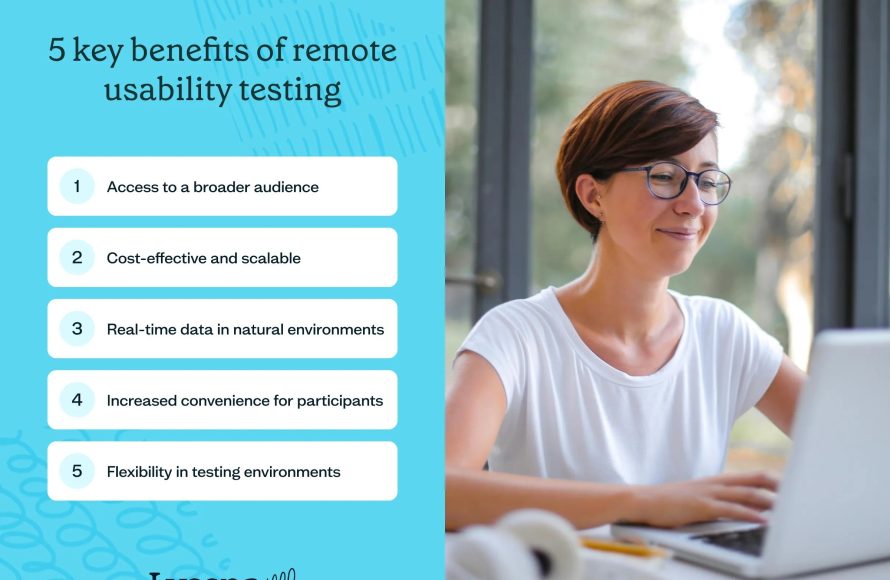
Remote user testing for Roblox involves observing players interacting with your game from a distance to gather valuable feedback on gameplay, usability, and design.
Have you ever wondered how players truly experience your Roblox creation? It’s one thing to build a world, but quite another to watch others explore it. Gaining genuine insights can be tough and that is where Roblox remote user testing comes in. This helps developers understand their games better.
We’ll be exploring methods for conducting effective testing from a distance. This approach helps you to get the feedback you need to make your game even better.

Roblox Remote User Testing: Making Your Game Awesome
So, you’ve created a cool Roblox game, and you’re super excited for people to play it! But how do you know if it’s actually fun? That’s where Roblox remote user testing comes in. It’s like having a bunch of friends try out your game, but instead of being in the same room, they’re playing from their own homes. This is really helpful because you get to see how people really play, not just how you think they should.
What is Roblox Remote User Testing?
Imagine you’re baking a cake. You think it tastes yummy, but what if others don’t? User testing is kind of like letting other people taste your cake before you sell it to everyone. Remote user testing just means those tasters are tasting it from far away, through their computers and internet. In Roblox, this means people play your game on their own devices and you watch what they do and hear what they think.
Basically, Roblox remote user testing is a method where you observe real players interacting with your game from their own locations. This is different than just having your friends play, because user testing is structured and helps you see if your game is easy to understand, enjoyable, and doesn’t have any annoying bugs.
Why is Remote User Testing Important?
Think of it like this: You might think your game is crystal clear, but other people might get lost, or not know what to do. Remote user testing helps you to:
- Find problems you didn’t know existed: Sometimes, as the creator, you’re too close to the game and miss things others find confusing or frustrating.
- Improve game design: You can see if players are having trouble with certain parts of your game and you can make changes to make it easier or more fun.
- Make your game more fun: By seeing how players react to your game, you can find out what they really enjoy, and what needs improvement, making the game fun for everyone.
- Save time and money: It’s way better to fix problems early, rather than after everyone is playing and saying it’s bad!
- Get different perspectives: People play in different ways, user testing helps to see those different styles of play.
Setting Up Your Remote User Testing
Planning Your Test
Before you dive in, it’s good to have a plan. Think about what you want to find out about your game. Here’s what you should plan before you invite people to test your game.
- What are your goals? What exactly do you want to find out? Is it about your game’s tutorial, a specific level, or the overall fun factor?
- Who will your testers be? Are you testing with beginners, experienced Roblox players, or a mix? This will affect your results, so you need to keep it in mind.
- What tasks will you ask testers to do? Make a list of specific things you want your testers to try. For example, “Try to finish the first level” or “Try to buy an item from the shop”.
- How long will the tests be? Keep your testing sessions short, maybe 30 to 60 minutes so your testers do not get tired or bored.
Choosing the Right Tools
You can use different ways to watch testers play your game. Here are a few helpful tools you can use:
- Screen recording: You can ask the testers to record their screen while playing. Then you can watch it later.
- Voice chat: Talk to testers while they play, so you can ask them questions in real time.
- In-game analytics: Roblox has built-in tools that can track how players move, where they click, and how long they play. These provide you with important information about the player.
- Surveys: After the test, you can ask testers to fill out a survey about their experience.
Finding Testers
Now it’s time to find people to test your game! Here’s how you can find testers for your game:
- Ask your friends: Sometimes friends can be your best testers. But don’t just ask your friends that know how to play your game very well; you need all kinds of players.
- Roblox groups: Join Roblox groups about game development or user testing. You can find people that are interested in testing there.
- Online forums: There are forums where people discuss Roblox game development. You can ask if anyone would be willing to test.
- Social media: Reach out to people on social media, letting them know you need testers for your game.
- Offer rewards: You could offer in-game rewards or Robux to encourage people to test your game.
Running Your User Tests
During the Test Session
When your testers are actually playing, you need to pay close attention. It’s important to remember you’re watching to learn, not just to make sure they’re doing it right.
- Observe, don’t guide: Let them play how they want. If they get stuck, see what they do without telling them what to do.
- Listen to their thoughts: If they’re talking out loud, listen to what they’re saying. This will give you important feedback.
- Take notes: Write down things you see, or things the testers say. Be specific about what the problems are.
Asking the Right Questions
Asking questions can provide a lot more insight into their experience. Don’t use leading questions like “Did you love the game?” Instead try open-ended questions, such as:
- What were you trying to do just now?
- What do you think about this part of the game?
- If you could change one thing about the game, what would it be?
- Was there anything that was confusing to you?
Analyzing the Results
Looking for Patterns
After all your testing is done, it is time to see what you learned. You need to look at all the feedback and see if there are any common issues that show up in different tests.
- Are the same things confusing to multiple testers? If you see multiple people getting stuck on the same part, that’s something that you need to change.
- Did people enjoy the main goals or objectives of the game? Did the testers find the game enjoyable? If not, that’s important feedback.
- Are there any game bugs or glitches that everyone runs into? You will need to fix these as soon as you can.
Making Changes Based on Feedback
After identifying the problems, it’s time to make changes in your game to make it better.
- Fix Bugs: Bugs should be fixed first, because it might be impossible to test the game with a broken mechanic.
- Adjust Difficulties: If parts are too hard, make them easier, and if they are too easy, make them harder.
- Rework tutorials: If your game has a confusing tutorial, make it clearer and easier to understand.
- Change anything the testers were not having fun with: Don’t be afraid to change your game based on the feedback, it’s how you make a great game.
Iterate and Retest
Improving a game is an ongoing process. After you make your changes, you should test your game again to make sure that the changes you made fixed the issues you found before.
- Test the game again: After you change your game, you need to run another round of user tests.
- Keep making changes: This is something you keep doing, you should always try to make your game the best it can be.
Examples of What You Might Learn
Here are a few examples of things you might learn from your user testing sessions:
- Players get stuck: You might see players are not able to figure out how to get to the next level. You might need to make a clearer path or give them better hints.
- Game is too easy/hard: Players might say that the challenges are too easy, or too hard and this is important to know.
- Players do not know what to do: If players don’t understand the basic goals, you know you need to improve the tutorial or help system.
- Player interface problems: You might see players having trouble with your menus, inventory, or shop.
Tools You Can Use for Roblox Remote User Testing
There are many tools available that can help make remote user testing easier. Here are a few common options that are used during user testing:
- Zoom, Discord, or Skype: These tools are very useful for talking to your players and watching them play in real-time, and you can also record these calls.
- OBS Studio or other Screen Recording Software: These tools are good for recording a tester’s gameplay, and you can review it when they are done playing.
- Roblox Developer Analytics: Roblox has its own tools that help you see how users are playing your game.
- Google Forms or SurveyMonkey: These tools help you make surveys, so players can give you feedback after they play your game.
Benefits of Continuous User Testing
User testing isn’t a one-time thing, it’s something you should do all the time while you are developing your game. Here’s why:
- Catch problems early: It’s better to find small problems early instead of finding bigger problems when a lot of people are playing your game.
- Stay in tune with your players: By talking to your players, you know what they like, what they don’t like, and what they might want in the future.
- Make your game better over time: By consistently testing your game, you are making it better over time, so that more people want to play it.
Best Practices for Effective Testing
Here are a few things you should always do when performing user tests, that make your testing sessions much better:
- Always be clear: Always explain to the players what they need to do, or what you want them to test, so they understand what is expected of them.
- Record everything: Always record the testing session, so you can review it later and make sure you didn’t miss anything.
- Be polite and kind: Always treat your testers with respect, they are giving you their time and helping you make a better game.
- Don’t be offended by feedback: You need to remember that you are testing the game, not the player, so don’t take the feedback personally.
Roblox remote user testing is a very useful way to make sure your game is the best it can be. By testing your game before you share it with the world, you are sure to make a game that people enjoy, and that keeps them playing. Remember to plan your tests, gather a group of testers, watch how they play, and make changes to your game. By testing, fixing, and testing again, you will be making an amazing game that players will love!
Do NOT Move in this Roblox Game
Final Thoughts
In summary, effective Roblox remote user testing involves carefully planning test scenarios and selecting appropriate participants. Gathering feedback through in-game observations and post-test surveys helps developers refine experiences. This iterative process is crucial for improving game design. Implementing these practices ensures higher quality and more engaging Roblox games.

