
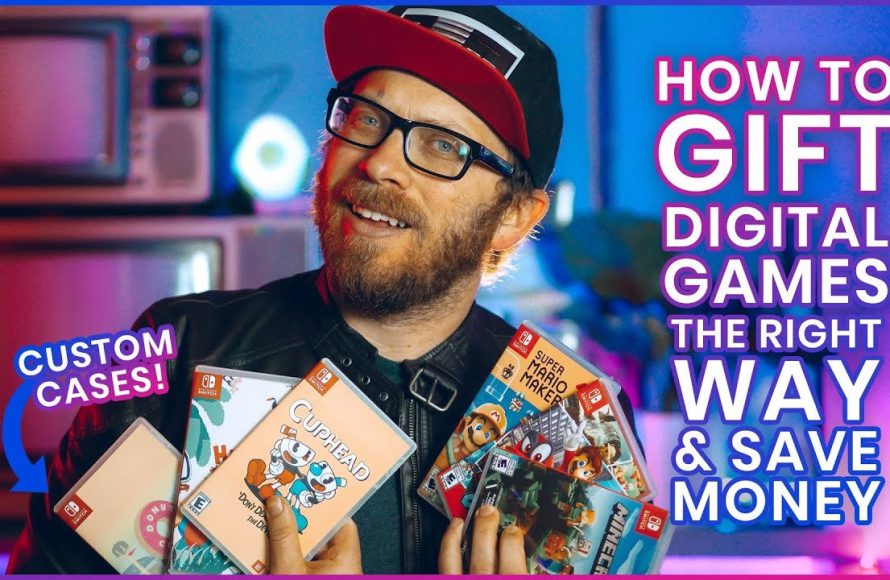
Yes, you can gift a digital Switch game through the Nintendo eShop, but the process depends on your region.
Want to surprise a friend with a new Nintendo Switch game? Maybe it’s their birthday or you just feel like being generous. The question often arises, can you gift a digital switch game? Absolutely, the eShop allows for digital gifting, however, how this is done depends on your location.
Gift options will vary between regions, which could impact how smoothly you can send a game. For example, some countries provide the ability to directly gift in the eShop, whereas others might require a workaround.

Can You Gift a Digital Switch Game? Exploring the Options
So, you’ve got a friend’s birthday coming up, or maybe you just want to surprise someone with a fun new game on their Nintendo Switch. You’re thinking, “Hey, I’ll just buy them a digital game!” But wait a minute, can you actually gift a digital Switch game? It’s not quite as simple as handing over a physical game cartridge, but don’t worry! Let’s dive into the world of digital gifting on the Nintendo Switch and figure out exactly how it works.
Understanding Digital Game Purchases on the Nintendo Switch
Before we get into the gifting specifics, let’s understand how digital games usually work on the Switch. When you buy a digital game, it’s not like buying a physical copy. Instead of getting a cartridge you can hold, the game is linked to your Nintendo Account. This account is your key to all things digital on the Switch. Think of it like your personal digital library.
You purchase the game through the Nintendo eShop, which is the online store built into your Switch. Once you buy a game, it’s available to download and play on any Switch console where your Nintendo Account is logged in. So, if your friend logs into their Switch with your account, they could play your games, but they wouldn’t truly “own” the game, and that’s not ideal for gifting!
The Direct Way: Gifting through Nintendo eShop
Nintendo provides an official method for gifting games through their website, but it has a few specific steps you must follow. This method is probably the easiest and most straightforward way of gifting, if available in your region. The Nintendo eShop on the Switch itself doesn’t allow direct gifting, so you’ll need to go through a web browser on your computer or phone.
Here’s How It Works:
- First, go to the official Nintendo website and sign in to your Nintendo Account. Make sure you’re using the same account you use on your Switch.
- Next, find the game you want to gift on the website. Make sure that the game is available digitally. You can search for the game title, or browse the games library.
- Now, on the game’s page, you’ll see a “Purchase for yourself” and a “Purchase as a gift” button. Choose the “Purchase as a gift” option.
- After you select the “Purchase as a Gift” option, you will be presented with two possibilities. The first is “Email a Download Code” where the recipient will receive the code in their email inbox. You will need to specify the recipient’s email address. The second is to “Print a Download Code.” This would be preferable if you will gift this download code in person, in a card or other sort of gift.
- Finally, complete the purchase just like you would any online order.
Once the purchase is complete, the recipient will receive an email containing a download code for the game, or you will be able to print the download code for yourself. They then simply enter this code on their Nintendo Switch, in the eShop. The game will be linked to their Nintendo Account, and they can start playing. The best thing is, that you don’t need to know their Nintendo Account details to give them a gift!
Important things to keep in mind:
- You need to use a credit card or other digital payment options to buy the game online. Nintendo eShop cards can not be used for gifting directly.
- Make sure you have the correct email address for the person you’re gifting the game to.
- This feature isn’t available in every country, so check the availability before you begin.
The Alternative: Using Nintendo eShop Gift Cards
What if the game you want to gift is not available as a gift through the official site? Or if you’re not sure exactly which game your friend wants? In such situations, a Nintendo eShop gift card is a great alternative to gift a digital game, and it is available in a variety of denominations. The recipient then has the ability to choose whatever game they like. It’s like giving them a shopping spree at the Nintendo eShop!
How Gift Cards Work:
- You buy a physical or digital Nintendo eShop gift card from a store or online. These cards often come in a range of monetary values, allowing you to choose an amount that fits your budget.
- The gift card has a code, which you either give to your friend (physical gift card) or send them online (digital gift card).
- Your friend then goes to the Nintendo eShop on their Switch and enters the code to add the funds to their Nintendo Account balance.
- With the funds added to their account, they can then buy any digital game they want.
Things to Consider when Using Gift Cards:
- Gift cards come with a set value, so be sure to choose a card with enough money to cover the game your friend wants. Check the prices in advance to be sure.
- Some retailers also sell digital gift cards that can be emailed directly to your friend, which is very handy.
- Make sure that you buy a gift card that is suitable for the region. For example, a gift card bought in the United States will not be redeemable in Europe.
Other Options and Things to Consider
Prepaid Game Download Codes
Some retailers also sell physical cards with download codes. These cards are similar to physical gift cards, but instead of adding funds to the user’s account, these download codes can be used to directly access a specific game on the eShop. These are great for when you know the recipient will want a specific game.
Family Sharing and Digital Ownership
Family sharing is something to consider for digital games as well. Nintendo offers family groups, which allows multiple Nintendo accounts to share a group membership. The primary account holder can purchase games and potentially share them with the family members, depending on the specifics of the Nintendo membership plan. This can be a very affordable solution for families. It’s not exactly gifting but it’s useful for sharing the cost of games.
Regional Restrictions
Keep regional restrictions in mind when gifting games. Nintendo, like most digital content providers, has regional restrictions. This means that a game bought in one region might not work on a Switch console from another region. For example, a digital game purchased in the US will not work on a Nintendo Switch account that is set to Europe. The same regional restrictions also apply to download codes. So, make sure you’re buying games and gift cards from the correct region for your friend.
Third-Party Retailers
Some third-party retailers also sell digital download codes for Nintendo Switch games. It’s important to be careful when purchasing from third-party sources, and to make sure the retailer is reputable. Check online reviews and ensure they have a good return or refund policy. Some retailers will provide digital download codes, or even a physical card with a download code, and others will just provide gift cards.
Making the Right Choice
Choosing the best way to gift a digital Nintendo Switch game depends on the specific situation. If you know the exact game your friend wants and it’s available for direct gifting via Nintendo’s website, that’s probably the easiest way. Gift cards or download code cards are great for giving your friend flexibility in the choice of game. Always make sure you’re buying from a reputable source and always keep regional restrictions in mind.
Whether you send a game code or a gift card, the most important thing is that you’re sharing the joy of gaming with someone you care about. The world of digital gaming gifting may seem a bit complicated, but with a little planning and understanding, you can become the ultimate gift-giving gamer!
So, can you gift a digital Switch game? Absolutely! Just choose the option that suits you and your recipient best, and prepare for some happy gaming moments.
How to Gift Games on Nintendo Switch
Final Thoughts
Yes, you can gift digital Nintendo Switch games through the eShop using a code. Purchase a download code from select retailers or Nintendo directly. Send that code to your recipient.
They must redeem the code on their Switch console. This adds the game to their account. ‘can you gift a digital switch game’ is definitively answered with a yes.
Therefore, it’s a convenient method to share gaming fun. Remember, a code is essential for this process.

