
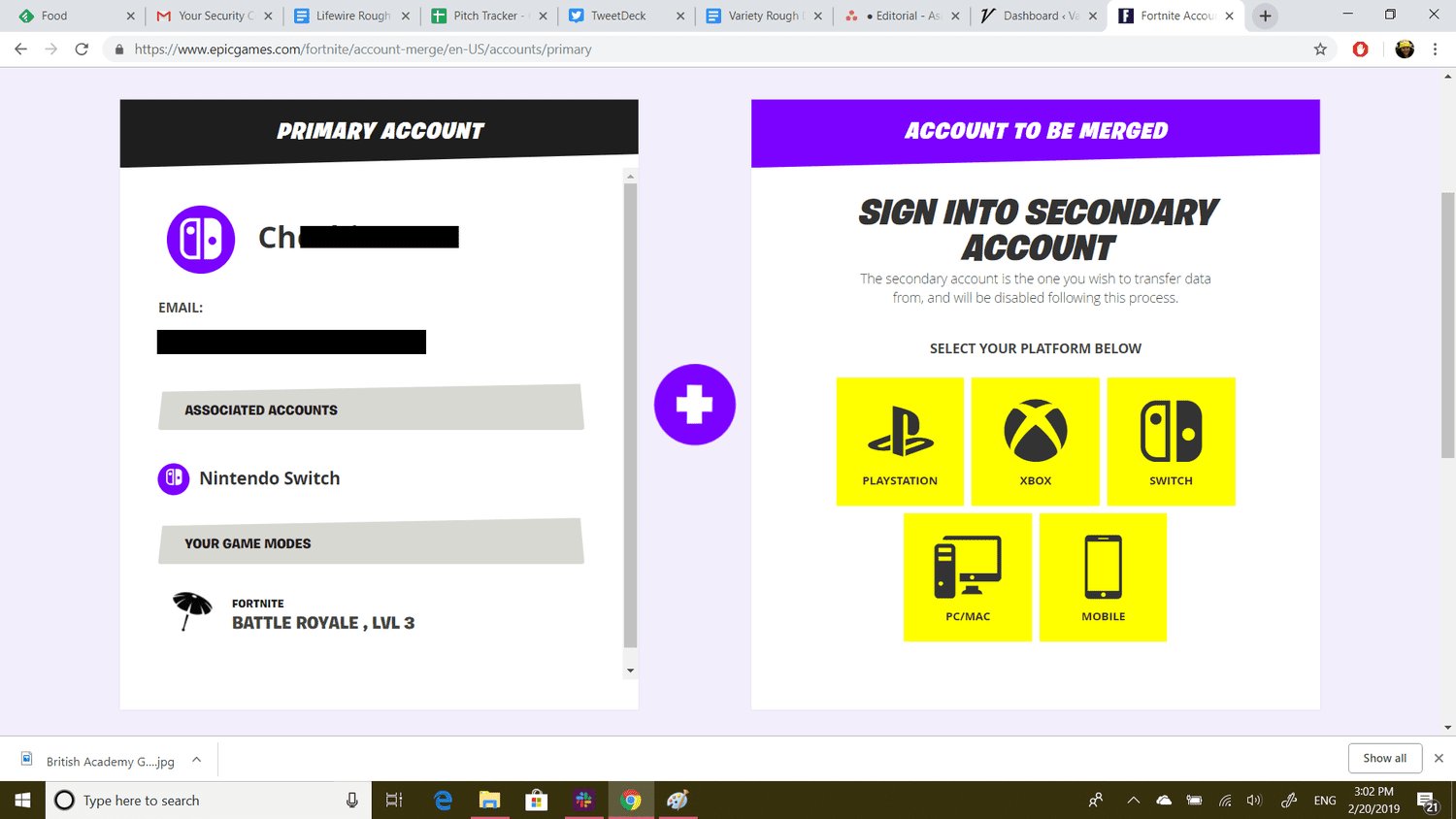
No, you cannot directly link 2 Epic Games accounts.
Ever wondered if you could merge your progress and purchases from two different Epic Games accounts? The question, “can you link 2 epic games accounts,” often arises when players have multiple profiles or want to consolidate their gaming libraries. Unfortunately, Epic Games does not offer a direct feature to combine or link separate accounts.
This means you’ll need to choose which account you prefer to use going forward. You might have to manually transfer data where possible. It’s a common question but for now, account merging simply isn’t a feature.

Can You Link 2 Epic Games Accounts? Exploring the Possibilities
So, you’ve got a couple of Epic Games accounts, maybe one you started way back when and another you use now. You’re probably wondering: “Can you link 2 Epic Games accounts?” It’s a great question, and the short answer is: not exactly how you might think. Epic Games, the folks behind popular games like Fortnite and Rocket League, don’t let you merge or directly link two separate accounts into one big super account. It’s more about making sure you’re using the right account for all your gaming fun.
Understanding the Epic Games Account System
Before we dive deeper, it’s useful to understand how Epic Games handles accounts. Each account is tied to your email address and contains all of your game purchases, in-game progress, and friend lists. It’s like your personal gaming passport. They are very particular about preventing abuse by people making too many accounts, and it’s better for the system to have one good account rather than many.
Why No Direct Linking?
You might ask, “Why can’t I just click a button and merge my two accounts?” Well, there are a few good reasons for this. Imagine the chaos if people could easily merge accounts! Things like game licenses, in-game items, and even your progress in games like Fortnite could get very mixed up, and it would be difficult to know what belonged to whom. It would be a nightmare for Epic to manage. Here’s a breakdown:
- Game Licenses: Every game you own is connected to a specific account. Merging would require transferring these licenses and making sure each game still works as it should.
- In-Game Items and Progress: All those cool skins, dances, and completed quests are also tied to a single account. Combining them is technically complicated.
- Security: If they allowed an account to be merged, that would make it much easier for people to steal your information.
It’s also important to consider that the system is built for players to maintain a single, secure profile, to protect your game information. That’s the simplest way to make sure you don’t accidentally lose anything that’s important to you.
What You Can Do: Managing Multiple Epic Games Accounts
While you can’t directly link 2 Epic Games accounts, there are ways you can manage multiple accounts. Let’s explore some solutions:
Choosing a Primary Account
The first step is to decide which account you want to use as your main one. Think about which account has more games you like, or maybe more progress you’ve made. Pick the one that feels like your go-to profile.
Using Different Platforms
If you play on multiple platforms (like PC, PlayStation, Xbox, Nintendo Switch), you should make sure you are using the same Epic Games account on each platform. This way, your game progress and any in-game items you earn will be accessible regardless of what system you are using.
How To Connect a Platform Account:
You can link your platform accounts to your primary Epic Games account. Here is how you do it:
- Log in to your Epic Games account on the Epic Games website.
- Go to your account settings.
- Find the “Connections” tab.
- You will see all the options, such as Playstation Network, Xbox, Nintendo, etc. Click on the “Connect” button beside each one you want to connect.
- Follow the instructions on the screen to log into each platform account.
Once the platforms are linked, you can play games such as Fortnite using the same Epic Games profile. Be sure to log into the correct account!
Account Transfers: A Limited Option
Occasionally, Epic Games might offer limited account transfer options in specific situations. This is usually not for merging accounts in a direct way but for resolving account issues, such as if you accidentally linked the wrong platform to your account or to separate your account from a platform. Epic has very specific rules and requirements for this to occur. This is not a way you could directly “merge” accounts.
When is Account Transfer Possible?
- Mistakes with Platform Linking: If you linked your platform to the wrong Epic account.
- Loss of Access: When you no longer have access to the platform linked to the Epic Games account you want to keep.
- Very specific cases handled by Epic support staff: Usually, for security purposes.
If you think you have a valid reason for an account transfer, you would need to contact Epic Games Support. Be ready to explain your situation clearly and be prepared for a response saying they can’t do what you would like. If your case qualifies, they will walk you through the process. This process is never for moving games from one account to another, just in case you linked the wrong account, or no longer had access to a console.
Using a Secondary Account
If you have an extra Epic Games account that you want to keep separate, you can still use it, but it will not be linked in any way to your primary account. Here are a couple of things you should keep in mind:
Switching Accounts
If you are using your secondary account, make sure you log out from your primary account before logging into the second one. You will need to do this on your PC, your console and anywhere else you play Epic Games. This way, you can be sure you are playing on the account you want.
Sharing Games with Family
Some families might be tempted to share a single account with multiple people so they can all play the same games. While this is a possibility, it is against the terms of service for Epic Games. When you purchase a game, you are buying a license to play the game on your own account. That means you shouldn’t be sharing the login information with anyone else. If Epic finds out you’re sharing, they might ban the account, and no one will be able to play.
Best Practices for Managing Epic Games Accounts
To avoid account confusion and any potential problems, following these best practices is a good idea:
Use a Primary Email Address
Make sure the email address associated with your main account is something you check often. This email is how you will recover your account if you forget your password and how Epic will communicate with you about purchases or changes to your account.
Strong Passwords
Pick a very strong password, and do not use that password on any other website. This will keep your account as secure as possible.
Enable Two-Factor Authentication
To keep your account safe, enable two-factor authentication. This adds an extra layer of security, using your phone number or email, making it harder for anyone to get into your account without your knowledge.
Double-Check Before Purchases
Before you buy anything, make sure you are logged into the correct account. No one wants to accidentally buy a skin on the wrong account! Because items are non-transferable between accounts, you would have to re-buy them on the correct one.
Stay Organized
Keep track of which account you are using and what you have on each of them. Write it down if you have to! You don’t want to lose track of all the great games, items and progress you’ve made.
The Future of Account Management
While Epic Games doesn’t currently allow direct account linking, they’re always working to improve the user experience. There is always a chance they will introduce some new feature in the future that makes managing multiple accounts easier. For now, it’s a good idea to keep up-to-date with their official announcements. Be sure to check their websites or social media channels regularly for any new changes.
Contacting Epic Games Support
If you are still having some issues with your accounts, and you cannot solve it with this information, contacting Epic Games support might be a good idea. Their team may be able to help with any specific problems you are having. Remember that they will not be able to do something like a direct account merge, but they can help in very specific situations. Always be polite when talking to them; you will be more likely to get the help you need.
You now have a much better understanding of the situation about linking two accounts. While a direct merge isn’t available, you have the tools to manage multiple accounts and connect platform profiles to a primary Epic Games account. Remember the important security aspects of your account and follow the best practices to keep everything safe. Happy gaming!
How To Have 2 Epic Games Accounts On Pc Tutorial
Final Thoughts
Unfortunately, Epic Games does not permit directly linking two accounts. Players must choose a single primary account. This limitation is a common issue for those who have separate accounts they wish to combine.
Therefore, the answer to “can you link 2 epic games accounts” is no. You cannot merge or link these accounts. This must be considered carefully before making new profiles.

