
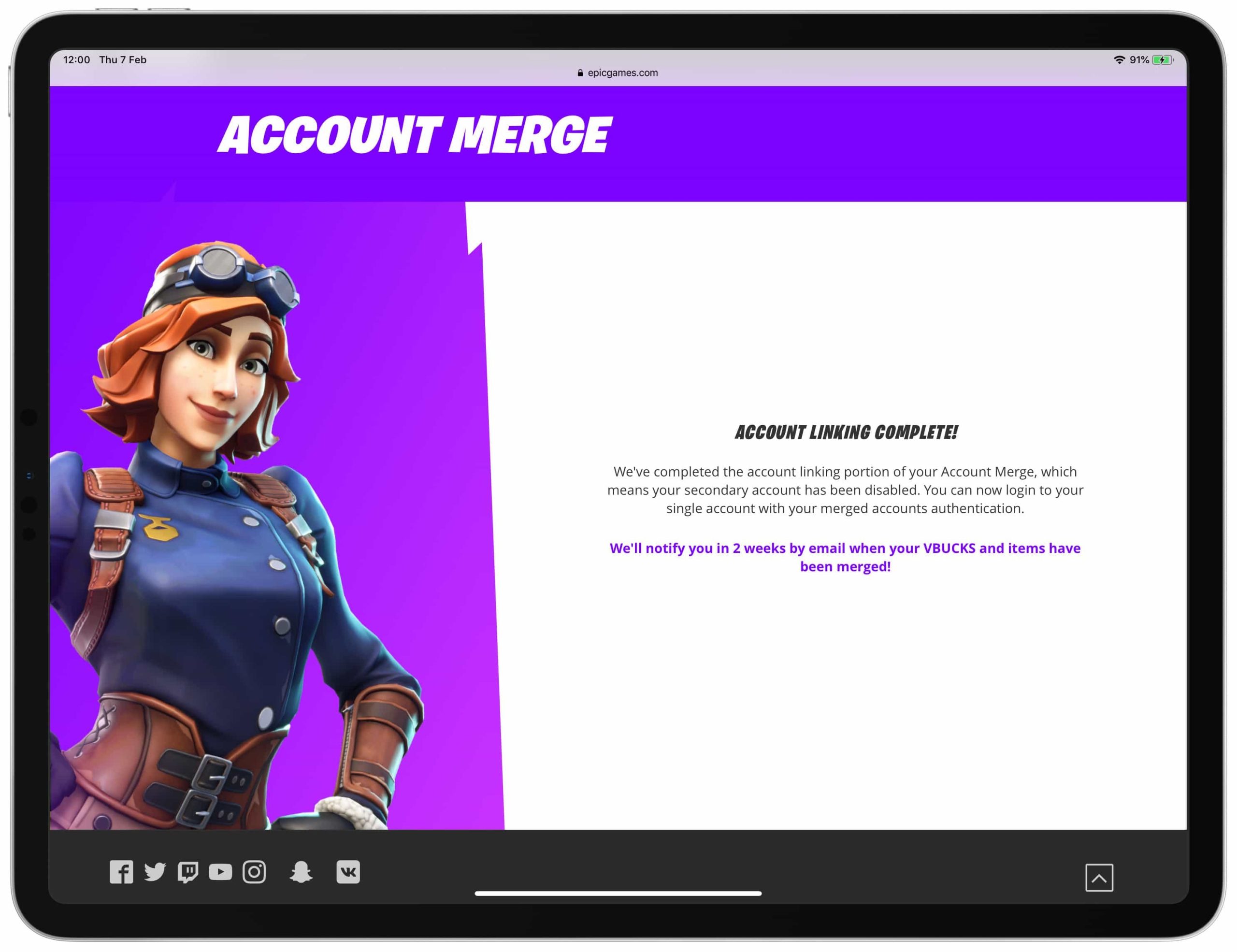
No, you cannot directly merge two Epic Games accounts.
Have you ever wondered if it’s possible to combine your gaming progress and purchases from separate Epic Games accounts? Perhaps you created one account long ago and then made a new one later, wishing you could bring them together. This is a common question gamers have.
The desire to consolidate accounts is understandable, especially with digital libraries growing. However, the current system of Epic Games doesn’t support direct account merging. Unfortunately, you can’t simply combine them. This is not a feature they offer.

Can You Merge 2 Epic Games Accounts?
Okay, let’s get right to it. You’ve probably got a question buzzing in your head: “Can I actually merge two Epic Games accounts?” Maybe you started playing Fortnite on one account, then your friend convinced you to start a new one to play together, or perhaps you’ve got an old account with some cool skins and a newer account with better progress. Whatever the reason, wanting to combine those accounts is completely understandable. The short answer is, no, Epic Games does not currently allow the direct merging of two Epic Games accounts. However, there’s more to this than just a simple no. Let’s explore why this is the case and what options you might have.
Why Can’t You Merge Epic Games Accounts?
This is a question many gamers have. It’s not like Epic Games is being difficult just for fun. There are some pretty important reasons behind this policy. Think of it like this: your Epic Games account is like a special key to your digital gaming world. It keeps track of all your games, your purchases, your progress, and even your friends list. Merging two of these keys would be incredibly complex and could lead to a lot of problems.
Potential Problems With Merging
Here are some of the major hurdles that make merging accounts a real headache:
- Game Licenses and Ownership: Each game you have is tied to a specific account. Imagine trying to combine two accounts with different sets of games. Who owns what? How would the system know which version to keep? It’s not as easy as just adding them all together.
- In-Game Purchases and Progress: Your skins, emotes, V-Bucks, and game progress are all saved to your specific account. Trying to merge all of this data from two different places could result in errors, lost items, or even corrupted data. This could be a total disaster for players.
- Account Security and Data Privacy: Epic Games needs to make sure your information is safe. Merging accounts would involve a massive transfer of data, which introduces serious security risks. They’d need to be absolutely certain that everything would be secure and wouldn’t cause any security issues.
- Technical Challenges: The technical side of merging accounts is incredibly difficult. The systems are not designed to handle this level of complexity. Creating and testing a system like this would be a massive project, and it could introduce new bugs and problems.
- Potential for Exploitation: If Epic Games allowed account merges, some players could find ways to take advantage of the system. They might try to merge accounts to get things they didn’t earn fairly, which would ruin the fun for everyone.
What Are Your Options If You Can’t Merge?
Okay, so account merging isn’t happening, but that doesn’t mean you’re stuck. Let’s discuss some things you can do:
Choosing a Main Account
The most common solution is to pick one account to be your main account. This is where you’ll play all your games and make all your purchases going forward. If you have items you want from other accounts, decide which account is more valuable to you, and make it your main account. It might be the one with the most games, the most progress, or the best skins. Once you choose, you will use that account going forward.
Sharing Game Purchases
While you can’t directly merge accounts, you can share games with the people you live with. This is a feature that Epic Games and many gaming platforms offer. This will allow your family members to play the games you have purchased on your account, but with their own saves and progress. Keep in mind this feature depends on which specific platform you are using to play the games.
Transferring Items (Limited Cases)
Epic Games doesn’t allow direct transfer of items between accounts. However, some games within the Epic Games ecosystem, like Rocket League, have their own internal trading systems. In games like Rocket League, you might be able to transfer some items to your preferred account by trading with a friend who is playing on another of your accounts. This is not a feature for all games, and many games won’t allow this. Even with games that allow trading, there may be a limit on the items that you can transfer or you may need to be connected to the same network or platform.
Using Separate Accounts for Different Games
If you have different kinds of games and prefer to keep their data separate, using separate accounts can be an option. This can help organize things, so you can keep competitive games on one account and more casual games on another.
Contacting Epic Games Support
While merging is not currently an option, it’s always a good idea to check with Epic Games support. Sometimes, they might be able to help you with specific situations or problems you’re facing, even if they can’t directly merge your accounts. They will be able to give you a definitive answer for your particular situation and tell you what, if any, options are available.
How to Contact Support:
- Visit the Epic Games Support Website: Head to the official Epic Games support page.
- Find the Contact Options: Locate their contact form or the email address for customer support.
- Explain Your Situation Clearly: Explain your situation and that you want to merge accounts, even though that might not be possible. They might be able to offer alternate solutions.
- Be Patient: Support teams receive a lot of requests, so it might take some time before they get back to you.
Thinking About The Future: Could Account Merging Ever Be Possible?
While it’s not currently possible, it’s never a bad idea to look to the future. It’s conceivable that Epic Games could develop an account merging system sometime down the line. However, given the complexity of the issue, it would take a lot of time and effort to create a system that’s safe, reliable, and user-friendly. It is always possible for Epic Games to change their policies and create such a feature in the future, but we have to wait and see how technology changes and develops in time.
Possible Changes
- Enhanced Data Management: If Epic Games develops better ways to manage and transfer account data, it might become easier to merge accounts.
- Secure Transfer Protocols: Better security measures could reduce the risks associated with data transfers during account merges.
- New Account Systems: New account systems may be created that are more flexible and could allow users to transfer items between them.
Managing Multiple Accounts Effectively
Since merging isn’t an option, learning how to manage multiple accounts effectively is important. Here are a few tips to stay organized:
Tips for Managing Multiple Accounts:
- Use a Password Manager: Keep track of your passwords using a reliable password manager to avoid confusion and prevent getting locked out of your accounts.
- Label Your Accounts: Give each account a descriptive label (e.g., “Fortnite Main,” “Rocket League Secondary”) to quickly identify which is which.
- Choose Specific Platforms: Designate specific accounts to be played on different platforms, like your computer, console, or mobile device, to make tracking simpler.
- Plan Purchases Carefully: Before making a purchase, think carefully about which account it should go to, to avoid having items spread out between multiple accounts.
Understanding Account Linking vs. Merging
It is important to know that account linking is different from account merging. Many games let you link multiple platforms to one account, but this is not the same as merging accounts. Account linking lets you play the same game on multiple platforms with the same account. If you want to switch between your PC and Xbox using the same account, that is linking, and that is allowed. However, it is not merging two different Epic Games accounts into one.
What Account Linking Does
- Connects platform accounts to your main Epic Games account.
- Lets you access your game data on different platforms.
- Does not combine game purchases, items, or progress from multiple Epic accounts.
What Account Merging Does (Which is Not Currently Allowed)
- Combines game licenses from two or more accounts.
- Merges all game purchases, items, and progress into one account.
- Not available in the current Epic Games system.
The Community’s Desire for Merging
The desire for account merging is not new. Many players have voiced that they want the ability to merge accounts. The community has made it very clear that this feature would greatly improve the overall gaming experience. While they have not officially said that they are working on an account merging feature, Epic Games is aware of the interest in this feature. They will continue to make updates to the Epic Games ecosystem. However, we will have to wait and see if this means that account merging will ever be available.
Players often express their desire to merge accounts on forums and social media platforms. If you want to share your voice, visit social media sites and let Epic Games know that you want them to create an account merge system.
In conclusion, while the idea of combining all your games, progress, and items into one awesome Epic Games account sounds amazing, it is not currently possible. Epic Games has sound reasons for not having this feature. There are several options that you can take for a better gaming experience, like picking a main account or contacting customer support. While a merging feature may exist one day, for now, you will need to choose and plan which accounts you use. Remember to manage your accounts with safe password practices, and hopefully, in the future, account merging will be a reality.
Merging two EPIC GAMES ACCOUNTS?? #videogames #fortnite
Final Thoughts
The short answer is no, you cannot directly merge two Epic Games accounts. Epic does not provide a feature for combining accounts and their associated game libraries. This limitation means you must choose the primary account you wish to use moving forward.
Therefore, the question of ‘can you merge 2 epic games accounts’ has a clear negative answer. You can, however, link external accounts like PlayStation Network or Xbox to your main Epic Games account. This allows access to progress where applicable.

