
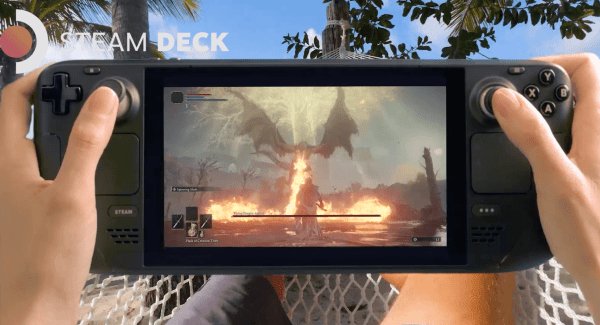
Yes, you can play most Steam games on Steam Deck, but compatibility varies and some titles may not run perfectly or at all.
The question, “can you play any steam game on steam deck,” is one many potential buyers have. It’s tempting to think every title will work flawlessly on this handheld, but that’s simply not the case. Valve has put significant effort into making a large number of games compatible.
Some games run smoothly, while others might require tweaking or just not be playable at all. The experience depends on the specific game and how it interacts with the Steam Deck’s hardware. So, while it’s a great device for playing many Steam titles, it isn’t universal.

Can You Play Any Steam Game on Steam Deck?
The big question everyone asks about the Steam Deck is: can you actually play all the amazing games from Steam on it? It’s a fair question, because while the Steam Deck is a powerful little handheld computer, it’s not quite like a regular desktop PC. So, let’s dive into what you can expect when you try to play your Steam library on the Steam Deck. It’s not quite as simple as a yes or no, but we’ll explore all the important details.
Steam Deck Compatibility: The Basics
First, let’s talk about how the Steam Deck decides what games will work. Valve, the company that made the Steam Deck, has a special system that checks games. This system assigns a compatibility rating to every game in the Steam store. These ratings are shown on the game’s page in the Steam store, and you can also see them when browsing your library on the Steam Deck itself. The ratings tell you how well a game is expected to run on your device. It’s like a report card, but for games!
Steam Deck Verified
The best rating a game can get is “Steam Deck Verified.” This means that Valve has fully tested the game on the Steam Deck, and it runs perfectly! Games that are Steam Deck Verified have great controls, the text is easy to read, and everything works just as it should. You won’t need to change any settings to get a smooth experience. Think of it like buying a toy and knowing it works right out of the box. It’s all set and ready for fun.
Steam Deck Playable
Next up is “Steam Deck Playable.” This means that the game will run on the Steam Deck but it may require some adjustments. You may have to tweak a few settings, like graphics options, or the text might be a little small. It’s also possible that some functions might not work as great as they should but overall the game is in a state where its playable. It’s like a toy that needs a little bit of setup before you can play. It’s not perfect, but with a little effort, you can enjoy it.
Steam Deck Unsupported
The rating to watch out for is “Steam Deck Unsupported.” This means that the game doesn’t work well, or at all, on the Steam Deck. It might crash, have big glitches, or just be too hard to play. This can be due to many reasons, but it means that you are not going to have a good time playing it on your deck. You could consider trying to play the game, but you should not have any expectations. It’s like trying to play with a broken toy – it’s probably better to find another one.
Unknown Category
Lastly, some games will simply have an “Unknown” category. This simply means that Valve has not yet tested that game on steam deck, and it will be tested at a later date. This category can be confusing, but you can try playing these games to know whether it’s playable or not.
It’s very important to know these ratings because they play a very important role in your gaming experience with Steam Deck.
Why Some Games Don’t Work Perfectly
Okay, so why do some games get the “Unsupported” or “Playable” ratings? There are several reasons:
- Controls Some games are designed only for mouse and keyboard. Trying to play them on a handheld with joysticks and buttons can be tricky.
- Text Size Games made for big screens can have very small text that is hard to read on the smaller Steam Deck screen.
- Graphics Some games are very demanding and require high-end computers to run well. The Steam Deck is powerful for its size but cannot match the performance of all powerful gaming computers.
- Anti-Cheat Systems Some games use special systems to stop cheating. These systems sometimes don’t work well with the Steam Deck’s operating system.
- Compatibility with Proton Steam Deck uses a system called Proton, which allows Windows games to run on Linux (which is the system the Steam Deck uses). While Proton is good, it’s not perfect, so some games might not work correctly with it.
Proton: A Magic Helper
Let’s talk more about Proton. This is very crucial to the discussion. It is what lets you play windows games on a linux system. It’s a special piece of software created by Valve. Think of it like a translator. Most games on Steam are made for Windows computers. But the Steam Deck runs on a type of software called Linux. Proton translates the game’s instructions so that they can be run on Linux. It is a very good translator, and many games work flawlessly because of it. But some games don’t work as well due to the complexities of translating between operating systems. Valve is consistently improving Proton, which means more games will likely work well on Steam Deck in the future. You might find some of your favorite games that didn’t work before now work. This continuous improvement is one of the reasons the Steam Deck experience gets better with time.
Checking Game Compatibility Before Buying
Before you buy a new game, always check its Steam Deck compatibility rating. This can save you a lot of headache. You can do this in a number of ways:
- On the Steam Website Look at the game’s page on the Steam website. Under the game’s pictures and description, you should see if it’s Verified, Playable, Unsupported, or Unknown.
- On the Steam Deck When you browse the store on your Steam Deck, you’ll see these compatibility ratings next to each game.
- SteamDB Website This unofficial website also tracks the game ratings and provides information about which version of Proton works best with some games.
By checking these compatibility ratings, you will know whether or not a game will run properly on your Steam Deck before you spend your money on it.
Playing Games That Aren’t Verified
Just because a game isn’t “Verified” doesn’t mean you can’t play it. Here are some tips for dealing with games with “Playable” or “Unsupported” ratings:
Tinkering with Settings
- Graphics Try lowering the graphic settings. This can help the game run smoother.
- Controls Many games let you change the controls. If the default controls don’t feel good, try experimenting to see what works best.
- Proton Versions You can try using different versions of Proton in the settings of the game. Sometimes using an older or newer version can improve the experience.
Community Help
- Online Forums Check online forums and websites dedicated to steam deck gaming. Other gamers might have found ways to fix problems with certain games.
- ProtonDB The ProtonDB website lets you see what others have said about how a specific game runs. It’s a great resource for finding community fixes and solutions.
Expect Some Issues
Even with tweaks and community help, some games will just not work perfectly. It is good to expect that some games will have some issues like:
- Glitches Some games might have visual errors or bugs that could get in the way of your game-play.
- Crashes The game might unexpectedly close or stop working. Save often to make sure you don’t lose your progress.
- Performance Problems The game might run slowly.
The Growing Library of Compatible Games
The good news is that Valve is constantly working on improving the Steam Deck experience. As they improve Proton and test more games, the library of verified and playable games keeps growing. Many games that were “Unsupported” before might become “Playable” or even “Verified” in the future. This means your Steam Deck gets better and better over time. You will see more and more of your games work on the Steam Deck over the months, and years to come.
Can You Play Games Not on Steam?
What about games that are not from Steam? This is another important point for steam deck users. The answer is that you can! The Steam Deck is not limited to just Steam games. Because the Steam Deck is basically a handheld computer, it can run other games as well. Here are some ways you can add games from different places:
Adding Games to Steam
You can add games from other platforms as non-Steam games into your library. This allows you to launch them from the Steam UI. You can add various launchers of games here. You can even play the games using community created custom controls. This works well for a number of launchers like epic games launcher, gog games, and various other platforms.
Emulators
You can also install emulators, which let you play older games from systems like the PlayStation, Nintendo, and more. It does require that you are able to set it up properly, but you can play almost any retro game you want on your steam deck.
Other Platforms
Some platforms, like Xbox Game Pass, can also be accessed through the Steam Deck by using web browsers. It might not be the most ideal experience, but it works fine for many. You also have access to many indie games that are not on the Steam platform. You can even make your own games and play them on the steam deck.
Understanding the Steam Deck’s Limits
It is very important to understand that even though Steam Deck is very powerful and versatile, it is not a top-of-the-line gaming PC. It has some limits.
Storage
The Steam Deck has storage space, just like any other computer. If you install too many big games, the device will get full, and you will have to delete some games. So, think carefully about which games you want to have on the go. You may also consider getting more storage space via SD card.
Battery Life
Playing big games will drain the Steam Deck’s battery faster. The heavier the game is, the faster it will drain your battery. Some games will last 2 hours or less and some light games might run for 8 hours or more. It is important to know that the steam deck has a limited battery life.
Game Performance
Even on “Verified” games, you may experience some problems depending on how intense the game is. Sometimes, the game may struggle to run at the highest settings. You may have to lower the settings to keep the game smooth and consistent. This can mean you are not getting the best graphical experience, but it helps with the overall enjoyment of the game.
In the end, the Steam Deck is an amazing device for playing your Steam games. While not every game will work perfectly, a huge number of games are playable or even fully verified. By checking game ratings, trying different settings, and using community resources, you can have a ton of fun gaming on the Steam Deck. Remember that the experience keeps getting better. Now go have some fun gaming on your handheld computer.
STEAM DECK The "TRUTH" about Supported vs Unsupported Games!
Final Thoughts
So, can you play any steam game on steam deck? The answer is nuanced. While the Steam Deck aims for compatibility, not every title runs perfectly. Some games may require adjustments or might not function at all.
Valve works hard to improve compatibility constantly. The “Verified” system helps users see which games work well. It is always wise to check for user reports for specific game titles.
Therefore, the capability to play every single game remains a “work in progress”, and while the goal is to play any steam game on steam deck there might still be some exceptions.

