
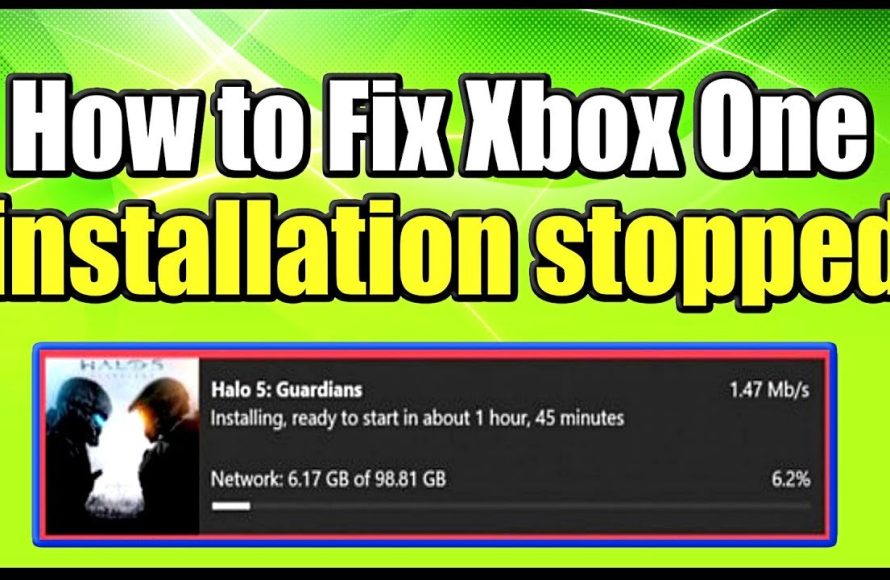
An unstable internet connection, insufficient storage space, or corrupted game files often cause your Xbox game installation to keep stopping.
Frustrating, isn’t it? You’re ready to dive into a new adventure, but your Xbox game installation keeps stopping, leaving you staring at a half-downloaded progress bar. It’s a common issue, and plenty of gamers have experienced the annoyance of interrupted installations.
So, why does my xbox game installation keep stopping? There are a few usual suspects, ranging from your network to the game itself. We will explore those culprits and get you back in the game.

Why Does My Xbox Game Installation Keep Stopping?
It’s super frustrating when you’re excited to play a new game on your Xbox, but the installation keeps stopping. It feels like you’re stuck in a loop, right? You start the download, it goes for a bit, and then bam – it just stops. Don’t worry, you’re definitely not alone! This is a pretty common problem that lots of Xbox gamers face. There are many reasons why this might happen, and we are here to explore them together. Understanding the causes can help you fix the problem and get back to gaming in no time. Let’s get into all the possible reasons and what you can do about them.
Network Issues: The Internet’s Role in Installation
One of the most common reasons for a stopped game installation is your internet connection. Think of it like trying to fill a pool with a garden hose that keeps getting kinked. If your internet isn’t working well, your Xbox won’t be able to download the game data smoothly. Here’s how network problems can mess things up:
Slow Download Speeds
Slow download speed can be a big issue. If your internet is running slowly, it can cause the installation to time out or pause. The game download needs a steady flow of data. If that flow is too slow, the Xbox might stop the installation, thinking something is wrong. Imagine trying to pour water from a very small cup into a big bucket. It will take ages and might even stop before the bucket is full!
- Check your internet speed: Run a speed test on your computer or phone. If it’s much slower than what you usually get, that’s a problem. There are many free websites that can check your internet speed. Just search for “internet speed test.”
- Restart your router: Just like restarting your Xbox, restarting your internet router can solve many connection problems. Turn off your router, wait for about 30 seconds, and then turn it back on. This often gives you a fresh and better connection.
Unstable Connection
Sometimes, your internet might go up and down. It might be good for a little while, then get slow, then good again. This kind of jumpy, unstable connection will definitely disrupt your game installation. Think of it like trying to paint a wall while the ladder keeps wobbling. You can’t do a good job if you can’t stay steady. The Xbox needs that stable connection to download game files smoothly.
- Use a wired connection: If you’re using Wi-Fi, try connecting your Xbox directly to your router using an Ethernet cable. A wired connection is often more stable than Wi-Fi. It’s like taking a direct road instead of using back roads – quicker and more stable.
- Check your Wi-Fi signal: If a wired connection isn’t an option, try moving your Xbox closer to the router or reducing other devices using the Wi-Fi at the same time. A weaker Wi-Fi signal can lead to a less stable connection.
Network Congestion
Too many devices using the same internet connection at the same time can create network congestion. If everyone in your house is watching videos, playing games, or downloading stuff, it will slow things down for everyone, including your Xbox game installation. It is like having too many people trying to go through a doorway at once, it gets crowded and slows things down.
- Limit device usage: When you’re installing a big game, ask others to reduce their internet usage if possible. This will free up bandwidth for your Xbox download.
- Try installing late at night: When fewer people are using the internet, you might find your game downloads faster and more reliably.
Xbox Storage Space: Not Enough Room to Install
Another common reason why your game installation might stop is because your Xbox doesn’t have enough space to hold the game files. Imagine trying to put too many toys into a toy box that’s already full! You need enough space to put all the files that make up the game. Here’s how storage space can cause problems:
Insufficient Hard Drive Space
Every game needs a certain amount of space on your Xbox hard drive. If you don’t have enough room, the download process won’t finish. It’s like trying to write a long story in a notebook that is almost completely full. You will run out of space before you’re done.
- Check your storage: Go to your Xbox settings and find the “Storage” section to see how much space you have left. Xbox shows you a clear picture of what’s taking up space.
- Delete unwanted games and apps: Remove any games or apps that you don’t play or use anymore. This creates more room for the game you want to install. Think of it like cleaning out your room to make space for a new toy.
- Use an external hard drive: You can use an external USB hard drive to add more storage to your Xbox. This is like getting a bigger toy box when your old one gets full. Make sure the hard drive is compatible with Xbox.
Corrupted Game Files
Sometimes, game files can get corrupted or damaged during the download process. This can stop the installation. Imagine trying to build a LEGO car, and one of the pieces is broken. You won’t be able to finish building it properly. Corrupted files mean the game is incomplete and can’t be installed.
- Cancel and restart the download: If you suspect that the files might be corrupted, try canceling the installation and restarting it. Sometimes, re-downloading the game can fix the problem.
Xbox System Issues: Problems with the Console Itself
Sometimes, the problem isn’t your internet or your storage, but something related to your Xbox itself. Just like sometimes you have a tummy ache and don’t feel good, the Xbox can have problems too. Here’s what might be going on:
Software Glitches
Xbox operating system, like any software, can sometimes have glitches. These are small errors that can cause unexpected issues like stopped installations. It is like when your calculator starts giving you wrong answers because there is a small bug.
- Restart your Xbox: A simple restart of your Xbox can often clear up these glitches. Turn off your Xbox and wait a few seconds before turning it back on. This is often the first thing to try.
- Check for system updates: Make sure your Xbox has the latest system updates. These updates often include fixes for bugs and other problems. Go to the Xbox settings to check for available updates.
Overheating
If your Xbox is getting too hot, it might stop the installation as a safety measure. Think of it like when your laptop gets too hot and starts to slow down. The Xbox needs to stay cool to work properly. Overheating can be due to poor ventilation around your console.
- Make sure there is space around the Xbox: Don’t put your Xbox in a closed space or cabinet. Make sure that the console has enough space for air to flow around it.
- Keep the fan area clear: Dust can accumulate near the console fan. Clean it regularly to prevent the Xbox from overheating.
Hardware Problems
In some cases, there might be a problem with the actual hardware inside your Xbox. If this is the case, you might see other problems too, not just problems installing games. It’s like if you have a bike and something is broken inside, it might not move properly. If you are constantly experiencing problems with your Xbox and the troubleshooting steps don’t help, hardware problems could be the cause.
- Contact Xbox Support: If you think that there might be a hardware problem with your Xbox, contacting Xbox support is a good step. They can help you figure out the problem and guide you on what to do next.
Specific Game Issues
Sometimes the issue may not be with your Xbox or internet connection. The problem could also be with the game itself.
Game Server Problems
If the game you are trying to install has issues with its servers, it could affect the download process. This usually means the game’s online system is having problems, and that can stop the installation. Think of it like trying to order something online and the website isn’t working.
- Check the game’s status: Search online to see if other people are having issues with the game you are trying to install. If the game has an official website, check there for status information.
- Wait and try again later: If the game’s server is having problems, waiting a while before trying again might fix the issue.
Disc Issues (For Physical Games)
If you are installing from a physical disc, the disc may be scratched, dirty, or damaged. This can prevent the game files from being read properly. It is similar to when you play a scratched CD and the music skips.
- Clean the disc: Use a soft, lint-free cloth to carefully clean the game disc. Wipe from the center out to the edges, avoiding circular motions.
- Try another game disc: If you have another game disc, try installing it to see if the problem is with the disc itself or with your Xbox.
Power Issues
It’s rare, but your Xbox’s power supply could also cause installation issues. If the power supply is not delivering enough power consistently, the console may not have enough juice to finish the download process. It is similar to your phone shutting off when the battery is low.
- Ensure the power cable is secure: Make sure the power cable is securely attached to both the Xbox and the power outlet.
- Try another power outlet: Trying a different power outlet can help you to check if the problem is related to the power supply source.
Additional Troubleshooting Tips
Here are a few more steps you can take to try and fix the problem if none of the above solutions seem to work. These are good to keep in mind when you are having any technical issue with your Xbox.
Update Your Controller Firmware
Sometimes, outdated controller software can cause conflicts during game installation. Making sure your controller is up-to-date is a good practice to keep your Xbox running smoothly.
- Check for controller updates: Go to your Xbox settings and find the “Accessories” section to check for available controller updates. Follow the instructions to install the latest firmware.
Reboot Your Xbox
Sometimes, a full reboot (power cycle) is needed to clear temporary glitches. Unlike a simple restart, a power cycle completely shuts down the console and clears the RAM.
- Unplug Your Xbox: Fully shut down your Xbox, then unplug the power cable from the console for about a minute.
- Plug it Back In and Restart: Reconnect the power cable, then turn on your Xbox and try the installation again.
Check Xbox Live Status
Occasional issues with Xbox Live services can cause problems. If Xbox Live is experiencing issues, you might not be able to download games correctly.
- Check the Xbox Live Status Page: Visit the official Xbox status page to see if there are any ongoing service problems. If Xbox Live is down, it is important to wait until it’s fixed.
How To Fix Xbox One / Series X/S Error "Installation Stopped For Digital Or Disc Installs" – 2023
Final Thoughts
In short, frequent installation stops often stem from network issues, insufficient storage, or problems with the console’s operating system. A weak Wi-Fi connection, or a full hard drive significantly impacts installation. Sometimes, corrupted game data can also halt the progress.
Troubleshooting these issues involves checking your internet, freeing space, and restarting your Xbox. If problems persist, consider updating the system software. Ultimately, understanding these potential factors helps answer “why does my xbox game installation keep stopping”.

