
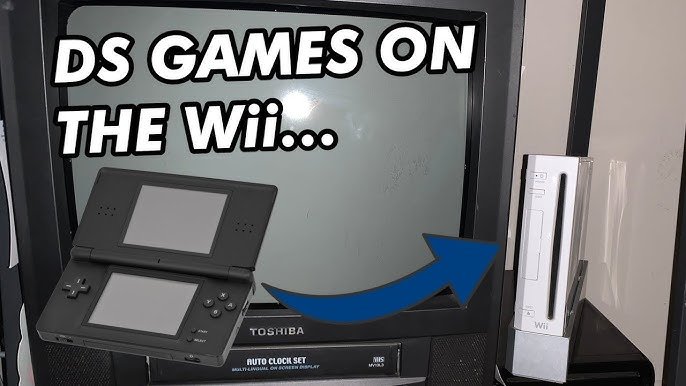
No, you cannot directly play DS games on a Wii console.
Many gamers wonder, can you play ds games on wii? The short answer is no. While the Wii and the Nintendo DS were both popular consoles from Nintendo, they function on different architectures and do not have direct compatibility.
You would need to play DS games on an actual Nintendo DS, DS Lite, DSi, or 3DS system. It’s a common question, and understanding the limitations of the hardware is important.

Can You Play DS Games on Wii? Exploring Compatibility and Alternatives
So, you’ve got a bunch of awesome Nintendo DS games and a trusty Wii console gathering dust? You might be wondering, “Can I play DS games on my Wii?” It’s a question that pops up for many gamers, and the answer, while not a simple yes or no, opens up a fascinating discussion about gaming history and how consoles work. The short and direct answer is no, you cannot directly play Nintendo DS game cartridges on a Nintendo Wii console. Let’s get into the details.
Why Direct DS Game Play Isn’t Possible on the Wii
The Nintendo DS and Nintendo Wii, while both from the same family tree, are very different consoles. They use completely different methods for storing and reading games. Think of it like trying to play a CD in a record player – it just won’t work. Here’s a deeper look at why this is the case:
Hardware Differences
Cartridges vs. Discs: The DS uses small game cartridges, tiny plastic rectangles that store game data on a chip. The Wii, on the other hand, uses bigger discs similar to DVDs. These discs use light and lasers to read the game data.
Processor and Graphics: Each console has its own brain, or central processing unit (CPU), which processes the game instructions. The DS and Wii have entirely different CPUs and graphics chips. These chips are designed specifically for their respective game format. The Wii is way more powerful than DS when it comes to processing power.
Input Methods: The DS relies on touch screen controls, buttons, and often a stylus. The Wii utilizes motion-sensitive controllers called Wii Remotes (or Wiimotes) and Nunchucks, along with classic controllers. These very different control schemes make it difficult to share games.
Screen Output: The DS has its own built-in screens, one of them a touch screen. The Wii is meant to connect to a TV and display games on a big screen. These very different displays mean games developed for one platform usually cannot work on another.
Software and Programming Limitations
Game Code: Games are essentially programs written in a special language that the console understands. The DS and Wii don’t speak the same language, they are written in different formats, that’s why you can’t just pop a DS game into the Wii.
Emulation Issues: The Wii’s hardware isn’t programmed or designed to emulate or copy the DS’s specific functions, touch input and dual screens. It is simply not designed to mimic the DS.
No Built-in Emulator: The Wii does not include any sort of software that can translate a DS game into something it can understand. Therefore there’s no easy way to run DS games, unless you take some alternate routes.
The Exception: Virtual Console and DS-Like Experiences on Wii
While you can’t play DS cartridges on the Wii, there’s a twist! The Wii had a service called the “Virtual Console,” where players could purchase and download classic games from older Nintendo systems, such as the NES, SNES, and Nintendo 64. Sadly, no Nintendo DS games were ever offered on the Virtual Console. However, the Wii did offer a few experiences that were close to DS gameplay.
The World of “WiiWare”
Digital Downloads: The Wii had a dedicated online shop called the Wii Shop Channel where you could buy and download games. These games, known as WiiWare, were typically smaller and less expensive than the typical games sold on discs.
DS-Style Titles: Some WiiWare titles offered game play that was very similar to what you might find on the DS. While these were not directly DS titles, they were often made with a similar style, or the same game designer behind a Nintendo DS game might develop a WiiWare game.
Example: “Art Style” Series: Games like “Art Style: CUBELLO” and “Art Style: ORBIENT” offered simple, puzzle-like game play often seen on handhelds and reminiscent of Nintendo DS titles. They utilized the Wii’s pointer controls like a stylus on the DS, giving the same type of experience.
Download Only: Remember that these games were downloaded from the Wii Shop Channel. You cannot buy these games anymore since the Wii Shop channel is closed, so the only way to play them now is to have purchased them on the Wii before.
DS Games that connect with the Wii
Connectivity Features: Some Nintendo DS games had a little bonus feature: they could connect to specific Wii games. This connection was not like playing the DS game on your TV. Instead, you might get to send items, use new characters, or have some other sort of limited bonus content on the Wii game.
Example: Pokemon Games: Some Pokemon DS games could connect to certain Pokemon Wii games, and you could transfer Pokemon back and forth between the two systems. This feature did not allow you to play the entire DS game on the Wii.
Other Games: Other titles also offered similar functionalities, but none of them allowed you to play the full DS game on the Wii. These features enhanced the overall gaming experience for those who owned both consoles and the specific games that could connect to one another.
Specific Games Only: Keep in mind this feature is only available to the specific games programmed to have this capability, and the Wii game must be able to accept this transfer.
Exploring Homebrew and Emulation (Advanced Users)
For more technical gamers, the world of homebrew and emulation presents another option, but it’s crucial to understand that this is not officially supported by Nintendo and comes with certain risks.
What is Homebrew?
Unofficial Software: Homebrew refers to software created by independent developers for consoles outside of the official channels. This means that the software is created by fans, and is not an official product from Nintendo.
Modifying Your Console: To run homebrew software on your Wii, you typically need to make changes to its software which might invalidate your warranty or potentially harm your console if done improperly.
Risk Involved: Modifying your console’s system is not recommended for everyone. There’s always a risk of bricking your console or losing data. It is extremely crucial to follow safe and verified steps. Always check for user reviews before performing any modification.
Emulators: Simulating the DS on the Wii
Software Mimicry: An emulator is a program that can make your Wii act like another system, such as the Nintendo DS. The emulator translates the DS game’s code so the Wii can run it.
DS Emulators on Wii: Some homebrew developers have created Nintendo DS emulators for the Wii.
Performance and Compatibility: Running emulators on the Wii is not perfect. Performance may vary depending on the game and the emulator, and some games might not work at all.
Legal Considerations: Downloading and using game ROMs (the files containing the game code) is a legal gray area, as you should technically own a physical copy of the game to be allowed to play it on an emulator.
Important Note on Homebrew and Emulation
Not Officially Supported: Nintendo does not support or recommend using homebrew or emulators.
User Responsibility: Any modification of your console is done at your own risk. Be very careful when downloading and using homebrew software.
Ethical Considerations: Ensure that you own the original physical copy of the game if you download any ROMs, or you may be breaking the law.
Why You Might Want to Consider a Nintendo DS or 2DS/3DS
Given the challenges and potential risks of trying to play DS games on the Wii, you might be better off thinking about acquiring an actual DS or one of its more recent cousins.
Authentic Experience
Designed to Play: The Nintendo DS, Nintendo 2DS, and Nintendo 3DS were all designed to play Nintendo DS games perfectly. They are the way the game was intended to be played.
Touch Controls: You get the original touch screen experience that’s so important in many DS games. No emulated experience will feel exactly the same.
Dual Screen: The DS family has the special dual screens, which is often very important in playing DS games. Some games use both screens to show different information, and the gameplay just would not be the same on a TV.
Availability and Affordability
Used Consoles: Used DS, 2DS and 3DS consoles can often be purchased at a decent price. If you want to play DS games, this is likely the safest and easiest path to take.
Large Game Library: There is a huge library of DS games available, giving you a wide range of choices.
Modern Options
2DS and 3DS: The Nintendo 2DS and 3DS can play all DS games, as well as their own 3DS games.
Improved Features: 3DS has some more advanced features like 3D graphics (though the 2DS lacks the 3D functionality). It also offers enhanced online features.
Why Choose the Right Console?
Playing it right way: At the end of the day, the most simple path to enjoy a Nintendo DS game is to play it on a Nintendo DS system.
No Technical Hassle: No need to mess around with homebrew or worry about compatibility issues. Just put the game in, and enjoy.
Alternatives to Playing DS Games on the Wii
Let’s look at some less complex options if you’re not ready to acquire a DS system, yet still want some ways to play games similar to Nintendo DS games.
Mobile Gaming
Smartphones and Tablets: Mobile gaming has taken a huge leap, and there are some mobile games that feel like those on the DS.
Touchscreen Controls: Just like the DS, you get touch screen controls on mobile devices.
Game Selection: Mobile app stores have a gigantic library of games available to play.
Similar Experiences: While not DS games, you can find great games with similar gameplay style, graphics and themes.
PC Gaming
Emulation on PC: Similar to the homebrew option on the Wii, you can use a DS emulator on your computer.
Improved Performance: PC hardware is much more powerful than the Wii, and it can run the same emulators smoothly.
Larger Screen: Playing a DS game on your computer would give you a much bigger screen experience, but it might make the game feel slightly different than intended.
Legal issues: Same as the Wii emulation option, make sure you own a legal copy of the game.
Other Gaming Consoles
Nintendo Switch: The Nintendo Switch is the current handheld console from Nintendo, and it has a ton of indie and classic games.
Retro Consoles: There are also some retro style handhelds or consoles where you can load games on.
Diverse Game Libraries: These consoles can offer a lot of fun, and have many titles that can offer a somewhat similar feel to DS titles.
In conclusion, while the dream of directly playing your Nintendo DS cartridges on the Wii is not achievable due to fundamental hardware and software differences, there are still several avenues to explore. Whether it is the unique WiiWare titles, the potential but complex world of homebrew emulation, or simply picking up a DS, 2DS, or 3DS system, there is definitely a solution that will help you get closer to that gameplay that you are looking for. Each choice has its advantages and trade offs, so deciding what is best for you will depend on what you value most from your gaming experience.
DS Games on the Wii?! #shorts #nintendo #videogames #gaming #facts #fake #viral #retro #wii #ds
Final Thoughts
So, the answer is a clear no, you cannot directly play DS games on your Wii console. The two systems use different cartridges and hardware. You might find some DS titles available through the Wii Virtual Console service.
However, these are not the original DS games. They are often enhanced ports. Therefore, playing DS games directly on your Wii, as a general user might hope, is not possible. That clarifies if can you play ds games on wii.

