
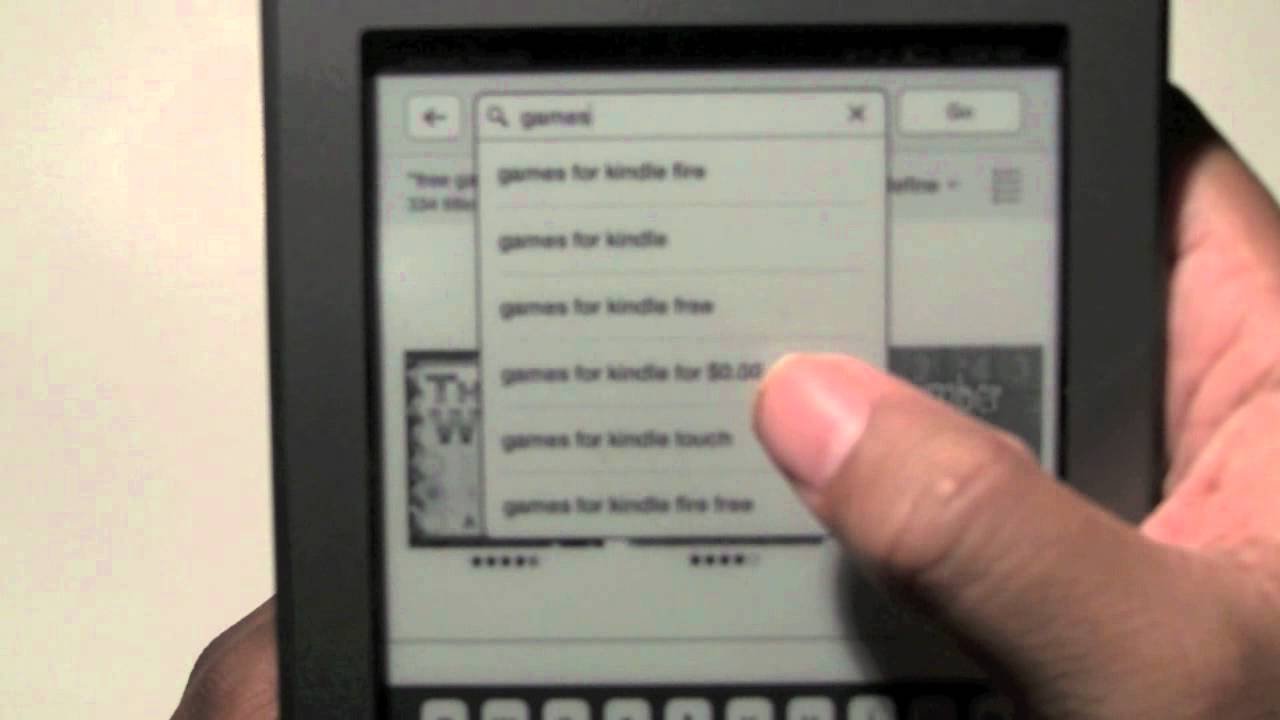
Yes, you can play some simple games on a Kindle, primarily through the Kindle store’s selection of basic puzzle and word games.
Have you ever wondered if your Kindle could be more than just an e-reader? It’s a common question: can you play games on a Kindle? Many people purchase Kindles for reading but remain curious about its extra capabilities.
While not designed as a gaming device, Kindles do offer a variety of simple games. These mostly include puzzle games, word games, and some basic card games that you can access from the Kindle store. So, though it may not compete with dedicated gaming platforms, it can offer some entertainment.

Can You Play Games on a Kindle? Exploring the Gaming Capabilities of Amazon’s E-Reader
The idea of playing games on a Kindle might seem a bit unusual at first. After all, Kindles are best known for their amazing e-reading abilities. They are designed to make reading feel like you are holding a real book, with a display that is super easy on the eyes. But the question remains – can these devices do more than just let us dive into captivating stories?
Kindle Devices and Their Core Function
Let’s talk about what Kindles were originally made for. They’re primarily e-readers, meaning their main job is to show you books, magazines, and documents in digital format. They use a special screen called e-ink, which looks very different from the screens on your phones or tablets. E-ink screens don’t shine light into your eyes; instead, they reflect light from the room, just like paper. This makes reading for long periods much easier on the eyes.
Because of this e-ink technology, Kindles are awesome at displaying text and images that don’t need lots of color or fast movement. This explains why your Kindle is great for reading novels, but not for playing the newest action-packed video game with lots of animation.
The Types of Games Available on Kindle
While Kindles aren’t designed to be gaming powerhouses, they do offer a selection of games. These games are typically simpler and less demanding than games you would play on a smartphone or gaming console. Think of them more like fun little puzzles or basic card games. They are perfect for passing time, or as a mental break between chapters.
Where to Find Kindle Games
You can find games on your Kindle in a couple of ways. Many are available directly through the Kindle Store, accessible on your device. Some games come pre-loaded on certain Kindle models. It’s worth checking the settings on your specific Kindle device to see which games you might already have available.
Examples of Popular Kindle Games
So, what kind of games can you expect to find? Here are a few types to give you an idea:
- Word Games: Think crosswords, word searches, and anagram challenges. These are very popular on Kindles, because they work great with the e-ink display.
- Simple Puzzles: You might find jigsaw puzzles, logic puzzles, or simple matching games. They often use simple graphics and require careful thought, rather than fast reflexes.
- Card Games: Games like Solitaire are also available, providing a classic, relaxing gaming experience.
- Basic Board Games: Some Kindles might offer simple versions of board games like checkers or chess, although usually with simplified gameplay.
These games are typically designed to be casual and not too demanding. They don’t involve complex graphics, sound effects, or fast-paced action. The focus is more on simple entertainment and mental challenges.
Limitations of Kindle Gaming
It’s important to keep in mind the limitations of the Kindle when it comes to gaming. Let’s delve deeper into the reasons why the Kindle isn’t ideal for playing high-powered games.
E-Ink Display and Refresh Rates
The e-ink display, which is the strength of the Kindle for reading, becomes a limitation for gaming. E-ink screens have slow refresh rates, which mean the screen cannot update quickly. This is why you see a slight flashing or ghosting when something on the screen changes quickly. This makes it hard to play games that require fast motion or quick responses. Think about trying to play a fast-paced racing game on an e-ink screen; the constant blurring and slow updates would make it impossible. This is the biggest reason why games on the Kindle are simpler.
Processing Power
Kindles are not built to be powerful computers. They are designed for reading and have just enough processing power to manage the tasks involved in managing an e-library and displaying ebooks. They don’t have the kind of fast processors or memory required to handle the complex calculations and graphics of more intensive games. Therefore, complex and graphic-heavy games are not a good fit for the Kindle.
Limited Graphics and Sound Capabilities
The games on the Kindle tend to have simple 2D graphics. Kindles are not capable of displaying high-resolution 3D graphics, or the kind of detailed textures and effects you might see in a game on a phone or console. Moreover, Kindles do not have excellent sound quality. They do not feature dedicated audio systems, and most of the games do not have sound effects. You might hear some basic beeps or tones, but don’t expect rich background music or lifelike sound effects.
Battery Life Considerations
While Kindles have amazing battery life for reading, playing games tends to drain the battery much faster. The processor has to work harder to display the graphics and handle the game’s calculations, so the battery life will decrease more rapidly when playing compared to reading. While not a huge impact, it’s something to consider if you plan on spending a lot of time gaming.
Why Play Games on a Kindle?
Given the limitations, you might wonder why anyone would want to play games on a Kindle in the first place. Here are some good reasons:
Relaxing Pastime
The simple, casual nature of Kindle games makes them a great way to unwind. They’re perfect for moments when you want to take a break from reading or simply pass the time in a relaxed and gentle way.
Mental Stimulation
Many Kindle games like word games or logic puzzles are fantastic for giving your brain a workout. They’re a good way to keep your mind active without the intensity of more demanding games.
Easy to Access and Play
Kindle games are easy to find, download, and play. The simple interface of the Kindle is perfect for navigating and starting a game without any hassle. It offers simplicity, which is a welcome change from other devices.
Perfect for Travel
Kindles are super portable, and because of their long battery life they are ideal companions for travel. Games on your Kindle offer you a quiet way to entertain yourself while on the go without distractions or the bright screens of other devices.
Types of Kindle Devices and Game Compatibility
Not all Kindles are created equal when it comes to playing games. Different models have different capabilities. Here is a general idea of the types of Kindles and their gaming potential.
Basic Kindle Models
The most basic Kindles, like the standard Kindle, usually have the smallest selection of games available. They tend to have a lower processing power and simpler displays. The games that you may find on these are generally the most basic, such as simple word puzzles.
Kindle Paperwhite
The Kindle Paperwhite series are a step up from the basic models. These devices have slightly more processing power and often have more games available. They offer a better overall experience if you plan to play games from time to time. You can expect the types of games like card games, and simpler logic puzzles to run smoother on these devices.
Kindle Oasis
The Kindle Oasis is the premium Kindle model, often offering the best performance among the Kindle family. It has the best display and processing power. However, even with the better hardware, it doesn’t transform the Kindle into a dedicated gaming device. You’ll still be limited to the types of simple games seen on other Kindles.
Kindle Scribe
While the Kindle Scribe is designed for reading and writing, its game functionality is on par with other high-end Kindles like the Oasis. You will find similar kind of selection of the available games. The writing functions will not have any effect on the gameplay itself, as the focus remains on simple games.
Fire Tablets (Not Technically Kindles)
It is important to note that while Fire Tablets are also made by Amazon, they are not technically “Kindles.” Fire tablets are full-fledged tablets with color screens and the ability to run full Android apps, and thus are able to play far more complex and sophisticated games. If you are looking for a device to primarily play games, Fire tablets are a better choice than Kindles, which are designed for reading.
Comparing Kindle Games to Other Platforms
To give you a better idea of the kind of gaming experience you can expect on a Kindle, let’s briefly compare it to other platforms:
- Smartphones: Smartphones are far superior to Kindles in terms of gaming. They have color screens, faster processors, touch screens and access to thousands of games through app stores. Smartphones are your ideal device if your main priority is gaming, while Kindles should be thought of as a device for reading which have a side benefit of access to simple games.
- Tablets: Similar to smartphones, tablets have powerful processors and can play advanced games with high-quality graphics. Tablets offer larger screens compared to phones and generally have better sound quality too, for gaming. They, like smartphones, are more suited for gaming purposes than Kindle.
- Gaming Consoles (Nintendo Switch, PlayStation, Xbox): These consoles are designed solely for gaming and offer the best gaming experience with high-quality graphics, immersive sound, and advanced controls. If you are looking for an immersive gaming experience, gaming consoles are the clear winner, offering much higher levels of immersion and engaging game play.
The key difference here is the purpose of the device. Kindles are designed primarily for reading and offer games as a secondary, casual experience. Smartphones, tablets and dedicated gaming consoles are designed with gaming in mind, and thus, are far superior at playing a variety of games, from simple to complex.
Tips for Getting the Most Out of Kindle Gaming
If you’re interested in trying games on your Kindle, here are some tips to help you make the most of it:
- Explore the Kindle Store: Browse through the available games in the Kindle Store and try different types to find what you enjoy the most.
- Look for Free Games: Many Kindle games are free to play. Start with these to get a feel for the gaming experience before investing money.
- Update Your Kindle Software: Keep your Kindle’s software up to date. This ensures that you have access to the newest features and any improvements to game performance.
- Adjust Screen Settings: Adjust the font size and screen brightness for the best viewing experience, especially in different lighting conditions.
- Take Breaks: Remember to take breaks during gameplay to avoid eye strain. Even though the screen is easy on the eyes for reading, it is still best to not stare at it for long uninterrupted periods of time.
Ultimately, while gaming on a Kindle isn’t the same as on a dedicated gaming device, it can still be a pleasant and relaxing experience if you keep your expectations in check. Embrace the simplicity, and you might find a new way to enjoy your Kindle.
To summarize, while you can play games on a Kindle, they are not the primary focus of the device. The available games are mostly simple puzzles, word games, and card games. The e-ink screen is excellent for reading but has limitations for fast-paced games. Kindles are great for a relaxing and casual gaming experience. They are not meant for immersive and graphically intensive gaming. So, if you are looking for a casual gaming experience, a Kindle can be a great choice, but for more involved gaming, you should consider other dedicated platforms.
Play all games on kindle tablet with google play #shorts
Final Thoughts
Yes, you can play games on a Kindle, though options are limited. Most games available are simple, focusing on puzzles or wordplay. Don’t expect advanced graphics or complex gameplay.
Kindle devices primarily serve for reading ebooks. They feature basic app capabilities. Therefore, if you are thinking that can you play games on a kindle as well as a dedicated handheld console, reconsider.

