
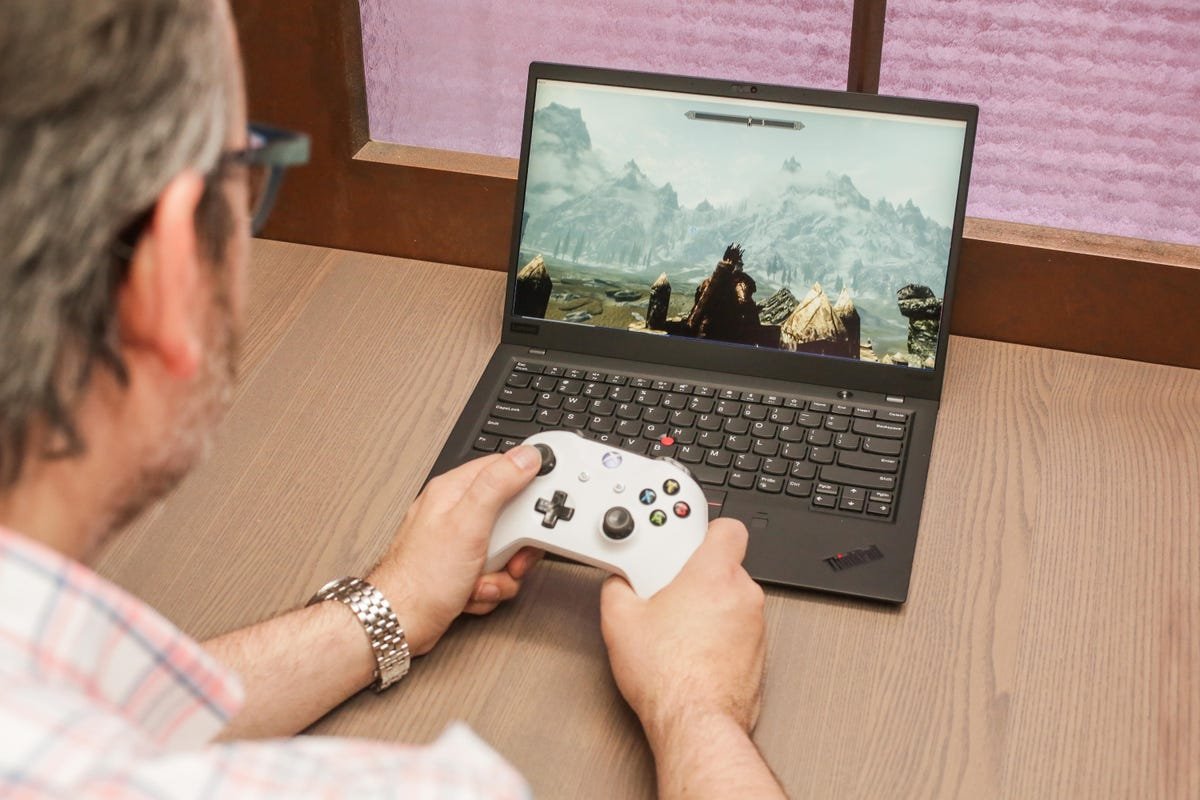
Yes, you can play games on a laptop, but the experience depends heavily on the laptop’s specifications.
Can you play games on a laptop? Absolutely, it’s a common query! The truth is, gaming on a laptop is totally possible.
However, not all laptops are created equal. Your gaming experience will hinge on components like the graphics card, processor, and RAM. A basic laptop might handle older or simpler games, while a high-end gaming laptop can run the latest AAA titles smoothly.

Can You Play Games on a Laptop?
Yes, you absolutely can play games on a laptop. The key is understanding what kind of gaming experience you want and choosing the right laptop for your needs. Not all laptops are created equal when it comes to gaming.
Gaming Laptops vs. Standard Laptops
Gaming laptops are specifically designed for demanding games. They differ significantly from standard laptops in several key areas.
- Dedicated Graphics Card: Gaming laptops boast powerful dedicated graphics cards (GPUs).
- High Refresh Rate Displays: Expect screens with refresh rates of 120Hz or higher for smoother visuals.
- Advanced Cooling Systems: Gaming laptops incorporate advanced cooling to prevent overheating.
- Powerful Processors: They are equipped with high-performance CPUs to handle complex game calculations.
- Faster RAM and Storage: Gaming laptops usually feature faster RAM and storage options.
- RGB Lighting and Aesthetics: Often, they have customizable RGB lighting and a more aggressive design.
Standard laptops, on the other hand, are built for general productivity and everyday use. Their components are typically less powerful.
Factors Affecting Gaming Performance on a Laptop
Several factors impact how well a game runs on a laptop. Understanding these elements is crucial for making an informed purchase.
Graphics Card (GPU)
The graphics card is the most important component for gaming. It renders the images you see on the screen.
Different games have different GPU requirements. AAA titles require powerful GPUs for high settings.
Processor (CPU)
The CPU handles game logic, AI, and physics calculations. A powerful CPU prevents bottlenecks.
A faster CPU means smoother gameplay and better overall performance. Make sure your CPU matches your GPU capabilities.
RAM (Memory)
RAM is crucial for storing game data and textures. Insufficient RAM can lead to stuttering and slow loading times.
16GB of RAM is generally recommended for modern games. Some demanding games might even benefit from 32GB.
Storage (SSD vs. HDD)
The type of storage significantly affects game loading times. Solid State Drives (SSDs) are much faster than Hard Disk Drives (HDDs).
SSDs offer significantly reduced loading times and improved responsiveness. Install your games on an SSD for the best experience.
Display (Refresh Rate & Resolution)
The display’s refresh rate and resolution greatly affect visual experience. A higher refresh rate results in smoother motion.
A higher resolution displays more detail. A 144Hz or higher refresh rate is ideal for gaming.
Cooling System
Adequate cooling prevents overheating and performance throttling. Overheating can severely impact performance.
Look for laptops with multiple fans and heat pipes. Efficient cooling ensures consistent performance during long gaming sessions.
Types of Games and Laptop Requirements
Different game genres have varying hardware demands. Knowing what types of games you want to play will help you choose the right laptop.
AAA Titles
AAA games are the most graphically demanding games. They require powerful hardware for high settings.
Expect to need a high-end GPU and CPU for a smooth AAA gaming experience. Examples include Cyberpunk 2077 and Red Dead Redemption 2.
Esports Titles
Esports games often prioritize high frame rates over graphical fidelity. Competitive gaming benefits from high refresh rate displays.
Games like Valorant and League of Legends can run on less powerful hardware. However, a high refresh rate display is still beneficial.
Indie Games
Indie games typically have lower hardware requirements. Many indie games can run on integrated graphics.
This doesn’t mean that all indie games have low requirements, but generally, they are less demanding. Examples include Stardew Valley and Hades.
Understanding Laptop Specifications
Deciphering laptop specifications can be daunting. Here’s a breakdown of the key components to look for.
GPU Models: NVIDIA GeForce RTX vs. AMD Radeon RX
NVIDIA GeForce RTX and AMD Radeon RX are the two main GPU manufacturers. Each offers different tiers of performance.
RTX cards generally offer ray tracing and DLSS features. RX cards often provide better value at certain price points.
CPU Models: Intel Core i Series vs. AMD Ryzen Series
Intel Core i and AMD Ryzen are the two main CPU manufacturers. Look for CPUs with high clock speeds and core counts.
Both offer excellent performance for gaming. Choose the one that best fits your budget and needs.
RAM Speed and Capacity
RAM speed is measured in MHz, and capacity in GB. Faster RAM can improve performance, especially in CPU-bound games.
16GB of RAM is recommended, but 32GB may be beneficial for future-proofing. Look for RAM with speeds of 3200MHz or higher.
Storage Types and Speed
SSDs use NVMe or SATA interfaces. NVMe SSDs are significantly faster than SATA SSDs.
A 512GB or 1TB NVMe SSD is ideal for storing your games. Consider a secondary HDD for storing less frequently used files.
Gaming Laptop Brands and Models
Several brands offer excellent gaming laptops. Each brand has its own strengths and weaknesses.
ASUS ROG (Republic of Gamers)
ASUS ROG laptops are known for their performance and innovative features. They offer a wide range of models to suit different budgets.
Examples include the ROG Zephyrus and ROG Strix series. These laptops are known for their powerful components and advanced cooling systems.
Alienware
Alienware laptops are known for their premium design and high-end components. They are often more expensive than other brands.
Alienware offers powerful gaming laptops with unique aesthetics. They often incorporate advanced cooling solutions.
MSI
MSI laptops are known for their balance of performance and features. They offer a wide range of models for different gamers.
MSI gaming laptops often feature high refresh rate displays and powerful components. Examples include the MSI GE and GS series.
Razer Blade
Razer Blade laptops are known for their sleek design and premium build quality. They are often more expensive than other brands.
Razer Blade laptops offer a premium gaming experience in a slim and stylish package. They often feature high-end components and high refresh rate displays.
Optimizing Your Laptop for Gaming
Even with a dedicated gaming laptop, optimization can improve performance. Several steps can be taken to boost your framerate.
Update Graphics Drivers
Keeping your graphics drivers up to date is crucial. New drivers often include performance improvements and bug fixes.
NVIDIA and AMD regularly release new drivers for their GPUs. Download the latest drivers from their respective websites.
Adjusting In-Game Settings
Lowering graphical settings can significantly improve performance. Experiment with different settings to find a balance between visual quality and framerate.
Lowering settings like shadows, textures, and anti-aliasing can boost performance. Monitor your frame rate while adjusting settings to see the impact.
Closing Unnecessary Programs
Closing unnecessary programs frees up system resources. This can improve performance in games.
Close background applications like web browsers and streaming services. These can consume valuable system resources.
Cleaning and Maintaining Your Laptop
Regularly cleaning your laptop can improve cooling efficiency. Dust buildup can restrict airflow and cause overheating.
Use compressed air to clean the vents and fans. This will help to maintain optimal cooling performance.
External Accessories to Enhance Gaming Experience
External accessories can significantly improve your gaming experience. Consider investing in these peripherals.
Gaming Mouse
A gaming mouse offers better precision and responsiveness. Look for a mouse with adjustable DPI and programmable buttons.
A good gaming mouse can improve your accuracy and reaction time. Choose a mouse that fits comfortably in your hand.
Gaming Keyboard
A mechanical gaming keyboard provides tactile feedback and improved responsiveness. Look for a keyboard with anti-ghosting and N-key rollover.
A mechanical keyboard can enhance your typing and gaming experience. Different switch types offer varying levels of feedback.
Gaming Headset
A gaming headset provides immersive audio and clear communication. Look for a headset with surround sound and a comfortable fit.
A good gaming headset can improve your awareness of your surroundings. Look for a headset with a built-in microphone for communication.
External Monitor
An external monitor provides a larger display and potentially a higher refresh rate. This can improve your visual experience.
Connecting an external monitor can enhance your gaming experience. Choose a monitor with a high refresh rate and low response time.
Cloud Gaming Services
Cloud gaming services allow you to stream games to your laptop. This eliminates the need for powerful hardware.
NVIDIA GeForce NOW
NVIDIA GeForce NOW allows you to stream games from NVIDIA’s servers. It requires a stable internet connection.
GeForce NOW offers a variety of subscription plans. It supports a wide range of games.
Xbox Cloud Gaming
Xbox Cloud Gaming allows you to stream games from the Xbox Game Pass library. It requires an Xbox Game Pass Ultimate subscription.
Xbox Cloud Gaming offers a convenient way to play games on your laptop. It supports a wide range of devices.
Google Stadia (Discontinued)
Google Stadia was a cloud gaming service that allowed you to stream games. Google Stadia is no longer available.
It offered a convenient way to play games on your laptop without powerful hardware. The service was discontinued in January 2023.
Budget Considerations
Gaming laptops can range in price from affordable to very expensive. It’s important to set a budget before you start shopping.
Entry-Level Gaming Laptops
Entry-level gaming laptops offer decent performance for basic gaming. They typically feature less powerful GPUs and CPUs.
Expect to spend around $700-$1000 for an entry-level gaming laptop. These laptops are suitable for esports titles and older games.
Mid-Range Gaming Laptops
Mid-range gaming laptops offer a good balance of performance and price. They can handle most modern games at medium settings.
Expect to spend around $1000-$1500 for a mid-range gaming laptop. These laptops are suitable for most gamers.
High-End Gaming Laptops
High-end gaming laptops offer the best possible performance. They can handle any game at maximum settings.
Expect to spend $1500 or more for a high-end gaming laptop. These laptops are suitable for enthusiasts and professional gamers.
Top 10 Games You Can Play On Your School Computer 🖥️ #gaming #tech #school #browsergame #pcsetup
Final Thoughts
In short, yes, you can play games on a laptop. The experience, however, heavily depends on the laptop’s specifications. A dedicated gaming laptop must have a powerful graphics card and processor for optimal performance.
Budget laptops can handle simpler games. Adjusting graphics settings can also improve your gaming experience on less powerful machines.
Ultimately, your choice depends on the type of games you want to play and your budget. Can you play games on a laptop? Absolutely, but expectations must be set according to the hardware.

