
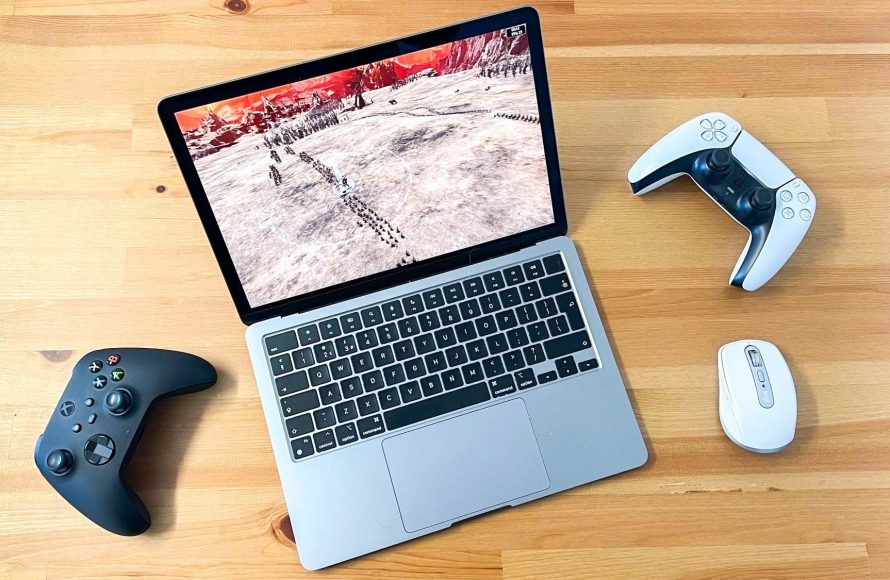
You can play games on a Macbook Air, but its integrated graphics limit it to less demanding or older titles unless you use cloud gaming services.
Thinking about gaming on your sleek Macbook Air? A common question pops up: can you play games on a macbook air? It’s a valid concern.
The Macbook Air prioritizes portability and battery life, not raw gaming power. This means that while it is possible to game, your experience largely depends on the specific games you’re hoping to enjoy.
Don’t expect to run the latest AAA titles at max settings. However, many indie games and cloud gaming services offer enjoyable experiences.

Can You Play Games on a MacBook Air?
Yes, you can play games on a MacBook Air. However, the experience will vary greatly depending on the specific game and the MacBook Air model.
The MacBook Air isn’t designed as a dedicated gaming machine. It prioritizes portability, battery life, and everyday tasks.
MacBook Air Gaming: The Core Considerations
Several factors affect the MacBook Air’s gaming performance. Understanding these will help set realistic expectations.
Hardware Limitations: The integrated graphics card is a major constraint.
Game Compatibility: Not all games are available for macOS.
Heat Management: Prolonged gaming can cause overheating.
Understanding the MacBook Air’s Hardware
The MacBook Air’s performance is heavily influenced by its processor and graphics. Let’s look at how these have evolved.
Apple Silicon: M1, M2, and Beyond
Apple’s transition to its own silicon has improved MacBook Air performance. This includes gaming capabilities.
The M1 chip brought a significant leap in efficiency and power. Subsequent chips, like the M2 and M3, have further enhanced performance.
Integrated Graphics vs. Dedicated GPUs
The MacBook Air uses integrated graphics, sharing memory with the CPU. This contrasts with dedicated GPUs found in gaming laptops.
Integrated graphics are less powerful than dedicated GPUs. They are suitable for less demanding games.
Game Selection: What Can You Realistically Play?
Knowing what games are playable is crucial. Don’t expect to run the latest AAA titles smoothly.
Indie Games: Many indie games run well on a MacBook Air. These often have lower graphical requirements.
Older Titles: Games released several years ago are more likely to perform acceptably.
Apple Arcade Games: These games are specifically optimized for Apple devices.
Specific Games and Performance Expectations
Let’s consider specific examples to gauge performance. This will give you a better idea of what to expect.
Gaming on an M1 MacBook Air
The M1 MacBook Air can handle some games surprisingly well. Its integrated graphics are a step up from previous Intel models.
League of Legends: Expect playable frame rates at medium settings.
Fortnite: Frame rates may be low even at lower settings.
Minecraft: Should run reasonably well with some adjustments to settings.
Gaming on an M2 MacBook Air
The M2 chip offers a modest performance increase over the M1. This translates to slightly better gaming experiences.
Genshin Impact: Can be played, but may require lower graphics settings for smooth gameplay.
No Man’s Sky: Performance will likely be limited, requiring careful setting adjustments.
Divinity: Original Sin 2: A good candidate for playable turn-based strategy.
Gaming on the M3 MacBook Air
The M3 boasts further graphical enhancements. Expect improved performance compared to M1 and M2.
Resident Evil Village: Potentially playable at lower settings, though not ideal.
Baldur’s Gate 3: Expect some compromises on visual fidelity for playable frame rates.
Death Stranding: A title that showcases the M3’s capabilities, but still not a replacement for a dedicated gaming PC.
Optimizing Your MacBook Air for Gaming
Even with hardware limitations, you can optimize your system. These steps can improve your gaming experience.
Closing Unnecessary Applications
Close any programs you aren’t using. This frees up system resources.
Closing background apps can prevent performance hiccups. This can provide more processing power for the game.
Adjusting Game Settings
Lower graphics settings can significantly boost frame rates. Don’t be afraid to sacrifice visual fidelity for smoother gameplay.
Turn down shadows, textures, and resolution. Experiment to find the right balance between visuals and performance.
Using External Cooling
Consider using a cooling pad or stand. This can help prevent overheating.
Overheating can lead to performance throttling. External cooling can help maintain optimal performance.
Updating macOS and Game Drivers
Keep your operating system and game drivers up to date. Updates often include performance improvements and bug fixes.
Newer macOS versions can contain optimizations. Similarly, game updates may improve performance on specific hardware.
Game Streaming Services: An Alternative Approach
Game streaming services offer a way to play demanding games. This eliminates the need for powerful local hardware.
Nvidia GeForce Now: Streams games from Nvidia’s servers.
Xbox Cloud Gaming: Allows you to play Xbox games on your MacBook Air.
Google Stadia (Discontinued): Previously offered game streaming capabilities.
Benefits of Game Streaming
Game streaming has several advantages. It provides access to a wider range of games.
Play Demanding Games: Run graphically intensive games without powerful hardware.
Cross-Platform Compatibility: Play games that are not natively available on macOS.
No Installation Required: Start playing games instantly without downloading.
Limitations of Game Streaming
Game streaming also has limitations. A stable internet connection is essential.
Internet Dependency: Requires a fast and reliable internet connection.
Latency Issues: Input lag can affect gameplay, especially in fast-paced games.
Subscription Costs: Most game streaming services require a subscription.
Using Boot Camp for Windows Gaming
Boot Camp allows you to install Windows on your Mac. This opens up access to a wider library of games.
Dual-Boot System: Choose between macOS and Windows at startup.
Wider Game Compatibility: Play games that are not available on macOS.
Driver Support: Install Windows drivers for your MacBook Air’s hardware.
Considerations for Boot Camp
Boot Camp has some limitations to consider. It requires a separate Windows license.
Windows License: You need to purchase a Windows license.
Partitioning Storage: Allocate storage space for the Windows partition.
Driver Installation: You need to install Windows drivers manually.
Accessories to Enhance Your Gaming Experience
Consider investing in accessories to improve your gaming experience. A good mouse and keyboard are essential.
Gaming Mouse: Provides better precision and control.
Mechanical Keyboard: Offers a more tactile and responsive typing experience.
Gaming Headset: Enhances immersion and allows for clear communication.
MacBook Air Models: A Comparative Look at Gaming Performance
Different MacBook Air models offer varying levels of gaming performance. Let’s compare some key models.
M1 MacBook Air: A Solid Starting Point
The M1 MacBook Air was a significant step up. It offered surprisingly good gaming performance for an ultraportable laptop.
Integrated 8-Core GPU: Provided a noticeable performance boost over previous Intel models.
Unified Memory Architecture: Allowed the GPU to access system memory more efficiently.
Excellent Battery Life: Allowed for longer gaming sessions without needing to be plugged in.
M2 MacBook Air: A Refined Experience
The M2 MacBook Air built upon the success of the M1. It offered modest performance improvements and a redesigned chassis.
Enhanced GPU Performance: Provided slightly better frame rates in games.
Improved Efficiency: Offered even better battery life during gaming sessions.
New Design: Featured a thinner and lighter design.
M3 MacBook Air: The Latest and Greatest
The M3 MacBook Air represents the latest generation. It boasts further performance improvements, especially in graphics.
Next-Gen GPU Architecture: Delivers enhanced graphics performance for smoother gameplay.
Dynamic Caching: Optimizes memory allocation for improved efficiency.
Ray Tracing Support: Offers the potential for more realistic lighting effects in compatible games.
Troubleshooting Common Gaming Issues
You might encounter issues when gaming on a MacBook Air. Here are some common problems and how to fix them.
Game Crashing or Freezing
Game crashes can be frustrating. Here’s how you can try to resolve them.
Update Graphics Drivers: Ensure you have the latest drivers installed.
Close Background Apps: Free up system resources.
Verify Game Files: Check for corrupted or missing game files.
Low Frame Rates
Low frame rates can make games unplayable. Here are some tips to improve performance.
Lower Graphics Settings: Reduce the visual quality of the game.
Update macOS: Install the latest operating system updates.
Optimize System Performance: Disable unnecessary features and background processes.
Overheating
Overheating can cause performance throttling. These strategies can help reduce heat.
Use a Cooling Pad: Provide additional cooling to prevent overheating.
Adjust Fan Speed: Manually increase fan speed to improve cooling (if possible with third-party software).
Clean Air Vents: Ensure the air vents are not blocked by dust or debris.
The Future of Gaming on MacBook Air
The future of gaming on the MacBook Air looks promising. Apple’s continued development of its silicon chips will likely lead to further performance improvements.
As Apple Arcade grows, expect more optimized titles. These can deliver engaging experiences on the MacBook Air.
Cloud gaming services will also play a significant role. This allows MacBook Air users to access a wider range of games.
Can you game on Macbook?
Final Thoughts
Can you play games on a MacBook Air? Absolutely, but temper expectations. Newer models with the M-series chips handle many games surprisingly well.
While demanding AAA titles at max settings may struggle, plenty of games run smoothly. Think indie games, older titles, and games optimized for Apple Silicon. Proper settings adjustments must be made for a better experience.
So, can you play games on a MacBook Air? Yes, but understand its limitations. Adjusting game settings is essential. It is not a hardcore gaming rig, but it certainly offers viable options.

