
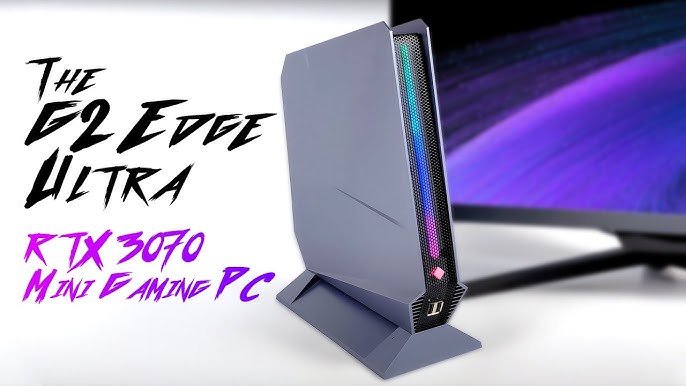
Yes, you can play high end games with an RTX 3070 at respectable settings and frame rates, though perhaps not always at maximum resolution with all settings cranked up.
So, you’re wondering, can you play high end games with RTX 3070? It’s a great question because getting the most out of modern titles requires capable hardware. This card is not the newest, but still packs a good punch.
Many gamers are curious if the RTX 3070 still holds up for playing the latest demanding games. We’ll get into what you can expect in terms of gaming performance, settings, and resolutions. We will explore if this is the card for you today.

Can You Play High-End Games with RTX 3070?
So, you’re wondering if the RTX 3070 can handle those super cool, graphics-heavy games everyone’s talking about? Well, you’ve come to the right place! Let’s dive deep and see what this powerful graphics card can really do. We will explore all the aspects that make a gaming experience fantastic, focusing on the RTX 3070’s capabilities.
Understanding the RTX 3070’s Power
First things first, let’s talk about what makes the RTX 3070 special. This graphics card is like the engine of your computer when it comes to games. It takes all the information from the game and turns it into the amazing visuals you see on your screen. The RTX 3070 is built with NVIDIA’s Ampere architecture. This means it is built with advanced technology, making it more efficient and powerful than older cards.
Here are some of its key features:
- CUDA Cores: These are like little workers that process all the graphics stuff. The RTX 3070 has a whole lot of them, which helps it handle complex scenes smoothly.
- Ray Tracing Cores: Ray tracing is a technique that makes lighting in games look super realistic. These cores handle that fancy lighting, creating beautiful visuals.
- Tensor Cores: These cores are for AI stuff, like DLSS (Deep Learning Super Sampling). DLSS helps boost the frame rate of games, making them run more smoothly, without sacrificing visual quality.
- 8GB of GDDR6 Memory: This is like the RAM for your graphics card, allowing it to quickly access and process all that texture and visual data, resulting in smoother gameplay.
These features combined make the RTX 3070 a great card. But how does it all translate into playing actual games?
The Performance Sweet Spot: 1440p Gaming
The RTX 3070 truly shines at 1440p resolution. This is also known as QHD. It offers a great balance between visual quality and performance. Most gamers consider 1440p the sweet spot for modern games. With the RTX 3070, you can expect to play most high-end games at high or even maxed-out settings at this resolution. Games that require extremely high settings may need some tweaking to achieve those smooth frame rates.
Here’s a glimpse into what you can expect at 1440p:
- Frame Rates: For many modern titles, you’ll be enjoying consistent frame rates above 60fps, sometimes even reaching 100fps and beyond, depending on the game and specific settings. This means games will look and feel very fluid.
- Visual Quality: You can crank up most graphical settings such as textures, shadows, and lighting, giving you a rich and detailed gaming experience without sacrificing a smooth frame rate.
- Future Proofing: The RTX 3070 provides good future proofing for 1440p gaming for the near future, making sure that you can play the upcoming games for quite some time before you have to upgrade.
What About 4K Gaming?
4K gaming, also known as UHD, is super detailed. It’s like looking at a picture with so much detail that you can see every tiny little thing. While the RTX 3070 is capable of 4K gaming, it’s not always going to provide the best experience for all titles. You may need to lower some settings to get playable frame rates. Here’s what to consider for 4K:
- Lower Settings Required: To get games running smoothly at 4K, you will likely need to turn down some of the more intensive graphics settings. This might include reducing texture quality, shadow detail, and sometimes even the resolution scale.
- Frame Rate Trade-Offs: At 4K, you might experience lower frame rates compared to 1440p. While 60fps may be achievable in some games, many AAA titles will run closer to 30-50fps at higher settings.
- DLSS is Your Friend: NVIDIA’s DLSS technology can help improve performance at 4K. DLSS uses AI to render games at a lower resolution and upscale it to 4K, maintaining decent visual quality while significantly improving frame rates.
In short, 4K is doable but you might have to make compromises for the best experience with the RTX 3070.
Ray Tracing: Beauty with a Cost
Ray tracing is a graphics technique that makes lighting and shadows in games super lifelike. It simulates how light bounces off different surfaces, creating amazing reflections and realistic effects. The RTX 3070 has dedicated ray tracing cores, which means it can handle this kind of fancy lighting quite well. However, it’s important to note that ray tracing is very demanding. Activating ray tracing in games usually causes a dip in frame rate. In some titles, the decrease can be significant.
Balancing Ray Tracing and Performance
Here’s how to get the best out of ray tracing on the RTX 3070:
- Selective Use: Turn ray tracing on for games that you think benefit most from it. For example, games with lots of reflective surfaces, like mirrors and glass, will really show off the realistic reflections of ray tracing.
- Adjust Settings: Many games offer different levels of ray tracing. You can try out medium or low settings for ray tracing to get better performance, while still enjoying the benefits.
- DLSS is Key: Combine ray tracing with DLSS. It can help offset the performance impact of ray tracing and maintain playable frame rates.
With these tips, you can enjoy ray tracing’s beauty without losing too much performance.
Popular High-End Games and the RTX 3070
Let’s take a look at some popular, high-end games and how the RTX 3070 handles them. Keep in mind that performance may vary slightly depending on your other computer components (CPU, RAM, etc.) and specific in-game settings.
Cyberpunk 2077
Cyberpunk 2077 is a very visually demanding game. At 1440p with high settings, the RTX 3070 can achieve frame rates around 60-80fps. With ray tracing turned on, you’ll likely need to use DLSS to maintain these frame rates.
Elden Ring
Elden Ring is not as graphically demanding as Cyberpunk 2077, but it’s still a detailed game. At 1440p with max settings, you’ll see frame rates around 70-100fps, providing a very smooth gaming experience. Even at 4K, you can expect to get 40-60 fps with some settings turned down.
Red Dead Redemption 2
Red Dead Redemption 2 is another beautiful but demanding title. At 1440p with high settings, the RTX 3070 can usually get around 60-80fps. To achieve a more consistent frame rate, you might have to lower a couple of settings.
Assassin’s Creed Valhalla
Assassin’s Creed Valhalla is quite detailed. With the RTX 3070, expect 60-90fps at 1440p with high settings. Like other games, tweaking certain settings can help maintain a smooth experience.
Microsoft Flight Simulator
Microsoft Flight Simulator is very demanding, relying heavily on both your CPU and GPU. At 1440p, you can get good frame rates on medium to high settings, usually between 40-60fps. If you want to max out your visual settings, you might need to lower the resolution a bit, and/or use DLSS.
Control
Control is known for its fantastic implementation of ray tracing. The RTX 3070 can do 60-90fps at 1440p without ray tracing enabled. If you turn ray tracing on, you will need to use DLSS to stay near 60fps.
Here’s a table summarizing these findings:
| Game | 1440p Performance (High Settings) | Ray Tracing (with DLSS) |
|---|---|---|
| Cyberpunk 2077 | 60-80fps | 45-60fps |
| Elden Ring | 70-100fps | Not Applicable |
| Red Dead Redemption 2 | 60-80fps | Not Applicable |
| Assassin’s Creed Valhalla | 60-90fps | Not Applicable |
| Microsoft Flight Simulator | 40-60fps | Not Applicable |
| Control | 60-90fps | 50-60fps |
The Importance of Other Components
Remember, your graphics card isn’t the only thing that matters when it comes to gaming. Your CPU (central processing unit) and RAM (random access memory) also play a vital role. If you have an older CPU or too little RAM, you might experience bottlenecks. This means your graphics card may not be able to run at its full potential. Make sure you have good accompanying components for best results.
CPU Pairing
For the RTX 3070, you want a modern processor. Some excellent CPUs to pair with the RTX 3070 includes Intel Core i5-12600K, or AMD Ryzen 5 5600X or better. A more powerful CPU won’t just get better frame rates; it will also help with frame consistency, so you avoid sudden drops in performance, and will allow your game to run more smoothly overall.
RAM Considerations
You should have at least 16GB of RAM for smooth gaming. 32GB is better if you want to have background applications and browser tabs open, while you are playing. RAM speed can also matter, particularly on the AMD platform. Ideally, go for 3200MHz or 3600MHz RAM for optimal performance.
Tweaking Graphics Settings for the Best Experience
No matter what games you play, sometimes you have to fine tune your game settings to get the best performance. It’s helpful to know what to adjust. Here’s how to make the most of your RTX 3070:
- Experiment with Settings: Don’t be afraid to play around with the graphics settings in games. Try reducing shadows, texture detail, or anti-aliasing to see if it improves frame rates.
- Use Performance Overlays: Use monitoring software to keep an eye on your frame rates and GPU usage in real-time. This helps you see the effect of any changes you make.
- Keep Drivers Updated: Make sure you have the latest drivers for your graphics card. These drivers can often include performance improvements for new games.
- Optimise NVIDIA Control Panel: Within the NVIDIA Control Panel, there are options to set up custom settings for individual games, so that you can optimize them for the best possible performance.
By making these adjustments, you can make your games look and run better.
Future-Proofing
While the RTX 3070 is a great graphics card, it is not the newest. As game technology progresses, games will become more demanding. In a few years, the RTX 3070 may start to show its age when playing the very latest games. However, for right now, and for the foreseeable future, the RTX 3070 offers a fantastic gaming experience. You will be able to play all new titles for the near future, at good settings.
With that said, if you have the budget for more powerful options, like the RTX 40 series, that would be better in the long run.
In summary, the RTX 3070 is still an excellent graphics card for high-end gaming, particularly at 1440p. It provides great performance, with features like ray tracing and DLSS. If you are looking to play the latest games, the RTX 3070 can do so, while giving you a smooth and satisfying gaming experience. Enjoy your gaming adventures!
3070 With 16GB
Final Thoughts
In short, the RTX 3070 can absolutely handle high-end games at 1080p and 1440p resolutions, often with high or ultra settings. You can expect smooth gameplay with good frame rates for most modern titles.
However, some very demanding games might require adjusting settings for optimal performance. So, yes, you can you play high end games with rtx 3070 for quite a while still.

