
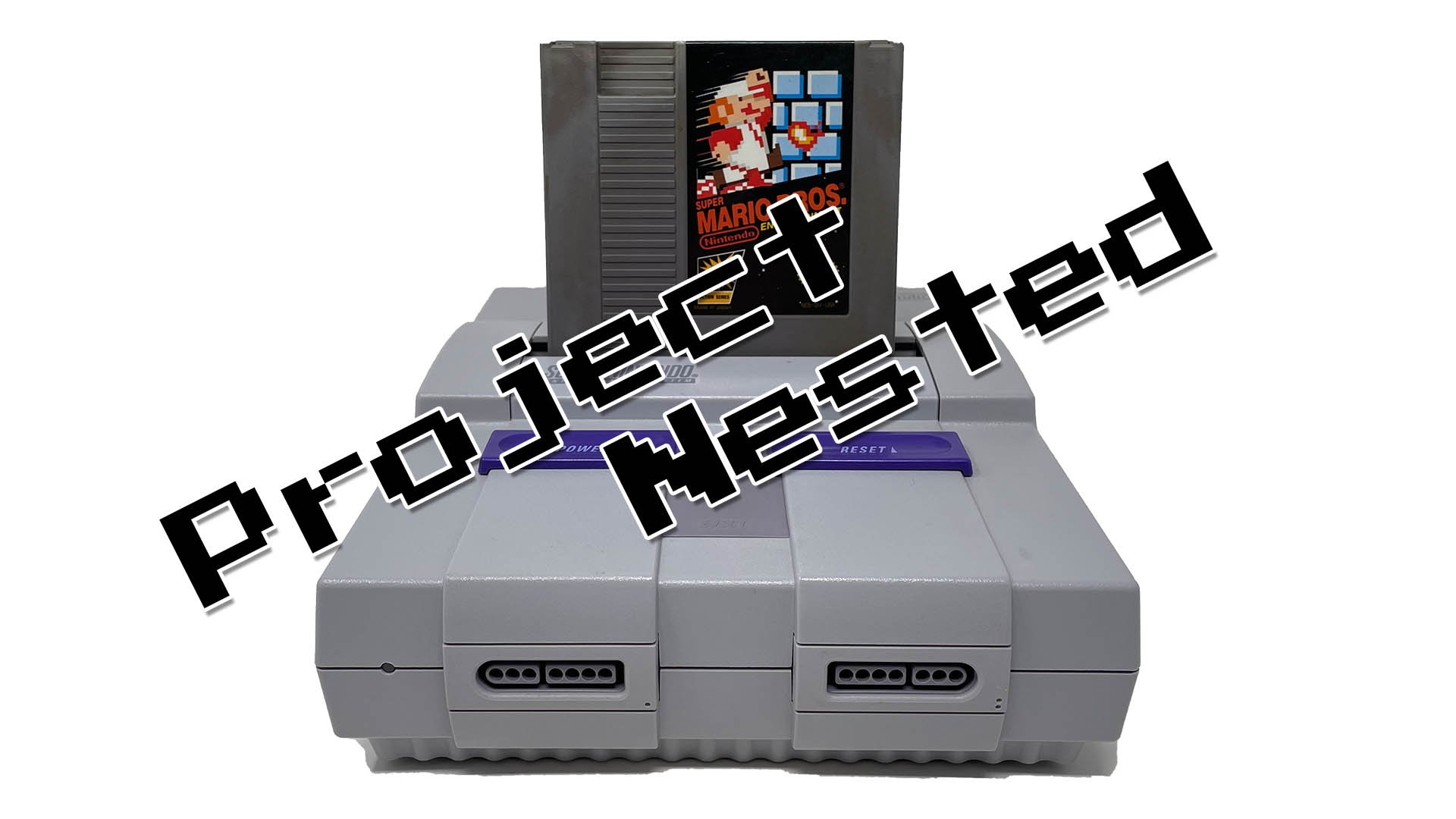
No, you cannot directly play NES games on the SNES console itself.
Ever wondered if your Super Nintendo could handle those classic 8-bit adventures from the NES era? The thought of playing Super Mario Bros. on the SNES controller is certainly appealing. But, can you play NES games on the SNES? This is a question that many retro gamers have pondered over the years.
The systems are quite different internally and were not built with backward compatibility in mind. It’s a common misconception among those who grew up with those generations of consoles.

Can You Play NES Games on the SNES?
The question of whether you can play NES games on the Super Nintendo Entertainment System (SNES) is one that many retro gaming fans have pondered. Both the NES and SNES are iconic consoles, each with their own library of fantastic games. The desire to play games from one system on the other is understandable, but the reality is a bit more complex. Let’s dive into the specifics of this topic.
The Short Answer: No, Not Directly
The simple and direct answer to the question “can you play NES games on the SNES?” is: No, the SNES does not have built-in hardware to play original NES cartridges directly. The SNES and NES are fundamentally different machines with different hardware components, architecture, and operating systems. Think of it like trying to play a DVD in a Blu-ray player that wasn’t designed for it. The physical cartridges for each system are also distinctly different, preventing them from being inserted into the wrong console.
Why the SNES Can’t Play NES Cartridges
To understand why these two machines aren’t compatible, we need to look under the hood. Here are some key differences:
- Hardware Architecture: The NES uses an 8-bit processor, while the SNES uses a 16-bit processor. This means they handle data and instructions in completely different ways.
- Graphics and Sound: The graphics and sound chips in the NES and SNES are also different. The SNES offers significantly improved visuals and audio capabilities compared to its predecessor.
- Cartridge Differences: The shape, size, and pin configurations of NES and SNES cartridges are completely different. The physical connectors that read the data on these cartridges are not interchangeable.
- Operating System: Each console has its own operating system that handles game loading and execution, and these systems are not compatible.
These differences make direct backward compatibility impossible. It’s like trying to speak two different languages – the consoles simply cannot understand each other.
The Rise of Emulation
While you can’t pop an NES cartridge into an SNES, technology has found a workaround: emulation. Emulation software acts as a translator, allowing one device to mimic another. In this case, an emulator on a different platform makes it possible to play NES games. Here are some areas where emulators have appeared:
Emulation on Modern Systems
Modern video game consoles, handhelds, personal computers, and even mobile phones can use emulators to play games from older systems such as the NES. This makes it possible to experience classic NES titles without the original hardware.
- Nintendo Switch Online: Nintendo Switch users with an active Nintendo Switch Online subscription can access a library of NES games through a dedicated application. This is one of the easiest and most legal ways to play classic NES games on a modern system.
- PC Emulators: Many free and open-source emulators are available for PC, allowing you to play NES ROMs on your computer. These emulators often provide added features, such as save states, screen filters, and custom controller support.
- Handheld Emulators: Portable devices like the Retroid Pocket, Anbernic, or even custom-modified handhelds can run NES emulators, providing a convenient way to play on the go.
- Other Consoles: Older consoles such as the original Xbox, PlayStation Portable (PSP), and others were also popular platforms for running emulators in the past.
How Emulation Works (Simply Explained)
Emulation might sound complex, but the basic idea is fairly simple. An emulator program reads the game data from a ROM (a digital copy of the game cartridge) and then interprets those instructions on the system it’s running on. Think of it like a translator converting one language (the NES’s code) into another (the code the modern system understands).
Emulators recreate the workings of the original console, making it possible to play the games as they would have been experienced on the original hardware. Although perfect accuracy is difficult, modern emulators are generally accurate and provide a very enjoyable gaming experience.
The Allure of Retro Gaming
The enduring popularity of the NES and its games shows how many people still have interest in this era of video games. This is where the concept of retro gaming has grown immensely. Several factors contribute to this:
- Nostalgia: For many, these games are tied to childhood memories. Replaying games from your youth provides a strong feeling of comfort and pleasure.
- Simplicity: Compared to many modern games, NES titles are usually simpler in design and game mechanics. This can be a welcome break from more involved games.
- Gameplay Focused: Many classic games have incredibly well designed gameplay and are incredibly challenging. The focus is more on simple but fun gameplay than on graphical achievements.
- Historical Significance: The NES is one of the most important systems in gaming history. Playing it provides insight into how the industry grew into what it is today.
- Accessibility: Thanks to emulation, these games are more accessible than ever before. You no longer need to have the original hardware to experience these classics.
The Nintendo Entertainment System Legacy
The Nintendo Entertainment System, or NES, holds a very special place in video game history. Released in the mid-1980s, it played a vital role in reviving the video game industry after a significant downturn. Here are a few key aspects of its legacy:
- The Game Changer: The NES helped bring video games back into people’s homes. Its success paved the way for other consoles and the video games that we love today.
- Iconic Games: The NES had a wide collection of popular and beloved games like Super Mario Bros, The Legend of Zelda, Metroid, and many other classics, which continue to be popular today.
- Pioneering Gameplay: The NES introduced and popularized various gaming genres, such as platforming, action-adventure, and role-playing games (RPGs), many of which are still going strong.
- Cultural Impact: The NES was more than just a console. Its characters and music have become very iconic and recognized throughout pop culture.
- Lasting Influence: The NES design and principles still influence modern game design, from game mechanics to overall visual appearance.
The Super Nintendo Entertainment System
The SNES, or Super Nintendo, was a powerhouse of 16-bit gaming, coming after the NES and bringing much better gameplay, graphics, and sound. This is what made it another big change in the history of video games.
- 16-Bit Graphics: The SNES featured superior 16-bit graphics, leading to colorful, detailed, and more visually impressive games compared to the 8-bit NES games.
- Improved Audio: The sound capabilities of the SNES were much better than the NES. It had a larger range and improved music quality, leading to more immersive and better gaming sound.
- Iconic Games: Like its predecessor, the SNES had its own collection of fantastic games such as Super Mario World, The Legend of Zelda: A Link to the Past, Super Metroid, and many more.
- Gameplay Innovation: The SNES innovated and improved many genres of video games from the NES era, including platformers, RPGs, action games, and introducing various new concepts for game design and mechanics.
- Lasting Legacy: The SNES has maintained a reputation as one of the best game consoles of all time, remembered for its classic games and excellent controls.
Why Not Backwards Compatibility?
Given the desire for backwards compatibility, you might wonder why Nintendo didn’t design the SNES to play NES games. There are several reasons for this decision:
- Cost: Including the hardware necessary to play NES games would have increased the production cost of the SNES. Manufacturers tend to make each console design different to make them less expensive.
- Focus on New Technology: Nintendo wanted to emphasize the 16-bit power and capabilities of the SNES, which were a big upgrade from the 8-bit NES. Backwards compatibility could have detracted from the new system’s appeal.
- Marketing Strategy: Releasing a new console provided an incentive for consumers to buy new games, instead of relying solely on older ones.
- Technical Complexity: Adding full backwards compatibility would have required more complex and expensive hardware. It wasn’t just a matter of making the cartridge slot bigger; it would mean including the old NES processor as well, which would have increased the price and complexity of the design.
- Competition: Competing companies also released new consoles, and Nintendo wanted to provide a clear upgrade to attract consumers with the latest technology.
Alternatives to Playing NES Games on the SNES
Although you cannot play NES games on the SNES hardware, there are different ways to still enjoy the NES classics.
- Nintendo Switch Online: As mentioned earlier, this is the most convenient way to access a legal library of NES games. You get to play the games on your Nintendo Switch system.
- Virtual Console (Previous Consoles): Nintendo previously had a feature called “Virtual Console” on some of their consoles, like the Wii and Wii U, which allowed players to purchase and download NES games. While these are not as accessible now that those systems are discontinued, if you have an older system and purchased the games, you can still play them.
- Standalone Retro Consoles: There are many small retro consoles and handhelds that are available which come with many classic NES games built-in. These are designed to be like the originals in their appearance and functionality.
- Emulation on PC: As mentioned before, using an emulator on your computer is a free and legal way to play ROM files of NES games, provided you own the original games you are playing.
The good news is that there are many options available so that you can enjoy all of the classic titles from the NES era. You don’t need to miss out on those classic games just because you don’t have the original system.
The fact that you can’t put an NES cartridge into an SNES slot might seem like a letdown to retro game enthusiasts who want to play older titles on newer systems. However, the difference in hardware between the two machines made this impossible to achieve. It’s like trying to plug a USB-C drive into a computer that only has USB-A ports—they are just not compatible with each other.
Yes You Can Play NES Games on the SNES! (But Not All of Them Yet…)
Final Thoughts
In short, the SNES cannot play NES cartridges directly. The two consoles use different hardware architectures and cartridge formats; making direct compatibility impossible. You must use an emulator or a specific device to play NES titles on an SNES.
Thus, the core answer to ‘can you play nes games on the snes’ is a straightforward no. Hardware limitations prevent this. You will need alternative methods for playing those classic NES games.

