
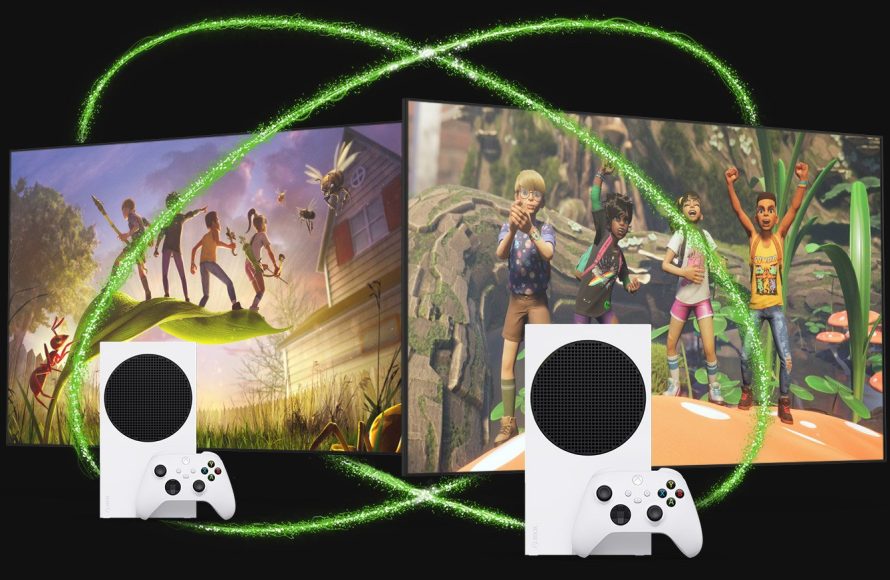
Yes, you can play online multiplayer games with Game Pass Core.
So, you’re wondering, can you play online with game pass core? It’s a great question, and understanding the features of Game Pass Core is key. This subscription offers access to a select catalog of games and the ability to engage in online multiplayer.
Game Pass Core provides online console multiplayer gaming as one of its main benefits. You’ll need this subscription to join your friends in online games. It’s a good option for players who primarily enjoy playing with others.

Can You Play Online With Game Pass Core?
Let’s dive into the exciting world of Xbox Game Pass Core and its online multiplayer capabilities! If you’re wondering if you can jump online with your friends using Game Pass Core, you’ve come to the right place. We’ll explain everything you need to know in easy-to-understand terms. Game Pass Core is a great option for gamers who want to play together, and we’re here to make sure you know all about it.
Understanding Xbox Game Pass Core
Before we get to the online play part, let’s make sure we know what Game Pass Core actually is. Think of it as a special membership for Xbox consoles. It’s a slightly different version of the more well-known Game Pass. With Game Pass Core, you get access to a selected group of games that you can play any time you want. This is called the “Game Pass Core library”. It is also the entry-level subscription that enables online multiplayer.
What’s Included in Game Pass Core?
So, what exactly do you get with Game Pass Core? It’s not just about online play, even though that’s a big part of it! Here’s a breakdown:
- Online Multiplayer: The main attraction! You can play most games online with your friends and other gamers around the world. This is essential for games that rely on playing together.
- Game Library: You get access to a collection of games that you can download and play. The titles can change every so often, so there’s always something new to try.
- Exclusive Deals: Core members get special discounts on select games in the Microsoft Store. So, if there’s a game you love that isn’t on the library, you might be able to buy it at a lower price.
How is Game Pass Core Different From Other Game Pass Plans?
It’s important to understand that Game Pass Core is different from other versions of Game Pass. Game Pass (Console), Game Pass (PC), and Game Pass Ultimate have larger game libraries and more features. Game Pass Core is designed to offer the essential online multiplayer and a smaller selection of games at a lower price. Game Pass Ultimate includes everything from Core and more, including cloud gaming, and additional perks. Here’s a simple comparison:
| Feature | Game Pass Core | Game Pass (Console/PC) | Game Pass Ultimate |
|---|---|---|---|
| Online Multiplayer | Yes | Yes | Yes |
| Game Library | Small, curated list | Large and growing | Very large, access to Console, PC, and Cloud library |
| Game Deals | Yes | Yes | Yes |
| Cloud Gaming | No | No | Yes |
| EA Play | No | No | Yes |
| Price | Lower | Higher | Highest |
So, if you just want to play online and have a few games to keep you busy, Core is a fantastic place to start. If you want to try a massive library of games and have other extra options, other Game Pass options might be the better fit.
Online Multiplayer with Game Pass Core: How Does It Work?
Okay, now for the main question: can you play online with Game Pass Core? The short answer is a big YES! Playing online with friends is one of the biggest reasons people get Game Pass Core. Here’s how it works:
- Finding Online Games: Once you have Game Pass Core, you can look for games that allow online play. Most games will show a logo or other indication letting you know if online multiplayer is available.
- Connecting with Friends: You can easily connect with your friends on Xbox. Just add them to your friend’s list on the console, and you can see when they are online. You can then join them in games or invite them to play with you.
- Matchmaking: For many games, there’s something called matchmaking. This helps you find other people to play with online, even if you don’t have friends that own the game. The game will find other people looking to play, and put you in a match with them.
- Voice Chat: Many games also support voice chat, which makes playing online more fun. You can talk with your friends and teammates to plan your moves and make the experience more social. You may need a headset to talk with other players.
Games You Can Play Online with Game Pass Core
While you don’t have access to every single game with Game Pass Core, you can play many great titles online. Here’s a list of games that commonly support online multiplayer on the Core library:
- First-Person Shooters: Like the Halo series. You can battle with other players around the world!
- Sports Games: NBA 2K and FIFA games are very popular for online multiplayer matches.
- Racing Games: Forza Motorsport and Need For Speed titles are awesome for racing with others online.
- Fighting Games: Mortal Kombat or Street Fighter games allow you to show off your skills in online battles.
- Party Games: Some games focus on more casual fun for groups, such as Overcooked or Jackbox Party Pack titles, sometimes offering online co-op.
It’s important to check the game’s description to be certain if it supports online multiplayer. The availability of online multiplayer is determined by the game developer, not the Game Pass. However, most titles in the Game Pass Core library are designed to support it.
What You Need to Play Online
Before you start playing, there are a few important things to have. These will make sure you have a smooth and fun online experience.
Here’s a quick rundown:
Required Items
- Xbox Console: You will need an Xbox Series X/S or Xbox One console to use Game Pass Core.
- Game Pass Core Subscription: Of course, you need an active Game Pass Core membership.
- Internet Connection: A fast, reliable internet connection is essential for playing games online without lag.
- An Xbox Account: You will need a free Xbox/Microsoft account to use Game Pass Core and play online.
- Supported Game: You can only play games online if the game itself supports it.
Optional but Recommended Items
- A Headset: A headset with a microphone helps you communicate with other people when playing. It makes team play a lot easier.
- Extra Controller: If you want to play local couch co-op with friends, you’ll need extra controllers.
Tips for a Great Online Gaming Experience
Now that you know the basics, here are some tips for getting the most out of your online gaming experience with Game Pass Core:
- Check Your Internet Connection: Before you start playing, test your internet connection. Make sure it’s working well to avoid lagging.
- Play with Friends: Playing with friends is often more enjoyable than playing with strangers. Get your friends to sign up for Game Pass Core, so you can play together.
- Be Respectful: Always be respectful of other people you play with online. Online games are more fun when everyone is kind.
- Try Different Games: Don’t just stick to one game. Experiment with various titles in the Core library. You might find a new favorite!
- Learn Game Controls: Before diving into online matches, get used to the game controls in single-player mode. This will help you play better when you are playing with other gamers.
- Stay Updated: Game Pass and game libraries change. So, stay updated with the latest games and news.
Troubleshooting Common Online Gaming Issues
Sometimes things don’t go perfectly. Here’s how you can fix some common problems:
- Lag and Connection Issues: If you’re experiencing lag, check your internet connection speed. Try restarting your router, or check your internet speed to make sure it’s fast enough.
- Voice Chat Not Working: Make sure your headset is plugged in properly. Also check the microphone settings on your console.
- Game Freezing or Crashing: Sometimes games may freeze or crash if there are glitches. Try restarting your game, and make sure your console’s software is updated.
- Can’t Find Friends Online: If you can’t find your friends online, make sure they are also using Xbox Live and playing online. Sometimes a reboot of the system can fix this issue.
- Multiplayer is Grayed Out: If the multiplayer option in a game is grayed out, it might mean you don’t have an active Game Pass Core subscription, or the server is under maintenance. Check the Xbox settings or game servers to confirm.
If the problems continue, you can get help on the Xbox website or reach out to Xbox support. They can assist you with any more complex issues.
Keeping Up with Game Pass Core
The world of gaming changes constantly, with new titles and features being added all the time. Here are a few ways you can make sure you are in the know on Game Pass Core:
- Xbox News: Follow Xbox on social media to keep updated about new releases, discounts, and changes to the Game Pass library.
- Gaming Websites and Blogs: There are lots of websites dedicated to video game news, including websites that often review and rate the games that are in the Game Pass Library.
- Xbox App: Use the Xbox app on your phone to track your friends, see what games they are playing, and get updates about games.
By staying informed you can make sure you are getting the most out of your Game Pass Core subscription!
Game Pass Core opens up a world of online gaming. It’s a more affordable option for players looking to enjoy online play, with access to a collection of games that are great for playing with friends. If you enjoy playing games online with others, this can be the perfect way to jump into that experience. Just make sure you have an active membership, a stable internet connection, and you are set up to play with your friends!
Can I Play Online With Xbox Game Pass Core?
Final Thoughts
Yes, you can absolutely play online with Game Pass Core. This service provides access to online multiplayer for a variety of games on your Xbox console.
Game Pass Core is the must-have subscription for players seeking online play. It also offers a selection of games to download and enjoy offline.

