
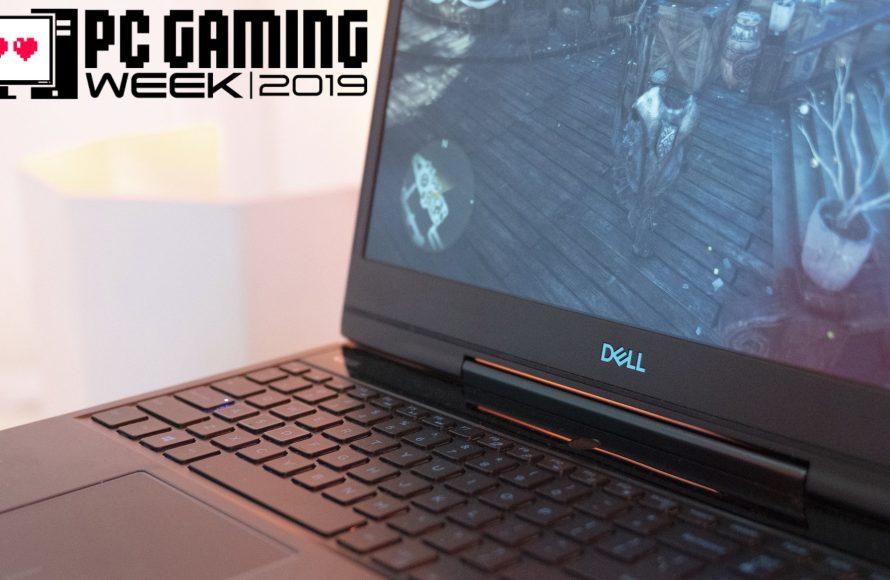
Yes, you can play PC games on a laptop, though performance will vary depending on the laptop’s specifications.
Ever wondered, can you play PC games on a laptop? It’s a common question, and the answer is usually a yes! Modern laptops, even some thinner models, now boast powerful components. These advancements allow them to handle a wide range of games.
However, not all laptops are created equal. You will find some perform much better than others when playing demanding titles. Things like the graphics card, processor, and RAM play very important roles here. So keep these in mind when considering your options.

Can You Play PC Games on a Laptop?
So, you’re wondering if you can actually ditch the clunky desktop and play your favorite PC games on a laptop? The short answer is: absolutely! But, like most things, it’s a bit more complicated than a simple yes or no. Think of it like this: not all laptops are created equal when it comes to gaming. Some are super speedy gaming machines, while others are better suited for writing school papers or watching cat videos. This section will delve into everything you need to know to play games on your laptop.
Understanding the Key Components for Laptop Gaming
Before we jump into game specifics, it’s important to understand what makes a laptop good for gaming. Several key parts work together to deliver a smooth, enjoyable experience. Let’s explore each one:
The Central Processing Unit (CPU)
The CPU is like the brain of your laptop. It handles all the calculations needed to run games and other programs. For gaming, you need a CPU that is both fast and has multiple cores (think of cores as extra helpers for the CPU). A good gaming CPU will allow your games to run smoothly, without any stuttering. Look for CPUs like Intel Core i5, i7, and i9, or AMD Ryzen 5, 7, and 9 for better performance.
The Graphics Processing Unit (GPU)
The GPU is responsible for creating the images you see on your screen. In gaming, this is a very important part, because games have very detailed graphics. The better the GPU, the more beautiful and smoothly your game will run. Laptops with dedicated GPUs (meaning they have their own separate chip for graphics) are much better for gaming than laptops with integrated graphics (where the graphics are handled by the CPU). NVIDIA GeForce and AMD Radeon are two popular GPU brands that are commonly found in gaming laptops.
Here’s a simple comparison table:
| Graphics Type | Description | Gaming Performance |
|---|---|---|
| Integrated Graphics | Shares resources with the CPU | Basic gaming at lower settings |
| Dedicated Graphics | Has its own dedicated processing power | Excellent gaming at higher settings |
Random Access Memory (RAM)
RAM is your computer’s short-term memory. Games need RAM to store data they are actively using. Having enough RAM is important for smooth gameplay; if your computer does not have enough RAM, your game might slow down or crash. For modern games, you should have at least 8GB of RAM, but 16GB is recommended for more demanding titles. More RAM lets your laptop handle more complex tasks at the same time.
Storage (SSD vs. HDD)
Your laptop needs a place to store games, operating system, and other files. There are two main types of storage you’ll encounter: Solid State Drives (SSDs) and Hard Disk Drives (HDDs). SSDs are much faster than HDDs and make games load and run faster. While HDDs are typically more affordable, having an SSD for your games greatly improves loading times and overall gaming experience. Having a combination of both might be an ideal situation, having a fast SSD for your games and a HDD for other files.
Display
The display is what you see! A good gaming laptop will have a high refresh rate (measured in Hz) which means how many times the screen refreshes its images per second. A higher refresh rate like 144Hz or 240Hz leads to smoother visuals, especially in fast-paced games. Look for screens with Full HD (1920×1080) resolution as a minimum but higher resolutions like 1440p or 4k will give more detailed images.
What Kind of Games Can You Play?
Now that you know what makes a gaming laptop tick, let’s talk about the type of games you can expect to play. Games can vary a lot in their resource requirements; some are more graphically demanding than others. It is crucial to understand what kind of games you can expect your specific machine can handle.
Casual Games and Indie Titles
These games are often simpler in terms of graphics and requirements, meaning they can usually run on even basic laptops. These are titles like puzzle games, platformers, simulation games, and many indie titles. If your laptop has a simple integrated graphics, these types of games are perfect for you. These are great for starting out and often do not need very powerful machine.
Triple-A (AAA) Games
AAA games are big-budget games that are the most visually and computationally demanding. They require more power from your laptop’s CPU, GPU, and RAM to run well. If you are planning to play the latest AAA games, you will need a good gaming laptop with a dedicated GPU and good CPU. These games are often graphically intensive, and if your machine is not powerful enough, you might need to lower the graphics setting to get acceptable frame rate to run them properly.
Online Multiplayer Games
Online multiplayer games add a layer of complexity, because you’re not just running the game, but also communicating with a game server. This means your computer needs to be able to handle both at the same time. Online games often prioritize stable frame rates and low ping (or latency). Therefore, ensure that you have a stable internet connection. A dedicated GPU and a good CPU will also help you maintain a smooth and enjoyable multiplayer experience.
Gaming Laptops vs. Regular Laptops: What’s the Difference?
It’s tempting to think all laptops are alike, but when it comes to gaming, there are big differences. Regular laptops are built for everyday tasks, whereas gaming laptops are created for performance.
Cooling Systems
Gaming laptops produce a lot of heat when running demanding games. They have better cooling systems (like extra fans, heat pipes, or liquid cooling) to prevent overheating and keep the components running smoothly. Regular laptops usually only have simple cooling fans, which may not be adequate for intensive gaming.
Keyboard and Trackpad
Gaming laptops usually come with better keyboards and trackpads. The keys are designed for responsiveness and durability, and they might even include features like backlit keys. The trackpad might have specific features that are useful for gaming. Regular laptops usually have standard keyboards and trackpads that do not provide the best gaming experience.
Ports and Connectivity
Gaming laptops often have more ports, including extra USB ports, display ports, and ethernet ports. This makes it easier to connect peripherals like gaming mice, keyboards, monitors and headsets. Regular laptops may have fewer ports, which may be an issue if you have many accessories.
Price
Gaming laptops typically cost more than regular laptops because they use more powerful components and have better build quality. You’ll pay a premium for the improved CPU, GPU, cooling systems, and other features.
Optimizing Your Laptop for Gaming
Even with a good gaming laptop, there are still a few things you can do to make sure your games perform their best:
Updating Your Drivers
Drivers are like instructions that tell your hardware how to work with the software. Keeping your graphics drivers and other system drivers updated is very important because it can fix bugs and improve performance. You can download drivers from the manufacturers’ websites like NVIDIA, AMD, and Intel.
Adjusting Game Graphics Settings
If your game is running slowly, you can often improve its performance by adjusting the graphics settings. Lowering the resolution, texture quality, shadows, and other visual effects can make your game run smoother. Experiment with different settings to find a balance between visual quality and performance.
Closing Unnecessary Programs
Before starting a game, close all the programs that you are not using. These programs can consume system resources, which can then affect the game’s performance. Closing unnecessary programs will free up RAM and CPU usage, allowing more resources for your game.
Using a Laptop Cooling Pad
A cooling pad can help keep your laptop cool during long gaming sessions. This is especially useful if you have a powerful gaming laptop because these machines get very hot. A cool laptop will run better and longer. These cooling pads often have built-in fans to provide extra cooling.
Keeping Your Laptop Clean
Dust and dirt can build up inside your laptop, which can obstruct the airflow and cause it to overheat. Regularly cleaning your laptop, particularly the vents, can help keep it cool and running smoothly.
Choosing the Right Gaming Laptop for You
Selecting the right gaming laptop can feel overwhelming, given the plethora of options available. Here are some tips to help you choose the best one for you.
Setting a Budget
Before you begin your search, decide on a budget that you’re comfortable with. Gaming laptops can vary a lot in price, so it’s crucial to know your financial limits. Prices can range from budget-friendly to high end machines. It is always important to balance the cost with the features you need.
Identifying Your Gaming Needs
Consider what types of games you want to play. If you only want to play casual games, a more affordable laptop may be fine. If you’re planning to play the latest AAA games at high settings, you will need a more powerful (and therefore expensive) laptop.
Reading Reviews
Before making a purchase, read reviews from various sources. See what other users are saying about the laptop’s performance and build quality. Reviews can give you valuable insights about a laptop’s strengths and weaknesses.
Checking the Specifications
Always double-check the specifications to make sure the laptop has the CPU, GPU, RAM, and storage that you need. Make sure that the specifications meet your requirements. You should pay close attention to CPU, GPU, RAM, storage and display.
Considering Portability
Gaming laptops are not always as portable as regular laptops. Some gaming laptops can be heavy and bulky because they have beefier components. If you’re planning to travel with your laptop a lot, you might need a smaller or lighter laptop. You have to find the balance between performance and portability.
In short, playing PC games on a laptop is absolutely achievable. The experience you’ll get depends on the laptop’s components, the games you want to play, and how well you optimize your system. With the right research and understanding, you can get smooth and enjoyable gaming on the go.
Gaming Laptop vs PC
Final Thoughts
Absolutely, you can play PC games on a laptop. The gaming experience depends heavily on the laptop’s specifications. A powerful graphics card and processor are must for demanding games.
Laptops with higher refresh rate displays also offer smoother gameplay. So, carefully consider your needs and budget. The question of “can you play pc games on a laptop” is definitely answered positively.

