
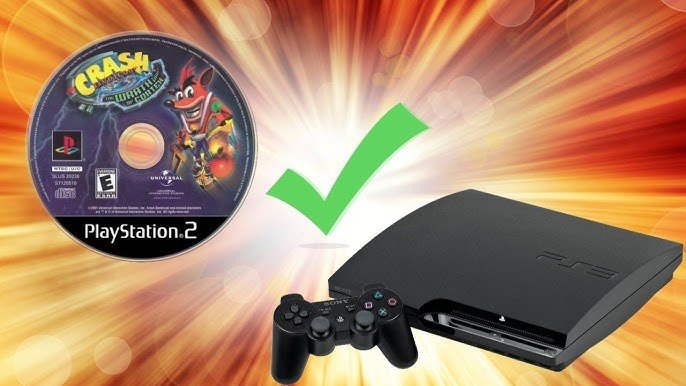
Unfortunately, not all PlayStation 3 consoles can play PlayStation 2 games. Only certain early models of the PS3 offered backwards compatibility.
The burning question for many retro gaming enthusiasts remains: can you play PlayStation 2 games in a PlayStation 3? This is a very valid query considering the vast library of games the PS2 boasts. It’s a nostalgic trip many wish to take, but the ability depends entirely on the specific PS3 model you own.
Initial versions of the PlayStation 3, particularly the 20GB and 60GB models, possessed the hardware to play PS2 games. Later models removed this feature to reduce manufacturing costs. Therefore, if you hope to revisit those PS2 classics, checking your console’s compatibility is important.

Can You Play PlayStation 2 Games in a PlayStation 3?
So, you’ve got a mountain of awesome PlayStation 2 games gathering dust, and you’ve also got a sleek PlayStation 3 sitting there. The question burning in your mind is likely: can these two generations of gaming goodness play together? The answer, as with many things in the world of tech, isn’t a simple yes or no. It’s a bit more nuanced than that. Let’s dive into the details.
The Short Answer: It Depends on Your PS3
Here’s the quick version: Not all PlayStation 3 consoles can play PlayStation 2 games. That’s the key thing to remember. The ability for a PS3 to play PS2 games is called “backward compatibility,” and it’s something that wasn’t included on every single PS3 model. Sony changed things up over the different releases of the PlayStation 3, and some models kept this feature, while others dropped it. This means you really need to know which type of PS3 you have to be sure whether it can play your old PS2 games. So, lets explore this more in details.
Understanding Backward Compatibility
Backward compatibility is basically like having a super-powered console that can not only play the newest games, but also the games from a generation before it. In the case of the PlayStation 3, the capability to play PlayStation 2 games was a significant draw at the time of its launch. It allowed players to enjoy their older games without needing to keep their older console connected. There were two main approaches Sony took for backward compatibility:
Hardware-Based Backward Compatibility
The earliest PlayStation 3 models used a special hardware solution for backward compatibility. This meant they had actual chips inside that were from the PlayStation 2. These chips did the work of making the PS2 games run. This approach provided the best support for PS2 games, making them run very similarly to how they would run on the original console.
Software-Based Backward Compatibility
Later PS3 models used an approach that relied more on software, basically simulating how a PS2 works. This type of backward compatibility was less perfect than the hardware-based method, and it meant that not every single PS2 game would run perfectly, and it did not work for every game, and that’s why they removed it from the later consoles. Some games would have glitches, or maybe not run at all. The software emulation tried to mimic the PS2 hardware in code, but it wasn’t a perfect recreation.
Identifying Which PS3 Models Support PS2 Games
Okay, so now you know that not all PS3s are equal when it comes to playing PS2 games. How can you tell which PS3 you have? The main identifying factor is the model number. These numbers will tell you the capabilities of the PS3 console.
PS3 Models with Hardware Backward Compatibility
These are the most desirable models for PS2 game fans. They have the best level of compatibility. The models are quite rare now, and people who sell them usually ask more price for them.
- CECHAxx: These models have the shiny chrome trim on the console.
- CECHBxx: These models also have the shiny chrome trim on the console.
- CECHCxx: These models are slightly different and do not have all the same ports that the CECHA and CECHB model have.
- CECHExx: These models also lack some of the ports that the CECHA and CECHB models have.
Where “xx” represents a two-digit region code, for instance, 01, 02, etc. They also have four USB ports in the front, and they also have a memory card reader. These early models actually have PlayStation 2 chips inside of them and that is how they are able to play PlayStation 2 games without any problems. Remember they are very rare and expensive, and also they have the highest chance of malfunctioning.
PS3 Models with Software Backward Compatibility
These models had some software to help them play PS2 games, but the experience wasn’t as good, and also the compatibility was not 100%.
- CECHGxx, CECHHxx, CECHKxx, CECHLxx: These models use software emulation for PS2 games, with reduced compatibility, not all the games worked and some have glitch issues, some might not work. You have a good chance if your PS2 games runs on these models but be aware of the issues.
PS3 Models with No Backward Compatibility
This is the majority of PS3 models that can’t play PS2 games at all. They do not have any PS2 chips inside and also they do not have the software to emulate these games. These consoles can only play PS3 games and nothing else.
- CECH-20xx, CECH-21xx, CECH-25xx, CECH-30xx : These are all slim model PS3 consoles, and they have no capability to play PS2 games.
- CECH-40xx, CECH-42xx, CECH-43xx : These are all super slim model PS3 consoles and they cannot play any PS2 games.
How to find your PS3 model number: The model number is usually located on a sticker on the back or bottom of your PlayStation 3 console. It’s often printed near the barcode.
A Visual Guide: Differences Between PS3 Models
To make it even easier, let’s highlight the visual differences between the different PS3 models that offer backward compatibility or not:
- Original Fat Models (CECHAxx, CECHBxx, CECHCxx, CECHExx): These models are large, and heavy with a shiny chrome trim. They often have four USB ports on the front, and a memory card reader. These models will play PlayStation 2 games.
- Mid-Gen Slim Models (CECHGxx, CECHHxx, CECHKxx, CECHLxx): These models are slimmer and lighter than the original “fat” models and have a matte finish. They may have two USB ports on the front. These models may be able to play some PlayStation 2 games, but with limited compatibility.
- Later Slim/Super Slim Models (CECH-20xx and onward) : These models are significantly smaller and lighter than the original PS3s. They have a matte or textured finish. These models cannot play PS2 games.
The Importance of Region Codes
Another thing you have to keep in mind when you’re talking about backward compatibility on the PlayStation 3 is region codes. PlayStation 2 games, like DVDs, were often region-locked. This meant that a game bought in one region, like North America, wouldn’t necessarily work on a PlayStation 2 from another region, like Europe. This can also affect how PlayStation 2 games work on a PlayStation 3, depending on the PS3 model.
How Region Codes Affected Backward Compatibility
- Hardware-Based Compatibility Models: These models had the best chance at playing PlayStation 2 games from different regions. However, this wasn’t a guarantee, and many games would still be blocked.
- Software-Based Compatibility Models: Region locking was more strict here. Games from other regions have a lower chance of working well, or may not work at all on these models of PS3.
Usually, you are most likely to play the PS2 games which are from the same region as your console, but it does not guarantee that every game is going to work. This is also a fact that many players tried to play games from other regions, and the success rate was very low, and sometimes with many issues.
What if Your PS3 Doesn’t Support PS2 Games?
So, what can you do if you have a PS3 that can’t play PS2 games? You are not completely out of luck. Here are some options:
Dust off your old PS2
The most straightforward method is just to use your old PlayStation 2 console. If you still have it, hook it up, and start playing. This is the simplest option if you have the console available, although it means connecting another console to your TV. This is the only option you have if you want the perfect PlayStation 2 games.
Play PS2 Games on PS4/PS5 via PSN
Some PlayStation 2 games have been re-released on the PlayStation Store (PSN). If you have a PS4 or PS5, you might find some of the PS2 classics that you want to play available as digital downloads for PlayStation 4 and PlayStation 5 consoles. Note that not all PS2 games are available, but it’s worth checking to see if the game you want to play can be bought. Games on PSN have upscaled resolution and better graphics.
Consider PS2 Emulation on PC
If you are tech-savvy, you can explore PlayStation 2 emulation on your personal computer. There are various programs that can simulate a PS2 console and allow you to play games, even with upscaled graphics and smoother gameplay. However, this is a complicated setup, and it takes a lot of skill to do so. You must also have a powerful computer if you want to play games properly.
Why Was Backward Compatibility Removed?
You might be wondering why Sony took away the backward compatibility feature from later PS3 models? There are a few reasons:
- Cost: Including PS2 hardware inside the PS3 increased the manufacturing price. Sony wanted to reduce costs for the PS3 in the long run.
- Complexity: Creating and maintaining backward compatibility was complex and required resources. Software emulation was not as good, and also the hardware-based method was very costly.
- Focus on PS3 Games: Sony wanted to encourage people to focus on buying and playing PlayStation 3 games.
PlayStation 2 Games on a PlayStation 3: A Summary
To recap, here is a quick summary of which PlayStation 3 models can play PlayStation 2 games:
| PS3 Model Type | PS2 Game Compatibility | Notes |
|---|---|---|
| Original “Fat” Models (CECHAxx, CECHBxx) | Full Hardware Compatibility | Best Compatibility, but the most rare and expensive. |
| Original “Fat” Models (CECHCxx, CECHExx) | Hardware Compatibility | Good Compatibility, but slightly fewer features than CECHA and CECHB models. |
| Slim Models (CECHGxx, CECHHxx, CECHKxx, CECHLxx) | Software Emulation Compatibility | Limited compatibility and may have glitches, or may not work. |
| Slim/Super Slim Models (CECH-20xx and onward) | No Compatibility | Cannot play PlayStation 2 Games. |
So, now you know if your PS3 can play PS2 games. It all comes down to which model you have. If you have one of the early models, congratulations, you’re good to go. If not, you do have other options as discussed above. Enjoy playing your games!
Can my PlayStation 3 run a PlayStation 2 game!? Watch this video to find out!
Final Thoughts
Only some early PlayStation 3 models can play PlayStation 2 games. This is due to the presence of the required hardware. Later PS3 models removed this feature to reduce production costs.
Therefore, can you play playstation 2 games in a playstation 3? The answer is: it depends on the specific PS3 model you have. Check your console’s model number to confirm this vital piece of information.

