
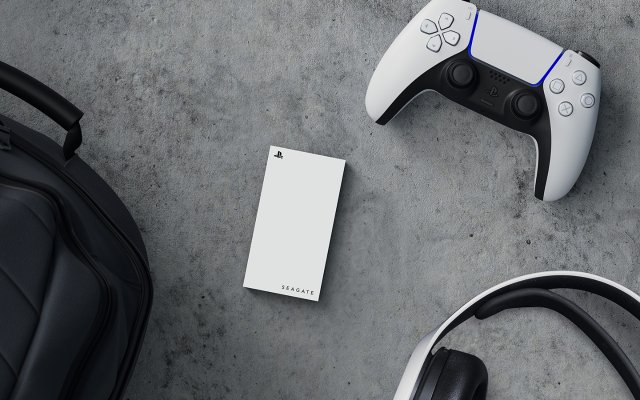
Yes, you can play PS4 games directly from an external hard drive on your PS5, but you cannot play PS5 games from an external hard drive.
Running out of space on your PlayStation 5? It’s a common issue, especially with the size of modern games. Many gamers wonder, “can you play PS5 games from an external hard drive?” The short answer isn’t exactly what you might hope.
While you can store PS5 games on an external drive, you have to transfer them back to the console’s internal storage to play. The good news is you can play your PS4 games from an external drive, saving valuable space on your PlayStation 5.

Can You Play PS5 Games from an External Hard Drive?
Let’s dive straight into the heart of the matter: can you actually play PlayStation 5 games directly from an external hard drive? The short and simple answer is, not directly. You can’t plug in an external hard drive and play PS5 games off of it, like you might have done on older consoles. But that doesn’t mean your external hard drive is useless for your PS5. It just works in a slightly different way. Let’s explore this further.
Why Can’t I Play PS5 Games Directly from an External Drive?
To understand why you can’t play PS5 games straight from an external hard drive, it’s important to understand the tech that makes the PS5 tick. The PS5 uses a super-fast internal storage called an SSD (Solid State Drive). This SSD is incredibly quick, which allows games to load really fast and run smoothly. It’s a key part of what makes the PS5 feel so next-gen. The SSD helps the console load and move game data very quickly, reducing the waiting time for players. Games are built to take advantage of this speed.
The Speed Difference: SSD vs. External HDD/SSD
Regular external hard drives, or even older external SSDs, just aren’t fast enough to keep up with the speed demands of PS5 games. Think of it like this: the PS5’s SSD is like a high-speed race car, while an external drive might be like a regular family car. While the family car can get you around, it’s just not built for racing. The PS5 needs that race car speed to provide the kind of gaming experience developers intend.
- Internal SSD: Very fast, designed specifically for the PS5. Perfect for playing PS5 games.
- External Hard Drives (HDD): Slower than SSDs. Better for storing PS4 games and backing up PS5 games.
- External SSDs (Older Models): Usually faster than HDDs, but might not meet the PS5’s speed requirements. Useful for storing and playing PS4 games.
What Can You Use an External Drive for on the PS5?
Okay, so you can’t directly play PS5 games from an external drive. But there are still very helpful ways you can use one with your PS5! Here is the information about how we use external hard drives on playstation 5:
Storing PS4 Games
This is where external storage really shines. You can absolutely store and play your PlayStation 4 games from an external hard drive connected to your PS5. The PS5 is backward compatible, meaning it can play most PS4 games. Storing PS4 games on an external drive frees up precious space on your PS5’s internal SSD for PS5 games. This means that you have more space to store your PS5 games and also can play old generation games directly from external hard drive. It’s a great way to have a huge library of games without running out of storage.
How to Play PS4 Games from an External Drive:
- Plug the external drive into one of your PS5’s USB ports.
- Format the drive as Extended Storage in your PS5’s settings.
- Move your PS4 games onto the drive from your PS5’s internal storage or from your PS4.
- Play your PS4 games directly from the external hard drive.
Storing PS5 Games
This is a really important function. You can store PS5 games on an external hard drive. However, and this is crucial, you cannot play them directly from the external hard drive. Instead, you will need to copy the games back to the PS5’s internal storage when you want to play them. This process is faster than downloading games again, especially if your internet speed isn’t great. It’s like having a library where you keep your books safe and sound, and when you want to read a book, you get it from the library. This approach is incredibly helpful for managing the PS5’s limited internal storage.
How to Store PS5 Games on an External Drive:
- Plug your external drive into your PS5’s USB port.
- Format the drive as Extended Storage.
- Move the PS5 games to your extended storage.
Backing Up Your Games
You can also use an external hard drive to back up your game saves, screenshots, and video clips. This is a good idea to protect your data. Even though it’s less critical than game storage, it’s a useful function for safekeeping important files. It makes sure you do not lose the progress and also can share your gameplay moments from the external hard drive.
How to Back Up Data on an External Drive:
- Go to settings, system, and then backup and restore.
- Select ‘back up ps5’ and plug in your external hard drive.
- Select the data you want to back up.
Choosing the Right External Drive for Your PS5
Not all external drives are created equal. When selecting an external drive for your PS5, it’s important to take a few factors into consideration.
Hard Disk Drive (HDD)
HDDs are often more affordable and come in larger sizes, making them great for storing many PS4 games and backing up a large number of PS5 games. However, they are slower than SSDs. For external storage and backup, standard HDDs are great.
Solid State Drive (SSD)
SSDs are significantly faster than HDDs, which means faster transfer times. This means moving games from the external drive to the internal SSD will be faster than an external HDD. While they often come with a higher price tag, the added performance makes them a worthy investment if you regularly move games around on your PS5. When it comes to PS4 games, an external SSD will work really nicely, providing a better experience than HDD.
USB Connection
Ensure your external drive has a USB 3.0 or higher connection. The faster the USB connection, the faster your transfer speeds will be.
Drive Size
The size of your drive is essential. If you plan to keep many PS4 games on your external drive, a 2 TB or 4 TB drive is a great option. If you are going to back up PS5 games and not use it as the main storage, then a 1TB drive is enough.
How to Set up Your External Hard Drive for PS5
Setting up an external hard drive with your PS5 is a straightforward process. Here’s how you do it:
- Plug in the Drive: Connect your external drive to one of the USB ports on the back of your PS5.
- Go to Settings: On your PS5, navigate to Settings by selecting the gear icon on the top right of your screen.
- Navigate to Storage: In Settings, go to ‘Storage.’
- Select Extended Storage: Choose “Extended Storage,” and your console will detect your external drive.
- Format the Drive: Select format as extended storage.
Important Note: Formatting will erase any existing data on the drive, so make sure to back up any files that you want to keep on a different drive before formatting the hard drive as extended storage.
- Start Using the Drive: Once formatted, you can use the external drive for storing PS4 games and moving PS5 games.
Moving Games Between Internal and External Storage
Moving games between your PS5’s internal storage and the external hard drive is easy to do. It’s quite simple to move games. Here’s the process:
Moving PS4 Games:
- Go to your “Game Library.”
- Select the PS4 game you want to move.
- Press the “Options” button on the controller.
- Select “Move to Extended Storage” if it’s on your console, or “Move to Console Storage” if it’s on the external drive.
Moving PS5 Games:
- Go to the Game Library.
- Select the PS5 game that you want to move.
- Press the “Options” button on the controller.
- Select “Move to Extended Storage.”
- To move it back to play, select “Move to Console Storage” from the game library.
Troubleshooting External Drive Issues
Sometimes, you may encounter issues when using an external drive with your PS5. Here are a few common problems and how to resolve them:
PS5 Doesn’t Recognize the External Drive
- Check the Connection: Make sure the external drive is securely connected to your PS5. Try using a different USB port.
- Check the Drive Type: Ensure it’s a USB 3.0 or faster drive.
- Try a different cable: If you use an external hard drive with a separate cable, try using a new cable.
- Reformat the Drive: As a last resort, you may need to reformat the external hard drive. This will erase all data on the drive, so make sure you have a backup.
Slow Transfer Speeds
- Check the USB Version: Make sure the drive and the USB cable support USB 3.0 or higher.
- Check for Other Processes: When moving or copying files on your PS5, it’s best to make sure nothing else is going on on the system, so you have faster transfer speeds.
External Drive Keeps Disconnecting
- Check the Power Supply: If your external drive has its own power adapter, make sure it is working properly and connected well.
- Check the USB Connection: Try a different USB port and cable.
- Make sure your playstation is updated: Make sure that your PS5 is updated to the newest firmware update.
Future of External Storage on the PS5
While the current system is how it is right now, there is always a chance Sony might update the PS5 in the future to make improvements to external storage. For now, the external storage is a tool for the PS5 users to expand their library and manage the storage. This may include support for playing PS5 games directly from super-fast external drives, but as of now, this is not possible.
In summary, while you can’t directly play PS5 games from an external hard drive, it’s still an essential tool for managing your game library, playing PS4 games, and backing up your data. With the correct type of drive and setup, you can manage your storage and ensure you have plenty of room for all your favorite games. By selecting the correct external hard drive, it becomes a very useful tool for your console.
How to Move Games on PS5 to External Drive or M.2 SSD (Fast Tutorial)
Final Thoughts
Ultimately, you cannot directly play PS5 games from an external hard drive. You can use an external drive to store PS5 games, but you must transfer them to the console’s internal SSD for gameplay.
This limitation exists because of the PS5’s fast SSD requirements for optimal performance. PS4 games, however, can be played directly from a compatible external hard drive.
Therefore, managing your PS5 storage involves moving games. Remember, ‘can you play ps5 games from an external hard drive’ is a question that currently has a “no” answer for direct gameplay.

