
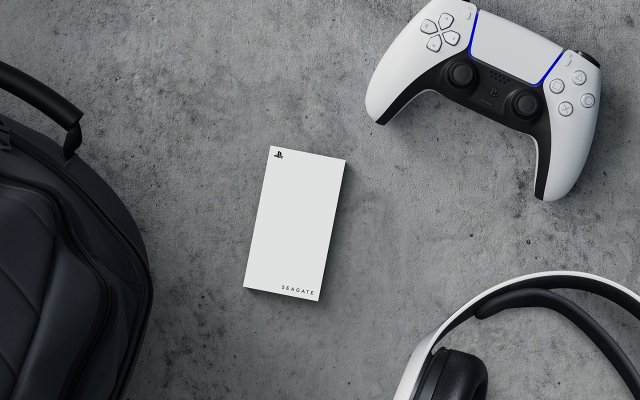
Yes, you can play PS5 games on an external SSD, but only those specifically moved from the console’s internal storage; direct launching of PS5 games from the external drive is not supported.
Have you ever felt that storage space on your PS5 vanish quickly after downloading just a few new titles? It’s a common problem, pushing many to explore external storage options. The big question on everyone’s mind is: can you play PS5 games on external ssd? Let’s clear up this important topic.
While an external SSD can store PS5 games, you cannot directly run those games from it. The functionality enables moving games from the console, freeing internal space, but you always need to move back internally before playing.

Can You Play PS5 Games on External SSD?
So, you’ve got a PlayStation 5, and you’re loving the incredible games, right? But, uh oh, your storage is getting full faster than you can say “next-gen!” It’s a common problem. Those new games are big, and the internal storage on the PS5 can fill up quickly. This brings up a big question: can you play PS5 games on an external SSD? The short answer is yes, kind of, but there’s more to it than that. Let’s dive into the details.
Understanding PS5 Storage
Before we talk about external drives, let’s talk about what’s going on inside your PS5. The PS5 uses a super-fast internal solid-state drive (SSD). This SSD is not just any drive; it’s a special NVMe SSD that is built to work with the PS5’s architecture for quick loading times and amazing performance. Sony chose this type of storage because it’s way faster than older types of storage, like traditional hard disk drives (HDDs). This speed is key for how the new PS5 games are made. The games are built to take advantage of the quick speeds, making the playing experience better.
Why Internal SSD Speed Matters
The internal SSD of the PS5 is crucial for a few reasons:
- Fast Loading: Games load much quicker. Waiting around for loading screens becomes a thing of the past. This makes the game seem smoother.
- Quick Game Switching: Jump between games quickly without waiting for the system to catch up. You can go from fighting a boss to exploring a new area without a long break.
- Game Performance: The PS5’s system uses the SSD to help games run at their best. It allows the games to access the data they need fast.
Because the games are built for this super-fast speed, it creates some limitations with external storage.
The Role of External Storage on PS5
The PS5 does allow the use of external storage, but it’s essential to know the limitations. You can’t play every type of PS5 game directly from an external drive. This may seem like a drawback, but there’s an important reason why this is the case, and it’s important to know what you can do with external storage.
Storing, but Not Directly Playing, PS5 Games
Here’s the important part: while you can store PS5 games on an external SSD or HDD, you cannot play them directly from it. PS5 games require the internal SSD’s speed to run as intended. If you try to run them from an external drive, they will be slow and might not even work correctly. Think of it like trying to run a race car on bicycle tires—it just won’t go well.
However, there is a great use for an external SSD or HDD. You can move the PS5 games from your internal SSD to the external drive to free up space and move them back when you want to play them. It is used as a storage backup for your games.
Playing PS4 Games on External Storage
Here’s where things get a bit more flexible. You can play PS4 games directly from an external SSD or HDD on your PS5. This means if you have a lot of PS4 games, you can keep them on an external drive and play them without needing to take up space on the PS5’s internal SSD. PS4 games are not built to take advantage of PS5’s internal SSD speed. You can save all your PS4 games on the external drive, and keep the space on your internal drive for PS5 games.
Choosing the Right External SSD for PS5
If you are looking to purchase a new external SSD for your PS5, it’s important to select the right one. Here are some important things to consider when choosing an external SSD for your PS5:
SSD vs. HDD: Which One is Better for Your PS5?
Let’s quickly compare SSDs and HDDs. Solid State Drives (SSDs) are faster, more durable, and use less power, making them more ideal for the PS5 as a storage backup. Hard Disk Drives (HDDs) are older technology that are slower and less durable but are cheaper, so you might consider them for a backup solution for your PS4 games.
Here’s a simple table to make it easier to understand the main differences:
| Feature | SSD | HDD |
|---|---|---|
| Speed | Faster | Slower |
| Durability | More durable | Less durable |
| Price | More expensive | Less expensive |
| Ideal use with PS5 | Storage Backup | Storage Backup |
| Playing games directly | PS4 games | PS4 games |
For PS5 use, an SSD is generally the better choice, especially if you have a large library of PS4 games and want fast loading times for those titles as well. An HDD can work if you’re just looking to archive games and are not worried about the speed of loading.
USB Connection: Important for Speed
The type of USB connection on your external drive is very important. The PS5 has USB 3.2 ports, which are capable of fast data transfer. Your external drive needs to support this to take advantage of that speed. The best option is an external SSD that supports USB 3.2 Gen 2. This provides the best speed when moving PS5 games to and from the internal SSD.
Recommended External SSD Specifications
- Type: Solid State Drive (SSD)
- USB: USB 3.2 Gen 2 or higher
- Speed: Look for transfer speeds that are at least 500 MB/s or faster. Higher speeds are always better.
- Capacity: Choose a capacity that fits your needs. 1TB or 2TB are good sizes if you have a lot of games.
If you are unsure, check out external SSDs made by well known brands such as WD, Samsung, and Seagate.
How to Set Up an External SSD for Your PS5
Once you’ve got your external SSD, setting it up with your PS5 is pretty straightforward. Here’s how you do it:
- Plug it in: Connect your external SSD to one of the USB ports on your PS5. The USB ports at the back are the faster USB 3.2 ports.
- Format it: Go to your PS5’s settings. Navigate to “Storage” then “Extended Storage.” The PS5 will ask if you want to format the drive, follow the instructions given. Formatting will delete all the data on the drive, make sure you backup all the data first, if you have any.
- Start using it: Now you can move PS5 games to and from the external drive. You can also download PS4 games directly to the external drive.
Managing Your Games
Managing your games between the internal and external storage is very easy. You can move games between internal and external storage directly from the games library. Pressing the “Options” button on the Dualsense controller will give you the option to move or copy games between your storages.
Expanding Your PS5’s Internal Storage (Advanced)
While external storage is great for additional space, especially for PS4 games, you may be considering adding more internal storage. This is more complicated than using an external drive, but it is an option. Keep in mind, that this is recommended for advanced users and can possibly void your warranty if not done correctly.
Using an NVMe SSD
The PS5 has an internal expansion slot for an NVMe SSD. You can install another NVMe SSD with the right specifications to increase your internal storage. This option allows you to play games directly from this expanded internal storage at the same speeds as the console’s original storage.
When buying an NVMe SSD, it’s critical to ensure it meets the PS5’s requirements, which include:
- PCIe Gen4 Interface: The SSD needs to support this type of connection
- Read Speed of 5500 MB/s or higher: High read speed is vital for fast performance
- Form Factor: M.2 2280 size
- Heatsink: A heatsink is essential to regulate temperature
Installing an NVMe SSD involves opening the PS5 and mounting the SSD in the correct slot. Because of the delicate nature of the hardware, it is not recommended if you’re uncomfortable with hardware modifications. Always turn off the power and unplug the console before attempting any internal changes. There are many tutorials online that you can follow step by step.
Tips and Tricks for Storage Management
Here are a few more tips to help you manage your PS5 storage better:
- Regularly Archive: Move games you are not playing to external storage to free up space.
- Prioritize: Keep your most played games on your internal SSD for quick access.
- Delete Games: Don’t be afraid to delete games that you finished to free up more space.
- Organize PS4 Games: Keep all your PS4 games on the external drive to keep the space on the internal SSD for PS5 games.
- Use Cloud Saves: Make sure you back up your games to the cloud, in case something happens to your console or drives.
By following these tips you will have a great gaming experience on your PlayStation 5, and not have to worry about running out of space.
So, the big question: can you play PS5 games on an external SSD? The answer is that you can store PS5 games on an external SSD or HDD, but you cannot directly play them from it. The PS5 games are designed to be played on the internal SSD due to the high speed requirement of the games. But, you can store PS4 games on an external drive and play them directly from the external storage. If you are looking to expand your internal storage, you can do so using an NVMe SSD. By understanding the differences and limitations you can make the best choices for your storage on your PlayStation 5.
How to Move Games on PS5 to External Drive or M.2 SSD (Fast Tutorial)
Final Thoughts
Yes, you can play PS4 games directly from an external SSD. This is great for expanding storage. You can also store PS5 games on an external SSD, but you cannot play them directly.
The main limitation is that PS5 games require the internal, faster SSD for gameplay. To play, you must transfer PS5 games to the internal storage first. So, regarding ‘can you play ps5 games on external ssd’, the answer is mostly no.

