
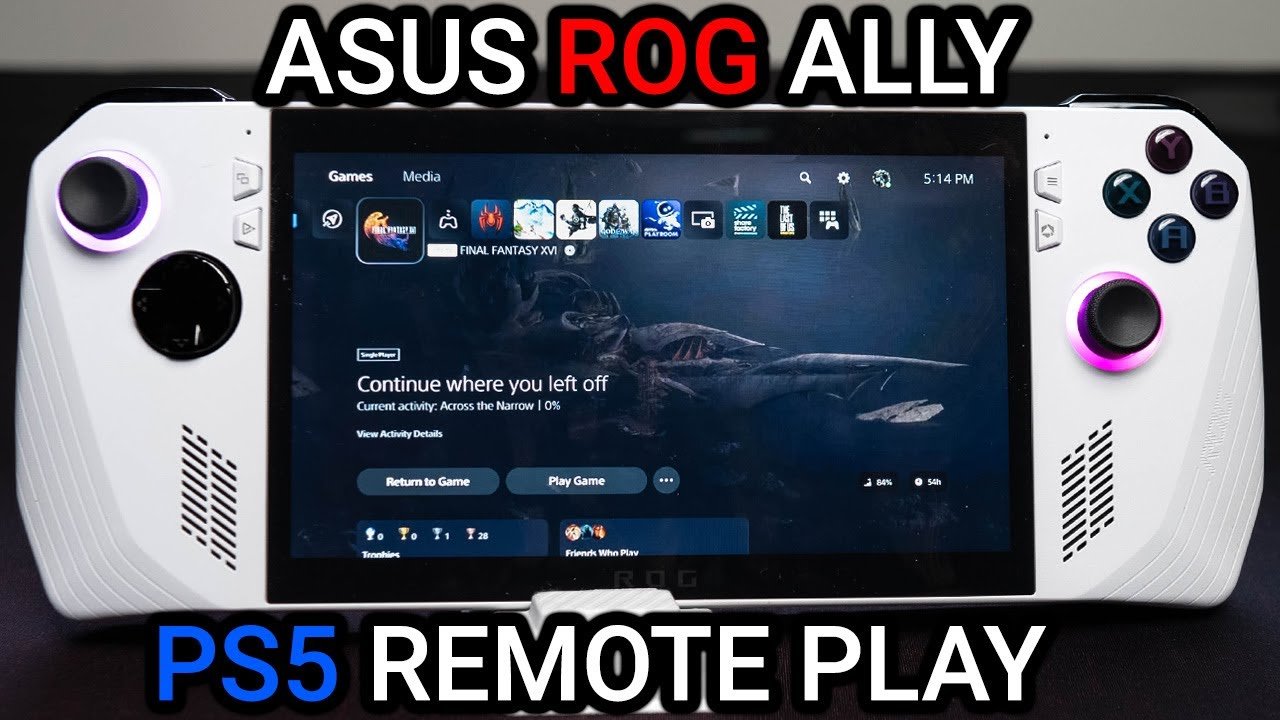
No, you cannot directly play PS5 games on the ROG Ally.
The burning question on many gamers’ minds is, can you play ps5 games on rog ally? It’s understandable given the ROG Ally’s portability and the allure of PlayStation titles. Unfortunately, the hardware is not compatible for direct play.
The two devices use very different operating systems and architecture. However, there might be other avenues to access certain PlayStation games on the ROG Ally. Keep reading to see how it’s achievable with a workaround.

Can You Play PS5 Games on ROG Ally?
The question of playing PlayStation 5 games on the ROG Ally is a popular one, and for good reason. The ROG Ally is a cool handheld gaming PC, and the PS5 boasts some incredible games. It’s like asking if your favorite action figure can play on a different playground. Let’s dive deep and see what’s really possible.
Understanding the Differences: ROG Ally vs. PS5
Before we talk about playing games, it’s important to know what makes these two devices different. Think of it like comparing a small, speedy race car (ROG Ally) to a powerful, home-based gaming machine (PS5).
ROG Ally: The Portable Powerhouse
The ROG Ally is essentially a mini-computer designed for gaming. It runs on Windows, just like your regular laptop or desktop, but it’s packed into a handheld console. This means it can run all kinds of PC games, including those from Steam, Epic Games, and other stores. The cool thing is, since it’s a full PC, it also can access web browsers, apps, and other programs.
- Operating System: Windows 11.
- Gaming Source: PC Game Stores (Steam, Epic, etc.)
- Portability: Designed to be taken everywhere.
- Flexibility: Can run different apps and programs, not just games.
PS5: The Console King
The PlayStation 5 is a dedicated gaming console. It’s made just for playing video games, and it has its own special operating system and game library. The PS5 is known for its amazing graphics and exclusive games that you can’t find anywhere else. However, it needs a TV or monitor to play, and you can’t just pick it up and take it on the go.
- Operating System: PlayStation OS
- Gaming Source: PlayStation Store and physical discs.
- Portability: Designed for home use, not portable.
- Exclusivity: Has unique games that can only be played on PS5.
The Crucial Question: Can the ROG Ally Run PS5 Games Directly?
Now, let’s get to the heart of the matter. Can you just pop a PS5 game disc into your ROG Ally and start playing? The short answer is a straight-up no. The two devices work in very different ways. The ROG Ally can’t read PS5 discs, and the games are built for the PS5’s unique hardware.
Exploring Options: How to Access PS5 Games on the ROG Ally
Even though you can’t play PS5 games directly, there are clever ways to get them to run on your ROG Ally. It’s like finding a secret passage to reach that playground, even though you can’t use the main gate.
Option 1: Remote Play Through PS Remote Play App
The most popular way is through something called “Remote Play.” This technology lets you stream your PS5 games to another device, like your computer or even your phone. Luckily, the ROG Ally, being a Windows PC, can also use this feature. Think of it like watching a live TV show on your tablet, except instead of a TV show, it’s a game on your PS5.
How Remote Play Works:
- PS5 is the Host: Your PS5 stays plugged into your TV and does the heavy lifting of actually running the game.
- ROG Ally is the Receiver: Your ROG Ally is connected to the internet and receives the video and audio from your PS5.
- Controller Input: The game controller connected to your ROG Ally sends your commands back to the PS5.
- Streaming: Everything happens in real time over your network.
Things to Consider for Remote Play:
- Good Internet Connection: A fast and stable internet connection (both upload and download) is vital. Think of it like needing a good pipe for water to flow through. If the pipe is small or blocked, the water won’t flow well. Same goes for your internet connection. If it’s slow or unstable, you’ll get lags in the game.
- PS5 Must Be On: Your PS5 needs to be turned on and connected to the internet, even when you are not using it. It also needs to be connected to your TV.
- PlayStation Network Account: You’ll need an account on the PlayStation Network to use Remote Play.
- PS Remote Play App: You’ll need to download the PS Remote Play app on your ROG Ally.
- Performance: The quality of the stream might depend on your network strength and your internet connection speed.
Steps to Set Up Remote Play:
- Turn on your PS5 and make sure it’s connected to the internet.
- Download the PS Remote Play app on your ROG Ally from the Microsoft Store.
- Open the app on your ROG Ally.
- Sign in with your PlayStation Network account.
- The app will find your PS5. Select it and start your gaming session.
Option 2: Cloud Gaming Services with PS5 Games
Another interesting way to play games similar to PS5 games is through Cloud Gaming services. Think of it like renting a powerful gaming computer that you can access online. Some cloud gaming services host powerful servers that can run games, and they stream the video to you over the internet.
Cloud Gaming Services Options:
- PlayStation Plus Premium: This subscription gives you access to a library of PlayStation games that can be streamed to your ROG Ally. This includes games from PS5, PS4, and even older PlayStation systems, but it depends on availability.
- Other Cloud Gaming Platforms: Services like Xbox Game Pass Ultimate (some games similar to PS5) and Nvidia GeForce Now also offer cloud streaming. These platforms are designed for Windows so the games run smoothly on the ROG Ally.
Things to Consider for Cloud Gaming:
- Subscription: Cloud gaming services usually require a monthly subscription.
- Internet Speed: Just like Remote Play, you need a very good and consistent internet connection for smooth cloud gaming.
- Game Library Availability: Cloud services don’t have every single game. What you can play depends on what’s available on their service.
- Latency: There might be a slight delay between your button press and the game responding. This is called latency, which could be annoying sometimes. But these cloud gaming platforms are working hard to reduce these latencies.
Comparison Table: Remote Play vs Cloud Gaming
Here is a little table to show how the remote play method and cloud gaming method compare:
| Feature | Remote Play | Cloud Gaming |
|---|---|---|
| PS5 Required? | Yes, your own PS5 is required. | No, You don’t need your own PS5. |
| Subscription? | No, it’s free with your PS5. | Yes, usually requires a subscription. |
| Internet Requirement | High-speed, stable connection to your home network. | High-speed internet required. |
| Game Library | Limited to the games you own on your PS5. | Offers a library of games to stream. |
| Latency | Low, if your home network is solid. | Can vary based on server distance and internet. |
Understanding Limitations and Expectations
While these methods are great, it’s important to set your expectations right. You’re not playing directly on the ROG Ally. It’s like watching a movie on your phone: you’re not holding the movie’s original film reel. You are accessing games through another source or device. So, here are some things to keep in mind:
- Dependence on Network: Both remote play and cloud gaming are heavily dependent on a good internet connection. If your connection is slow, you will get lags or pixelated screen and maybe experience disconnection.
- Image Quality: Sometimes the image quality might not be as sharp as it would be on your television. Also, you may see some compression artifacts especially on cloud gaming because of the compression of video stream to your screen.
- Input Delay: There may be a small delay between pressing a button and seeing the action on the screen. This is mostly due to distance between the device you are playing on and the server.
Game Compatibility and Specific Titles
Most PS5 games can be accessed through either remote play or cloud streaming, however, each service has its own library. If you wish to stream a certain game, double check if that game is supported by the method you are going to play with.
Specific Games and Performance
Some PS5 games with faster paced action, like racing or fighting games, require fast and stable internet to play through cloud gaming or remote play smoothly. But, other games like strategy or RPG games, you will have a much smoother experience if your internet is not as fast.
While the ROG Ally can’t play PS5 games directly, clever methods like Remote Play and cloud gaming services give you access to a wide variety of console experiences. Remember that these methods rely heavily on having a strong internet connection. So, while you can’t get that native PS5 feel directly on your ROG Ally, you can certainly explore many exciting PlayStation games. Think of it as opening up new avenues for gaming adventures, letting your ROG Ally tap into different realms of play.
How to Play Playstation 5 (PS5) Games on Asus Rog Ally Using Remote Play Via Chiaki
Final Thoughts
Ultimately, you cannot natively play PS5 games on ROG Ally. The ROG Ally is a handheld Windows PC. It does not have the hardware or software to directly run PlayStation 5 titles.
However, you can use Remote Play to enjoy your PS5 games on the ROG Ally. This requires a strong internet connection and a PS5 console. So while direct play is not possible, you do have options.

