
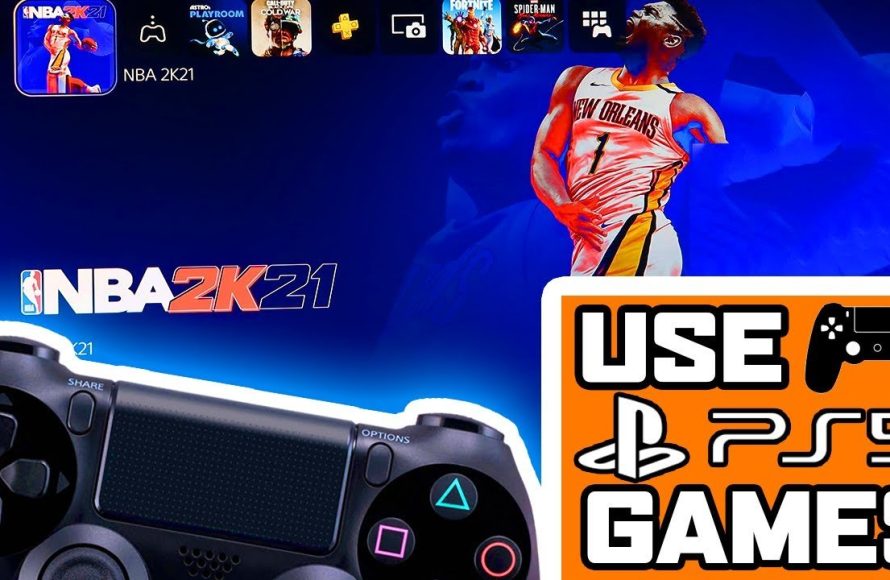
No, you cannot play PS5 games with a PS4 controller.
So, you’ve got a shiny new PlayStation 5, and you’re wondering, “can you play PS5 games with PS4 controller?”. It’s a valid question many players are asking since you might have a few DualShock 4 controllers lying around.
Sadly, the answer is a bit disappointing. Sony designed PS5 games to fully use the features of the DualSense controller. This means those cool adaptive triggers and haptic feedback won’t work with your old controllers. You can use your old controllers to play supported PS4 games on your PS5, but not PS5 specific titles.

Can You Play PS5 Games With a PS4 Controller?
Alright, let’s dive right into the big question on every gamer’s mind: Can you use your trusty old PS4 controller to play games on the shiny new PlayStation 5? The short answer is, it’s a bit complicated. The longer answer is, well, that’s what we’re here to explore! It’s important to understand the ins and outs of controller compatibility before you jump into your next gaming session.
Understanding PS5 Controller Compatibility
Sony made some changes with the PS5, including a brand new controller called the DualSense. This controller has cool features like haptic feedback and adaptive triggers, which change how the buttons feel depending on what’s happening in the game. It makes gameplay more immersive. Because of these awesome features, the PS5 is designed to work best with the DualSense.
But what about your old PS4 DualShock 4 controller? It’s a great controller, and many of us have more than one. Can you use these controllers on the PS5? Let’s explore the specifics.
PS4 Controller on PS5: The Reality
Here’s the main thing to remember: You cannot use a PS4 controller to play PS5 games. Yep, that’s the truth. Sony has made it so that PS5 games require the capabilities of the DualSense controller. The specific haptic feedback and trigger effects in PS5 games aren’t supported by the DualShock 4 controller, which is why they don’t allow PS4 controllers to directly play PS5 titles.
It’s important to keep in mind that this isn’t just about simple compatibility. The DualSense is designed to provide a certain gaming experience that the DualShock 4 just can’t match.
Playing PS4 Games on PS5 with a PS4 Controller
Now, here’s where things get a little better. While you can’t play PS5 games with your DualShock 4, you absolutely can use your PS4 controller to play PS4 games on your PS5. If you’re still playing some older PlayStation 4 titles, you are in luck.
This means that if you have a library of PS4 games you haven’t finished, you can definitely use your PS4 controller while playing them on your PS5. This is great news if you want to let someone join in on couch co-op and you don’t have an extra DualSense controller handy. You can use your old controllers!
How to Connect a PS4 Controller to Your PS5
Connecting your DualShock 4 controller to your PS5 is pretty easy. Here are the steps:
- Make sure your PS5 is powered on.
- Take a USB cable and connect one end to the PS4 controller and the other end to the PS5.
- Press the PlayStation button in the center of the DualShock 4. You may have to press it couple of times to make it recognize.
- The controller’s light bar will glow, indicating it’s connected.
- Now, you can go to settings and customize if you want to.
And that’s it! Your PS4 controller will now work with any PS4 games you want to play on your PlayStation 5.
Why Can’t I Use a PS4 Controller for PS5 Games?
So, if the PS5 can still connect with a PS4 controller, why isn’t it compatible for the new games? Let’s discuss this a bit more. It all comes down to the unique design and features of the DualSense controller.
The DualSense Advantage
The DualSense controller isn’t just a refresh of the DualShock 4; it’s a completely different experience. It has several advanced features that the older controller does not:
- Haptic Feedback: Instead of just rumbling, the DualSense has precise vibrations that can replicate the feeling of different textures, impacts, and actions in the game. Imagine feeling the difference between walking on sand and gravel through the controller – that’s haptic feedback at work!
- Adaptive Triggers: The L2 and R2 triggers on the DualSense have resistance that can change depending on what you’re doing in the game. For instance, when drawing a bow in a game, you can feel the tension in the triggers. This feature adds a new level of immersion that older controllers just don’t have.
- Built-in Microphone: The DualSense has a built-in microphone. You can communicate with your friends directly through the controller.
PS5 games are designed with these features in mind, utilizing them to the fullest. Since the DualShock 4 lacks these functionalities, it’s not compatible with PS5 titles. Using an older controller would mean missing key parts of the game experience. It’s like trying to watch a 3D movie without the special glasses, you would get the basics but not experience everything as intended.
The decision was made to ensure that the best possible experience of PS5 games is only available with the DualSense.
Use Cases for the PS4 Controller on PS5
While it may not work with PS5 games, the DualShock 4 still has some useful purposes on the PlayStation 5.
Playing PS4 Games
As mentioned before, this is the primary use case. If you own a lot of PS4 games, you can continue to play them on your PS5 using your PS4 controller. This is particularly handy for local multiplayer games.
Navigating Menus
You can also use the PS4 controller to navigate the PS5 menus. If your DualSense is charging, or you don’t want to use it, you can still use a connected DualShock 4 to move through the interface, select games, and manage your settings.
Couch Co-op
If you have friends or family who like playing games with you on the same console, the PS4 controller can be a good option for local multiplayer PS4 games. One can use DualSense and other player can use Dualshock 4.
Third-Party Controllers and PS5
What about other controllers besides the official PlayStation ones? Here’s what you need to know about third-party controllers and PS5 compatibility.
Third-Party Controllers for PS4 Games on PS5
Many third-party controllers designed for PS4 games will work on the PS5 in the same way as the DualShock 4. This means that they can play PS4 games but not PS5 games. Just be sure to check for compatibility before buying one. Some of these controllers come with added features or customizations that might interest you.
Third-Party Controllers for PS5 Games
When it comes to playing PS5 games, the options for third-party controllers are more limited. Most games will need DualSense to fully function. There are some exceptions but check the controller and game before purchase. Some third-party companies have been working on controllers that mimic DualSense features, so keep an eye out for them in the future.
The Future of Controllers
It’s clear that Sony is focused on making the DualSense the standard for PS5 gaming. The company seems to want to push the boundaries of what’s possible with gaming controllers. We expect the advancements with the controllers to keep coming with future releases of PlayStation consoles. While the PS4 controller will continue to have its use for backward compatibility, most new games will continue to depend on the features of the newer controllers.
Alternatives for Using a PS4 Controller on PS5 Games
While direct compatibility for PS5 games is not available for the PS4 controller, there might be a few creative workarounds or alternatives that are worth mentioning. These are not as seamless as direct compatibility but could still be useful in certain situations.
Remote Play
One option is using the remote play feature. If you have a gaming computer or another device, you can use the remote play application to connect to your PS5 and play games using your DualShock 4. Basically, the PS5 will think that the game is being played on your PS4 or on your computer, not on your PS5 directly, so it allows it to work with PS4 controller. Remember, this doesn’t bypass the restriction; you’re just playing the game remotely. This way the PS5 will be tricked and it will let you play your favorite PS5 titles with the old controller.
Controller Adapters
Another thing that you can try is to use a third party controller adapter. These adapters might allow a PS4 controller to be recognized on a PS5, even for PS5 games. However, these devices can be costly, and their success is not always guaranteed. Furthermore, using these adapters might not give you the complete experience of PS5 gameplay due to a lack of haptic and adaptive trigger support. Before buying an adapter, it’s good to do some research about the specific product and read reviews from other players.
Keep in mind that these methods might not provide the most consistent performance or the best user experience, and they may not be suitable for everyone. However, they are worth knowing if you are in a pinch and want to find ways to use your PS4 controller on PS5. It is better to consider buying a DualSense controller if you intend to play PS5 games regularly.
In summary, while your PS4 DualShock 4 controller is a good companion for PS4 games on your PS5, it’s not going to let you play your PS5 games. The DualSense is the best way to fully experience what the PS5 has to offer. It has features that make playing games more fun. While we would all have liked to have compatibility, Sony has made their decision. So, use the old controllers on your old games and get the new controller for new adventures.
How to play ps5 games with a PS4 controller
Final Thoughts
Ultimately, you cannot play PS5 games with a PS4 controller. Sony designed the DualSense controller specifically for the PlayStation 5. It utilizes unique features unavailable on the older DualShock 4.
This design choice unfortunately means compatibility is absent for PS5 titles. You must use the DualSense for current generation games. So, the answer is definitively no, can you play ps5 games with ps4 controller.

