
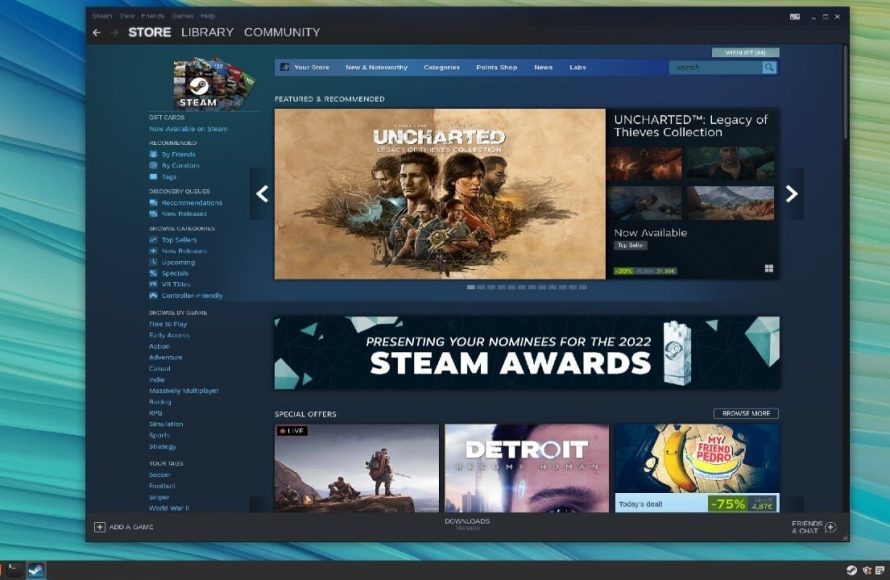
Yes, you can play Steam games on Linux.
Curious if you can play Steam games on Linux? The answer is a resounding yes! Steam has officially supported Linux for quite some time, allowing gamers to enjoy a wide selection of titles on the open-source platform.
Many popular games work flawlessly through Steam Play and Proton, a compatibility layer. This makes gaming on Linux a very viable option for many. This means you have a vast catalogue of games available right at your fingertips.

Can You Play Steam Games on Linux?
Let’s jump right into the big question: Yes! You absolutely can play Steam games on Linux. It’s not some secret, hidden feature, either. Steam, the popular platform for buying and playing games, works wonderfully on Linux. However, it’s not always as simple as installing Steam and playing any game you want. There are a few things to keep in mind.
Steam’s Journey to Linux
Steam didn’t always support Linux. Back in the day, if you were a Linux user, you were largely left out of the fun. But things changed. Valve, the company behind Steam, saw the potential and started working on bringing Steam to Linux. This was a big deal for the Linux community, and it opened the door to many games that were previously only available on Windows or macOS.
Valve didn’t just stop at making Steam work on Linux; they also worked hard to help game developers make their games work well on Linux. This includes the development of Proton, which we’ll get into more detail on soon. This commitment shows that they are serious about Linux gamers.
The Role of Proton
Here is where things get really interesting. Proton is a tool developed by Valve that allows many Windows games to run on Linux without any extra work by the user. Think of it like a translator for games. Instead of needing a special Linux version of each game, Proton makes many Windows games understand and play well on Linux. This is a key reason why playing Steam games on Linux is so viable.
How Proton Works
Proton is based on Wine, which is a compatibility layer that helps Windows programs run on other operating systems. Valve took Wine and added their special sauce, making it much better for games. It’s constantly being improved, so more and more games become playable on Linux thanks to Proton.
Using Proton
- Automatic: The good thing is, for many games, Proton is already enabled by default by Steam. When you try to install a game, Steam automatically tries to use Proton if it’s needed.
- Selecting Proton: Sometimes, you may need to pick a specific version of Proton. You can do this by going into the game’s properties in Steam and selecting the “Compatibility” tab. There you can select “Force the use of a specific Steam Play compatibility tool.” and choose the Proton version from the drop down menu.
- Checking Compatibility: Not every Windows game works perfectly with Proton. To see how well a game works, the community site ProtonDB is a super useful place to check compatibility. Users rate games and share tips on how to get the games to work best.
Which Games Work on Linux?
This is a common question, and the answer is quite reassuring for the most part. A large number of games work well on Linux thanks to Proton and the growing number of native Linux games available on Steam.
Native Linux Games
Some games are specifically developed to work on Linux. These games will usually run flawlessly and take full advantage of the system. The number of native Linux games is growing, which is exciting for the future.
Games that Work with Proton
A very significant portion of the Windows catalog works very well with Proton. Many popular and newer titles are playable. However, it’s always good to check on ProtonDB to make sure the games run properly.
Games That Might Not Work
Some games might not work well or at all on Linux, even with Proton. Usually, it’s due to technical issues, like certain DRM (Digital Rights Management) systems not functioning correctly. The Proton project is continually getting better, which also means this list is getting smaller day by day. If you have a game that doesn’t work, keep checking back as things change constantly.
Setting up Steam on Linux
Getting Steam on Linux is mostly easy to do. The steps can vary depending on which specific distribution of Linux you are using, but here are some of the most common methods. This setup is one of the key step to access steam games on linux.
Using the Software Manager
Most Linux distributions come with a software manager. It’s an application that makes installing apps as simple as browsing a store. Here’s what it generally looks like:
- Open your software manager (e.g., Ubuntu Software Center, GNOME Software).
- Search for “Steam”.
- Click “Install” and follow the instructions.
Installing from the Steam Website
You can also download Steam directly from its website:
- Go to the official Steam website.
- Click on the “Install Steam” button.
- Download the appropriate package for your Linux system, usually a .deb (for Debian based distros) or a .tar.gz file.
- Open up your file manager where the file is downloaded, and double click to install or extract the files. If it is a .deb file, it will open the software installer in Linux. If it is a .tar.gz file, you may have to use a command in the terminal to install it.
- Run the executable which usually is a steam file in terminal by typing steam and pressing enter.
- Follow the on-screen instructions to install Steam.
Using the Terminal
If you prefer using the terminal, you can install Steam with a few simple commands:
- Open your terminal.
- For Debian-based distributions (like Ubuntu), type sudo apt update && sudo apt install steam.
- For other distributions, please visit the Steam website to find out how to install Steam on your specific system.
First time setup
After installing the Steam client, you’ll have to log in to your account. After you are logged in, you can browse the store, install games, manage your library, and interact with the community. The Steam interface is just about the same as the Windows version.
Performance on Linux
Another important question is: how do games actually perform on Linux? Well, it’s quite interesting.
General Performance
In many cases, games run just as well or even better on Linux as they do on Windows, especially if they have native Linux support. Proton has also come very far and offers very good performance for games that are played through it. Because Linux is typically a lighter operating system, some games may even run with less resources and get you better performance.
Factors Affecting Performance
- Drivers: The type of graphics drivers you have installed can impact performance a lot. Make sure you install drivers for your graphics card.
- Proton Version: Trying out different Proton versions may sometimes help improve performance for some games.
- Game Specifics: Some games are simply more complex and demanding than others. The performance you get will vary between different titles.
- Linux distribution: Performance can also vary between different Linux distributions, for example Arch linux has been known to perform better in some cases compared to Ubuntu.
Tips for better performance
- Update drivers: Make sure you are always using the latest version of graphics drivers for best performance.
- Tinker with Proton versions: If your game doesn’t run well, try a different proton version.
- Consult online communities: Check sites like ProtonDB, Reddit, and other forums for advice on specific games.
The Benefits of Gaming on Linux
Gaming on Linux can come with some unique benefits, and it’s not just about getting games to run. It’s about being part of a growing community and enjoying the benefits of an open operating system.
Cost
Linux is free to use, meaning you can save money by not having to pay for a copy of Windows. You can use the money you save on more games!
Customization
Linux lets you customize your system, so it can be perfectly setup for gaming. You can tweak settings, get rid of unneeded features, and make it lightning fast.
Community
The Linux gaming community is friendly and very helpful. There are many resources and online spaces where you can get help, learn how to solve problems, and talk with other Linux gamers.
Freedom
Linux provides an open source environment, which lets you see and change things. This flexibility also means that you are not locked into using a specific software.
The Downsides of Gaming on Linux
While gaming on Linux is amazing, it’s not perfect. There are a couple of downsides you should know about.
Compatibility Issues
Even with Proton, some games still don’t work or they don’t work correctly. This can be annoying when you just want to play a specific game. This is mostly an issue for games with specific DRM features.
Less Mainstream
Linux is not as mainstream as Windows or macOS. So, you may need to do some research or look at online resources when you run into problems. Also, some game studios may be slower to support Linux or might not at all.
Troubleshooting
At times you might have to do some manual troubleshooting, which can be a little technical. However, if you are up for the challenge and love tinkering, this might not be a big deal.
So, to answer the question, yes you can definitely play Steam games on Linux! The experience keeps getting better all the time. The commitment of Valve to the platform and community support ensures a very good gaming experience on Linux, and things will just keep improving.
Gaming On Linux – Everything You Need To Know ..
Final Thoughts
Yes, you can play Steam games on Linux. Steam provides a Linux client, and many games offer native Linux support. Proton, a compatibility layer, expands the catalog further.
Proton allows you to play many Windows-based games. This means a large portion of your existing Steam library should work. Therefore, the question ‘can you play steam games on linux’ has a largely positive answer today.

