
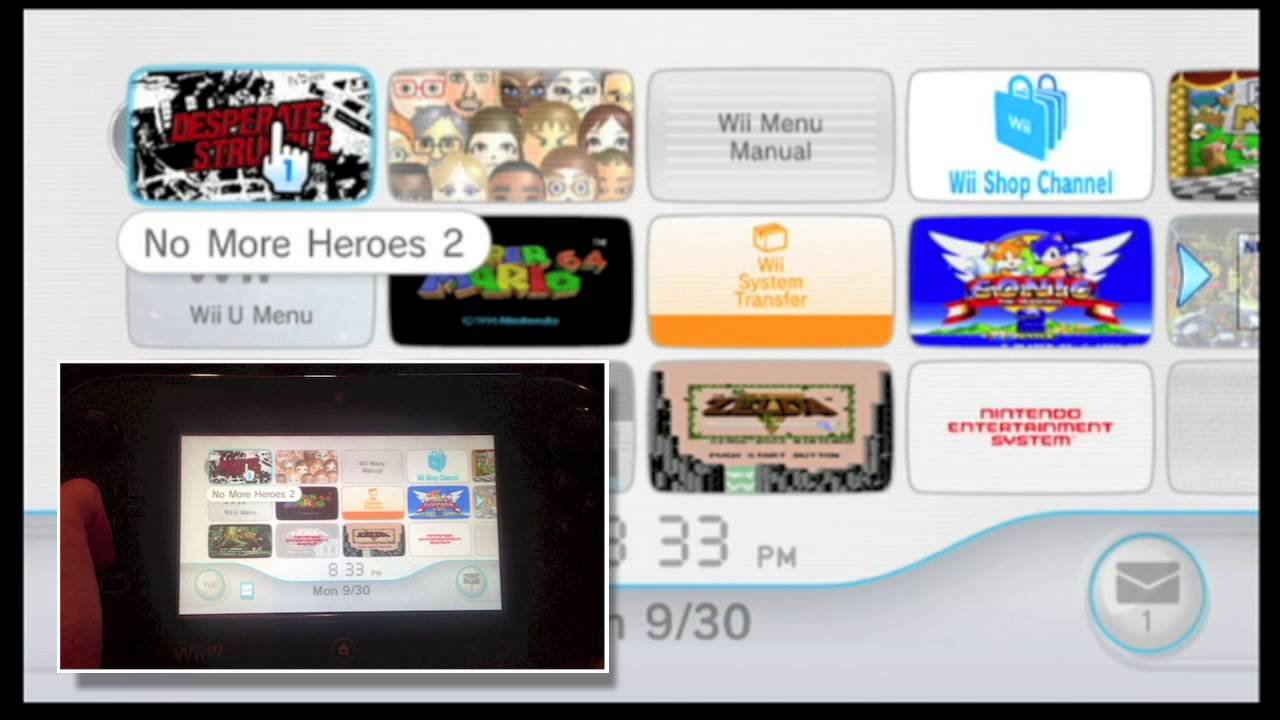
No, you cannot play Wii games directly with the Wii U gamepad. The gamepad functions as a screen and controller for Wii U games, but it does not have the necessary hardware to run Wii software.
Ever wondered can you play wii games with wii u gamepad? It’s a common question for those familiar with both consoles. Many gamers hope for seamless compatibility, wishing they could ditch the old controllers.
The Wii U gamepad is a fantastic piece of tech for Wii U titles, offering unique features. But sadly, it simply won’t work when trying to launch a Wii disc. You will need to utilize Wii remotes.

Can You Play Wii Games With Wii U Gamepad?
Let’s dive right into the question that’s probably brought you here: can you play Wii games using the Wii U gamepad? The short and sweet answer is: kind of, but not directly. It’s a little more complicated than a simple yes or no, so let’s break it down. The Wii U is backward compatible with the Wii, meaning it can play original Wii games. However, the Wii U gamepad doesn’t work as a primary controller for these games like it does for Wii U games. Think of it like trying to use a fancy new remote control on an old TV – it might not be compatible for every function. You will need other Wii controllers and other equipment to play Wii games on Wii U and we will talk about them below in details.
Understanding Wii and Wii U Controller Differences
Before we get into the details of how to play Wii games on your Wii U, let’s talk about the different controllers. The Wii uses several types of controllers: The Wii Remote (also called the Wiimote), the Nunchuck, and the Classic Controller and others. These controllers connect to the Wii console using a wireless connection. The Wii U also has its own primary controller called the Wii U gamepad. The gamepad has a built-in screen, buttons, and analog sticks, and it uses a different wireless technology than the Wiimotes. These crucial differences are the heart of why the Wii U gamepad doesn’t work directly with Wii games. Wii games are programmed to work with specific Wii controllers. The Wii U gamepad was designed for use with Wii U games that are built to communicate with its unique features.
How the Wii U Handles Wii Games
Even though the Wii U gamepad doesn’t work directly for Wii games, the Wii U console is actually fully capable of running them. When you put a Wii game disc into your Wii U, the system will load in “Wii Mode”. This is like switching into a different console within the Wii U. In Wii mode, your Wii U acts just like a regular Wii, using the same menus and settings that you’d find on a standard Wii console. All your Wii games will appear and play just as they did on the original Wii. This means you’ll have to use your original Wii controllers like the Wii Remote, the Nunchuck, and the Classic controller. The Wii U essentially acts as a bridge between your Wii game discs and your TV.
The Necessary Equipment for Playing Wii Games on Wii U
Okay, so if the Wii U gamepad isn’t going to work for Wii games, what do you need? Here’s a list of essential equipment for playing your Wii games on your Wii U:
- Wii Remote (Wiimote): This is the primary controller you’ll need. Most Wii games use this as their main method of input. You will require a Wii remote for every player.
- Nunchuck: Many games use the Nunchuck along with the Wiimote for more complex controls. It connects to the base of the wiimote.
- Sensor Bar: This small bar is crucial for the Wii Remotes to function correctly. It sits either above or below your TV and the Wii Remote uses it to track movement. If you do not have the original Wii sensor bar, you can purchase a sensor bar online, as it works with both Wii and Wii U.
- Wii U Console: Of course, you’ll need your Wii U console to play the games.
- Wii Game Discs: You will need your original Wii game discs, as Wiiware or downloadable content from original Wii shop will not be available.
You may also need these additional controllers depending on the games you want to play:
- Wii Classic Controller or Wii Classic Controller Pro: These are shaped like classic controllers and can provide a more traditional control scheme for some games.
Setting Up Your Wii Games on Wii U
Now that you know what you need, let’s talk about how to set everything up:
- Make sure your Wii U is connected to your TV and power source.
- Turn on your Wii U.
- Insert your Wii game disc into the disc slot.
- The Wii U will now load the “Wii Mode”. You may be prompted to press the A button or the Home button to activate Wii mode.
- You may need to sync your Wii Remotes to your Wii U. To do this:
- Press the sync button on the back of the Wii U console.
- Open the battery compartment of your Wii remote and press the sync button located there.
- The lights on the Wii remote will flash and then go solid, indicating a successful sync.
- Place your sensor bar above or below your TV.
- Make sure your Wii remotes are pointed at the sensor bar.
- Use the Wii Remote to navigate the Wii menus on your TV and select your game.
- Start your game and have fun!
Why the Wii U Gamepad Doesn’t Work for Wii Games
You might be wondering, why can’t the gamepad just work for Wii games? It seems like it should be able to, right? Here’s the reason:
Different Technology: The Wii Remote and Wii U gamepad use different communication technologies. Wii Remotes are designed to be tracked using the sensor bar, while the Wii U gamepad is designed to communicate directly with the console. It is not able to be tracked by the sensor bar and has no IR capabilities.
Software Compatibility: Wii games are programmed to interface with the original Wii controllers, not the Wii U gamepad. This means they’re looking for specific signals from specific hardware that the gamepad just doesn’t send. The Wii U gamepad simply does not have the software programming to be able to act as a Wii remote.
Design Intent: The Wii U gamepad was designed specifically for Wii U games and to provide certain features like off-TV gameplay. It wasn’t intended to function as a primary controller for games designed for a previous generation of console with different hardware and controllers. The gamepad was designed to communicate with the Wii U system, not the Wii system.
Can the Wii U Gamepad Be Used as a Screen for Wii Games?
This is a good question. Unfortunately, the answer is no, the Wii U gamepad cannot be used as the primary screen for your Wii games. When you enter “Wii Mode,” the output is directed to the TV and the Wii U gamepad is effectively deactivated. So you can not use the gamepad as a screen for Wii games, but there is another use for it. You can use the Wii U gamepad as a monitor to change Wii settings.
Using the Wii U Gamepad for Wii Settings
When you are in Wii mode, the Wii U gamepad screen may appear blank, but it is not completely useless! The Wii U gamepad screen allows you to control and change Wii settings on your console. You can still use the touchscreen function of the gamepad to change settings while using your Wii remotes to play a game on the screen.
Here are some of the setting you can change:
- Wii console settings
- Language
- Screen resolutions
- Wii sensor bar settings
- Wifi settings
Benefits of Playing Wii Games on Your Wii U
Even though you can’t use the Wii U gamepad for Wii games, there are still some great reasons to play your old Wii games on your Wii U.
Convenience: If you only have a Wii U, you don’t have to have two consoles hooked up to your TV. The Wii U can play both your Wii U and Wii game discs.
Upscaling: Some users find that the Wii U might slightly upscale the graphics of Wii games, making them look slightly better on modern TVs.
Less Clutter: Having one console instead of two helps to keep your entertainment area clean.
Potential Issues When Playing Wii Games on Wii U
While playing Wii games on Wii U can be smooth, there are some potential things to keep in mind.
Extra Equipment: You’ll need to purchase Wii controllers, sensor bars, and possibly additional controllers if you don’t already own them.
Sensor Bar Placement: The sensor bar has to be placed correctly. If it is placed improperly, your Wii remotes will not properly function, and you won’t be able to play the game.
Storage Space: Wii games and save data will take up space on your Wii U console. If you have a large library of Wii games, you may run into storage limitations.
No Gamepad Support: Because Wii games don’t support the gamepad, some players feel less immersed because they have to use a different controller.
Exploring Other Wii Compatibility Questions
Let’s look at a few other frequently asked questions about playing Wii games on the Wii U.
Can I Transfer Wii Data to Wii U?
Yes, you can transfer save data and some channels from your original Wii to your Wii U. You will need to download the Wii transfer tool from the Wii shop channel on your Wii console. Then, you will have to download the same transfer tool on your Wii U console. Follow the instructions to transfer your save data, points, and other channel data. Once complete, you will have access to the same save data on the Wii U. This will allow you to keep playing your games right where you left off on the original Wii.
Can I Use Wii Peripherals with Wii U Games?
Wii peripherals, such as the Balance Board or Wii Zapper, typically will not work with Wii U games. The Wii U uses a different software system and is not compatible with these peripherals in Wii U games. They are designed to be used in the Wii mode only with Wii game software.
Is There Any Way to Use the Wii U Gamepad with Wii Games?
Currently, there is no way to use the Wii U Gamepad as a controller for Wii games. The Wii U was designed to not support this feature. The design of the Wii U does not allow for the gamepad to interface with the original Wii software and game programming.
Can I Play Wii Ware Games on Wii U?
You can play previously downloaded Wii ware games on your Wii U. You will need to transfer your Wii save data and channel information to your Wii U console using the transfer tool from the Wii shop channel. Once you have completed the transfer process, you will be able to play your downloaded Wii ware games on the Wii U, in the Wii mode. You cannot purchase new Wii ware games using the Wii shop channel on your Wii U, as the store was closed.
Final Thoughts on Wii Games and Wii U Gamepad
While you can’t use the Wii U gamepad as a controller for Wii games, the Wii U is still a great way to enjoy your collection of Wii games. You can still play all your Wii games. With the proper equipment, it offers a convenient and possibly even slightly enhanced experience for your old Wii games.
How to Play Wii Games On Your Wii U Gamepad
Final Thoughts
No, you cannot play Wii games directly with the Wii U Gamepad. The gamepad acts as a display, but it doesn’t handle the Wii game controls. You must use a Wii Remote and Nunchuck, or a Classic Controller, instead.
Therefore, the answer to the question, “can you play Wii games with Wii U gamepad?” is a definitive no, The Wii U console needs original Wii controllers for game inputs. It’s vital to remember this crucial piece of information when playing Wii titles on your Wii U.

