
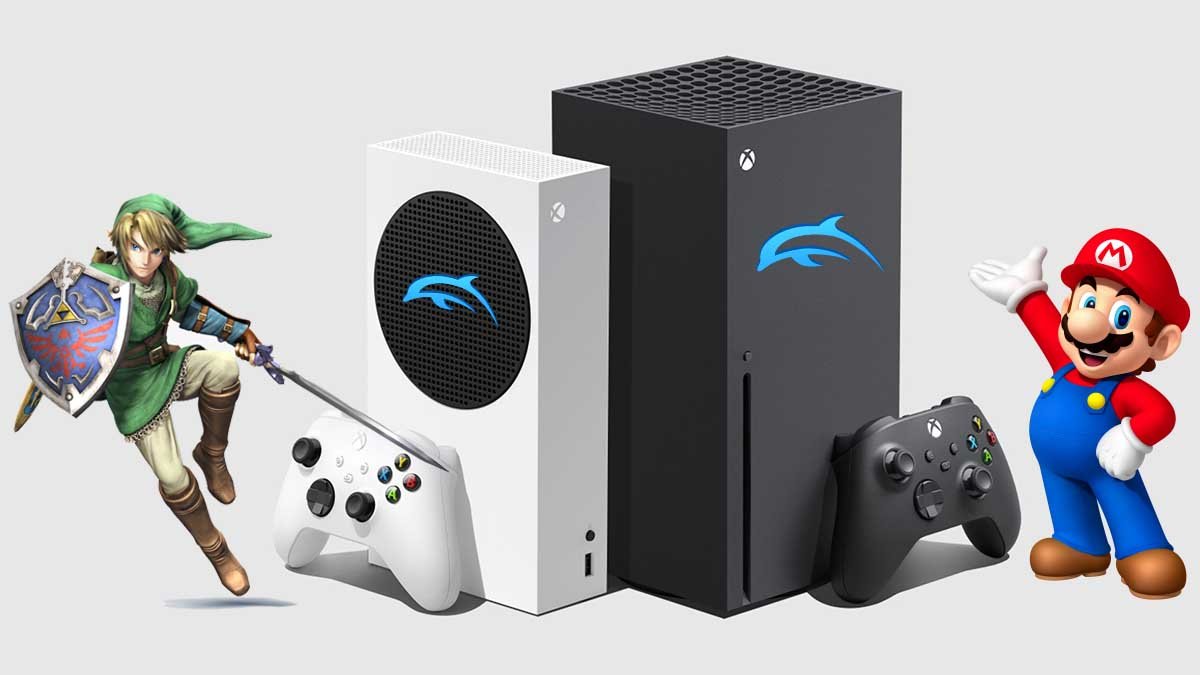
No, you cannot play Xbox games on the Dolphin emulator.
Ever wondered if you could extend the Dolphin emulator’s capabilities beyond GameCube and Wii titles? Many gamers ask the very question: “can you play xbox games on dolphin emulator?” It’s a common misconception given the emulator’s success with Nintendo consoles.
Unfortunately, the Dolphin emulator specifically targets GameCube and Wii software. It does not support Xbox game files or emulation due to fundamental architectural differences between the consoles. Therefore, playing Xbox games on Dolphin isn’t possible.

Can You Play Xbox Games on Dolphin Emulator?
Let’s tackle the big question: Can you play Xbox games using the Dolphin emulator? The short answer, and probably not the answer you were hoping for, is a definite no. Dolphin is specifically designed to emulate Nintendo GameCube and Wii games, not Xbox titles. The hardware architectures, software systems, and game formats are completely different. Think of it like trying to fit a square peg in a round hole. They just don’t match up!
Understanding Dolphin Emulator’s Purpose
Dolphin emulator is a fantastic piece of software, but it has a very specific focus. It works by recreating the internal workings of the GameCube and Wii consoles on your computer. This involves a deep understanding of how these consoles process information, handle graphics, and play sounds. The Dolphin developers worked hard to make sure games run well and look great. However, Xbox is built on very different principles, and those differences make it impossible for Dolphin to run those games directly.
The Technical Hurdles
Here’s why emulating Xbox on Dolphin isn’t possible:
- Different Architecture: The GameCube and Wii use a PowerPC-based processor, while the original Xbox uses an Intel Pentium III processor. These processors handle code in entirely different ways.
- Graphics Processing: Xbox uses an Nvidia graphics card, whereas GameCube and Wii use an ATI graphics chip. These chips are constructed differently, requiring specific instructions to handle their graphics which Dolphin is set to work for ATI not Nvidia.
- System Software: Each console has its own operating system and set of low-level instructions. Dolphin emulator is built for GameCube and Wii OS, not for the Xbox’s operating system.
- Game Formats: Xbox games are formatted in a way that is vastly different from GameCube and Wii game discs. Dolphin is programmed to interpret GameCube and Wii game discs, not Xbox game formats.
Think of it like this: Dolphin speaks the “GameCube/Wii language,” but Xbox speaks a completely different “Xbox language.” They just can’t understand each other.
The Quest for Xbox Emulation
While Dolphin isn’t the answer for playing Xbox games, that doesn’t mean there’s no way to play them on your PC. The good news is there are other emulators that are developed for the purpose of emulating Xbox and other consoles. These emulators do not have any connection with dolphin, but they are able to play the games.
Xemu – An Xbox Emulator
One emulator specifically designed to run original Xbox games is Xemu. Xemu is an actively developed emulator, which aims to accurately simulate the original Xbox hardware and software environment on various platforms. While it’s still under development, it already shows promising results. Some notable things about Xemu are its ability to play many games very well, its constant updates which aims to fix the problems and improve the quality, and the large and active community behind the emulator, who provide help and guidance for the users and developers.
How Xemu Works
Xemu, unlike Dolphin, is specifically crafted to understand the unique hardware and software characteristics of the Xbox. Here is a look at its main functionalities:
- CPU Emulation: Xemu accurately emulates the Intel Pentium III processor that the original Xbox used. This is crucial because the processor handles all the instructions that the games are using.
- GPU Emulation: The emulator simulates the Nvidia graphics processing unit, which allows the games to draw the images on the screen correctly.
- Operating System Emulation: Xemu works to emulate Xbox operating system, allowing games to interact properly with its environment.
- Game Loading: Xemu is set to read and load the original Xbox game files from disc or from an ISO file, which are digital copies of the game discs.
Other Xbox Emulation Efforts
Besides Xemu, other attempts have been made to emulate the original Xbox over the years, but none have reached the maturity and wide compatibility of emulators like Dolphin or even Xemu. The complexities of accurately recreating the Xbox’s complex hardware have proven to be a very difficult challenge.
Why Xbox Emulation is Challenging
Emulating consoles is hard work. It’s not simply about copying a game. It means you must build an entire virtual console on a computer. Here’s why the original Xbox is extra challenging to emulate:
Hardware Complexity
The Xbox combined hardware from various sources, and the emulation process has to re-create every single piece of these complex systems, including the CPU, GPU, sound card, and storage access. This makes the whole emulation process very hard.
Software Protection
The original Xbox had certain protection mechanisms and checks that make it harder to play games through emulation. These protection methods have to be overcome by the emulators.
Compatibility
Xbox had a large library of games, each of them has to be tested and fixed to make sure they function correctly on the emulator, this is a never-ending process that takes a lot of time, effort, and dedication.
Using an Emulator: What to Expect
If you’re considering using an emulator for Xbox, there are a few things you should know:
System Requirements
Emulating a console needs a lot of processing power. The better your PC is, the better your experience will be. A powerful processor, good amount of RAM and a decent graphics card are must for smooth game-play.
- Processor (CPU): You need a modern and powerful multi-core CPU. The better the CPU, the better your experience.
- Memory (RAM): At least 8GB of RAM, but 16 GB is even better.
- Graphics Card (GPU): A dedicated graphics card will be very beneficial, specially from Nvidia or AMD.
- Storage: An SSD or NVMe drive is always recommended for faster loading times.
Setting Up Your Emulator
Every emulator has its own setup process. You will likely need to download the emulator, configure its settings, and load the game files. It can take some time and there are many guides online that you can follow.
Game Files
To play games with an emulator, you will need the game files. These are often obtained from your own physical discs. Keep in mind that downloading game files from the internet can be illegal, so always make sure that you own the games you are playing.
Why Focus on Dolphin for GameCube and Wii?
Dolphin’s success and popularity come from its focus on two specific consoles: GameCube and Wii. The developers have spent years making sure Dolphin runs these games as perfectly as possible. They have optimized every bit of the emulator so it works very smoothly. This focus allows Dolphin to be very good at what it does, but not for other consoles like the Xbox.
Dolphin’s Key Strengths
- High Compatibility: Most GameCube and Wii games run very smoothly on Dolphin.
- Enhanced Graphics: Dolphin can upscale game resolution, making them look way better than they did on original hardware.
- Improved Performance: With a decent PC, games can be run at higher framerates.
- Active Community: Dolphin has a big and helpful community which contributes a lot in its development, support and user experience.
The Future of Xbox Emulation
Even though playing Xbox games on Dolphin is not possible, the progress being made in Xbox emulation is worth noting. As development on Xemu and similar projects continues, more games will become playable, and the experience will keep getting better. It’s important to remember that these are ongoing projects, and the future of Xbox emulation looks very bright. For people interested in playing original Xbox games on a computer, the future holds a great deal of promise.
So, while you can’t use Dolphin to play Xbox games, there are other options that let you enjoy your favorite Xbox games on your PC. Keep exploring the world of emulation! With the right software and a little patience, you will be playing many of your old favorites on a modern PC.
play Wii games on Xbox!
Final Thoughts
Dolphin Emulator is primarily for GameCube and Wii games. Currently, it does not support Xbox games. The emulator’s architecture is built for Nintendo systems, not Microsoft consoles.
Therefore, you cannot play Xbox games on Dolphin Emulator. The emulator needs specific coding that is not available for Xbox games. Development would be needed to enable this.
The answer to the question “can you play xbox games on dolphin emulator” is a clear and simple no. Another emulator would be needed if you want to play Xbox games.

