
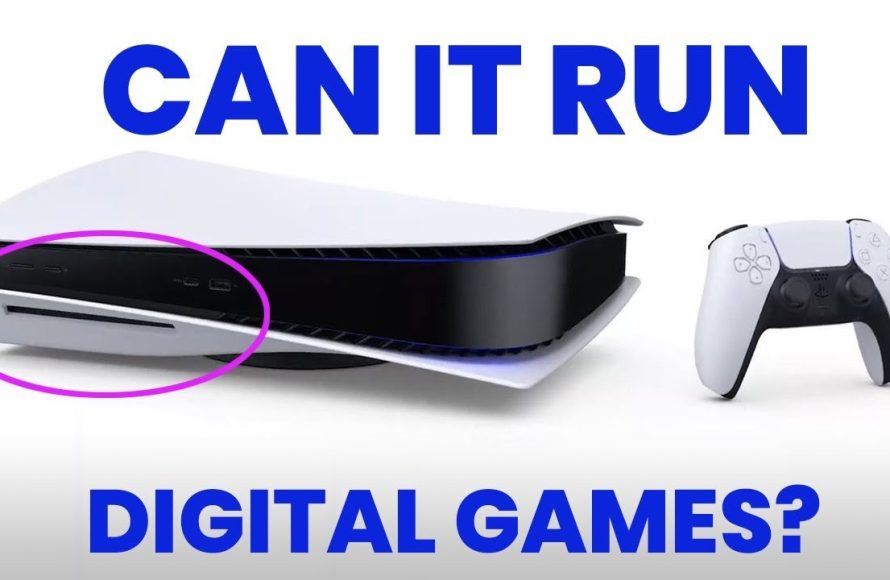
No, you cannot directly put digital games onto a PS5 disc version. Digital games are downloaded and stored on the console’s internal storage.
Ever wondered, can you put digital games on ps5 disc version? It’s a common question among PlayStation 5 owners. Many people get confused about how digital and physical copies of games work.
You see, disc versions use physical media, where data is accessed via a disc drive. Digital versions, on the other hand, are directly downloaded to the console’s storage. This fundamental difference impacts how games are accessed.

Can You Put Digital Games on PS5 Disc Version?
This is a question many PlayStation 5 owners, especially those with the disc version, often ask. It’s natural to wonder if you can somehow transfer or play digital games on your disc-based console. After all, you might have friends with digital libraries, or you might want to take advantage of sales on the PlayStation Store. Let’s dive deep into this topic, exploring how the PlayStation 5 handles both disc and digital games.
Understanding the PlayStation 5 Versions
Before we get into the specifics of digital games, it’s important to understand the two PlayStation 5 models. Sony released two versions of the PS5:
The Standard PlayStation 5 (Disc Version)
- This version includes a built-in Blu-ray disc drive.
- It can play both physical game discs and digital games purchased from the PlayStation Store.
- Users can also watch Blu-ray movies on this model.
The PlayStation 5 Digital Edition
- This model does not include a disc drive.
- It can only play digital games downloaded from the PlayStation Store.
- You cannot insert physical game discs into this version.
The key difference, the presence or absence of a disc drive, dictates how you can play games on each version. The disc version offers flexibility, accommodating both physical and digital game ownership, while the digital edition focuses solely on the digital ecosystem.
How Digital Games Work on the PS5
Digital games on the PS5, regardless of the version you own, are downloaded and installed directly onto the console’s internal storage. When you buy a game from the PlayStation Store, you’re essentially purchasing a license to play that game tied to your PlayStation Network account. Here’s a breakdown of how it works:
Purchasing Digital Games
- You can buy games directly from the PlayStation Store via your PS5 console, a web browser, or the PlayStation mobile app.
- Once purchased, the game is added to your library.
- The license ensures that you, the account holder, can play the game on any PS5 console where you are logged in.
Downloading and Installing
- After purchasing, you’ll need to download the game data.
- The game installs directly onto the PS5’s internal SSD (Solid State Drive), ensuring fast load times.
- The size of the game determines how long the download takes and the storage space it consumes.
Playing Digital Games
- To play a digital game, you simply select it from your game library on the PS5 home screen.
- As long as you’re logged into your PlayStation Network account and have an internet connection to verify your license (in some cases), you can play the game.
- No physical media is needed.
Can You Transfer or “Put” Digital Games From Another Console to Your PS5 Disc Version?
This is where the question gets more specific. You have a PS5 with a disc drive, and you’re curious if you can transfer digital games from a friend’s PS5 or another account. The answer, unfortunately, is not a simple “yes.” You can’t directly move or “put” digital games from another console like you might move a file on a computer, because each game is tied to a specific PlayStation Network account. However, let’s explore the nuances:
Game Sharing (Account Based)
Technically, you can “share” digital games through a method sometimes called “account sharing”, but it involves using someone else’s account on your console. If a friend wants you to play their digital games, they would need to add their account to your PS5. Here’s how it typically works and why it has limitations:
- Account Addition: Your friend would add their PSN account to your PS5. This means they need to provide their username and password.
- Primary Console Activation: One console needs to be set as the primary console for the account. This “locks” the games to that primary console, allowing other profiles on that console to access the games.
- Playing the Games: You could then access and play the games from your friend’s account using your own user profile on your primary console.
Limitations and Risks of Account Sharing
- Privacy Concerns: Giving your account information to someone else can be risky, as they’d have access to your personal information, payment details, and potentially your other services linked to that account.
- Game Access Issues: If the account owner plays a game on another console, games on the ‘primary’ console will become locked until the original user stops playing, this can cause issues as multiple people cannot play the game simultaneously from the same account..
- Violation of Terms of Service: PlayStation’s terms of service generally discourages account sharing, and there’s a risk of temporary or permanent ban, if detected.
- Not Ideal: This method isn’t ideal because it blurs the lines between personal accounts and game ownership. It also comes with potential disruption.
Using Your Own Digital Games on Multiple PS5 Consoles
You can access your digital games on your own PlayStation Network account on any PS5 console, including other disc version, but there’s a specific way it works:
- Log in to your account: When you’re on another PS5, you simply sign in with your PlayStation Network account.
- Game Library Access: You will be able to see all the digital games you own in your game library.
- Download and Play: You can download and install any of those games onto the console, just like normal.
- No disc required: Whether it’s the digital version of the PS5 or the disc version, this process works the same.
- Limitations: You can only play on one PS5 console at a time using your own account.
Digital Games and Physical Discs on the PS5 Disc Version
Having a disc version of the PS5 means you can combine both physical discs and digital games seamlessly. Here’s a closer look at how the two can work together:
Switching Between Physical and Digital Games
- Easy Access: On your PS5 home screen, games are presented in a unified library, whether they’re installed digitally or from a disc.
- No extra steps: You do not need to switch profiles, consoles or anything. Your games are all available in the same place.
- Disc required: For playing a game from a disc, you’ll need to insert the disc into your console every time you want to play. This is how the disc verifies you own the physical copy.
Digital Copies from Physical Discs
It’s important to note that simply owning a physical disc doesn’t grant you a digital copy. There’s no way to transfer the game data from the disc onto the PS5 as a fully digital license unless it’s specifically part of a limited promotional offer by the game publisher.
Managing Storage Space for Digital Games
Digital games, being downloaded files, take up space on your PS5’s storage. Here’s what you need to know about managing your digital game library:
PS5 Storage Limitations
- The PS5 comes with a limited amount of internal storage for games, the exact space will depend on your console’s model, but it is not very high.
- AAA games can be very large, sometimes occupying 50 GB or more.
- This means that you will not be able to store all games at the same time.
External Storage Options
- USB Extended Storage: You can expand storage space by connecting a compatible USB external hard drive.
- You can store your PS4 and PS5 games on the external storage device.
- You will be able to play the PS4 games right away, but for PS5 games you need to transfer them back into your PS5 internal storage before you can play.
- Internal SSD Upgrade: The PS5 also has an expansion slot to install compatible NVMe SSD to further expand the storage, you can install and directly play the games from the expanded storage.
Tips for Managing Digital Game Storage
- Deleting Games: When you finish a game, delete it to free up space for new ones.
- Cloud Saves: Make sure you back up your save data to the cloud, so you can pick up where you left off later.
- Prioritizing Downloads: If storage is tight, download the games you plan on playing soon first.
Digital Games and PlayStation Plus
PlayStation Plus is a subscription service that enhances the PlayStation gaming experience and is worth considering. Here’s how it intersects with digital games:
PlayStation Plus Benefits
- Monthly Free Games: PlayStation Plus subscribers receive free digital games each month which become a part of their library.
- Game Catalog: Subscribers can access a library of digital games to download and play. This is a great way to expand your game library.
- Online Multiplayer: A PlayStation Plus subscription is required to play most games online with other people.
Accessing PlayStation Plus Games
- Adding to Library: If a game is part of the free monthly games, claim it, it gets added to your game library.
- Downloading: Download the game you are going to play, just like with any other digital game.
- Subscription: You need an active PlayStation Plus subscription to play games from the service.
The PlayStation Plus service can significantly boost your digital library over time and provide access to a diverse range of titles without directly purchasing them.
The Future of Digital Games
The trend in gaming continues to move toward digital distribution, so it’s likely that digital game ownership will play a more significant role as time goes on.
- Convenience: Digital games offer speed, convenience, and eliminates the need to use discs.
- Sales and Deals: The digital ecosystem often provides attractive sales and deals on games.
- More options: More games are also being released digitally only, increasing the appeal of the digital format.
However, physical games still have an important place for some people, but the growth of digital gaming is evident.
In conclusion, while you can’t simply transfer digital games from one console to another like a file, the PS5 disc version provides the flexibility to enjoy both physical and digital games on your own console. You can download your digital games on any PS5 where you are logged in with your PlayStation Network account, and you can leverage services like PlayStation Plus to build your library over time. Understanding these nuances helps you get the most out of your PlayStation 5 gaming experience.
Was Buying a Digital Only PS5 a Mistake?
Final Thoughts
Ultimately, the PS5 disc version cannot directly play digital games from a physical disc. The disc drive reads game data; it doesn’t install digital licenses. You need to purchase and download games through the PlayStation Store to play them digitally.
Therefore, can you put digital games on ps5 disc version is answered with a clear no. The system treats physical discs and digital titles as separate mediums for play.

