
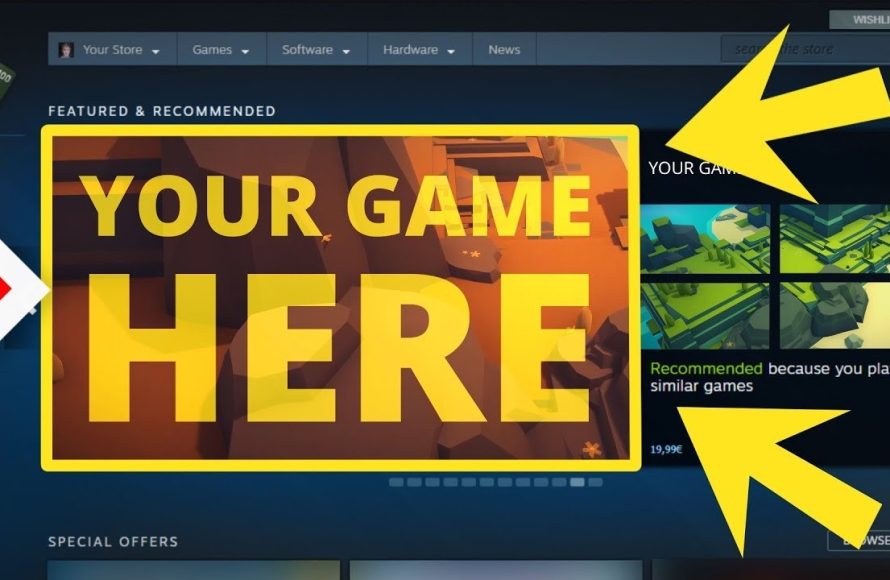
Yes, you can sell games on Steam, provided you meet Valve’s requirements and follow their publishing process.
Ever wondered if your game creation could reach a massive audience? Many aspiring developers ask, “can you sell games on steam?” It’s a valid question with a straightforward answer, but getting there requires understanding the platform.
Steam offers a vast marketplace for game creators. However, it’s not as simple as uploading a file. You’ll need to navigate their guidelines and technical demands.

Can You Sell Games on Steam? A Deep Dive
The question of whether you can sell your game on Steam is a big one for many aspiring game developers. The short answer is: yes, absolutely! But, like most things, it’s not quite as simple as just uploading your game and waiting for the money to roll in. There’s a process, a bit of a learning curve, and some important things you need to know. Let’s take a closer look at what it really means to get your game onto the biggest PC gaming platform out there. We’ll cover all the key steps, costs, and considerations. Think of this as your friendly guide to navigating the world of Steam publishing.
Understanding Steam Direct
First off, you need to understand Steam Direct. This is the system Valve, the company behind Steam, uses to let developers get their games on the platform. Before Steam Direct, there were other ways to publish games, but they could be a bit complicated and expensive. Steam Direct makes it more accessible for independent developers and small studios, although there are still hurdles to clear. It’s designed to be a more straightforward process, but that doesn’t mean it’s completely effortless. Basically, Steam Direct is your ticket to getting your game in front of millions of potential players.
Steam Direct Requirements
Getting approved for Steam Direct involves a few key requirements. These are important to understand before you start the process. Here is the list of items:
- Setting Up a Steamworks Account: You’ll need to create an account on Steamworks, which is the portal for developers. Think of it as your main control panel for all things related to publishing on Steam. You’ll need to provide some basic information, and it’s a good idea to have this ready before you start.
- Paying a Fee: There is a recoupable application fee for Steam Direct. This fee helps filter out some of the potential spam and ensures that people are serious about getting their games on Steam. While the fee is a small investment, it is a hurdle that you should be aware of. They change the fee time to time, it’s important to check the official Steamworks documentation for the current fee.
- Providing Tax Information: Steam needs to know who you are for tax purposes. You’ll have to fill out some forms. This is a necessary step for any type of commercial transaction, and it’s a legal requirement.
- Your Game Should be Ready: You can’t just upload an idea. Steam wants to see a game that’s playable and is ready for sale. This means it needs to be relatively bug-free, functional, and have a certain level of polish. This shows that you’re committed to providing a quality product for the players.
- Meeting Steam’s Content Guidelines: Steam has rules about the types of content they allow. This includes things like adult content, excessive violence, and illegal activities. It’s super important to read and fully understand these guidelines before you start the submission process.
Preparing Your Game for Steam
Once you understand the requirements, preparing your game for Steam is the next big step. It’s more than just making the game; it’s about presenting it in the best possible light. You need to pay attention to a bunch of different details.
Creating a Great Store Page
Your store page is your first and sometimes only chance to make a good impression. It’s like the window display of your game in a massive digital store. You need to put the effort to create a store page that’s both informative and engaging.
- Compelling Artwork: Your capsule images (the tiny squares that show up in search results) and banner images are vital. They need to look professional and eye-catching. Consider the art styles of other successful games on the platform and get some ideas from them. It needs to represent your game accurately but also attract attention.
- A Great Trailer: A well-made trailer can make or break a game. It shows off the game in action and can really hook people in. Make it exciting, use good music, and make sure it clearly shows what your game is all about.
- An Accurate Game Description: Write a clear and engaging description of your game. Highlight the key features, what makes it special, and who it is for. Avoid technical jargon that players might not understand. Make it easy to read and understand.
- Clear Feature List: List the specific features of your game. This helps players know exactly what they’re getting. Use bullet points to make it easier to read.
- System Requirements: Be sure to list the minimum and recommended system requirements of your game, so potential buyers will know if their computer can handle your game. This avoids disappointment and refund requests.
Testing and Polishing Your Game
Before release, your game should be thoroughly tested. You don’t want players to find a lot of bugs, or have a poor user experience. You can do this by testing your game yourself and having other people test it. Here is the breakdown:
- Beta Testing: Before launching it’s wise to do a beta test. Allow select players to try out your game. Get their feedback and use it to fix the problems. Beta testers can offer valuable insights that you might miss yourself.
- Bug Fixing: Find and fix as many bugs as possible. Nobody wants to play a game that’s full of glitches. Use bug tracking tools to keep track of the issues and solve them one by one.
- Playtesting: Playtest your game as much as you can. Make sure it’s fun, enjoyable and that everything works as intended. Playtesting helps you understand how real players will engage with your game.
- Performance Optimization: Make sure your game runs smoothly. Nobody wants a game that runs slow or lags. Adjust the game’s code so it runs as smoothly as possible on different types of computers.
Legal and Financial Aspects
Selling a game is a business, so you also have to consider the legal and financial side of things. There are a few things that you should be aware of and that you need to get sorted out before you press that release button.
Pricing Your Game
Setting the right price for your game is very important. It affects how many copies you might sell. Set it too high and nobody will buy it, set it too low and you may not make enough money. Think about these ideas when you decide how much to charge for your game:
- Market Research: Research how much other games similar to yours cost. Don’t overprice or underprice your product compared to its direct competitors.
- Perceived Value: Consider the quality, length and amount of content in your game. A shorter, smaller game shouldn’t cost the same as a large complex one.
- Discounts: Plan for sales and promotions. Discounts can help attract new players. Think about how you might offer discounts during holidays or Steam sales.
- Regional Pricing: Consider offering regional pricing. This adjusts prices to match local economies and purchasing power. It makes your game affordable to more players.
Understanding Steam’s Revenue Share
Steam doesn’t keep all the money you earn. They take a cut and this is known as a revenue share. It’s important to know exactly how much of your sales you get to keep so you can properly plan and budget. The revenue share model is basically Steam takes a cut of the revenue, with the remaining money going to the game developer or publisher. This model helps Steam maintain their platform, offer services, and still make it appealing for developers to bring their games to their storefront. Steam’s revenue share model has changed over the years and might change again. So, it’s important to keep up to date on the terms when you get ready to launch your game.
Legal Agreements and Intellectual Property
You also have to understand legal agreements and intellectual property rights. Here are some aspects that you need to consider before publishing:
- Terms of Service: Carefully read and understand the Steamworks terms of service agreement. There’s a lot of legal language, so read through it carefully or have a legal professional review it for you.
- Copyrights: Make sure you own all the rights to the game you’re publishing, from code to art, and music. If you use anything you didn’t create, be sure you have all the required permissions to do so.
- Trademarks: If you have a game name or logo, make sure you register the trademark to protect your work and to keep others from copying it.
Launching and Marketing Your Game
After all the work of developing and preparing, it’s time to launch your game! But, launching your game is not the end of the process. You will have to market your game and work to keep it in the public eye.
Building a Community
Before you launch, start building a community. You can do this by posting on social media, making devlogs, and communicating with people who are interested in your project. This helps create buzz around your game.
- Social Media: Use Twitter, Facebook, Instagram, and other platforms to share news, screenshots, and videos of your game. Engage with potential players by answering their questions.
- Devlogs: Create devlogs, where you document the development process and share details about the progress you are making. People often enjoy seeing the work that goes into creating a game.
- Forums and Discord: Create a community forum or a Discord server. This allows people interested in your game to interact with each other. Build a place where people can discuss your game and share their experiences.
Marketing Strategies
Marketing your game is essential. You need to let the public know that your game exists. Here are some strategies you can use:
- Influencer Outreach: Contact gaming YouTubers, Twitch streamers, and social media influencers to play and review your game. Reach out to those whose audience is aligned with your game.
- Press Releases: Send out press releases to gaming media. These can be blogs, websites, and magazines. Target media that focuses on games like yours.
- Steam’s Visibility Tools: Use Steam’s own promotional tools. Steam has tools that let you display your game in more places on the platform. These can be very helpful.
- Paid Advertising: Consider using paid ads on platforms such as social media, Google, and others. Use the analytics tools on these platforms to see the best results.
Post-Launch Support
Launching your game is not the end of your work. You still need to support your players and improve your game. After launch, make sure you keep your players engaged.
- Patching Bugs: Continue to fix bugs and make improvements. Listen to player feedback and use it to make updates. Be responsive to player needs.
- Community Engagement: Keep engaging with your community. Read their comments, answer questions, and try to integrate some of their feedback into your game. This can lead to the creation of a loyal player base.
- Updates and New Content: Plan to add new content to your game through expansions or free updates. This keeps players interested in your game.
The Steamworks Interface
The Steamworks interface can be a bit overwhelming at first. It has a lot of options and features, so it may take some time to get the hang of it, here are some of its key areas:
- Game Management Tools: These tools let you upload your game builds, create store pages, and manage player reviews. Make sure that you understand all the tools and how they all work together.
- Sales and Reporting: Steam provides you with sales and reporting tools. These help you track the performance of your game. Learn how to understand the data and use it to make future decisions about your game and your marketing efforts.
- Community Features: There are community features built into Steamworks. These let you manage game forums, player groups, and other player interactions. Use these to create a lively community around your game.
- Support Tools: Steam provides tools to help you support your players. These include tools to manage refunds and customer service. Use these to handle any issues that might arise.
Getting a game on Steam is a process that involves a lot of work. But, if you have a good game, a solid marketing plan, and you commit yourself to doing all the necessary steps it’s very possible for you to achieve your goals and successfully sell your game on Steam.
There is a lot of information here and that’s because it’s important to understand the details involved when selling a game on Steam. It’s not just about making a good game, it’s about creating the whole package. From setting up your store page to understanding legal and financial things, each step is really important. You need to plan your process, pay attention to the details, and then market your game well.
How to Refund Games on Steam 2024 – Refund a Steam Game
Final Thoughts
Yes, you can sell games on Steam. Developers can use Steamworks to publish their titles. The platform provides tools for game management.
It is important to meet Steam’s requirements. This ensures quality and also helps with platform standards. Publishing involves certain fees.
So, definitively, you can sell games on Steam. It is a key distribution channel for many developers. Success, however, needs good planning and a great product.

