
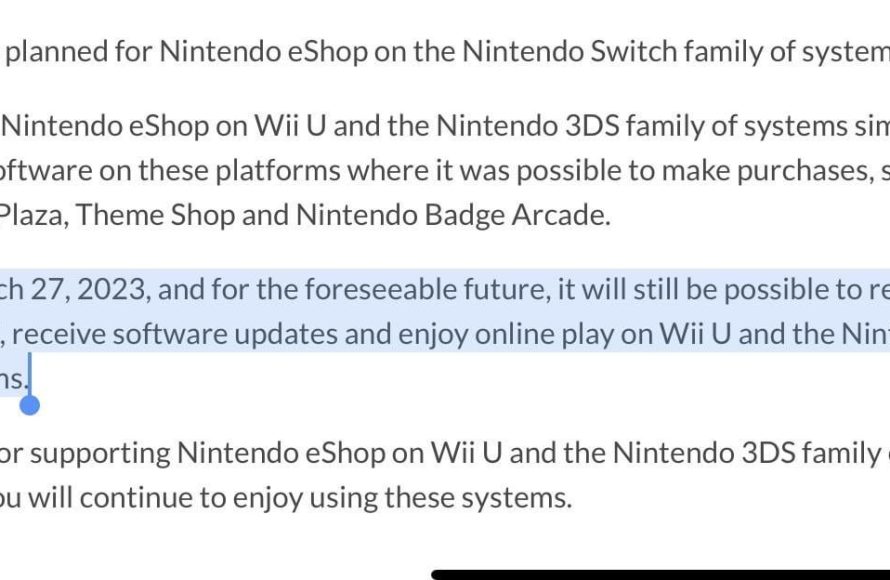
Yes, you can still redownload 3DS games, provided you purchased them before the eShop closure and are using the same Nintendo Network ID.
The Nintendo 3DS eShop closed its doors, leaving many wondering about their digital game libraries. It’s a valid concern; after all, nobody wants to lose access to the games they’ve paid for. Can you still redownload 3DS games? The answer isn’t as bleak as some might think.
While purchasing new games on the eShop is no longer an option, Nintendo has kept a provision for existing owners. As long as you’re using the same Nintendo Network ID, your previously purchased games are still available to redownload. This offers a sigh of relief for gamers who’ve switched consoles or need to re-download their collection.

Can You Still Redownload 3DS Games?
Let’s dive deep into the world of Nintendo 3DS and explore a question many gamers have: can you still redownload 3DS games? It’s a question that pops up a lot, especially with the Nintendo eShop for the 3DS having closed. The short answer is, yes, generally, but there are some important details to consider. So, grab your 3DS, and let’s get started!
Understanding the 3DS eShop Closure
Before we talk about redownloading, it’s important to understand why this question even exists. The Nintendo 3DS eShop, where you bought and downloaded digital games, officially closed down on March 27, 2023. This means you can’t buy new digital games anymore. That part is pretty clear, right? But what about the games you already own? That’s where the redownloading part comes into play.
Why Did the eShop Close?
Nintendo decided to close the eShop as they are now focusing on newer systems, like the Nintendo Switch. It’s a normal part of the life cycle for gaming consoles. Technology moves forward, and companies eventually shift their focus to new and updated hardware. While it’s sad for many 3DS fans, it’s important to remember the great times we had with the system.
Impact of the Closure on Digital Games
The closure of the eShop does have a big impact. You can no longer purchase any digital 3DS titles from Nintendo. No demos, no virtual console games, and no indie titles. Basically, if you didn’t buy it before the closure, it’s not available for purchase digitally from Nintendo anymore. However, it doesn’t mean you have completely lost access to your previously purchased games, which is great! It’s important to remember that the ability to download what you have already purchased remains.
Redownloading Your Previously Purchased Games
So, let’s get to the heart of the matter. Can you still redownload the games you already bought on your 3DS? The good news is, yes! Nintendo has confirmed that you can still redownload digital titles you’ve purchased in the past. This means that even if you deleted a game to make room on your SD card, you can still get it back. This is a relief for many users, since the limited storage space of the 3DS often required deleting older titles to make room for new experiences.
How to Redownload Your Games
Redownloading your 3DS games is relatively straightforward. Here’s what you need to do:
- Turn on your Nintendo 3DS system.
- Make sure your system is connected to the internet.
- Go to the Nintendo eShop application. You might see a message saying that you cannot buy games, but that’s okay.
- Go to the “Settings/Other” option.
- Find and tap the “Redownloadable Software” option.
- You’ll see a list of all the games and applications you’ve previously purchased on your account.
- Find the game you want to redownload and select the download icon beside it.
- Your game will begin to download.
Important Considerations for Redownloading
While the process is usually simple, there are a few important points to keep in mind for seamless redownloading:
- Nintendo Network ID: You must use the same Nintendo Network ID (NNID) that you originally used to purchase the games. If you have multiple 3DS systems, they all need to be linked to the same NNID to access your digital purchases.
- Sufficient Storage: Make sure you have enough space on your SD card to download the game again. 3DS games can vary in size, and some are quite large. If you need more space, consider using a larger SD card.
- System Updates: Keep your 3DS system updated to the latest system software version. This will make sure that you can use the eShop application correctly and can access the redownloading feature.
- Internet Connection: Obviously, you will require a stable internet connection to download your games. Slower speeds might make the process time consuming, so try to use the fastest option available for you.
Troubleshooting Common Redownload Issues
Sometimes, even with everything seemingly in place, you might encounter some issues. Let’s take a look at some common problems and how to solve them:
Error Codes
You may see error codes when you attempt to redownload a game. These codes are unique to the error and help in identifying the cause of the problem. If you encounter an error code, the first thing to do is search online on Nintendo’s official support website. There’s usually a specific article that can explain the error code and provide a solution.
NNID Issues
As mentioned before, using the correct NNID is important. If you are having issues, make sure that the NNID is linked correctly with your 3DS. If you have multiple accounts or systems linked to different NNIDs, you will have to redownload games using the correct one for each system.
- Forgotten NNID: If you have forgotten your NNID username or password, you may have to contact Nintendo’s customer support. They will assist you in recovering the account credentials.
- NNID Linking Issues: If your NNID is not properly linked to the system, you may not be able to access your previously purchased software. Make sure to double-check the link in system settings.
SD Card Problems
Issues with your SD card can prevent you from downloading games.
- Not Enough Space: If your SD card is running out of space, it will prevent you from downloading a new game. Make sure there is enough free space available before downloading.
- Corrupted SD Card: A corrupted or damaged SD card can also stop the download process. If you suspect this is the case, you might need to try a different card.
Internet Connection Problems
A weak or unstable internet connection can interrupt the download process. Ensure your 3DS is connected to a stable Wi-Fi network.
- Weak Signal: A weak Wi-Fi signal can lead to slow downloads or interrupted downloads. Move closer to the router or connect to a stronger network.
- Intermittent Connectivity: Intermittent connectivity can also prevent you from downloading the software. Try restarting your router or using a different network.
What if You Can’t Redownload?
Despite our best efforts, there are situations where redownloading may not be possible. Let’s look into these circumstances.
Damaged or Lost Systems
If your 3DS is damaged, lost, or stolen, the process of redownloading is less straightforward. This can be particularly difficult if you are unable to access the system, and are not sure which NNID was associated with the console. In these cases, contacting Nintendo support is your best option. They may be able to help, but there are no guarantees.
Account Issues
Account-related issues can also stop the redownload process. For example, if you have completely lost access to your account, or if your account was banned or restricted in some way, you will have difficulties accessing your downloads. In these cases, you will need to contact Nintendo for their assistance.
The Future of 3DS Games
While you can still redownload your games, it’s natural to wonder about the future of 3DS games. Nintendo doesn’t have any current plans to make 3DS games available for purchase through modern systems. The focus is squarely on the Nintendo Switch and the latest titles. This means that the ability to redownload the titles you purchased before the store closed is probably the last official lifeline for the digital library.
Physical Copies
The physical game cartridges for the Nintendo 3DS are still available. You can often find them for sale at places like online market places, retail stores, or from friends. If you want to experience a game you didn’t buy digitally before the eShop closed, buying a physical copy is the only way to go. However, these can be very expensive, and sometimes may be difficult to locate.
Emulation
There are ways to play 3DS games through emulation on a computer. Emulation does come with its own set of issues. For example, you might need to find copies of the game ROM, and configure your emulators and controllers properly to achieve optimal performance. Emulation is not always straightforward, and is not condoned by Nintendo.
Tips to Protect Your 3DS Game Library
Considering the eShop is closed, it is important to take some precautions to safeguard your digital game library.
Backing Up Your SD Card
Regularly backing up the contents of your 3DS SD card can prevent game losses if your SD card fails. You can back up the SD card to a computer, and if needed, you can copy all the files back to a different SD card and restore the contents of the 3DS system. This ensures that you always have access to your purchased titles.
Keeping Your System Safe
Taking care of your 3DS system will ensure you have access to your digital games for many years to come. Treat your system with care, keep it away from damage, water, or extreme temperatures. These steps can ensure your 3DS is functional for longer.
Using Your Games Frequently
Playing the games you own occasionally will keep you familiar with the process of redownloading and any changes that occur. It’s always a good idea to make sure all the games you want to play are safely stored on your SD card and are working.
In summary, while the Nintendo 3DS eShop is closed, you can indeed still redownload the games you have previously purchased. The process is simple, but you must use the same NNID, have sufficient storage, and ensure you have a stable internet connection. Remember to troubleshoot issues and always ensure the safety of your 3DS system. This should make sure you can continue to enjoy the digital content you’ve invested in.
You can still re download 3DS games!
Final Thoughts
Yes, you can still redownload 3DS games if you previously purchased them digitally. Nintendo shut down the eShop, but users maintain access to their download history. This means you are able to get games you bought.
The key thing to remember is that the ability to redownload depends on the games being linked to your Nintendo Network ID. Also, you cannot buy new games from the eShop any more. So, to answer the core question, yes, can you still redownload 3ds games, you absolutely can.

