
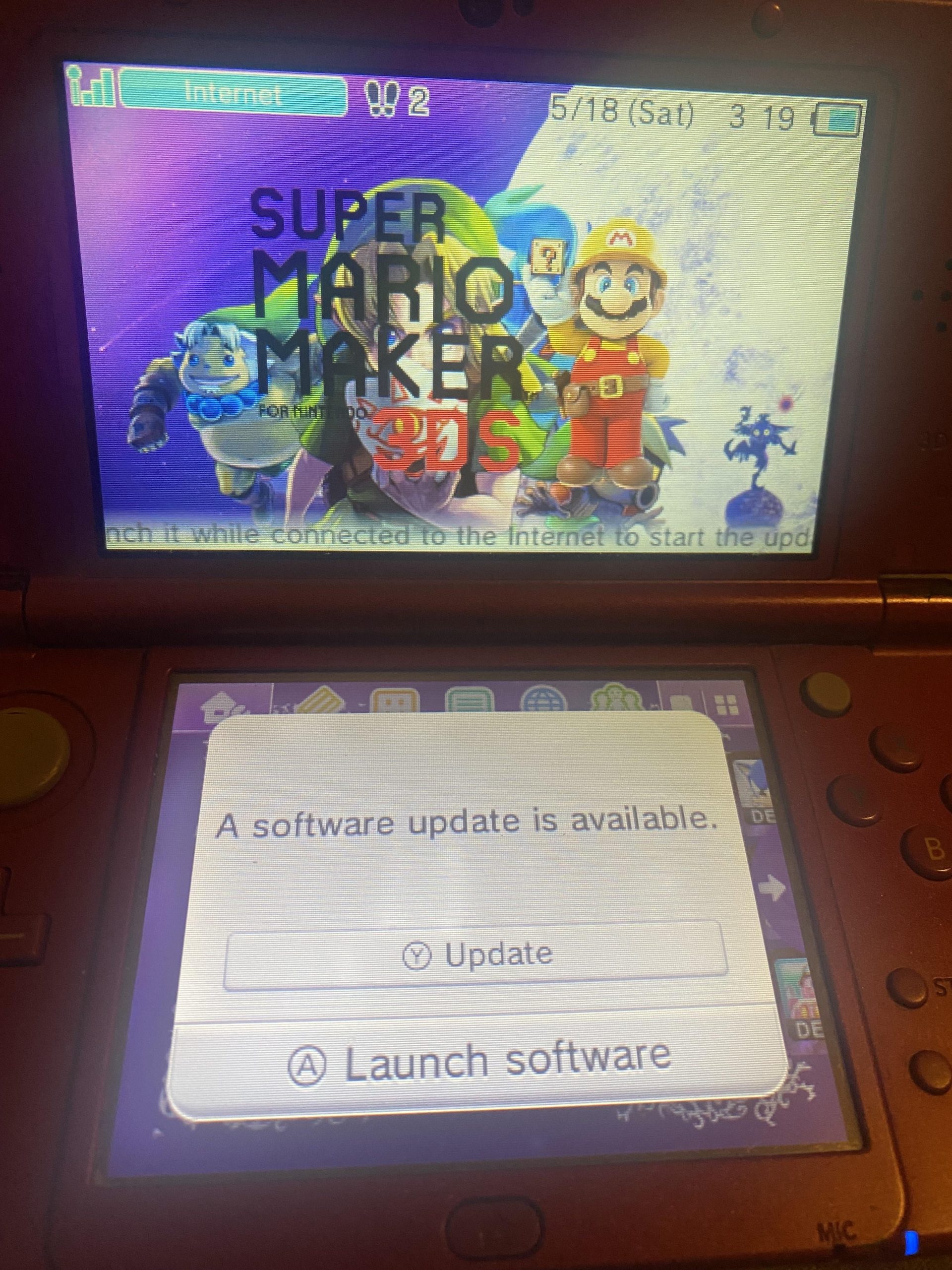
Yes, you can still update 3DS games as long as Nintendo continues to provide server support for online features.
Curious if your beloved 3DS can still get those crucial game updates? You might wonder if it is possible to keep your games up to date. Many people still enjoy their 3DS and its amazing library.
The good news is, for now, can you still update 3ds games, the answer is generally yes. However, it depends on Nintendo’s server maintenance which can change over time. Keep an eye on official Nintendo news for any changes.

Can You Still Update 3DS Games?
The Nintendo 3DS, a beloved handheld console, has brought joy to millions with its unique dual-screen gameplay and a fantastic library of games. But with newer consoles like the Nintendo Switch taking center stage, many 3DS owners wonder: can you still update 3DS games? The short answer is yes, generally, but there are some important things you need to know. Let’s dive into the details.
Understanding Game Updates on the 3DS
Game updates are patches or additions to existing games. They often fix bugs, improve gameplay, or add new content. Think of them like little tune-ups that make your games even better. For the 3DS, these updates are typically downloaded through the internet using the console’s built-in Wi-Fi capabilities. But how does this all work, and what are the different kinds of updates?
Types of Updates
There are a few types of updates that you might encounter on your 3DS. Understanding these can help you navigate the update process.
- Game Patches: These are the most common type of update. They focus on fixing glitches or bugs in the game. For example, a game patch might fix a level that’s too hard or a character that doesn’t move correctly.
- Content Updates: Some games receive updates that add new features. This could include new levels, characters, items, or game modes. These additions can breathe new life into a game you’ve been playing.
- System Updates: Although not strictly game updates, the 3DS itself needs updates to its system software. These system updates are important for security and can sometimes affect how games run. They may also introduce new system features.
How to Update Your 3DS Games
Updating your games is usually straightforward, but it requires a few steps. Here’s a basic guide:
Connecting to the Internet
Before anything else, you need to make sure your 3DS is connected to the internet. Here’s how you do that:
- From the 3DS HOME Menu, tap the System Settings icon (the wrench).
- Tap “Internet Settings.”
- Tap “Connection Settings.”
- Choose a connection slot (like Connection 1, 2, or 3).
- Tap “New Connection.”
- Follow the on-screen instructions to search for and connect to your Wi-Fi network. You’ll likely need to enter your Wi-Fi password.
Updating Through the Game Menu
Once your 3DS is online, follow these steps to update your games:
- Launch the game you want to update.
- Often, the game will automatically check for an update when it starts up. If an update is available, the game will usually prompt you to download it.
- Sometimes, you might need to go into the game’s options menu to find an update option. Look for something like “Download Data,” “Update,” or “Add-On Content.”
- If an update is available, the game will download and install it. Make sure you have enough space on your SD card for the update.
Using the Nintendo eShop
Some games, especially downloadable ones, receive updates through the Nintendo eShop. Here’s how:
- From the HOME Menu, open the Nintendo eShop icon.
- If there are any updates for your games, a notification will likely appear.
- Tap the notification or go to the “Menu” section in the eShop.
- Select “Your Downloads” or a similar option.
- Any available updates will be listed there. Choose the game you want to update and download the update.
Why Some Games Might Not Update
While most 3DS games can still be updated, there are scenarios where you might not be able to. Let’s investigate these situations:
Server Status and Game Age
One of the primary reasons a game might not update is that the servers for that specific game have been shut down by the game developers. This is more likely to happen with older games. Over time, as the popularity of a game fades, the developers may decide to no longer support it with updates. When the game’s servers shut down, you can no longer get any new updates for that game.
eShop Changes and Game Availability
The Nintendo eShop for the 3DS is not what it once was. While you can still access it, some older games have been removed from the shop. If a game has been delisted from the eShop, you might not be able to download any new updates for it through the eShop. That said, physical copies of games should still receive updates provided servers are still active, if there’s an update.
Region Differences
Nintendo games are often region-locked. This means a game from one region (like Europe) might not receive updates when played on a console from another region (like North America), or vice-versa. This might happen more often with downloaded games, as you generally have to buy a game of the region in which your 3DS console is.
Internet Connection Problems
If your Wi-Fi connection isn’t stable, or if there’s an issue with your internet service, the update process might fail. Make sure your connection is working well before starting an update. Poor internet connection could result in a failed update, or in some cases, corrupted game data.
Storage Space
Updates need space on your 3DS’s SD card. If your SD card is full, or if the file system is corrupted, you might not be able to download or install updates. It is a good idea to regularly check your SD card’s storage capacity. Deleting old game data you don’t need or moving files to a computer could free up needed space. This will ensure you are able to install any new game updates.
The Future of 3DS Game Updates
As the 3DS gets older, it’s natural to wonder about the future of game updates. Here’s what you need to know.
Nintendo’s Ongoing Support
Nintendo has a history of supporting its consoles for many years. Even after a new console is released, Nintendo often continues to provide some support for older consoles. However, the level of support for the 3DS will gradually decrease as more focus is placed on newer hardware like the Nintendo Switch. This means that while updates for some games might still be available for some time, don’t expect any new updates for some of the older games.
Game Developer Decisions
The game developers have the final say on whether to provide game updates or not. Some developers are dedicated to their existing player base and will support games for a long time. Others may focus only on newer titles. This means there’s no single rule that applies to every game. You might need to check online forums for each game in question to see if it’s still receiving updates.
Community-Made Patches
In some cases, when official updates stop, the 3DS community might create their own patches and mods. These aren’t official, but sometimes the modders fix some really frustrating bugs and create additional content. If you are okay with installing community patches (also called Homebrew), you can get a new way to enjoy your favorite games.
Tips for Successful 3DS Game Updates
Here are some extra tips to ensure smooth game updates on your 3DS:
- Check Your Internet: Before you update, make sure your Wi-Fi connection is strong and stable.
- Keep Your 3DS Charged: Updating games can take some time. Make sure your 3DS is plugged in, or has a full battery to avoid interruptions.
- Free Up Space: If you run into space issues, try deleting old game saves, demos, or unused files.
- Be Patient: Some updates can be large and might take a while to download.
- Stay Informed: Check online forums, or developer websites for information about updates or planned server shutdowns for your games.
The world of 3DS gaming is full of enjoyable memories. Keeping your games updated can improve your gaming experience. Understanding how the update process works, and some of the potential roadblocks, can help you make the most of your beloved handheld.
While it’s true that the 3DS is no longer Nintendo’s primary console, the ability to update most of its games remains a feature. As we’ve seen, updates can come in different forms and depend on various factors, including server availability and the age of the game. While server shutdowns might be a reality for some of the older titles, you can still enjoy updates for a wide range of 3DS games. So, plug in your console, connect to the internet, and see what improvements await your favorite 3DS games.
DON’T Update Your 3DS Without Doing THIS!
Final Thoughts
Yes, you can still update 3DS games. Nintendo continues to maintain the servers necessary for game updates. This means you can access patches and fixes.
The eShop closure did not remove update functionality; your existing games remain updatable. Therefore, if a game needs a patch, you can still usually get it.
So, can you still update 3ds games? The answer is, fortunately, yes for the majority.

