
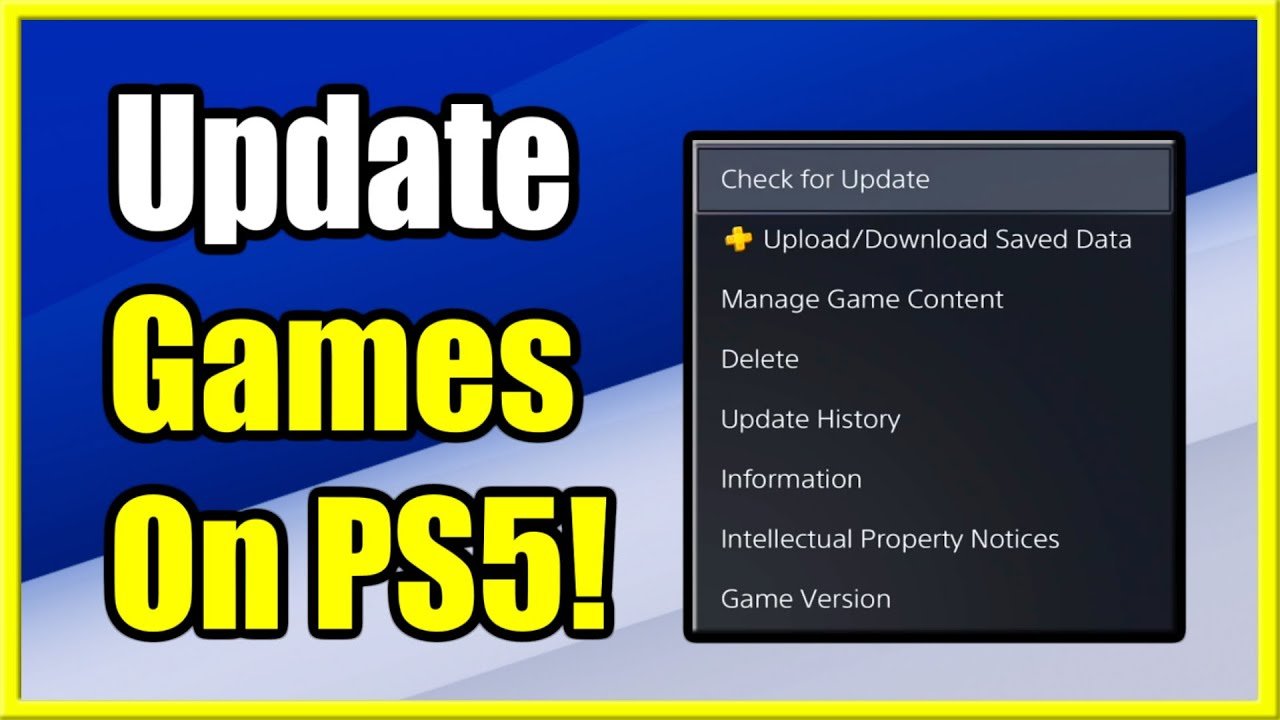
You cannot directly update PS5 games from your phone.
Ever been away from your PlayStation 5, only to remember a vital game update? The question, “can you update ps5 games from your phone,” often pops into gamers’ minds. It is a very common thought for those with limited time and want to get into the gaming action quick as possible.
While you can’t initiate game updates directly through your phone’s interface, there are some helpful features that can help you. The PlayStation app allows you to download games to your console while you’re away. This functionality helps ensure the game is ready when you return.

Can You Update PS5 Games From Your Phone? Exploring Remote Game Management
The PlayStation 5 is a super cool gaming console, and everyone wants to get the most out of it. One thing many gamers wonder is: can I update my PS5 games using just my phone? Well, the answer is a bit more interesting than a simple yes or no. Let’s dive into how you can manage your PS5 updates, and how much your phone can help with it.
Understanding the Basics: How PS5 Updates Work
Before we talk about using your phone, let’s quickly understand how the PS5 gets its updates in the first place. Usually, when a new update is available for a game, your PS5 will automatically start downloading it when the console is on or in rest mode and connected to the internet. This is the main way games get updated, and it is usually very simple. The system looks for updates in the background.
How Auto-Updates Work on the PS5
Your PS5 is designed to handle updates without you having to do much. Here’s what happens:
- Automatic Downloads: The console checks for updates regularly when it’s connected to the internet.
- Background Installation: Once downloaded, the update is installed, often while you are not even using the console.
- Rest Mode Advantage: Leaving your PS5 in rest mode allows it to download updates even when you aren’t playing. It uses very little power doing this.
Why Game Updates Are Important
Game updates are super important. Here’s why:
- Fixes Problems: Updates fix bugs and glitches that can make games not work well.
- Adds New Stuff: Sometimes, updates add new characters, levels, and items to games.
- Improves Performance: Updates can make games run faster and look better.
- Keeps Games Safe: Updates help protect your game from bad things, like hackers.
The Role of the PlayStation App
Okay, now we get to the phone part! The PlayStation app is a free app you can get on your phone or tablet. It’s very helpful for managing your PS5, even when you aren’t near it. But can it start game updates? Well, not directly, but it helps.
What the PlayStation App Can Do
Here’s what the PlayStation App lets you do related to updates:
- Check Game Downloads: See what is being downloaded or has been downloaded.
- Manage Storage: If you have run out of storage, you can remove some games to make space for updates.
- Remotely Control Your PS5: You can start downloads, but not game updates directly, using your phone.
- See What’s New: The app shows you info about new updates to games.
How to Use the PlayStation App for Remote Downloads
Even if you can’t directly update games, here’s how you can use the app to get the process rolling:
- Get the App: Download the PlayStation App from your phone’s app store (Apple App Store or Google Play Store).
- Sign In: Use your PlayStation account details to sign in. Make sure you are using the same account linked to your PS5.
- Link Your Console: Follow the steps in the app to link it to your PS5. The phone and console have to be on the same wifi network for the first linking.
- Go to Game Library: In the app, find the game you want to install.
- Start Download: If the game is not already on your console, you can press “Download to Console.”
Once the game has started downloading, any updates that are available will also automatically start downloading! This is where your phone has played a key role – setting the process in motion.
The Difference Between Downloading and Updating
It’s important to understand the small difference between downloading a game and updating it. Downloading is getting the whole game onto your console. Updating is adding the extra parts or fixes to a game that is already there. With the PlayStation App, you can start the download of a whole game remotely, and once the console has the game, it will start downloading any available updates in the background. This is the only way a phone can be involved in updating PS5 games.
Why Direct Updates from the Phone Aren’t Possible
You might wonder why you can’t just tap a button on your phone and make the game update. Here’s why:
- Game Files are Big: Game update files are often very big and require a strong internet connection. Sending all of that from the phone to the console would not work very well.
- PS5 Controls Updates: The PS5 console itself is built to handle updates, not an external device.
- Security: Keeping game updates within the console’s system helps to keep it safe.
Troubleshooting Common Update Problems
Sometimes, even with everything set up right, you might have issues with updates. Here are some common problems and how to fix them:
Slow Download Speeds
If your downloads are going super slow:
- Check Your Internet: See if your internet is working well and if other devices are using too much of it.
- Restart Router: Unplug your internet router, wait a little bit, then plug it back in. This often helps.
- Use Ethernet: Connecting your PS5 to the router with a cable can be faster than Wi-Fi.
Stuck Updates
If an update seems stuck:
- Restart Your PS5: Turn your PS5 off and then back on. This can fix many problems.
- Check for System Updates: Make sure your PS5 system software is up-to-date.
- Clear Cache: Sometimes, old data can mess up updates. You can try to clear the cache.
Not Enough Storage
If you don’t have enough space for an update, here’s what to do:
- Delete Old Games: Get rid of old games you don’t play anymore.
- Use External Storage: You can use an external hard drive to store games.
Tips for Managing Your PS5 Updates
Here are a few tips to keep your PS5 updates running well:
- Keep PS5 in Rest Mode: This allows updates to happen when you’re not playing.
- Check for Updates Regularly: Check the downloads screen on your console to see if updates are waiting.
- Use the App to Start Downloads: If you know you will be busy at the time updates usually happen, you can use the app to start downloading a game and any updates early.
- Keep the App Updated: Make sure you are always using the latest version of the PlayStation app for the best performance.
Looking Ahead: Future Possibilities
Technology keeps changing, and maybe in the future, we will have more ways to update games directly from our phones. For now, using the PlayStation App to start downloads of games and allowing updates to happen automatically in the background is the best option. The app is already a very useful tool for managing your PS5, and it might continue to get even better!
So, while you can’t directly update PS5 games with your phone like pressing a button, you can use the PlayStation app to start downloads, which will in turn download any available updates. The app is useful for keeping track of downloads, managing storage, and getting the console ready for you. It is very important to have a good understanding of how the PS5 handles updates and how the PlayStation app can help. With these tips, you should have no problem keeping your PS5 games ready to play!
How to Check downloads on PlayStation Phone App for PS5 Games (Yes & No)
Final Thoughts
Ultimately, while you can manage downloads remotely through the PlayStation app, you cannot directly update PS5 games from your phone. The actual game update process needs the console itself. Therefore, your phone serves as a helpful tool for initiating downloads.
You can begin the process but the console must execute the install. So, can you update ps5 games from your phone? No, not entirely. This is a limitation of the current PlayStation system.

