
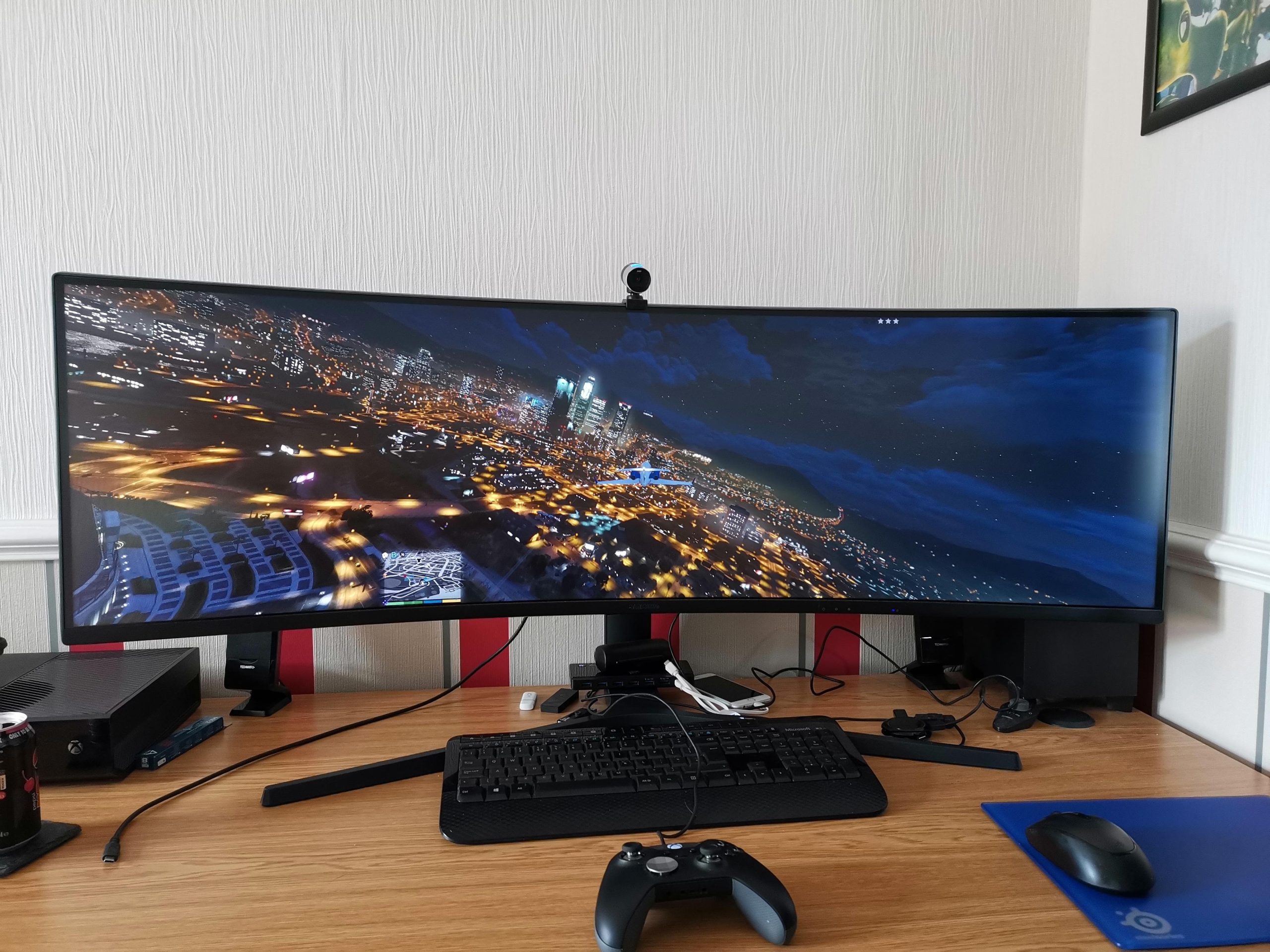
Most games do support ultrawide resolutions, though some older titles or less optimized ones might require manual adjustments or community-created fixes to achieve proper display.
Have you ever wondered if your shiny new ultrawide monitor will actually work with your favorite games? It’s a valid question, and one that many gamers ponder before investing in such a display. The simple question remains, do most games support ultrawide? The good news is, things have gotten much better.
While it is not a universal guarantee, ultrawide support is becoming more common. Many modern titles offer the ability to select ultrawide aspect ratios directly in their graphics settings menu. This provides a much more immersive gaming experience.

Do Most Games Support Ultrawide? A Deep Dive
So, you’ve got yourself a fancy ultrawide monitor, and you’re ready to dive into the gaming world with that extra screen real estate. But here’s the big question: do most games actually play nicely with these wider displays? It’s a common concern, and the answer isn’t always a simple yes or no. Let’s break down everything you need to know about ultrawide gaming compatibility.
Understanding Ultrawide Aspect Ratios
Before we get into game specifics, let’s talk about what makes an ultrawide monitor “ultrawide.” It’s all about the aspect ratio, which is the relationship between the width and height of the screen. Standard monitors are usually 16:9, meaning for every 16 units of width, there are 9 units of height. Ultrawide monitors, on the other hand, typically have a 21:9 or even a 32:9 aspect ratio. These wider aspect ratios provide a more immersive, panoramic view, letting you see more of the game world.
The key aspect ratios to know are:
- 16:9: This is the standard for most TVs and monitors.
- 21:9: The most common ultrawide aspect ratio.
- 32:9: An even wider ultrawide, sometimes called “super ultrawide”.
These wider aspect ratios provide a more immersive experience because they fill more of your peripheral vision.
The State of Ultrawide Support in Games
The good news is that ultrawide support has improved dramatically over the years. Many modern games now come with native ultrawide support right out of the box. This means you can simply plug in your monitor, start the game, and everything should display correctly with the full field of view. You see, game developers know that more and more gamers are using ultrawide monitors, so they make sure their games work well on these displays.
However, it’s not a perfect situation. While many games have great ultrawide support, there are some games that don’t. And this can happen for a few reasons.
Games with Excellent Ultrawide Support
Many modern and popular games embrace ultrawide gaming. Games in genres like racing, simulators, and role-playing games often have superb ultrawide support. These types of games greatly benefit from the extended field of view, making the gameplay much more engaging and giving you a bigger view of your surroundings.
Here’s a peek at why some games really shine on ultrawide displays:
- Increased Field of View (FOV): You can see more to the sides, giving you a better sense of your surroundings. This can be a big advantage in competitive games, allowing you to see enemies coming.
- More Immersive Gameplay: The wider view fills more of your vision, making it feel like you’re actually in the game world. This is great for games with beautiful scenery and detailed environments.
- Better User Interface Placement: Games designed for ultrawide will often move user interface (UI) elements to the sides, keeping the main action more in focus and making it easier to see.
Some examples of games that generally offer excellent native ultrawide support are:
- Cyberpunk 2077
- Microsoft Flight Simulator
- Assassin’s Creed Valhalla
- Red Dead Redemption 2
- The Witcher 3
- Forza Horizon Series
- Call of Duty: Modern Warfare II
- Elden Ring
- God of War (2018 and Ragnarok)
Games with Partial or Limited Ultrawide Support
Unfortunately, not every game is created equal when it comes to ultrawide support. Some games offer only partial ultrawide support. What does that mean? It can mean different things, but typically:
- Cropped Image: Some games will simply crop the top and bottom of the image to fit the ultrawide screen. This can result in you losing some visual information.
- Letterboxing or Black Bars: You might see black bars on the sides of the screen when playing on an ultrawide monitor with a game that doesn’t support ultrawide correctly. This is because the game is still rendering in a 16:9 aspect ratio, and the black bars are filling the extra space on the sides of the screen.
- Stretched User Interface: Sometimes, when a game tries to adapt to an ultrawide resolution, it can stretch the user interface or HUD making things look distorted and messy.
- Cutscenes Displayed Incorrectly: Cutscenes may sometimes be shown in a standard 16:9 ratio with black bars, while the actual gameplay runs in the wider format. This can be a bit jarring for the viewer.
Some titles may have a mixture of these issues. For example, the in-game elements could be rendered correctly on your screen but the cutscenes may have the black bars.
This partial ultrawide support can be disappointing, especially if you’re expecting a seamless gaming experience on your fancy new monitor.
Games Without Ultrawide Support
Then there are the games that simply do not support ultrawide at all. These tend to be older games or those built on game engines that don’t easily handle the ultrawide aspect ratio.
When playing a game that lacks proper ultrawide support, you may be left with:
- Black Bars: The game will only render in 16:9 ratio, placing black bars on the left and right side of your ultrawide display.
- Stretched Images: It is highly likely that the game may stretched across the entire display, making the gameplay look distorted. This is not a good experience for the player.
Sometimes you may even face that you will not be able to change the settings of the game and you’re stuck in that particular setting.
Why Some Games Lack Ultrawide Support
There are a few reasons why some games might not fully support ultrawide. Some common issues are listed below:
- Development Complexity: Adding ultrawide support can add extra work for game developers, including changes to the game engine, user interface, and cutscenes. It might just be easier for them to stick with standard aspect ratios.
- Older Game Engines: Older game engines might not have been designed to handle ultrawide aspect ratios, making it more difficult to add support for them after the fact.
- Resource Allocation: In some cases, game developers may prioritize other features and improvements for the game over ultrawide support, depending on budget constraints and target audience.
- Different Design Choices: Sometimes, the developers might design the game to run on 16:9 monitors only, and they do not intend to offer ultrawide support.
Troubleshooting Ultrawide Issues
If you’re encountering problems with ultrawide support, don’t panic. There are a few tricks you can try to make your game run better on your display:
Using Flawless Widescreen
Flawless Widescreen is a fantastic community-created tool that can help fix ultrawide issues in many games. It works by patching the game to allow the ultrawide resolution, field of view adjustments, and fixes for user interface problems. You simply download and install this tool, find your game from the list and activate the changes. While it’s not a universal solution, Flawless Widescreen is known to fix various ultrawide compatibility issues.
Exploring Configuration Files
Some games might let you manually tweak settings in their configuration files. These files, often located in the game’s installation folder, may have options to force an ultrawide resolution or adjust the field of view. However, changing these settings might make the game unstable, and some game developers do not want you to change these files. It might even result in getting banned in online games, so please be careful when tinkering with game files.
Checking for Mods
The gaming community is amazing! Often, modders create patches or mods to improve or add ultrawide support to games. Check online forums (Reddit, for example) or mod websites to see if there are any mods that can help with your particular game. You can easily search this on google or youtube to find a way around this.
Adjusting In-Game Graphics Settings
Sometimes, simply tweaking the in-game graphics settings can resolve certain ultrawide issues. Try changing your display resolution, switching between fullscreen and windowed mode, or adjusting the field of view setting.
Also make sure that your monitor is set at the native resolution in the windows display settings, and try to set the same resolution in game settings as well.
Waiting for Game Patches or Updates
Game developers often release patches and updates that can improve ultrawide support. It’s always a good idea to check for the latest updates and see if they address your ultrawide concerns. You can sometimes read the patch notes, and these will often include fixes for display issues.
The community may also ask for ultrawide fixes, and the game developers may update the game based on the community’s feedback.
Future of Ultrawide Gaming
The good news is that things are only getting better for ultrawide gamers. As ultrawide monitors become more popular and widely used, game developers are paying more attention to aspect ratios and compatibility. We are seeing more and more games released with native ultrawide support, and also patches for existing games are also being released. With the community support, we see things changing.
Here’s what we can expect in the future:
- More Native Support: Game developers are realizing that they need to make the most of ultrawide monitors, and we can expect more games to come with native support from day one.
- Improved Tools: As ultrawide becomes more common, we’ll see better and easier ways to tweak games and get them running well, even if they do not support ultrawide officially.
- Community Solutions: The community of modders will continue to play a huge role in improving ultrawide support in many games.
With this growing interest and community involvement, the future for ultrawide gaming appears very promising.
In the end, if a game is not working properly on your ultrawide monitor, it is good to explore the community, seek for the solutions, or tweak around the settings. If nothing works, then you may have to use the black bars that your monitor displays.
So, is ultrawide the future of gaming? It might be! With game developers becoming more aware of ultrawide monitors, support is only going to improve, making ultrawide a great way to game.
I Was Wrong – Don’t Buy an Ultrawide Gaming Monitor
Final Thoughts
Ultrawide support varies greatly. Some titles offer excellent, fully-functional ultrawide experiences, while others might display black bars or stretched images. This inconsistency can affect gameplay.
Do most games support ultrawide? The answer is no; it’s not a universal feature. Gamers must often check compatibility lists before investing in an ultrawide monitor.

