
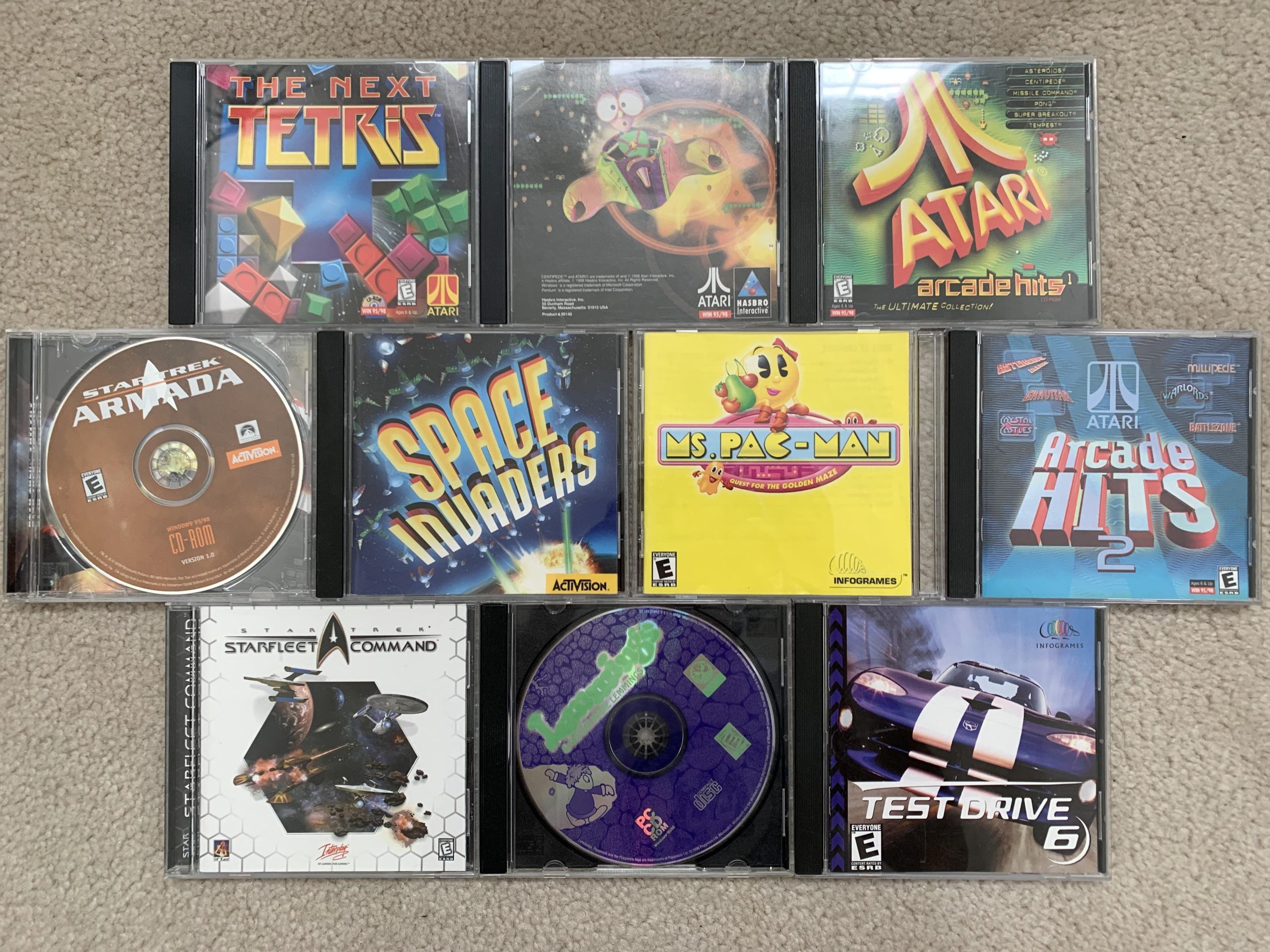
Yes, many old PC disc games still work, but compatibility can be an issue with modern operating systems and hardware.
Dust off those old jewel cases! You might be wondering, do old PC disc games still work? It’s a question many gamers have when reminiscing about classic titles.
The reality is a bit mixed. While some games will run flawlessly, others might need some tweaking or workarounds to function correctly on contemporary machines. So, that nostalgia trip might require a bit of effort.

Do Old PC Disc Games Still Work?
Okay, let’s dive deep into the world of old PC games on discs. Remember the days of excitedly unwrapping a new game, popping the disc into your computer, and getting lost in virtual worlds? Maybe you still have a stack of these games gathering dust somewhere. The big question is: can you still play them? The answer, like most things, is a bit complicated. It’s not a simple “yes” or “no.” Let’s explore all the nitty-gritty details.
The Short Answer: It Depends
The straightforward answer to whether old PC games on discs still work is: it depends. Several factors come into play, and they all contribute to whether you’ll be able to relive those gaming memories. Let’s look at what might stop you from playing:
- Operating System Compatibility: Old games were designed for old operating systems like Windows 95, 98, or XP. Modern systems like Windows 10, 11, or macOS often don’t play well with these older games. It’s like trying to fit a square peg into a round hole.
- Hardware Limitations: Games from the past required specific hardware setups. Graphics cards, sound cards, and processors have changed dramatically. Your brand new computer may not have the components to run a game that is two decades old.
- Disc Rot and Physical Damage: Just like old books, discs can deteriorate over time. Scratches, cracks, or even “disc rot” can prevent the game from being read. This is the most common reason why your old games don’t run.
- Driver Issues: Older games need specific drivers to communicate with your hardware. Modern drivers often don’t include support for legacy hardware that older games require. This can lead to graphical glitches, crashes, or the game not running at all.
- Software Conflicts: Sometimes, other programs on your computer can conflict with the old game, preventing it from running. This is another very common issue.
Understanding Operating System Compatibility
Let’s explore how your computer’s operating system plays a role. Imagine a game made for a Windows 98 computer. It relies on how that old system handles graphics and sound. It uses very specific programming that isn’t necessarily understood by Windows 10 or 11.
Windows Compatibility Mode
Luckily, modern Windows systems have a feature called “Compatibility Mode.” This tries to trick the old game into thinking it’s running on an older version of Windows. Here’s how to use it:
- Find the game’s main executable file (.exe).
- Right-click on the file and select “Properties.”
- Go to the “Compatibility” tab.
- Check the box that says “Run this program in compatibility mode for.”
- Select the older version of Windows the game is made for (like Windows 98 or XP).
- Click “Apply” and then “OK”.
Compatibility Mode doesn’t always work perfectly. It’s a helpful tool, but it’s not a guaranteed fix. However, It’s always worth trying before you give up.
Virtual Machines: A Deeper Dive
For games that absolutely refuse to work with Compatibility Mode, virtual machines (VMs) can be useful. A VM is like having an entire old computer running inside your modern computer. You can install an old operating system like Windows 98 or XP inside a VM, and then install the game as if you were using a computer from the past. Here are some options for VM software:
- VirtualBox: Free and easy to use. Great for beginners.
- VMware Workstation Player: Another excellent free option with more advanced features.
Setting up a VM takes a bit more technical know-how but it can be worth the effort for particularly stubborn old games. Keep in mind that you may need a legitimate license for the old operating system, which might require some digging around.
Hardware: The Silent Hurdle
Modern computers are way faster and more capable than the computers from the days of old PC disc games. But this advancement can pose a challenge. Games developed for older computers often expect specific hardware that you simply might not have anymore.
Graphics Cards: A Big Change
Older games often use older graphics APIs (application programming interfaces) such as DirectX 7, 8 or 9. Modern games use newer versions of DirectX or other APIs such as Vulkan. This creates a large compatibility gap. You may have a fancy new graphics card, but that game from 2000 might not know how to talk to it properly.
Sound Cards: The Forgotten Component
Remember sound cards? They were a big deal back in the day. Many older games have a hard time playing sounds properly because they’re looking for these older sound cards, instead of your current hardware setup. Some games can still work with modern sound hardware, but they sometimes will not. If not, it can result in no sound, or glitchy, distorted audio.
CPU and RAM: Not Always the Problem
While differences in processors (CPUs) and RAM (memory) do exist between old and new computers, this is usually the least of the worries when getting an old game running. Modern computers often have way more than enough power to run the actual old games. The challenge comes with how the old games communicate with the rest of the computer and its software.
The Physical Disc: A Story of Time
The physical disc itself can be a major source of headaches. Even if everything else is perfect, a damaged disc can stop a game from working. The most common issues are:
Scratches and Damage
Scratches can prevent the laser in your disc drive from reading the data properly. Even small, hairline scratches can cause problems. If the scratches are deep enough, the game simply won’t install. Try cleaning your disc with a soft cloth, gently wiping from the center outwards. Sometimes this can fix a light scratch problem.
Disc Rot
Disc rot is a nasty problem. It’s the deterioration of the reflective layer inside the disc, often caused by chemical reactions over time. This causes the disc to become unreadable, and there’s usually no fix.
The Disc Drive Itself
Even if your disc is in perfect shape, your disc drive might be the problem. Old disc drives are more susceptible to failure. Also, some modern computers don’t even have a disc drive anymore. If this is your case, you will need an external disc drive that connects with your USB port to be able to play the old games.
Driver Issues: The Language Barrier
Drivers are like translators between the software (your game) and the hardware (your computer). Older games require older drivers, and modern operating systems do not come with those drivers. Here’s what to know about driver problems:
Legacy Drivers
Often times the needed drivers are simply not included in modern systems. Sometimes you can locate them online from other old driver archives, however, they might not always be stable, or even work correctly.
Updating Your Drivers
Make sure your graphics card and other hardware drivers are up to date, as sometimes this can improve compatibility. But keep in mind that modern drivers might still not help old game compatibility, and in some cases, can cause additional issues.
Software Conflicts: A Clash of Programs
Sometimes the problem isn’t the game itself, but other programs on your computer. Software conflicts can occur when two or more programs try to access the same resources at the same time, causing one or both to malfunction. Here are some common culprits:
Antivirus Software
Antivirus programs are important for security, but they can sometimes mistake older game files for malware. If you are sure of the game file source, try turning off your antivirus program temporarily to see if that fixes the problem. Remember to turn your antivirus back on afterwards.
Background Applications
Programs running in the background can also cause conflicts. Try closing any unnecessary applications before starting the game to minimize such problems. Sometimes, even certain types of overlay software from messaging and streaming apps can cause problems with old games.
Finding Solutions and Workarounds
If all of this sounds a bit overwhelming, don’t worry. There are plenty of resources to help you. Here’s a look at some avenues to explore:
Online Forums and Communities
Many old-school gaming communities exist online. These communities are filled with other gamers trying to get these old games running on modern computers. They often have guides, fixes, and a lot of helpful suggestions. Here are some platforms to explore:
- Reddit: Subreddits like r/pcgaming or specific game-related subreddits.
- GOG.com Forums: The GOG website often has community forums for their classic games.
- Old Games Forums: Search online for dedicated old games forums.
GOG (Good Old Games)
GOG.com is a website that sells older games that have been adapted to work with modern systems. GOG is often the easiest path to playing old games without the compatibility headaches. The site offers games that are configured to run properly on the modern systems.
Game Patches and Community Fixes
For some games, dedicated fans create patches or fixes that address compatibility issues. A quick search online can often reveal patches that make a stubborn game work perfectly.
Emulators and Remakes
For some games, emulation or remakes are also an option. Emulators can run the software of older operating systems and consoles, allowing you to play many older games. Remakes often bring the older game into modern gaming systems and can sometimes be the only way to play some classic games on modern computers.
Are Old PC Games Worth the Effort?
With all the potential obstacles, you might wonder if playing older games is even worth the effort. Many gamers think so! Here are some reasons why people still enjoy playing old PC games:
- Nostalgia: Reliving happy gaming memories is a powerful experience.
- Unique Gameplay: Some older games have unique designs that can’t be found in modern titles.
- Simpler Times: Before the days of complex graphics and huge game worlds, some of the simplest games were the most fun.
- The Challenge: Getting old games running is a challenge that many PC enthusiasts enjoy.
Ultimately, if you have a cherished old PC game that you want to relive, it is worth trying to get it working. It might take some trial and error, but the feeling of booting up a game you haven’t played in years can be very rewarding.
So, do old PC disc games still work? The answer isn’t a simple yes or no. It depends on the specific game, your computer’s hardware, the condition of the disc, and your willingness to try different solutions. While it may take time and effort, the reward of revisiting old classics is often well worth the trouble. If you are willing to explore different options and seek help from the online communities, there is still a good chance that you can get these older games to run. So dust off those old discs and prepare to relive some of the greatest games of the past!
Why Don't Old Games Work on New Computers?
Final Thoughts
In short, many old PC disc games still work, although compatibility hurdles exist. You might need to tweak settings, use compatibility mode, or find fan patches.
The experience can vary greatly depending on the specific game and your system. Often you need to try different methods.
Therefore, whether do old pc disc games still work ultimately depends on your willingness to experiment with these solutions. With some effort you can often get them running!

