
Yes, you do have to copy games on PS5 when installing from a disc, but digital downloads do not require this step.
Do you have to copy games on PS5? This is a common question for new PlayStation 5 owners. Many players are familiar with the process on older consoles, but the PS5 handles game installation a bit differently. When you insert a game disc, the console needs to copy the game data to its internal storage.
This copying process is essential for faster loading times and smoother gameplay. Unlike previous consoles where the game read directly from the disc, copying the game to your PS5’s SSD allows for quicker access to the necessary files. This means you spend less time waiting and more time playing.

Do You Have to Copy Games on PS5? Understanding Game Installation
So, you’ve got your shiny new PlayStation 5, and you’re excited to jump into some awesome games! But then you might see a screen that says “copying” or “installing.” This can be a little confusing. Do you have to copy games on your PS5? The short answer is, yes, most of the time you do. But it’s not really “copying” like you might think, and there’s more to it than just waiting around. Let’s dive into why this happens and what’s actually going on when your PS5 is “copying” games.
Why Does My PS5 Copy Games?
The “copying” process on the PS5 isn’t about making duplicate files like you might do with a USB drive. It’s more like taking the data from the game disc or download and putting it in the right place on your console’s super-fast storage so it can run smoothly. Think of it like moving all your toy cars from a big box (the disc or download) to your toy garage (the PS5’s storage) so you can play with them quickly. Here’s why this is important:
The Speed Factor: SSD vs. Disc/Download
The PlayStation 5 uses a super fast storage system called an SSD (Solid State Drive). This SSD is incredibly fast compared to the older hard drives in previous consoles and even faster than reading data directly from a game disc or a server. To make games load really fast and run smoothly, the game data needs to be on the SSD. This allows the PS5 to access the game’s files at lightning speed, reducing loading times and making for a better overall gaming experience. When you install a game, the data is transferred to the SSD, optimizing the game’s performance. This is why you see “copying” during installation, it’s actually transferring the data to that super speedy location.
Imagine trying to race a car by reading instructions from a book versus having all the controls right in front of you. The SSD is like having the controls ready, so the game runs without any delays.
Game Optimization and Efficiency
When games are developed, they are created with various parts that need to work together. These parts are often compressed (made smaller) to save space on the disc or during the download. When the game is copied to the SSD, it’s also being unpacked and organized so the console can use the game data efficiently. It is like organizing your closet so you can easily find your favorite shirt without shuffling through all the clothes. This process also helps in reducing the overall load time and improve game’s efficiency on the ps5 console.
Different Ways to Get Games on Your PS5 and Their Impact on Copying
How you get a game on your PS5 – either by using a disc or by downloading it online – affects the copying process. There are a few ways to get games on PS5 and let’s see how these method affect copying on ps5.
Physical Game Discs
If you buy a physical game disc, the PS5 will need to copy all of that data from the disc and install the game onto the SSD. This process can be a little longer than downloading a game because it relies on how quickly the PS5 can read from the disc. A full AAA game can take quite a while to copy from the disc and it can vary based on several reasons like, size of the game, disc drive speed etc. But the great thing is you can play after it’s fully installed and you don’t need the internet for it to run or play the game.
- Insert the game disc into the PS5’s disc drive.
- The PS5 will begin to read the disc and start the installation process.
- The copying process will usually involve the console to copy/unpack and install all data to SSD.
- Once the installation process is complete, the game will be ready to play
It’s like when you get a new LEGO set – you have all the pieces in the box (the disc), and you need to follow the instructions and put them together in the right place (the PS5 storage) before you can play with the completed toy.
Digital Downloads
When you buy a game from the PlayStation Store or use a code, the game is downloaded directly from Sony’s servers over the internet. While this sounds like it replaces the “copying” step, it just means the data first downloads to your storage and needs to be installed on the SSD. The PS5 will typically handle both downloading and installing at the same time. When the download completes, the console usually begins unpacking and putting data to the correct place on the super-fast storage. This unpacking and installing from download is the process of copying and it’s faster than downloading because the data is already on console. However, for huge games, it still takes a bit of time. So, even with digital downloads, there’s a need to go through this copying process.
- Go to the PlayStation Store and find the game you want.
- Purchase and download the game to your PS5.
- After the download finishes, the PS5 will automatically install the game to SSD.
- Once installation finishes, the game is ready to launch.
Think of this like ordering a pizza online. First, the pizza gets made (downloaded), and then it needs to be unpacked and served at the table (installed to the SSD) before you can eat it (play the game). It may feel faster, but both steps are still there.
PlayStation Plus Games
If you have a subscription to PlayStation Plus, you often get free games. These games need to be downloaded and then installed, so they will also involve copying to the SSD. The process is the same as downloading any other digital game from the PS Store but instead of buying them, you get them as part of the subscription. Same process – download then install. So this is also a case, where you need to copy game on PS5 after it has been downloaded on console.
Game Updates and Patches
Even after a game is installed, it will sometimes receive updates or patches. These updates are also downloaded from the internet and then installed on your console. In this case, you may also see a “copying” process, because the patch files need to be applied properly to the already existing files of the game on SSD.
Is “Copying” the Same as “Downloading”?
No, copying and downloading aren’t the same thing, even though they often happen together. Downloading is like getting the game data from the internet to your PS5. Copying/Installing is like taking that data from download or disc and arranging it onto the SSD so the PS5 can use it. Downloading transfers files from a remote server to your console, while copying transfers files from one location on your console to another (usually the fast SSD storage).
Think of it this way: Downloading is like ordering your groceries from the store and them getting delivered to your house. Copying is like taking those groceries and putting them in the refrigerator and pantry where you can easily find them when you are hungry. You have to do both things to have everything you need and ready to use.
How Long Does Copying Take?
The time it takes to copy a game can vary widely depending on several factors. You may have experience that some games copy faster and others take longer. Here are some reasons why
- Game Size: Larger games will usually take longer to install.
- Disc Read Speed: If you’re installing from a disc, the speed at which the PS5 can read the disc will affect the copying time.
- Download Speed: The speed of your internet connection will affect how long it takes to download a game and how quickly it can start installation.
- PS5 Activity: If you are using your PS5 for other things while copying, it might slow the copying time.
It can take anywhere from a few minutes for smaller games to an hour or more for massive AAA titles. During this time, you cannot play the game, but the good news is you can do something else on your console or even go to sleep while the process completes.
Can You Play Games While They’re Copying?
Generally, you can’t play the game that’s currently being copied. The PS5 needs all the game data installed before it can run properly. However, you can usually do other things on your PS5 like browse the store, play a different game that’s already installed, or use apps. You may see a notification on the home screen to track the installation progress.
Managing Storage Space
Given that you are copying/installing games to the PS5’s SSD, storage space is a thing to be aware of. If you have many games installed, the PS5’s SSD might fill up quickly. You might want to consider these tips for managing storage.
- Uninstall games you aren’t playing: Remove games to make room for new ones.
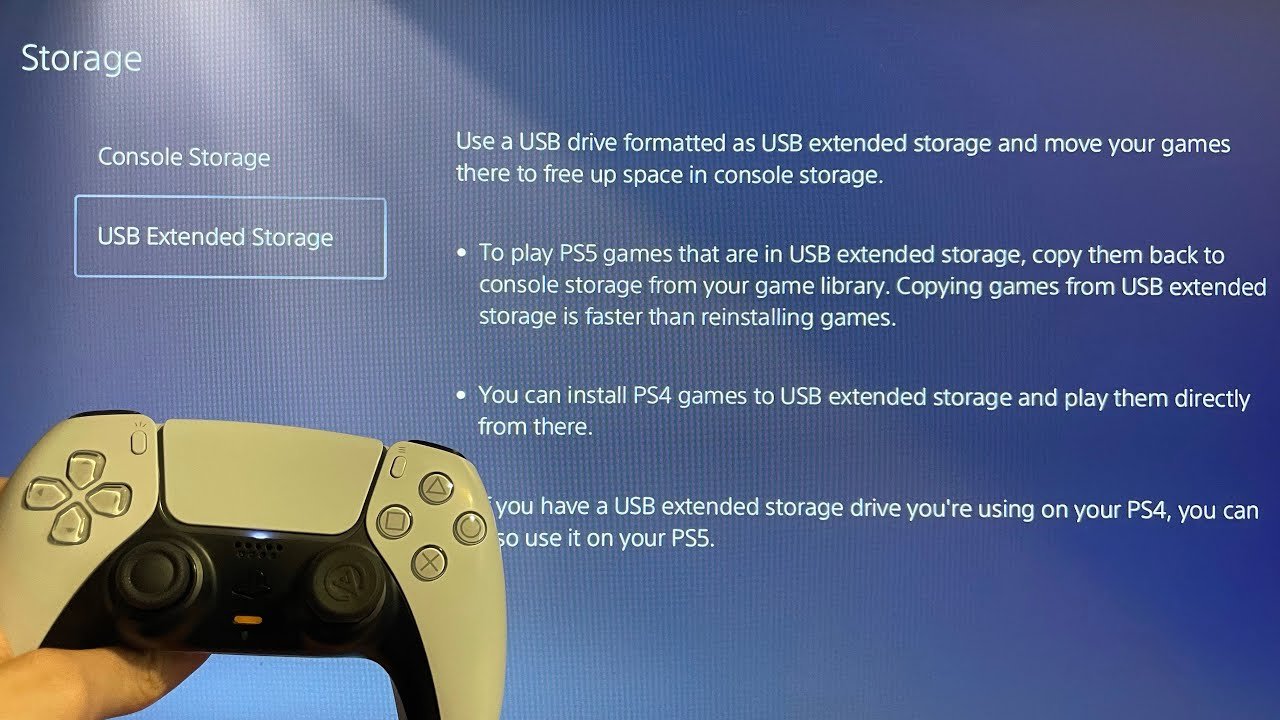
- Transfer games to an External Storage Device : You can move games that you don’t play very often to an external hard drive.
- Play directly from an external drive for PS4 games: You can play PS4 games directly from a connected external drive (but PS5 games have to be on the internal SSD to function well).
These tips can help you keep your PS5 running smoothly by freeing up space for new games and ensuring the fast SSD doesn’t get full.
The Future of Game Installations
As game technology continues to advance, the way we install and copy games may change further, future generations of games are going to be very large and may require faster speeds. Sony and other platforms may develop new ways to install and manage game data on consoles, but for now this is how things are handled on ps5 and the copying process seems like the most effective way to get games ready to play.
In short, the ‘copying’ you see on your PS5 isn’t really about making duplicate files. It is more about transferring data to the fastest storage to optimize the game experience. It’s a vital part of the PS5’s game management system and ensures your games play smoothly and efficiently. While it does take some time, it’s an essential part of enjoying the incredible gaming available on the PS5. Now you understand why your PS5 “copies” games, it is a crucial step that makes your games work properly, with fast load times and great performance.
How to GAMESHARE on PS5 & play games for free!
Final Thoughts
No, you do not have to copy games on ps5 if they are downloaded digitally from the PlayStation Store. However, you must copy game data from physical discs to the console’s storage before you play.
This process is essential for the PS5 to access and run the game efficiently. The speed of the storage dictates the game loading and performance, making this copying process a must.
Therefore, ‘do you have to copy games on ps5’ is generally a yes for physical media and no for digital titles.

