
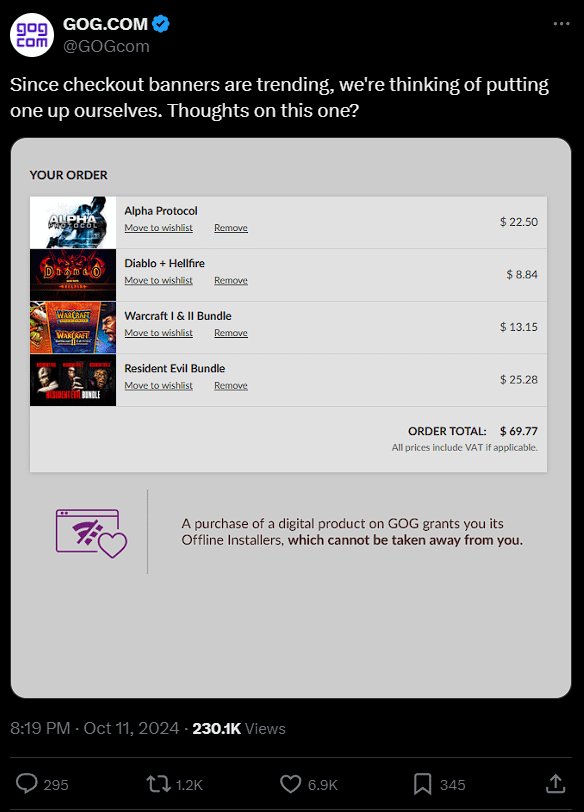
Yes, I own GOG games.
Have you ever asked yourself, “do you own GOG games?” I certainly have. The question touches upon the core of digital ownership and how we collect games these days.
It brings to mind the vast libraries we accumulate and the difference between owning and just accessing. It’s an interesting thought experiment in the modern gaming landscape.

Do You Own GOG Games? Exploring the World of DRM-Free Gaming
Let’s talk about GOG, also known as Good Old Games. It’s a place where you can buy and play video games. But it’s not like other game stores. GOG is famous for selling games without DRM. What does that even mean? Let’s dig in!
What is DRM and Why Does it Matter?
DRM stands for Digital Rights Management. Think of it like a lock on a video game. It tries to stop people from making copies or sharing games without paying. Some DRM systems require you to always be connected to the internet to play, which can be a real pain! They also sometimes limit how many computers you can play the game on.
GOG, on the other hand, chooses to sell their games without DRM. This means you buy the game and it’s yours to do with as you please within reason. You can install it on any computer you own, make backups, and even play offline without any internet connection. This freedom is one of the biggest reasons gamers love GOG so much.
The GOG Experience: More Than Just DRM-Free
A Curated Library of Games
GOG doesn’t just sell any game. They have a carefully picked selection. They often focus on older games. These classics might not be available on other online stores. This means that if you want to play those amazing games you used to enjoy as a child or just missed out on, GOG is very often the place you’ll find them. GOG also sells newer indie titles and some big name releases. The library is quite diverse and is always growing.
The GOG Galaxy Client
While GOG games are DRM-free, they also offer a game library manager called GOG Galaxy. It’s like a special app that helps you keep track of all your games. You can download and install your games easily. You can also organize your games, see your playtime, and even chat with your friends. GOG Galaxy is completely optional, you can simply download your games using browser or download their offline installers if you prefer.
GOG also offers great features within Galaxy which includes cloud saving for supported games, game updates and rollback to older version, cross platform play, etc.
The Philosophy of Ownership
GOG strongly believes in game ownership. When you buy a game from GOG, you actually own the game. They think you should be able to play it whenever and however you want. This is why they do not like DRM. It gives you more control. You are not bound to always having an internet connection or relying on their services to play, your game is yours. This idea is appealing to many people. This is a breath of fresh air for many gamers because most platforms use DRM or restrict you on how to use your own games.
When you are purchasing a game from other platform, you are usually just buying a license to play the game. This means if the platform goes down or service gets discontinued, you could potentially lose your games. This doesn’t happen with GOG because GOG always offers you offline installer, meaning you can download and keep a copy of your game on your pc for long time. You can even make a back up copies to different storages, GOG makes it easy for you to manage your games.
What Kind of Games Can You Find on GOG?
GOG has a wide variety of games. Here are some of the popular types you can find:
- Retro Classics: These are old games from the 80s, 90s, and early 2000s, like Baldur’s Gate, System Shock 2 and Theme Hospital. GOG makes them work on modern computers.
- Indie Games: GOG supports smaller game makers. You’ll find unique and creative indie titles, such as Disco Elysium, Stardew Valley, and Hollow Knight.
- Modern Games: You can find some newer and very popular games, such as Cyberpunk 2077, The Witcher 3: Wild Hunt, and Divinity Original Sin 2.
- Hidden Gems: GOG has those often overlooked games that are really amazing if you take the time to play them.
How Does Buying Games on GOG Work?
Creating an Account
First, you need to make an account on the GOG website. It’s free and simple. You just need an email address and choose a password.
Browsing and Buying
You can then browse through the different games on the GOG store. You can sort by genre, price, or how popular they are. When you find a game you like, you simply add it to your cart and go through the checkout. GOG accepts various payment methods such as credit cards and PayPal.
Downloading Your Games
After you purchase the game, you can either download the installer from the GOG website or via GOG Galaxy client. The installers are usually .exe files for Windows and .pkg or .dmg for Mac. Once you downloaded the offline installer, you can install the game on your computer. You can keep the installer files too for backup purposes.
GOG vs. Other Game Stores: Why Choose GOG?
When comparing GOG to other online stores like Steam or Epic Games, some key differences stand out:
DRM-Free Focus
This is the biggest difference. GOG games are DRM-free which means you have more freedom and you own your games, which is very important to some gamers.
Game Preservation
GOG works very hard to preserve classic games. They make sure they work well on new computers. They also offer offline installer. This is extremely important for long term preservation of games.
Focus on Curation
GOG does not want to sell each and every single game. They choose games carefully. This makes the overall quality higher and helps you find better games.
Customer Service
GOG has a reputation for providing excellent customer support. If you encounter issues, they are usually fast to help. They try to be helpful and resolve your problems very quickly. This is usually a huge plus when comparing to other digital game stores.
Advantages of Owning GOG Games
Let’s discuss some of the advantages of owning games from GOG:
- Play Anywhere: You can install your GOG games on any computer you own without limitations or DRM restrictions.
- Play Offline: You don’t always need an internet connection to play your GOG games. This is great for playing during travel or at times internet is not available.
- Backups: You can make backups of your games. This is something you cannot do on other platforms with DRM.
- Longevity: Because you own a DRM free installer, you can play your games for many years to come without having to rely on the platform for a download.
- Control: You have more control over your game. You can even mod them freely, without worrying about messing with anti-cheat system on some games.
Are There Any Downsides to GOG?
While GOG is great, there are some points to consider:
- Smaller Library: GOG’s library is not as big as Steam or other stores. They do not sell all the popular big title games.
- Not All Games Available: Some very popular games are never released on GOG for various reasons.
- No Community Features: Unlike Steam, GOG does not have as strong a community platform. If you are heavily involved in forum discussion, Steam may be a better option.
GOG and Supporting Developers
When you purchase a game from GOG, developers receive a larger cut than from some other platforms. This is very important because GOG supports smaller developers by giving them more revenue.
By choosing GOG you can also directly support the developers you enjoy the most. This allows the industry to flourish. Purchasing from GOG is a way of saying thank you to developers that work hard on making great games.
Tips for New GOG Users
If you’re just starting out with GOG, here are a few tips:
- Check the System Requirements: Make sure your computer can run the games you want to buy.
- Look for Sales: GOG often has sales. You can buy games for very cheap price.
- Read Reviews: Check what other people say about games. This will help you make the right decision.
- Use GOG Galaxy: If you are okay with using the GOG Galaxy client, it will make managing your games much easier.
Is GOG Right For You?
GOG is great if you care about owning your games and having more freedom. If you love retro games or indie games, this platform might be for you.
If you prefer community features, then GOG might not be the right fit for you. If you prefer to buy all popular big title games, you might have to use another platform alongside GOG.
Ultimately, the decision of using GOG depends on your preference as a gamer.
GOG Connect
GOG has a special program called GOG Connect. If you have bought games on Steam, you can sometimes get a DRM free version of those games on your GOG account if GOG has a deal with specific publishers. This feature is not always available as it depends on the agreement between the publisher and GOG. You can often find deals like that during promotional periods.
GOG and the Future of Gaming
GOG’s DRM-free stance is a very important part of a larger conversation about what it means to own digital products in the modern age. Many people want to have a say in how they use their digital goods. GOG is often seen as a champion of gamer rights and a huge promoter of consumer freedom.
GOG’s approach challenges the traditional ways that games are sold and played, which is a very good thing for the industry and for gamers. By giving more control to the consumer, GOG has gained a very devoted fanbase. Many gamers are very thankful for the work they are doing in the industry.
GOG is definitely a platform to check out. If you care about ownership and DRM free gaming, it is definitely worth it. It is a very good alternative to other digital game stores and it should definitely be a part of everyone’s game library.
Why GOG Should Be Your Main Platform for PC Gaming
Final Thoughts
GOG offers a great library of classic and modern games, DRM-free. You can easily access your purchases anytime with their launcher. Managing your game collection is simple and convenient.
The platform encourages owning your digital games. This is a key point for many gamers. It’s important to consider if digital ownership aligns with your gaming preferences.
So, do you own gog games? If yes, you’re in a place where you have control. If not, consider if GOG suits your digital library needs.

