
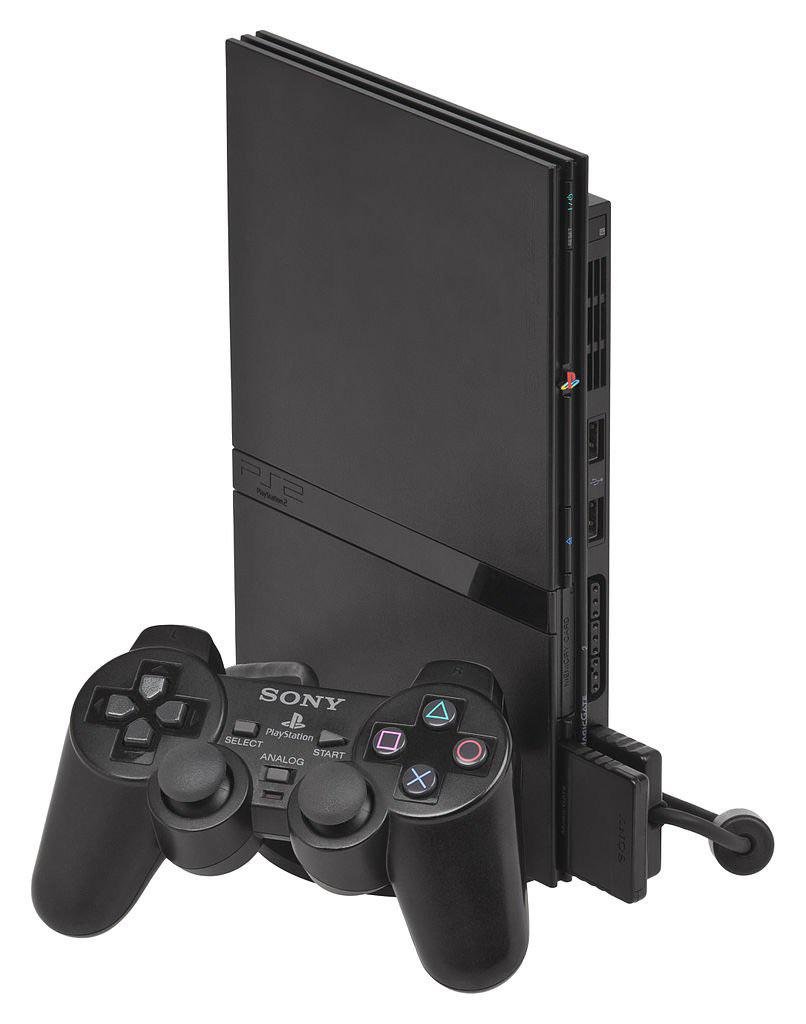
Yes, the PlayStation 2 does play PS1 games.
Wondering if your old PlayStation 1 games will work on a PlayStation 2? You’re not alone. Many gamers ask, “does playstation 2 play ps1 games?”, and the answer is good news for those with a retro library.
The PS2 boasts backward compatibility, meaning it can run the vast majority of games made for its predecessor. This feature made it very popular for years, bridging the gap between console generations.
So, dust off those classic PS1 titles, because you can enjoy them again on your PlayStation 2 console!

Does PlayStation 2 Play PS1 Games?
The question of whether the PlayStation 2 can play original PlayStation games is a common one, especially among people who grew up with these classic consoles. Good news! The PlayStation 2, or PS2, was designed to be backward compatible, meaning it can indeed play most of your favorite PlayStation 1 games. Let’s dive deeper into how this works and what you need to know.
The Magic of Backward Compatibility
Sony made a smart move when they built the PlayStation 2. They understood that many players had large collections of PS1 games they still wanted to enjoy. Instead of forcing everyone to keep their old consoles around, they incorporated the technology to allow the PS2 to read and play PS1 game discs. This feature, called “backward compatibility,” made the PS2 a fantastic deal. You got the brand new games of the PS2, and you could keep playing your old favorites without needing another console cluttering up your gaming space.
How Does It Work?
The PS2 has a special chip that allows it to understand the way PS1 games are stored on discs and how they operate. It’s like having a mini-PS1 inside the PS2. This lets the system switch between playing PS2 games and PS1 games when you insert the appropriate disc. This also includes how the controller operates as the PlayStation controllers are quite similar in function, allowing you to use your PS1 controller on your PS2 for your PS1 games.
When you put a PlayStation 1 game into your PS2, the system automatically detects it. The screen might briefly flicker or change, and the PS2 logo might disappear and the classic PlayStation boot screen will load up. After the boot screen, you will be ready to play your PS1 games!
Compatibility Nuances: Not Every Game Plays Perfectly
While the PlayStation 2 has really good backward compatibility with the PlayStation 1, it’s important to know that it’s not 100% perfect. Most of your PS1 game library will work without any problem, but there are a few instances where some games might not function properly.
The Few Exceptions
There are a couple of reasons why a PS1 game might not play well on the PS2.
Some games had unusual programming or coding that the PS2 system might have trouble with. These might not cause the game not to load but might result in glitches, like game slowdowns, sound issues, or graphical issues. Also some later model PS2s removed the hardware to play PS1 games and thus will not be able to play those discs.
Here are some common issues that may arise:
- Sound Problems: You might hear crackling, static, or missing sound effects.
- Graphical Glitches: Textures might appear distorted or some in-game visual effects might not show.
- Freezing: The game could suddenly stop working or freeze up.
- Compatibility issues on later PS2 models: If you have a later model PlayStation 2 Slim, it might not play certain PS1 games. The original “fat” PS2 models tended to have fewer issues with PS1 backward compatibility.
Checking Game Compatibility
If you are not sure whether a game is working on your PlayStation 2, the best thing to do is try the game out. If there are issues, there are many forums online of people sharing issues they are having with specific PlayStation 1 games, as well as fixes. The best way is to see for yourself whether there are issues with playing the game.
PlayStation 1 Game Discs: Understanding Formats
PlayStation 1 games came in different formats, just like CDs or DVDs. Understanding these formats can help you better understand how the PlayStation 2 handles them.
The Standard CD Format
Most PlayStation 1 games were on CD-ROMs. The PS2 uses the same mechanism to read these discs, which is why it can play them. There are some older CD formats that will not work on PS2, but those are older music CD formats and not used for PlayStation 1 game.
Imported Games and Region Locks
The original PlayStation had region locks, which meant that a game from North America might not work on a console from Europe or Japan. The PlayStation 2 largely inherited this feature. However, while the PS2 itself is region-locked for its own games, it can typically read PlayStation 1 games from different regions.
However, depending on the PS2 Model that you have, the backwards compatibility might not be fully there for certain games from different regions. The PlayStation 2 software has its own region locking that has to match the region that the PlayStation 2 console is from. So, if your PS2 is from North America, it will need a North American game disc to play a PS2 game, but a PlayStation 1 disc may still play from other regions.
Using a PlayStation 1 Controller on a PlayStation 2
Another great thing about the PS2 and its PS1 backward compatibility is that you can use your old PS1 controllers. The PS1 controller and PS2 controller used the same connector port, so you don’t need a special adapter to use them together.
Why Use a PS1 Controller?
Some players have preferences of how they like their controllers. They may have grown up playing the PS1 and may prefer that controller over the newer PS2 controller. Some gamers simply might like the feel and weight of the old PlayStation 1 controllers and prefer them.
While the PS2 DualShock 2 controller is pretty similar, it’s got different shoulder buttons and triggers than the PS1 controller. This can make the way you experience PS1 games slightly different. Some people find that their old PS1 controllers offer a more authentic feel.
However, there are a few things to keep in mind with this:
- No Pressure Sensitive Buttons: The PS1 controller lacks the pressure-sensitive buttons found on the DualShock 2. This might make certain PS2 games unplayable or hard to play, so make sure that you are using the correct controller for that game.
- Lack of Analog Stick Buttons: The PS1 controller lacks analog stick buttons, so if a game uses these, they will be missing.
The Benefits of PS2 Backward Compatibility
The ability to play PS1 games on the PS2 offered a lot of advantages when the console came out, and it continues to be a great feature today.
Accessing a Vast Library of Games
Instead of needing both a PS1 and a PS2 to play the games that you own, you just needed one. This allowed for many players to save space and money. The PlayStation 1 had a huge catalog of titles, with many different genres from RPG, to Sports games, to action-platformers.
Here are some of the classics that you could play on a PS2:
- Final Fantasy VII, VIII, and IX
- Metal Gear Solid
- Crash Bandicoot series
- Spyro the Dragon series
- Resident Evil 1, 2, and 3
Saving Money and Space
By offering backwards compatibility, Sony did not make the consumer feel that they needed to buy a new PlayStation 1 just to play their old games, they could just use the PS2, which saved them from buying a new machine.
Preserving Game History
Backward compatibility also helps preserve game history. It lets people relive classics and introduces them to new generations who might never have experienced those games otherwise. It’s a way to keep these games alive, even as technology continues to develop.
Troubleshooting Common Issues
Even though backward compatibility works well, you may run into some problems. Let’s go over some common issues and ways to fix them.
Game Doesn’t Start
If the PS1 game does not start, try the following:
- Make sure that the disc is clean from dirt and scratches.
- Try to load the game in a different console to see whether the disc works or not.
- Try turning off the console and then turning it back on again. Sometimes doing this can fix the problem.
Glitching or Freezing
If the game is glitching or freezing, try:
- Again, clean the disc. Any smudges or scratches can cause the disc reader to have problems reading the information.
- Try putting the console in a horizontal position, sometimes that can help with a console reading the disc better.
Sound Issues
Sound problems are often more difficult to solve. Some games have incompatibilities with the system and the console may not be able to play it perfectly. If you are experiencing these issues with most games, try:
- Make sure that you are using the correct AV cables that came with the console.
- Try cleaning the inside of your PlayStation 2, there could be an issue with some dust buildup.
If none of these are working, then it may just be that the game that you are trying to play is not supported by the PS2. You may have to play that game on an older PlayStation 1 or emulate it on a computer.
PS2 Models and Compatibility
It’s good to know that not all PS2 models are the same, especially when it comes to playing PS1 games.
Original “Fat” PS2 Models
The original models of the PS2 had the best backward compatibility. These chunky consoles, sometimes called “fat” PS2s, generally handle PS1 games with very few issues. These are recommended if you have a big PS1 library that you want to play.
PS2 Slim Models
Later slim models of the PS2 started making changes to their internal hardware, in an effort to make it cheaper. These changes resulted in the slim PlayStation 2 having slightly worse backward compatibility. They are still able to play most PlayStation 1 games, but you are more likely to experience issues with games. Also some PlayStation 2 Slim models removed the chips used to play PlayStation 1 games, making them incompatible altogether. If you do have a slim model, there is a chance it might not play your games.
If you are thinking about buying a PS2 to play old PS1 games, it is important to know what model that you have and if it is compatible with PlayStation 1 games.
Is it Worth Playing PS1 Games on PS2?
Absolutely! Despite the few compatibility issues, the PS2’s ability to play PS1 games is a fantastic benefit. The PS2 is a great console, it has a large game library of its own and is compatible with older PlayStation games. The PS2 provides access to a huge library of excellent games from both generations of the PlayStation.
In conclusion, the PlayStation 2 offers great backward compatibility with PlayStation 1 games. While it’s not perfect, the ability to play most of your old favorites on the same console is a huge advantage. So go ahead, dust off those old PS1 discs, and enjoy reliving the classics on your PlayStation 2!
Does PS2 play PS1 games
Final Thoughts
Yes, the Playstation 2 does play PS1 games. Sony designed the console with backward compatibility. This feature allows gamers to enjoy their older library of games.
The PS2 reads original PS1 discs without issue. You can directly insert the PlayStation 1 game. It will run just like on the original console. This important function expands the PS2’s game library significantly.
In short, does playstation 2 play ps1 games? Yes, it does, making it a great system for playing both PS1 and PS2 titles.

