
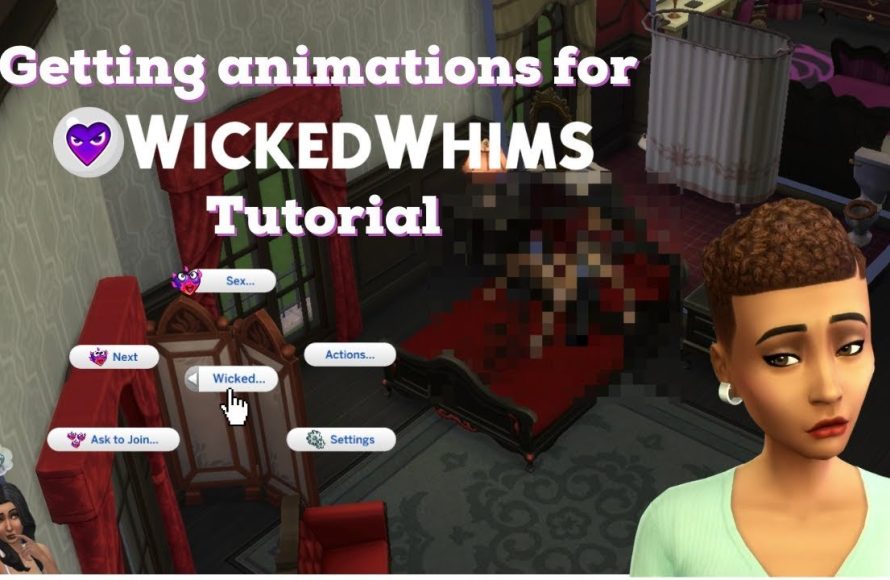
To use Wicked Whims in game, install the mod, enable script mods in your game settings, and then interact with your Sims to access the new features and interactions the mod provides.
Ever wondered how to spice up your Sims’ lives? Many players seek ways to add a layer of realism and complexity beyond the base game. This is where mods like Wicked Whims come into play. Many find this mod interesting but might get confused about the steps on how to use wicked whims in game.
The mod adds new interactions that dramatically change how sims relate to each other. Once installed correctly, these interactions will be available during gameplay.

How to Use Wicked Whims in Game
So, you’ve heard about Wicked Whims and you’re curious about diving in? Maybe you’ve even installed it but feel a little lost. Don’t worry, we’re here to guide you! Wicked Whims is a mod for The Sims 4 that adds a whole new layer of realism and complexity to your Sims’ relationships. It’s not just about making things spicy; it’s about exploring deeper interactions and adding a more grown-up tone to the game. This guide will walk you through, step-by-step, how to use Wicked Whims effectively, ensuring you make the most out of everything it offers.
Installation and First Steps
Before we get into the nitty-gritty, let’s ensure you have Wicked Whims correctly installed. This is super important, as a wonky installation can lead to problems in the game.
Downloading the Mod
First, you need to get the mod itself. Make sure you’re getting it from the creator’s official site or a trusted source to avoid any harmful files. Usually, this involves:
- Going to the official Wicked Whims website (you can find it with a quick search).
- Locating the download section.
- Choosing the latest version of the mod.
Installing the Mod
Once you have the downloaded file (it’s usually a .zip file):
- Extract the contents of the .zip file. You can do this by right-clicking the file and selecting “Extract All.”
- You’ll find a folder inside. Copy this folder, which usually named as “WickedWhimsMod.”
- Open your The Sims 4 mods folder. It’s typically located in
Documents\Electronic Arts\The Sims 4\Mods. - Paste the “WickedWhimsMod” folder into the ‘Mods’ folder.
Important: Make sure that the mod folder doesn’t have a subfolder like WickedWhimsMod/WickedWhimsMod. It should be directly in the Mods folder.
Enabling Script Mods
Before you start playing, you absolutely must enable script mods in your game settings. Here’s how:
- Start The Sims 4.
- Click on the “Options” button (the three dots in the top right).
- Select “Game Options.”
- Go to the “Other” tab.
- Check the boxes that say “Enable Custom Content and Mods” and “Script Mods Allowed.”
- Apply the changes and restart your game.
If you don’t do this, the mod won’t work properly!
Confirming Installation
After restarting your game, jump into a household. If you see the Wicked Whims icon appear in the top right of your screen, then you have installed correctly! You can also click on a Sim and see the Wicked Whims interactions in the radial menu. It’s often under the ‘More Choices’ section.
Understanding the Core Features
Now that you have Wicked Whims running, it’s time to look at what it actually does. It offers a wide range of features that add a new level to relationships and interactions between your Sims.
Attractiveness and First Impressions
Wicked Whims introduces an attractiveness system that determines how Sims feel about each other on a more physical level. This is not just based on looks, but also on personality traits. Some Sims might find certain traits more attractive than others. For example, an artistic Sim might be drawn to another Sim with a creative soul, or a neat Sim might be repelled by a slob.
- Attraction System: This goes beyond vanilla Sims’ preferences, adding a layer of depth to interactions.
- First Impressions: How your Sims first meet will affect their attraction to one another. A clumsy Sim may be seen as less desirable at first meeting, or a funny sim might instantly be charming.
- Personality Influence: Traits such as ‘Outgoing’ or ‘Neat’ make a difference in who your Sim finds attractive.
These preferences are often displayed in the Sim’s interaction menu when they meet someone new, giving you an idea of their first impressions.
WooHoo and Intimacy
This is the part everyone talks about! Wicked Whims changes how Sims can express intimacy. This involves things like:
- New WooHoo Options: You have a variety of places and positions for Sims to woohoo. No more just bed-based fun!
- Realistic Animations: Wicked Whims adds more realistic animations to the interactions.
- Physical Satisfaction: Sims have levels of satisfaction which will affect their mood. A well-satisfied Sim will have a positive buff, whereas a disappointed Sim may feel frustrated.
The key here is that interactions feel more complex and natural.
Menstrual Cycles and Pregnancy
For female Sims, Wicked Whims introduces a menstrual cycle. This cycle will affect their mood and energy, sometimes even affecting their interest in intimacy. There’s also a heightened realism regarding pregnancy, with more accurate timings and possibilities for miscarriages.
- Menstrual Cycle Tracker: Keep an eye on your Sim’s cycle to anticipate their needs.
- Pregnancy Realism: Expect pregnancies to feel more challenging and real.
Understanding this feature is essential if you’re playing a female Sim focused on starting a family.
Risky WooHoo and Contraception
WooHoo isn’t always consequence-free. You can choose to enable risky woohoo, meaning that your sims could get pregnant from any woohoo session (or even risky try for baby), as well as contract STDs. To help combat that, wicked whims also introduces different types of contraception, like condoms, and birth control pills, each with varying levels of efficacy, you can choose what’s right for your sims!
- Risky WooHoo Settings: Can be enabled or disabled to adjust the level of challenge.
- Contraception Options: Condoms and birth control are available, affecting your sims’ likelihood of pregnancy.
- STD management: Certain actions may lead to the possibility of contracting and transmitting STDs, so be careful when your sims are out on the town!
Personality and Compatibility
Wicked Whims goes even further, altering how your sims’ personalities impact their relationships with other sims. Different personality traits will determine the kind of people they’re compatible with, and will even change the nature of their intimate interactions, like how aggressive or tender they are with each other!
- Trait Compatibilities: Certain personalities will work better together, both in intimate settings, and in daily relationships.
- Interaction Specific Traits: Some traits may change the types of intimate interactions your sims will partake in.
This adds another element of realism, where your sims’ personalities actually affect their choices.
Navigating the Wicked Whims Menu
To really get the most out of Wicked Whims, you need to know your way around the mod’s menu. This can be accessed by clicking on your Sim, or sometimes by clicking on the Wicked Whims logo itself, usually on the top right side of the screen. Here’s a rundown of the most common sections you’ll encounter.
General Settings
This area is your go-to for tweaking overall mod settings. Here are some examples:
- Attraction Options: Tweak how the attractiveness system works.
- Animation Settings: Adjust the animations based on your performance preference.
- Cycle Options: Change how menstrual cycles work, or disable them entirely.
- Risky WooHoo: Enable or disable the possibility of getting pregnant or STDs from woohoo.
Sim-Specific Settings
These settings let you change things about your individual sims. For example, you can:
- Adjust Attraction Preferences: Manually set who your Sim is attracted to.
- Check Menstrual Cycle: See the current cycle phase for female Sims.
- Set Contraception Preferences: Choose how your Sim manages their fertility.
- Set STD Preferences: Choose what kind of STD prevention your sims use.
These options allow you to fine-tune the mod’s impact on each Sim.
Object Interactions
Wicked Whims also adds interactions to certain objects like beds, showers, and even cars. By clicking on these items, you will usually get more WooHoo options, or you can even change the animation preferences for the selected object.
Practical Tips for Gameplay
Knowing the features is one thing, but using them well is another. Here are some tips to make your Wicked Whims gameplay smooth and enjoyable.
Understanding Sim Behavior
Pay close attention to your Sim’s moods and reactions. If they seem frustrated or unhappy, it might be due to an unsatisfied need. Wicked Whims makes their desires more layered and interesting. Make sure to attend to all aspects of their lives.
Managing Relationships
Relationships become more complex with Wicked Whims. Don’t just go for the most attractive Sim; consider personality and compatibility too. It’s more fulfilling to have a relationship that’s well-balanced and suited to your sim’s personality.
- Talk to Your Sims: Learn about their preferences through interactions and observations.
- Don’t Force Compatibility: If they don’t click, it’s okay to move on or focus on friendships.
Experimenting with Settings
Don’t be afraid to try different settings. You might want risky woohoo enabled for one family and disabled for another. You can even have different settings per sim, which makes gameplay very dynamic and adjustable!
Using the Calendar Feature
Many Simmers forget about the calendar when playing, but it becomes quite useful with Wicked Whims. You can schedule WooHoo dates or even mark down the start of your sim’s menstrual cycles to prepare your sims and plan their schedules.
Troubleshooting Common Issues
Sometimes things can go wrong. Here are a few common problems and fixes.
Mod Conflicts
If Wicked Whims is not behaving properly, it might be conflicting with another mod. Make sure all your mods are updated to the latest version, and that you’re following all of the installation instructions carefully. If the problem still continues, you may need to remove some of your other mods, to see if one is clashing with the mod.
Game Crashing
If your game is constantly crashing, it might be due to the animations or a conflict with other script mods. First, make sure your computer can handle the graphics and the mod. If the problem continues, check the developer’s official site and forums for known issues, or reach out to the community for help.
Mod Not Appearing
If the Wicked Whims menu isn’t appearing in your game, ensure script mods are enabled. Then, check to make sure the mod is properly placed inside the mods folder. Always restart the game after adjusting the settings.
Finding Resources and Community Support
If you’re feeling stuck, the Wicked Whims community is a great place to get help. Here’s where you can find resources:
- Official Website: Look for guides, forums, and the latest news.
- Discord Servers: Many communities host Discord servers where you can ask questions, share your experiences, and get help from other players.
- YouTube and Twitch: Many content creators post videos showing how to use Wicked Whims.
Remember, the mod is constantly updated, so joining a community will help you stay up to date with all of the changes!
Wicked Whims brings a whole different style to The Sims 4. It’s a lot more than just new animations, it changes how your sims interact with each other and the world around them. By understanding the core features, menu, and a few tricks, you can add a richer story to your game. Start slowly, experiment, and have fun! Happy Simming!
how to use wicked whims: installation tutorial, realistic gameplay settings & more | the sims 4
Final Thoughts
To effectively use Wicked Whims in game, begin by exploring the settings menu. Customize preferences to match your desired gameplay experience; you must adjust these to suit individual needs.
Next, understand the new interactions available to Sims. The mod adds many romantic and intimate options. Experiment to see how your Sims now interact.
Finally, remember to keep the mod updated for best performance. This way, you can confidently learn how to use Wicked Whims in game and enjoy its new features.

