
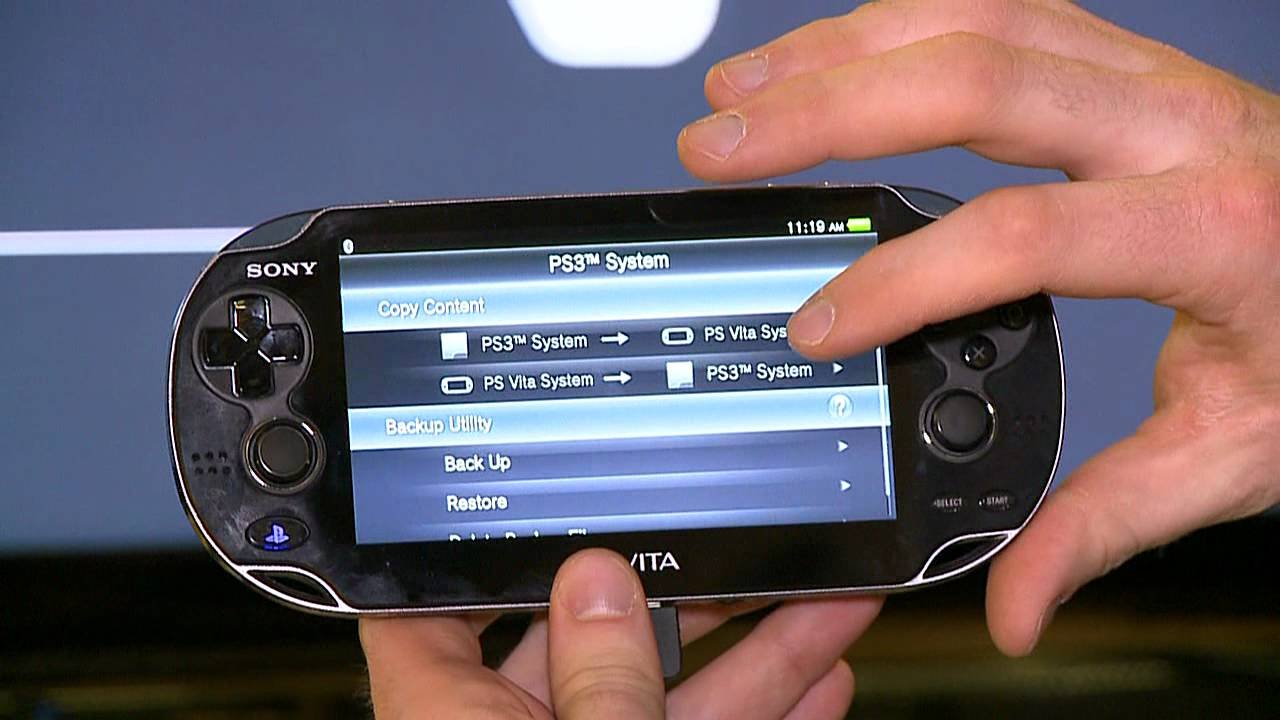
Yes, the PS Vita can play many PSP games.
Curious about your old PSP library and your shiny new (or not so new) PS Vita? Many wonder, does PS Vita play PSP games? It’s a great question since you might want to revisit some classics.
The good news is that the PS Vita has excellent compatibility for PSP titles. You can enjoy many of your favorites on the Vita, especially digital downloads.
Most games are available via the PlayStation Network. It’s a convenient way to bring back those memories of your PSP days.

Does PS Vita Play PSP Games? A Deep Dive
So, you’ve got a shiny PS Vita and you’re wondering if it can play all those awesome PSP games you remember? Well, you’ve come to the right place! Let’s explore the world of PSP games on the PS Vita, and I promise, we’ll make it super easy to understand. It’s not as simple as popping in a disc, but it’s definitely possible, and we’re going to explain everything step-by-step.
Understanding PS Vita’s Compatibility
The PS Vita is a powerful handheld console, and thankfully, it’s designed to play a whole bunch of PSP games. However, it doesn’t work the same way a PS Vita game does. You can’t just put a PSP game disc into the PS Vita, because the PS Vita doesn’t have a disc drive! Instead, it uses digital copies of PSP games which you get from the PlayStation Store. This means all your physical UMD discs you have from the PSP won’t work, but don’t worry, you can still play those games.
The Digital Download Difference
The key difference is that the PS Vita plays PSP games that have been made available for download from the PlayStation Store. These are digital versions of the games, meaning they are files you download onto your PS Vita rather than physical discs. Sony worked to make a big library of PSP games available for the PS Vita, so that people could enjoy them on the newer console.
How to Get PSP Games on Your PS Vita
Now that you know you need digital copies, let’s go over how to actually get PSP games onto your PS Vita.
- Using the PlayStation Store:
The primary way to get PSP games is through the PlayStation Store on your PS Vita. Here’s how:
- Make sure your PS Vita is connected to Wi-Fi.
- Open the PlayStation Store app on your PS Vita.
- Search for the PSP game you want to buy. You can search by title, or look through the PSP game category.
- If you find the game you want, it will show the price. You will need to add the funds to your account first.
- Once your funds are added to the PlayStation account, you can purchase and download the game.
- After downloading, the game will show up in your live area and be ready to play.
The PSP Game Library
Not every single PSP game ever released is available on the PlayStation Store for PS Vita. However, there’s a huge selection, so you’re very likely to find many of your favorite PSP games! Here are some well-known titles that you may find:
- God of War: Chains of Olympus
- Crisis Core: Final Fantasy VII
- Metal Gear Solid: Peace Walker
- Patapon
- Monster Hunter Freedom Unite
- Kingdom Hearts Birth by Sleep
This is just a small selection. There are many other great PSP titles on the store. You will need to check your regional PlayStation Store to find out which are available for you to play.
Why Some PSP Games Might Not Be Available
Sometimes you might be searching for a specific PSP game and you can’t find it. Here are a few reasons why this might happen.
Licensing Issues
Sometimes, the rights to sell a game expire. This means the game is no longer allowed to be sold in the PlayStation Store, meaning that it also can’t be played on the PS Vita. These issues are normally related to some contract or agreement between the people who made the game and the people who sell it. Sometimes these issues are fixed, but other times they aren’t.
Game Conversion Difficulties
Converting a PSP game to work perfectly on the PS Vita can sometimes be tricky. There can be problems with how the game runs or looks. It takes time and resources to make sure everything works well, so if there are too many problems, a game might not be brought over to the PS Vita store.
Publisher Decisions
Some game publishers might decide not to make certain games available. It could be a business decision, or they might be busy with other projects. Whatever the reason, this means some games stay only on the PSP.
Enhanced PSP Gaming on PS Vita
Playing PSP games on the PS Vita isn’t just like playing them on the original PSP. The PS Vita offers some cool advantages.
Improved Visuals
The PS Vita has a sharper screen than the PSP. This means PSP games look much better and clearer on the Vita. Colors are brighter, and details are easier to see. It is like you got a big graphical update just by playing on a different screen! It might not be a full remake, but it’s definitely an improvement.
Better Controls
The Vita also has better and more responsive controls compared to the original PSP. If a game uses analog stick controls, the Vita’s analog sticks often feel a lot better to use. The buttons also feel much better, making gameplay feel much smoother and more precise.
Dual Analog Sticks
Some PSP games can use the PS Vita’s dual analog sticks. This can be super helpful for games that were originally designed to use only one analog stick, or no stick at all, on the original PSP. For example, games that involve looking around might feel more natural with the second analog stick on the PS Vita.
Important Things to Remember
Before you get too excited, here are a few important things to keep in mind.
No UMD Support
As we talked about earlier, the PS Vita doesn’t have a UMD disc drive, so you absolutely cannot play your old UMDs on the PS Vita. The games need to be downloaded from the PlayStation Store, and that is the only way.
Regional Differences
Like with many games, there can be regional differences in what’s available on the PlayStation Store. Games that are available in one country might not be available in another, so keep that in mind. It could be that one of your favorite games isn’t available in your region, sadly. Sometimes games have been released in different versions, and there might even be slight gameplay or text differences. Always be aware of the different versions.
PS Vita Compatibility
It’s important to note that not every model of PS Vita is compatible with all PSP games. Older models of the PS Vita, particularly the 1000 series, can play all digitally available PSP titles. The newer models, the 2000 series, do not have any compatibility limitations either, so you are good with either models. Just make sure you have a PS Vita with good enough storage space for the games you are planning on playing.
Tips for Finding and Playing PSP Games on PS Vita
Now, let’s explore some ways that can help you to find and play all your favorite PSP games on the Vita.
Check the PlayStation Store Frequently
Sony sometimes adds new PSP games to the PlayStation Store. It’s a good idea to check every once in a while to see if any new games have been added, or if your favorite game has finally been added to the store. You don’t want to miss out on newly released games!
Look at Online Lists and Forums
There are many online communities and lists that can show you what PSP games are available on the PlayStation Store. This is a helpful way to check if the game you want to play is available. You can use search engines such as Google to find these lists. It could also be a good idea to check out the official PlayStation website, as they will sometimes highlight games for purchase. Also keep an eye on gaming news websites for more updates about your favorite games.
Manage Your Storage
The PS Vita has limited storage space, so make sure you have enough room for the games you want to download. You can use a PS Vita memory card to increase your storage space if you need it. If you do not have a memory card, you can manage your storage by deleting games you don’t play anymore. You can always download them again if you change your mind, so don’t worry about that!
A Quick Recap: Does PS Vita Play PSP Games?
- Yes, the PS Vita can play many PSP games.
- You need to download digital versions of PSP games from the PlayStation Store.
- You can’t use your old PSP UMD discs on the PS Vita.
- The PS Vita often makes PSP games look and play better.
- Be sure to check the Playstation store in your region and make sure there is enough storage on the Vita before purchasing any games.
Exploring Other Options for Retro Gaming
While the PS Vita is a great option for playing PSP games, it’s also useful for playing other retro titles. Let’s have a look at what else you can use to play old games.
Emulation on PC
You can use emulators on your computer to play many retro games. This includes older consoles like the NES, SNES, and the original PlayStation. Using an emulator is a way to enjoy games that aren’t sold on modern game stores. There is a bit of a technical side to setting up the emulators, but this method is available to anyone with a computer.
Other Handheld Consoles
There are other handheld devices that are designed to play retro games. These devices often let you play games from several different old consoles, all on a single device. Some handheld consoles are designed to be like the original devices, while others have more modern options. These systems are good if you like gaming on the go.
Original Hardware
Finally, there’s always the option to play on the original consoles. This is a classic way to play games, but it can be harder to set up. You need the original console, games, and also a TV that can hook up to the device. This is a method that appeals to many older gamers, and it is a fun way to experience the games as they were made. These devices are no longer sold in stores, so you’ll need to find a second-hand device from an online store, or even a physical store that deals with second hand technology.
So, there you have it! The PS Vita is a fantastic way to enjoy many of your favorite PSP games again. Even better, it often makes them look and play better than the original. Just remember you need to buy digital versions from the PlayStation Store, and you’re good to go! If you’re looking for an easy way to enjoy PSP games, the Vita is your best bet. With its upgraded screen and controls, it really is a great way to revisit those classic games. And who knows, maybe you will find some brand new games that you have never even heard of! Happy gaming!
Does PS Vita Play PSP Games? 🎮 #psvita #retrogaming
Final Thoughts
Yes, the PS Vita plays many PSP games. A significant number of digital PSP titles are available through the PlayStation Store on the Vita. This includes classics and some hidden gems.
You can easily download and enjoy these games. The Vita offers a great way to experience your favorite PSP experiences. does ps vita play psp games? Yes, it absolutely does through digital download, giving you access to a huge library.

