
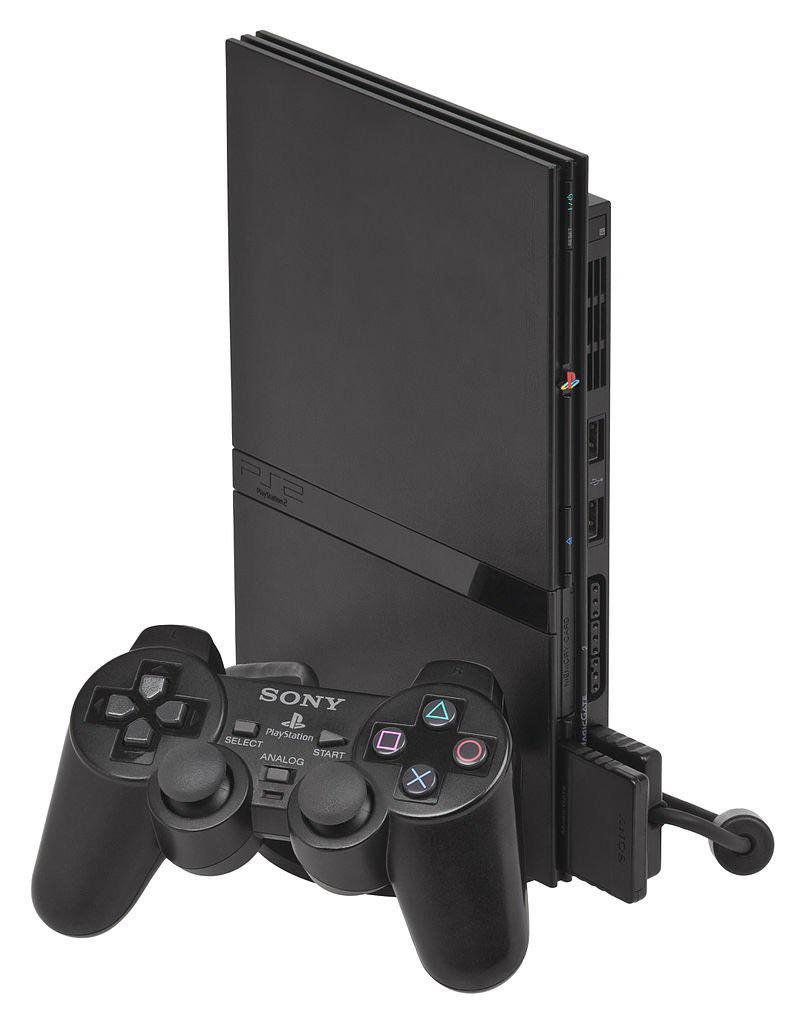
Yes, the PS2 Slim plays PS1 games.
Many people have fond memories of the original PlayStation. The question “does PS2 Slim play PS1 games” often pops up for those wanting to revisit these classics. Luckily, the PlayStation 2 Slim is backward compatible.
You can enjoy your old PS1 game collection on the PS2 slim without any issues. It’s a great way to experience those older titles using a more compact console.

Does PS2 Slim Play PS1 Games?
Alright, let’s get right into it. You’ve got a cool PS2 Slim, maybe you found it in the attic or snagged a good deal online, and you’re itching to play some classic PlayStation 1 games. The big question is: can this sleek little machine handle those older discs? The short answer is a resounding yes! The PS2 Slim, just like its chunkier predecessor, the original PS2, does indeed play PlayStation 1 games. But there’s more to it than just popping in a disc, so let’s dig a little deeper.
The Magic of Backwards Compatibility
The ability to play older games on a newer console is called “backwards compatibility.” It’s a fantastic feature, because it lets you enjoy games from different generations without needing a bunch of different machines. Sony was smart when they designed the PlayStation 2, including the slim version, because they made it so that it could play both PS2 games and PlayStation 1 games. This made the PS2 a really popular console, because people could play all of their old favorites and experience new games, all on one device.
How Does it Work?
Think of it like this: inside the PS2 Slim, there are special parts that understand the instructions on both PS2 game discs and PS1 game discs. It’s kind of like having a translator built in. When you put in a PS1 game, the console recognizes that it’s an older game and switches to a mode that lets it understand the game. The console’s processor, graphics chip, and other components work together to run the PS1 game just like it would have on the original PlayStation. This is different than just emulation, which is mimicking the hardware and software, the PS2 runs PS1 games natively.
Are There Any Limitations?
While the PS2 Slim generally does a great job playing PS1 games, there are a few things to keep in mind. One thing is that not every single PS1 game works perfectly. Most games play fine, but sometimes you might come across a game that has a small glitch or doesn’t play at all. This is pretty rare, but it’s worth mentioning. Generally, if a PS1 game does not work or has issues it’s due to scratches on the disc or the console itself.
Setting Up Your PS2 Slim for PS1 Gaming
Getting your PS2 Slim ready for some PS1 action is easy. The process is pretty much identical to playing a regular PS2 game. Here’s a quick guide:
- Turn on your PS2 Slim: Make sure your console is connected to the TV and powered on.
- Open the disc tray: Either press the eject button or open the lid.
- Insert the PS1 game: Place the PS1 game disc into the disc tray with the label facing up.
- Close the disc tray: Gently close the disc tray.
- Let the PS2 do its thing: The PS2 Slim will read the disc and automatically start the game.
That’s all there is to it! Now you are ready to relive your old ps1 classics.
Tips and Tricks for a Smooth PS1 Gaming Experience on PS2 Slim
To ensure you have the best time playing your old ps1 games, here are a few extra things to keep in mind:
Keeping Your Discs Clean
PS1 game discs are old, and they can be easily damaged. Make sure your discs are clean and free of scratches. A dirty or scratched disc might cause the game to not load, or it might cause the game to freeze or skip parts. You can use a soft cloth to gently clean your discs. Always clean from the center outwards to avoid further scratching.
Console Maintenance
Just like discs, your PS2 Slim needs a bit of care too. Make sure the console is dust free and is in a well ventilated area. Overheating can sometimes cause problems with games, including PS1 titles, so making sure there is proper airflow is important for console health and performance. A poorly maintained console can have problems reading discs of all types.
Controller Considerations
You can use the PS2 controller to play PS1 games. PS1 controllers work just fine as well on ps2 consoles. All of the buttons are mapped properly, so you shouldn’t have any trouble playing. For an authentic feel you can use PS1 controllers on the PS2. Both digital and dualshock controllers are compatible with the console and PS1 games.
Game Compatibility List
While the PS2 Slim is generally great at playing PS1 games, it’s understandable to wonder if there’s a list of known issues. While no single official list exists that accounts for all possible minor issues, the overwhelming majority of titles will play without problems. It’s the rare instance where a game might have a quirk, not the norm. If you do experience issues, it’s always a good idea to make sure the game disc is in good condition and that your PS2 Slim is also in good condition. You can always do some online searches to see if others have experienced the same issues and if there are any workarounds. Many forums exist that discuss games compatibility.
Why is Backwards Compatibility So Important?
Backwards compatibility is a big deal for a few reasons. For starters, it keeps old games alive. Instead of having to dig out an old console and hook everything up, you can just use your newer console. This is great for people who want to revisit their old favorites. It also helps in preserving video game history. Every game is a part of this history, and being able to play it on multiple consoles ensures that it is not forgotten. It also lets younger gamers experience the titles that were popular before they were born. When new console generations come out, people who have never played the older generation games can experience it without buying expensive retro hardware.
PS1 Classics on PS2 Slim: A Great Way to Re-Experience the Past
The PS2 Slim playing PS1 games is more than just a technical feature; it’s a bridge between generations of gaming. It lets you relive old memories and enjoy classics, all without the hassle of owning multiple consoles. With the PS2 Slim, you have a library of both PS2 games and PS1 games at your fingertips, which makes it a worthwhile console to own. Whether you’re a veteran gamer looking to revisit old titles or a newcomer curious to see what older games are like, the PS2 Slim provides a great way to experience the past. It shows that a console can have both its time in the spotlight and be a gateway to the past.
The PS2 Slim serves as a time machine, taking you back to the early days of 3D gaming. Games like Final Fantasy VII, Metal Gear Solid, and Crash Bandicoot can be played easily on this console. By playing ps1 games on the PS2 Slim, people are keeping the memories of these games and consoles alive. This also shows the power of game preservation and gives older titles a new life and audience. The ps1 console was the beginning of a new way of gaming and the legacy continues with the ability to play games on the PS2 Slim.
You are not just playing a game, you are also playing a part of gaming history and enjoying some great stories, awesome characters, and fun gameplay. The PS2 Slim allows you to experience all of these things. It’s a great way to see how games have changed over the years, while also enjoying some of the best classics that have ever been created.
In short, the PS2 Slim is not just a great console for PS2 games; it’s also a fantastic machine for playing your favorite PlayStation 1 classics. With a vast library of games available to you, it is a true gaming treasure.
Does PS2 play PS1 games
Final Thoughts
Yes, the PS2 slim plays PS1 games. You can enjoy your classic PlayStation titles on this console. The backward compatibility is a great feature.
This means you don’t need multiple consoles to play your older games. It’s a convenient way to experience both PS2 and PS1 libraries. This makes the console very appealing.
So, if you’re wondering, ‘does ps2 slim play ps1 games’, the answer is a definitive yes. It’s great for experiencing nostalgic gameplay.

