
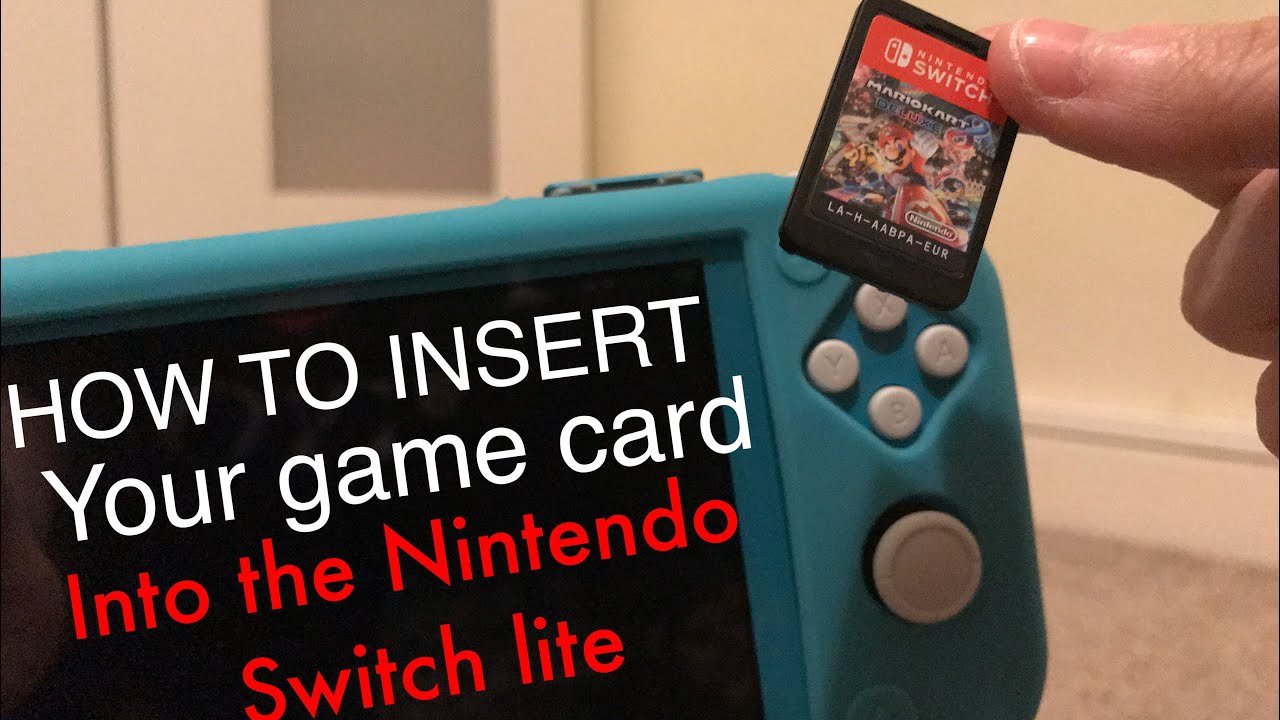
Yes, the Switch Lite does take physical games, as long as they are compatible with the handheld-only mode.
Wondering if you can use your cartridge collection on the Nintendo Switch Lite? Many gamers ask this same question, specifically if the handheld-only console, does the switch lite take physical games. It’s a fair point considering its design differences from the standard Switch.
The Switch Lite is built for on-the-go play, so it’s important to know how it handles the physical game library. Let’s clarify this point quickly.

Does the Switch Lite Take Physical Games?
Let’s get right to it: the Nintendo Switch Lite does play physical games. But, there’s a little more to it than just popping any old game cartridge in. It’s not quite as straightforward as the original Nintendo Switch. While the Switch Lite is a fantastic handheld system, it does have some differences in how it handles games, especially compared to its bigger brother. This section will explore the ins and outs of using physical game cartridges with your Switch Lite.
Understanding the Switch Lite’s Cartridge Slot
The Switch Lite, like the original Switch, features a dedicated cartridge slot. This slot is located on the top of the console, right next to the power button. It’s designed to securely hold the small, rectangular game cartridges that Nintendo uses. These aren’t the same size as DS or 3DS cartridges, so make sure you’re using the correct ones. Now, just because there’s a slot, it doesn’t mean that every game will work exactly the same way. Let’s dig a little deeper.
Compatibility: Switch Games vs. Switch Lite
Here’s the key thing to remember: the Switch Lite is primarily designed to play games that support “Handheld Mode.” Almost all physical Nintendo Switch games will work on your Switch Lite. But, and this is a big but, not every game will have the same experience as on a regular Switch. This is due to the Switch Lite being a purely handheld console.
- Handheld Mode Support: The vast majority of physical Switch games have a “handheld mode,” meaning they are designed to be played with the built-in controls on the Switch Lite, and work perfectly with the system’s smaller screen. This includes games like The Legend of Zelda: Breath of the Wild, Animal Crossing: New Horizons, and many others.
- Games That Need Tabletop or TV Modes: Some games are primarily designed for play on a TV using the original Switch or in tabletop mode using the kickstand. These games may have features that require detachable controllers (Joy-Cons) or TV output, and will still run on the Switch Lite, but might require extra equipment or a different type of gameplay experience. This can include playing with a separate pair of Joy-Cons.
Let’s look at an example. A game like Super Mario Party which is designed for multiplayer on a TV screen, and utilizes the Joy-Cons for minigames, can be played on the Switch Lite. However, the mini-games that need motion controls will require separate Joy-Cons, since the Switch Lite’s built-in controllers don’t have this feature. You will also have to make sure you can play with the joy-cons in handheld mode. This might not be an ideal experience for the multiplayer minigames.
Understanding Different Play Styles
The primary difference lies in the way you play. On the regular Nintendo Switch, you have the flexibility of playing on the TV, in tabletop mode with a kickstand, or in handheld mode. The Switch Lite only supports Handheld mode, since you can not connect it to tv, or use the stand feature. This difference is important when you think about how some games are designed. Let’s explore this in more detail.
- TV Mode Limitation: The biggest difference is that the Switch Lite does not connect to a TV or monitor. There is no ability to dock the Switch Lite for playing on a bigger screen. The regular Switch can switch between handheld and TV play but not the Switch Lite, so this affects how you experience certain games.
- Tabletop Mode Limitations: The Switch Lite also lacks the built-in kickstand found on the regular Switch. This means that you cannot prop up the console to play in tabletop mode unless you use a third party accessory. Some games are optimized for playing with separate Joy-Cons in this mode, so this is something to consider when thinking about game compatibility.
Using Physical Games vs. Digital Downloads
While both physical and digital games work on the Switch Lite, each has unique advantages and disadvantages that might influence your purchasing habits. Understanding these can help you decide which method best fits your needs and preferences.
Physical Game Cartridges
Here is what you need to know about using physical games on your Nintendo Switch Lite:
- Ownership and Resale: Physical games provide tangible ownership. You possess the game cartridge, which means you can lend it to friends, resell it if you choose to, or collect it for future enjoyment. This is a main advantage for many gamers who enjoy trading and having a physical collection.
- No Storage Requirements: Physical games don’t take up storage space on your system’s internal memory or microSD card. This is helpful if your console memory is nearing capacity or you prefer not to manage digital storage. You simply insert the cartridge and play.
- Potentially Lower Prices: Sometimes, physical game copies can be found at discounted prices compared to their digital counterparts, especially from retailers or the used games market. This could help you save money on some purchases.
- The Physical Aspect: Many gamers simply like the feeling of owning a physical product, a beautiful case, and game cartridge to hold, in hand.
- Changing Games: However, you have to carry the physical games with you and swap cartridges as needed.
Digital Downloads
Here is what you need to know about using digital games on your Nintendo Switch Lite:
- Convenience and Immediate Access: Digital downloads are very easy and fast to purchase through the Nintendo eShop. Once downloaded, the game is always available on your console without needing to swap physical cartridges, making it perfect for those who like to switch between games often.
- No Cartridge Swapping: You can have many games saved on your Switch Lite and switch between them easily without looking for the game cartridge, which can be a main point for many users.
- Requires Storage Space: Digital games take up space on your console’s internal memory or microSD card. This might require you to purchase an additional memory card to store your games if the console’s built-in storage is not enough.
- No Resale Option: Once purchased, a digital game is tied to your Nintendo account, and you cannot resell or lend it to others, like physical game cartridges. You have purchased the right to play the game, not a physical object.
- Pricing: Digital games can sometimes be more expensive than their physical counterparts, and there are less opportunities to get a good price.
Games That Require Joy-Cons
While the Switch Lite has integrated controls, some games utilize the special features of the Joy-Con controllers that you don’t have. Some features that these games have that are not available on the Switch Lite can include:
- Motion Controls: Some games require motion controls, using the built in sensors in the Joy-Cons. If you have a Switch Lite, you’ll need to connect separate Joy-Con controllers to fully utilize these features of certain games. Not all games use motion controls, but those that do will be more enjoyable with Joy-Cons.
- HD Rumble: The HD Rumble feature found in Joy-Cons isn’t available on the Switch Lite. This can slightly affect the experience of some games that heavily rely on this feature for player feedback. However, you can use the HD Rumble features on a separate Joy-Con to get the same feel on the Switch Lite.
- IR Motion Camera: Some very few games use the IR motion camera that is found on the right Joy-Con. The Switch Lite doesn’t have this, so those games might not be fully playable without external controllers.
If you intend to play these type of games, be aware that you’ll need to connect external Joy-Cons to your Switch Lite, and ensure that you have a safe place to put the console when using them. Remember, without a stand, you will need to use a third-party stand for these types of games.
Considerations Before Buying Physical Games
Before rushing out and grabbing all those enticing physical games, take a moment to consider how they’ll fit with your Switch Lite. Here are some useful tips:
- Check the Game Box: The game box will tell you what features it has. The Nintendo Switch box usually has icons on the back, which indicate what types of game modes the title supports, including ‘Handheld mode’, which is what you want to look for. Make sure you see the ‘Handheld Mode’ icon before buying.
- Read Reviews: Before buying a physical game, check reviews or watch gameplay footage to make sure you have a good understanding of the game before you play it. Some reviews may mention how the game plays on a Switch Lite and if the controls or features cause any problems.
- Think About Travel: If you plan to travel with your Switch Lite, consider how many physical game cartridges you want to bring along. Carrying multiple games can sometimes be more hassle than using a digital library of games.
Managing Your Game Library
Whether you go digital or physical, managing your game library on your Switch Lite is essential. Here are some tips to keep things tidy:
- Use Game Cases: If you have a lot of physical games, consider using game cases to store them neatly and safely. This prevents damage to the games and keeps everything organised when you travel with it.
- Utilise microSD Cards: If you choose to download a lot of digital games, make sure you use a microSD card to increase your storage capacity on the Switch Lite, which can be a real life saver.
- Create Folders for Digital Games: Organize your digital games by creating folders on the home menu of the Switch. This will allow you to find games easier and keep your library tidy.
The important point is that you are ready to buy your game by knowing what you will be facing ahead, and make the right decision for yourself.
Specific Game Examples
Let’s go through some examples of popular Switch games to illustrate how they work with the Switch Lite:
Games That Play Well On Switch Lite
- Animal Crossing: New Horizons: This game plays great on the Switch Lite. You will get the full experience in handheld mode with no issues. The game is designed to be played with the built in controls.
- The Legend of Zelda: Breath of the Wild: This title is an amazing experience on the Switch Lite. It is designed to play in handheld mode, and has an exceptional experience on the console.
- Pokémon Sword and Shield: These games will also work perfectly well on the Switch Lite, with all features fully functional and enjoyable on the console.
Games That Might Be Better On The Regular Switch
- Super Mario Party: As explained earlier, this game can be played on the Switch Lite, but it requires external Joy-Cons for motion-controlled minigames, and might be less fun to play in handheld mode, because it is primarily a multiplayer game on a TV screen.
- Ring Fit Adventure: This game requires Joy-Cons and the Ring-Con accessory, meaning it’s not meant to be played on the Switch Lite without extra accessories. It’s better suited for the larger Switch console where you can play on a TV.
By considering these examples, you can make better decisions when choosing the perfect game for your Switch Lite.
In short, the Nintendo Switch Lite does accept physical games and for the most part works perfectly fine, but you need to be aware of limitations. While most games play well in handheld mode, there are some titles that might be better suited to the standard Nintendo Switch. Always check the game box and do some research before making a purchase.
Do Nintendo Switch Games Load Faster Physically or Digitally?
Final Thoughts
The Nintendo Switch Lite accepts physical game cartridges. You insert them directly into the designated slot, just like with the standard Switch. This allows you to play your games without downloading them.
Therefore, the answer is yes, does the switch lite take physical games. You can enjoy a library of physical titles on this console.

