
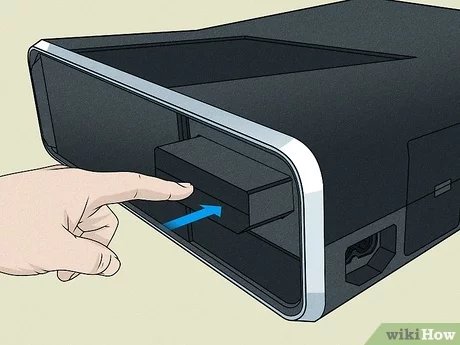
No, the Xbox 360 does not play all original Xbox games; it only plays a select list of compatible titles.
Ever wondered if you could dust off your old Xbox games and play them on your Xbox 360? The question, “does Xbox 360 play original Xbox games,” pops up quite frequently among gamers. Many wish their older libraries were easily playable on newer consoles, but compatibility can be tricky.
Unfortunately, the Xbox 360 only supports a limited number of original Xbox titles. This means your entire collection might not work. Microsoft made some efforts, but complete backwards compatibility wasn’t achieved.

Does Xbox 360 Play Original Xbox Games?
Let’s talk about the cool history of Xbox! You know, the big black box that came before the Xbox 360? That’s the original Xbox. Lots of people loved it, and it had some awesome games. Now, if you have an Xbox 360, you might wonder, “Can I play those old games on this newer console?” That’s a really good question, and the answer isn’t as simple as a straight yes or no. It’s more like, “sometimes, but with some important details you should know.”
The Concept of Backwards Compatibility
When we talk about playing old games on new consoles, we use a big term called “backwards compatibility.” It basically means the new machine can still run software made for an older machine. It’s like how some newer DVD players can still play old CDs. Not all consoles do it, and even when they do, there are often limits. Microsoft, the company that makes Xbox, did try to make the Xbox 360 backwards compatible with some, but not all, of the original Xbox games.
Why Not All Original Xbox Games Work on Xbox 360?
You might be asking, “Why can’t the Xbox 360 play all the original Xbox games?” That’s a fair question! It’s mostly because the two consoles are very different on the inside. Think of it like this: an old car and a new car have different engines. You can’t just put the old engine in the new car and expect it to work perfectly. The same is true for game consoles.
The original Xbox had a special way of reading game discs and running the software, and it used a type of processor (the brain of the console) that was very different from what the Xbox 360 uses. The Xbox 360 was made to be more powerful and had a totally new processor design. To make the older games work, the Xbox 360 had to do something called “emulation” for some titles. Emulation is like pretending to be the old console. It tries to trick the old games into thinking they are running on their original hardware. Emulation is difficult and expensive to do for every game.
The Emulator and the Software List
The Xbox 360 has an “emulator” built-in, which is like a piece of software designed to run original Xbox games. However, this emulator wasn’t perfect, and it couldn’t handle every single original Xbox game. Microsoft had to carefully choose which original Xbox games would work on the Xbox 360. They tested each game and made a list of the games that were compatible. This list is important because only the games on the list will actually play on your Xbox 360. If a game isn’t on the list, it sadly won’t work.
How to Know if Your Original Xbox Game Will Work
So, how do you figure out if your old game will work? Well, the easiest way is to check the official list provided by Microsoft. It’s not a long list compared to all of the original Xbox games, but it’s good to look at it. You can usually find this list with a quick search on the internet. Just type “Xbox 360 backwards compatible original Xbox games” into your favorite search engine. You can also check on the back of the original Xbox game case. Some games have a special logo or mark saying “playable on Xbox 360” on them if they are backwards compatible.
Checking the Game Disc
Another way to check if your game is compatible with Xbox 360 is to look at your game disc. If you see the official “Xbox 360 compatible” logo printed somewhere on the disc, you are good to go! This is often a quick check, as the logo will usually be located somewhere on the disc near the text and game title, often near the disc edge. If the disc is scratched or the logo isn’t visible, then it would be a better idea to check the official list of games online.
Limitations and Things to Remember
Even if a game is on the compatible list, there are some things you should know.
- Not All Versions Work: Sometimes, if the game was released in different regions (like Europe or Japan), only certain versions of the game might be compatible. It’s not always the case, but something to keep in mind.
- Save Game Issues: Your old save games from the original Xbox probably won’t work on the Xbox 360. You will need to start from the very beginning of the game. This is because the way saves are stored is very different between the two systems.
- Online Play: Most online features for original Xbox games were shut down a long time ago. So, even if you can play the game on your Xbox 360, you often can’t play it online with others.
- Graphics: The Xbox 360 doesn’t make old Xbox games look like brand new games. It will still be the same graphics from that time, so it won’t have the same sharpness and detail as some new games do.
The List – Examples of Compatible Games
Let’s look at some of the games that made the cut. This isn’t every game, but it gives you an idea of the kinds of games that you can play on your Xbox 360, some notable titles include:
- Star Wars: Knights of the Old Republic
- Ninja Gaiden Black
- Crimson Skies: High Road to Revenge
- Fable: The Lost Chapters
- Prince of Persia: The Sands of Time
- Psychonauts
- The Elder Scrolls III: Morrowind
- Grand Theft Auto: San Andreas
- Halo 1 & 2
There are quite a few different types of games on the list. This list will help you know what kind of games you could enjoy again if you have your original Xbox games lying around.
Why Backwards Compatibility is Still Important
Even though not every original Xbox game works on the Xbox 360, the fact that some do is pretty cool. Backwards compatibility is important because it lets people revisit older games that they love. It also helps keep the history of video games alive so that new players can see older classics. Sometimes, older games have very new ideas, even now. It is great that consoles allow users to play older games. When we play these older games, we are not only playing a game, but also reliving the memories and joy we had when we played them originally.
Alternatives for Playing Original Xbox Games
If the game you want to play is not compatible with Xbox 360, don’t worry, there are other ways you could still play it. Here are some options to consider:
Using an Original Xbox Console
The most straightforward way to play any original Xbox game is to simply use an original Xbox console. If you still have the original console, that’s a great way to enjoy all of your old games. The original Xbox is still quite capable of running the games it was designed for. The downside is that it might take a little effort to get everything set up, and the graphics won’t look as nice as they do on more modern consoles or PC.
Emulation on PC
Another option for playing older video games is through emulation on a personal computer. There are emulators that can mimic the original Xbox hardware on your computer. Some are free, and some are paid. If you go this route, you’ll also need a copy of the game files. Using this method can be tricky, but it does allow you to play nearly any original Xbox title. Using your computer is sometimes cheaper than using the original Xbox console. Emulation can also sometimes have enhanced features such as using modern control schemes or improving graphics.
The Evolution of Xbox and Backwards Compatibility
It is interesting to see how Microsoft’s approach to backwards compatibility has changed through the generations of Xbox consoles. While the Xbox 360 only had a limited selection of backwards compatible titles, they have continued to evolve and make backwards compatibility even better in newer models of consoles.
Xbox One and Backwards Compatibility
The Xbox One also featured backwards compatibility, adding a selection of Xbox 360 games to its library. Microsoft’s work on this was much more expanded than previous generations. They developed an innovative emulation method that allowed the Xbox One to play many titles from its predecessor, the Xbox 360.
Xbox Series X/S and Backwards Compatibility
The latest Xbox consoles, the Xbox Series X and Xbox Series S, have taken backwards compatibility even further. These consoles can play a vast library of games from all previous generations of Xbox, all the way back to the original Xbox. Microsoft is working to make it simpler than ever to access the games from your past, making sure that people can enjoy all their favorite games, both old and new. They do this by adding emulation, but also sometimes by actually improving the older games with higher resolution, better frame rates, and more. They also have made older games easily available digitally, which takes the hassle out of using physical discs.
So, while the Xbox 360 had a limited amount of original Xbox games that it could play, it was still a significant step for the time. It laid the foundation for the much more significant backwards compatibility initiatives that came in later generations. The trend of backwards compatibility is something the gaming community has come to enjoy, as it provides gamers the ability to go back and play games that they played from their past. It also allows for the younger generation of gamers to experience old games that have come to be classics in the community, so that even more people can enjoy them.
The Xbox 360’s backwards compatibility with the original Xbox was a good first step. While it wasn’t perfect, it showed that Microsoft was thinking about people who wanted to play their old favorites. It paved the way for the even better backwards compatibility that we enjoy on modern consoles today. Now, if you want to play an original Xbox game, you have many options: using your original Xbox, finding an emulator for your PC, or playing the titles that are compatible with more recent Xbox consoles. Happy gaming!
The ORIGINAL Xbox Backwards Compatibility
Final Thoughts
The Xbox 360 provides limited backward compatibility. A select number of original Xbox games work on the 360. This feature depends on game-specific emulation.
Therefore, the short answer to “does xbox 360 play original xbox games” is a qualified yes, but not all. Checking the official list is vital. Only specific titles from the past are supported by the 360 console.

