
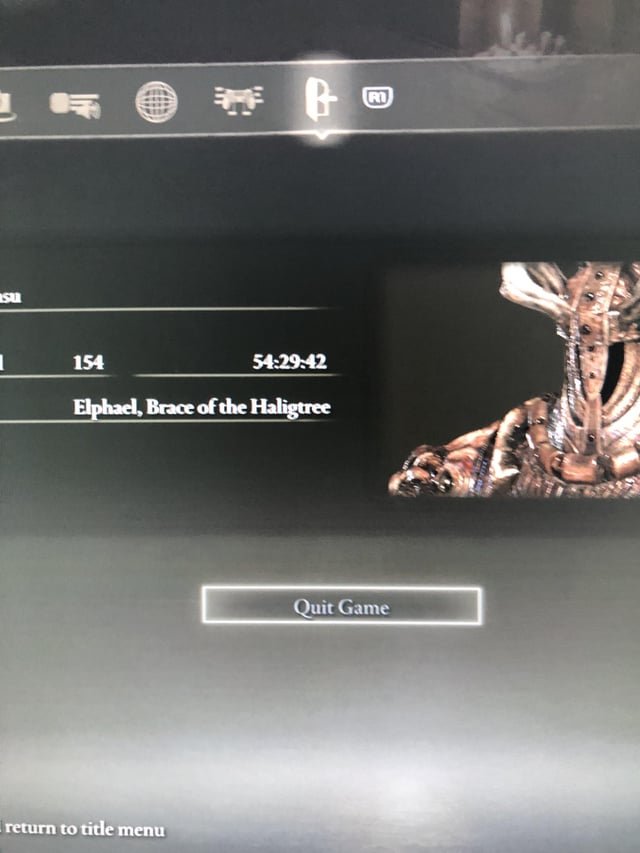
If Elden Ring won’t let you quit the game through the menu, try opening the system menu and selecting “Quit Game”. If that fails, Alt+F4 (on PC) or force-closing the application via your console’s operating system are reliable alternatives.
Stuck in the Lands Between, permanently? Many players face the frustrating issue: ‘elden ring cant quit game’. It seems simple, right? Just hit “quit” and be done. But sometimes, the game just refuses to cooperate.
This problem can occur due to various reasons, from temporary glitches to more persistent software bugs. Don’t worry, you’re not trapped forever. We’ll explore quick and effective solutions to get you back to reality.

Elden Ring Can’t Quit Game: Troubleshooting Your Escape
Experiencing issues when trying to quit Elden Ring? You’re not alone. Many players have faced this frustrating problem.
This article will guide you through common causes and effective solutions. We’ll help you get back to managing your real life.
Common Causes for Not Being Able to Quit Elden Ring
Several factors can contribute to the “can’t quit” dilemma in Elden Ring. Identifying the cause is the first step to finding a fix.
Possible reasons range from in-game situations to technical glitches. Let’s explore the most frequent culprits.
In-Game Restrictions
Elden Ring strategically restricts quitting in certain situations. This is often tied to multiplayer or critical moments.
You might be unable to quit during combat. The same goes for boss fights, or when other players are invading your world.
Game Glitches and Bugs
Like any complex game, Elden Ring can suffer from bugs. These glitches can sometimes prevent you from exiting properly.
These issues are often unpredictable. They can appear suddenly, even if you’ve never had problems before.
Steam Overlay Issues
The Steam Overlay, while useful, can sometimes interfere with game functions. This interference might block you from accessing the quit menu.
Disabling the overlay can resolve the problem. Let’s delve into how to do that later.
Controller or Keyboard Malfunctions
A faulty controller or keyboard could be the cause. The game might not register your input to quit.
Test your inputs to verify functionality. A simple hardware check can save a lot of frustration.
Corrupted Game Files
Damaged or incomplete game files can lead to various issues. One of those issues is the inability to quit the game correctly.
Verifying the integrity of the game files through Steam is a recommended step. This ensures everything is in place.
Troubleshooting Steps: Getting Out of Elden Ring
Now, let’s get into the solutions. These steps will help you escape the Lands Between when the game refuses to let go.
Start with the simplest solutions first. Work your way down the list if the initial steps don’t work.
Ensuring You’re in a Safe Zone
Confirm that you are not in combat. Also, ensure no multiplayer activity is ongoing.
Find a Site of Grace for a guaranteed safe spot. Resting at a Site of Grace can reset the world state.
Accessing the Main Menu Correctly
Use the correct button to open the main menu. Typically, this is the ‘Escape’ key on PC or the ‘Start’ button on console.
Navigate to the ‘System’ tab. Then select ‘Quit Game’.
Disabling the Steam Overlay
Open Steam Settings. Navigate to the ‘In-Game’ tab.
Uncheck the box that says “Enable the Steam Overlay while in-game”. Restart Elden Ring to apply the changes.
Verifying Game File Integrity via Steam
Right-click on Elden Ring in your Steam Library. Select ‘Properties’.
Go to the ‘Local Files’ tab. Click on ‘Verify integrity of game files…’. Steam will then check and repair any corrupted files.
Restarting Your Computer
A simple restart can resolve temporary glitches. This closes all running processes, including Elden Ring.
Sometimes, a fresh start is all your system needs. Don’t underestimate the power of a reboot.
Checking Controller/Keyboard Functionality
Test your controller or keyboard in another application. Make sure the buttons are working correctly.
Try using a different controller or keyboard. This will help determine if the issue is hardware-related.
Updating Graphics Drivers
Outdated graphics drivers can cause unforeseen issues. Update to the latest version from the manufacturer’s website.
Nvidia, AMD, and Intel provide frequent driver updates. These updates often include game-specific fixes.
Running Elden Ring as Administrator
Right-click on the Elden Ring executable file. Select ‘Run as administrator’.
This gives the game elevated permissions. These permissions can sometimes resolve issues related to file access.
Closing Background Applications
Too many background applications can strain your system. Close unnecessary programs to free up resources.
Use Task Manager (Ctrl+Shift+Esc) to identify resource-hogging processes. Close any that aren’t essential.
Advanced Troubleshooting: Digging Deeper
If the basic troubleshooting steps haven’t worked, more advanced methods may be necessary. These require more technical knowledge and caution.
Proceed with these steps carefully. Back up your game saves if possible, before attempting anything drastic.
Checking for Conflicting Software
Certain software can conflict with Elden Ring. Anti-virus programs and other overlays are common culprits.
Temporarily disable these programs to see if it resolves the issue. Remember to re-enable them afterward.
Reinstalling Elden Ring
As a last resort, consider reinstalling the game. This will replace all game files with fresh copies.
Completely uninstall the game through Steam. Then, download and install it again.
Examining Game Settings
Experiment with different graphics settings within the game. Sometimes, specific settings can trigger glitches.
Lowering the graphics settings might improve stability. It might also allow you to quit the game successfully.
Manually Ending the Process (Task Manager)
Open Task Manager (Ctrl+Shift+Esc). Find the Elden Ring process.
Select ‘End task’. This will forcefully close the game.
Important Note: This should only be used as a last resort. Forcefully closing the game can potentially lead to data loss.
Investigating Windows Event Viewer
The Windows Event Viewer logs system events, including errors. Check it for any clues related to Elden Ring’s issues.
Search for error messages occurring around the time you tried to quit. These messages could point to the root cause.
Understanding Safe Game Practices
While fixing the “can’t quit” issue is important, preventative measures can help avoid it in the future. Understanding safe game practices is key.
These practices ensure a smooth and stable gaming experience. They minimize the risk of encountering glitches and data loss.
Regularly Saving Your Progress
Elden Ring saves your progress automatically. However, it’s good practice to rest at Sites of Grace frequently to force a save.
Doing this ensures you don’t lose significant progress if the game crashes or you have to force-quit.
Avoiding Alt-Tab During Critical Moments
Avoid switching to other applications during boss fights. Also, avoid doing so during cutscenes or other important events.
Alt-tabbing can sometimes disrupt the game’s processes. This can lead to instability and glitches.
Keeping Your System Updated
Keep your operating system updated with the latest patches. These patches often include bug fixes and performance improvements.
Windows Update is the primary tool for managing system updates. Make sure it’s configured to install updates automatically.
Monitoring System Resources
Pay attention to your system’s performance while playing Elden Ring. Monitor CPU usage, RAM usage, and GPU temperature.
High resource usage can indicate potential problems. It could also lead to instability and crashes.
Using Reliable Mods (If Applicable)
If you use mods, make sure they are from trusted sources. Unreliable mods can introduce bugs and compatibility issues.
Read user reviews and check for compatibility information. This helps ensure the mods are safe and stable.
Seeking Community Support
Sometimes, the best solutions come from fellow players. The Elden Ring community is vast and helpful.
Don’t hesitate to seek assistance from online forums and communities. Share your experiences and ask for advice.
Elden Ring Subreddit
The Elden Ring subreddit (r/Eldenring) is a great resource. You can find troubleshooting tips, discussions, and community support there.
Search for existing threads related to your issue. Or create a new thread to ask for help.
Steam Forums
The Steam forums for Elden Ring are another excellent resource. They are often monitored by developers and experienced players.
Post a detailed description of your problem. Include any troubleshooting steps you’ve already tried.
Discord Servers
Many Discord servers are dedicated to Elden Ring. These servers provide real-time chat and voice communication.
Join a server and ask for help in the appropriate channel. You might find someone who has experienced the same issue.
YouTube Tutorials
Search YouTube for tutorials related to your problem. Video guides can often provide visual demonstrations of solutions.
Look for videos from reputable creators. Be sure to follow the instructions carefully.
Reporting Bugs to FromSoftware
If you suspect you’ve encountered a genuine bug, report it to FromSoftware. This helps them identify and fix issues in future updates.
Visit the official Elden Ring website for bug reporting instructions. Provide as much detail as possible.
Detailed Bug Reports
Include information such as your system specifications, the steps to reproduce the bug, and any error messages you encountered.
Detailed reports increase the chances of the bug being identified and fixed quickly.
By following these troubleshooting steps and preventative measures, you can minimize the frustration of not being able to quit Elden Ring. Remember to stay patient, and don’t hesitate to seek help from the community. Good luck, Tarnished!
The PROBLEM with ELDEN RING NIGHTREIGN #shorts
Final Thoughts
In essence, if you’re stuck and ‘elden ring cant quit game’, force quitting the application is your immediate solution. Remember to save frequently to minimize lost progress.
Regular backups of your save data are must for preventing significant setbacks. Employing these tricks will help manage the game’s quirks when exiting.

