
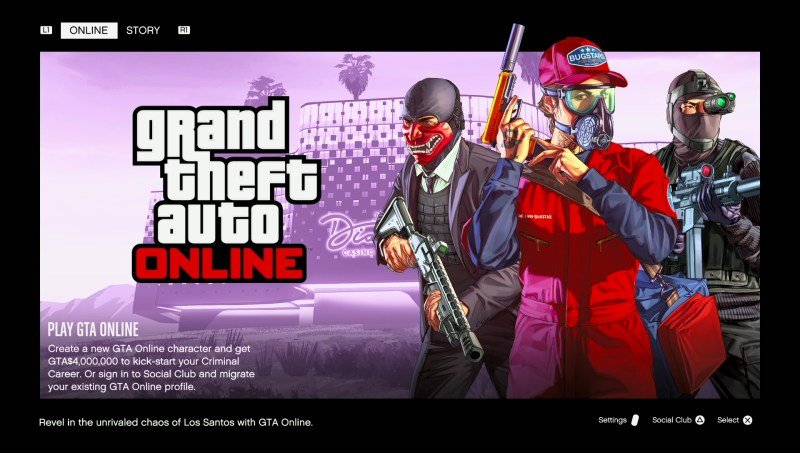
GTA 5 Online provides accessibility features such as customisable controls, text size options, and colourblind modes.
Navigating the chaotic world of Los Santos can be tough, but thankfully, Rockstar Games has implemented several options to make it easier for everyone. Considering gta 5 online all accessibility features allows more players to dive into the action. These settings are designed to cater to a wide range of needs.
You can adjust controls for a more comfortable experience. Additionally, the game has visual settings like text sizes and colorblindness options to improve readability. These changes make the game experience smoother for many.

GTA 5 Online All Accessibility Features
Okay, let’s dive deep into the world of GTA 5 Online and see how Rockstar Games has made the game more accessible to everyone. It’s awesome that they’ve included features that help people with different needs enjoy the game just as much as anyone else. It’s not just about shooting and stealing cars; it’s about making sure everyone can join in the fun in Los Santos! We’re going to look at all the cool accessibility settings, breaking them down so they are easy to understand. We’ll explore how these features can help you play comfortably and enjoy the chaos of GTA Online. So, grab your snacks, get comfy, and let’s check out what GTA 5 Online offers in terms of accessibility.
Customizing Controls for Everyone
One of the first things you might want to look at is how you control your character. GTA 5 Online lets you change the controls around a lot. If you find the default button layout a bit tricky, don’t worry, you can totally rearrange things!
Controller Remapping
You can change what each button does on your controller. Imagine you always mix up the accelerate and brake buttons, you can switch them! This can make driving much easier and less frustrating. Here’s what it lets you change:
Movement: Change what the stick controls and even how sensitive they are.
Action Buttons: Swap around actions like jumping, shooting, and using your phone.
Vehicle Controls: Make driving, flying, and boating more comfortable by customizing the controls.
Changing your controller settings is like getting a custom-made tool, perfect for how you like to play. Experiment and see what works best for you.
Keyboard and Mouse Customization
If you’re playing on a PC, you have similar options for your keyboard and mouse. You can assign actions to different keys that feel more natural to you. This is great for people who have preferred ways of controlling the game. You have the freedom to configure the keys according to your preference, which is especially helpful for those with specific physical needs or those who just like a different keyboard setup.
Key Binding: Set each in-game action to a specific key on the keyboard.
Mouse Sensitivity: Adjust how fast the camera moves with your mouse for more accurate aiming.
By changing up the controls, you’re making the game work for you, instead of the other way around! This makes playing GTA Online much more enjoyable.
Visual Accessibility Options
GTA 5 Online has various visual accessibility options to help players who may have difficulty seeing the game clearly or have sensitivities to certain visual effects. These settings ensure everyone can enjoy the vibrant and sometimes chaotic world of Los Santos.
Colorblind Modes
For those who have trouble distinguishing between certain colors, GTA Online has several colorblind modes:
Protanopia: Helps people who have trouble seeing red.
Deuteranopia: Assists those who have issues seeing green.
Tritanopia: Makes blue-yellow color distinctions clearer.
These modes change the game’s colors to make everything easier to see. This can make a big difference when trying to spot enemies or important objects. They help in making the visual components of the game more friendly and less of a hinderance to people who live with these conditions.
Subtitle Settings
Subtitles are not just for the story mode; they also help in Online, especially during missions or when other players are talking. GTA 5 Online offers several settings:
Subtitle Size: Make the text bigger or smaller.
Subtitle Background: Add a dark background so words stand out better.
Subtitle Color: Change the text color to whatever is easier to read.
These options let you see and understand what’s happening in the game without needing perfect hearing.
Brightness and Contrast Adjustments
You can also change how bright the game is and how different colors appear. This lets you make the game more comfortable for your eyes. If the game seems too dark, or some colors are too hard to see, you can tweak these settings for better visibility.
Brightness Setting: Make the overall game picture brighter or darker.
Contrast Settings: Change the distinction between light and dark colors, which is helpful for making details stand out more clearly.
These adjustments give you more control over how the game looks, making it easier on your eyes, and more importantly, better for you to play.
Audio Accessibility Features
Just as important as seeing the game is hearing it. GTA 5 Online has several audio options to help players who might have hearing difficulties, or those who need to adjust audio settings for other reasons.
Volume Control
You can adjust the volume of different sounds in the game, not just the overall volume. This can be very helpful for focusing on the sounds that matter most. You can change the volume of:
Music: If the background music is too loud, you can turn it down.
Sound Effects: Control the volume of gunshots, explosions, and other in-game sounds.
Voice Chat: Adjust how loud you hear other players.
By fine-tuning these settings, you can create a sound environment that suits you best, ensuring that you hear what is important to you at the right level.
Mono Audio
If you have limited hearing in one ear, you can switch to mono audio. This makes all the sounds come out of both speakers or both sides of your headset at the same level, meaning you won’t miss important sounds that usually play on just one side. It’s an important feature for equalizing the gaming experience.
Voice Chat Options
GTA 5 Online allows players to adjust various aspects of voice chat:
Push to Talk: Control when your microphone is active by pressing a button, avoiding unnecessary background noise.
Voice Chat Volume: Set how loud you hear other players, so you can focus on them without distractions.
These options help you manage communication in the game, ensuring that you hear who you need to hear and that your voice is heard when needed.
Text and Communication Features
Being able to communicate with other players is crucial in GTA Online. The game includes several text and communication features that can be vital for players who need an alternative way to communicate.
Text Chat
The in-game text chat is a way to communicate with other players without needing to speak. It’s great for many situations including:
Planning missions: Write out strategies and coordinate your team.
Asking for help: If you’re stuck, ask for assistance using the text.
General communication: Make friends or talk about anything with other players in the chat.
This feature ensures that everyone has the opportunity to participate in group communications.
Quick Chat Options
If you don’t want to type messages, you can use quick chat options. These are pre-written phrases that you can select quickly. They’re helpful in many ways:
Giving instructions: Use simple phrases like “Follow me” or “Attack this target”.
Responding quickly: Reply to other players without having to type.
Expressing yourself: Communicate basic messages.
Quick chat allows for fast and easy communication, making it simpler to interact with others even if typing isn’t your strength.
In-game Phone
The in-game phone is used for texting and calling other players. This is another way to communicate, and it’s also how you get mission invites and other notifications. It helps players stay connected with each other and the game. It’s another form of communication ensuring that you never miss important information.
Gameplay Accessibility Adjustments
Beyond visuals and sound, GTA 5 Online offers settings that change the game itself, making gameplay easier and more enjoyable for players who need some extra help.
Aim Assist
Aim assist helps you target enemies by making it a bit easier to lock onto them. There are different levels you can adjust, this feature is great for players who have trouble with aiming accurately, or for anyone who wants an extra edge in combat:
Full Assist: This makes aiming very easy by helping your crosshair stick to enemies.
Partial Assist: Provides a moderate amount of help.
Free Aim: Lets you aim completely on your own, without any assistance from the game.
Adjusting this setting allows players to play according to their skills and preferences.
Tutorials and Hints
GTA 5 Online offers tutorials and hints that can be very helpful, especially for new players. The game does a great job of explaining things in the beginning, making it easier to get the hang of things. The hints that appear on screen are useful for reminding you of controls and other important actions. It’s a good way for new players to learn the basics and to refresh existing players with important reminders.
Mission Difficulty
You can choose the difficulty of missions, which means you can tailor them to your skills and abilities. Starting on easy mode and working your way up is a good way for new players to progress gradually and learn the game. You can switch to more difficult settings as your gameplay improves. The choice of difficulty allows players to have an experience that feels right for them.
Making the World of GTA Online More Accessible
GTA 5 Online has worked to make sure everyone has a way to jump in, play, and have fun. These accessibility features are incredibly important for ensuring the game is enjoyable for everyone, no matter their abilities or challenges.
Ongoing Updates and Improvements
Rockstar continues to add to and adjust the game. These ongoing updates often include tweaks and expansions to accessibility settings. By listening to players and making the game more inclusive, Rockstar has ensured that GTA 5 Online is for everyone, it’s not just a game that is made for the masses, but for everyone, each player having their needs and gameplay style.
Community Support
The GTA 5 Online community is great, there is lots of advice and tips online for players who want to tailor their game experience. It’s really helpful when players share tips and strategies, particularly about how to use the accessibility features effectively. This sense of community can be invaluable for new players or those who are looking for better ways to make the game suit their needs.
By understanding all these accessibility options, you can make the world of GTA Online a more enjoyable and welcoming place. There is no reason to let difficulty with the game mechanics or controls get in your way, with these features you are able to change and adjust everything the way that suits you best.
So, take your time and experiment with the different settings. It’s all about finding what works best for you. This way, everyone can experience the excitement and chaos of Los Santos!
GTA 5 Online demonstrates a real commitment to making games more accessible for everyone, which is a huge and good thing for everyone. These features help more than you might think, and they mean that more and more people can participate in the chaos and fun that GTA Online offers. The commitment to accessibility ensures that everyone gets to join in on the action, making the game a welcoming and exciting experience for all.
GTA 5 has accessibility features ?
Final Thoughts
In essence, GTA 5 Online provides various options for players. These adjustments include subtitle customization and controller remapping. Players can tweak game settings to better suit their individual needs.
Furthermore, menu navigation adjustments aid users who find standard layouts difficult. All these features combine to create a more inclusive experience. GTA 5 Online all accessibility features aim to help more gamers enjoy the game.

