
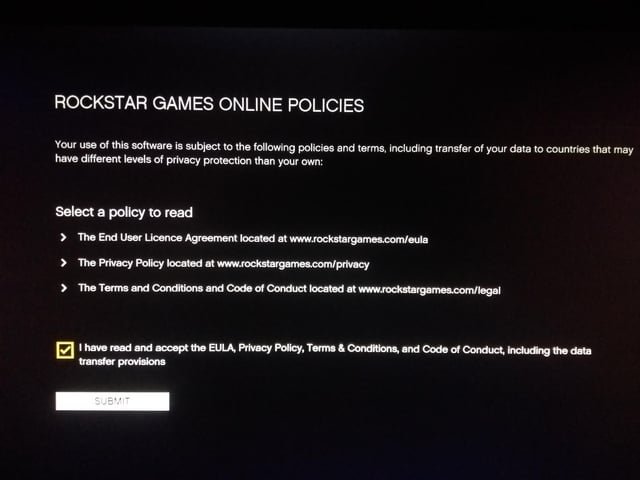
GTA 5 online privacy protection requires using in-game settings to limit who can interact with you and being cautious about sharing personal information.
Navigating the bustling streets of Los Santos in GTA 5 Online is thrilling, but it also presents potential privacy concerns. Many players are seeking ways to safeguard their personal information while still enjoying the game.
Protecting your gameplay experience is crucial; knowing which settings to adjust and what information to keep private allows for a better time. This article will guide you through simple but effective methods for GTA 5 online privacy protection.

GTA 5 Online Privacy Protection
Playing Grand Theft Auto 5 (GTA 5) Online is super fun! You get to race cars, do missions with your friends, and explore a big, cool world. But sometimes, we need to be careful to keep our information safe and private while we’re playing. Just like we lock our doors at home, we also need to think about how to protect ourselves in the online world. This means taking steps to make sure no one we don’t want can see our personal stuff or bother us while we’re trying to have fun in Los Santos. This article will guide you through the simple steps you can take to keep your privacy safe while playing GTA 5 Online, keeping the fun at a maximum, and minimizing any potential online annoyances.
Understanding the Risks in GTA Online
Before we talk about how to stay safe, let’s understand what kind of things we need to worry about. It’s not just about hackers; sometimes, it’s about other players who might try to cause problems. Here are a few things to be aware of:
- Doxing: This is when someone tries to find your real-life information, like your name, where you live, or your phone number, and then shares it online. This is a serious problem and should be avoided.
- Griefing: This is when other players keep bothering you in the game on purpose. They might keep killing you, destroying your stuff, or just making it hard for you to play. It’s annoying, and it can really spoil the fun!
- Harassment and Bullying: Sometimes players use chat or voice to say mean or hurtful things to others. This is not okay and can make the game a bad experience.
- Account Hacking: Someone might try to get into your game account without your permission. They could steal your progress, your items, or even your account itself.
- Privacy Concerns with Voice Chat: The in-game voice chat can be a place where personal information might accidentally be shared, or where you may hear inappropriate things.
- Data Collection: Game developers collect data for many reasons, understanding what data is collected can help you make better choices about your privacy.
Essential Steps for Better Privacy in GTA 5 Online
Now, let’s look at the things you can do to protect your privacy while playing GTA 5 Online. These are easy steps that everyone can follow!
Adjusting Your In-Game Settings
GTA 5 has a bunch of settings that you can change to help keep you safe. These are usually located in the “Settings” or “Options” part of the game menu. Here are some of the important settings to look at:
Controlling Who Can See You
One of the most important things is to control who can join your game and see your information. You don’t have to let everyone into your online space. You can change your settings to only allow friends or people in your crew to join your sessions. Here’s how you can typically find these settings:
- Go to the game’s main menu.
- Select ‘Settings’.
- Select ‘Online’.
- Look for an option such as “Matchmaking” or “Who Can Join”.
You can often choose between:- Everyone: Anyone can join your session, this is the most open option, and might leave you exposed.
- Friends Only: Only players on your friends list can join.
- Crew Members: Only players in your GTA Online crew can join.
- Invite Only: Only people you invite can join your session.
Choosing “Friends Only” or “Invite Only” provides more privacy, as you are only interacting with people you know and trust.
Managing Your Voice Chat
Voice chat is fun, but it can also be a place where things go wrong. Here’s how to manage it:
- In the ‘Settings’ menu, find the “Voice Chat” options.
- You can often change your voice chat settings:
- Voice Chat: You can turn voice chat off completely if you don’t want to hear or speak to other players.
- Who Can Hear You: If you still want to use voice chat, you can limit who can hear you. The options will be similar to matchmaking: Everyone, Friends, Crew, or Nobody.
- Mute Specific Players: If a player is bothering you, you can mute them individually. This means you won’t hear them anymore.
Consider using push-to-talk if you don’t want your microphone always on. This way, you’ll only transmit when you are actively pressing the button.
Limiting Profile Visibility
Your profile can show other players information about your in-game character and statistics. Here’s how you can control it:
- Find your in-game profile options.
- Look for settings related to profile visibility.
- You may be able to choose who can see your profile details:
- Everyone: Anyone can see your stats and information.
- Friends Only: Only your friends can see your profile.
- Private: Your profile is only visible to you.
If you choose to limit who can see your profile, less of your information is out there in the public game space.
Privacy Best Practices Outside the Game
Protecting your privacy isn’t just about the in-game settings. It’s also about what you do when you’re not playing. Here are a few extra tips:
Protecting Your Real-Life Information
Do not share personal information in chat, voice, or any other method inside the game. This includes your name, age, location, school, social media accounts and any other sensitive information. Be careful about what you share in online social spaces related to the game, too. Some players might try to contact you through Discord or other means to get access to your personal data or accounts. Always keep a distance from those you don’t know in real life and are contacting you outside of the game.
Using Strong Passwords and Account Security
Make sure you have a strong and unique password for your game account, and the associated email account. A strong password should be a mix of uppercase and lowercase letters, numbers, and symbols. Don’t use the same password for multiple accounts. Using a password manager to create and store secure passwords can be a really useful tool. Enable two-factor authentication (2FA), if it’s available, this adds an extra layer of security by requiring a code from your phone or another device in addition to your password.
Being Mindful of Phishing Scams
Be very careful of suspicious links or messages you might see in chat or get from other players. These messages might look like they are from the game developer, but they are often attempts to steal your login details. Never click on links or download files from untrusted sources or other players. If in doubt about any message, reach out to the game developer’s official support to check if it is genuine.
Avoiding Sharing Gameplay Publicly
If you stream or record your gameplay, make sure you are not sharing any personal details in the stream or video accidentally. Be careful about what information you reveal in the background of your gameplay footage. If you are using voice chat, also check that the voice chat settings are set up correctly to avoid broadcasting anything you don’t want to share. Consider blurring or removing any personal information that might appear in your game screen when creating video footage.
Dealing with Harassment and Griefing
Even with all the best privacy settings, you might still run into people who are trying to cause problems. Here’s how you can handle it:
Report Abusive Players
GTA 5 Online has ways to report players who are behaving badly. If someone is being mean, harassing, or cheating, you can report them directly through the game. Here’s how you do it:
- Open the game menu.
- Find the “Players” or “Online” section.
- Select the player you want to report.
- Choose the “Report” option and select the type of abuse being committed.
Reporting helps the developers know about bad players so they can be dealt with. Reporting someone might also remove you from their current session.
Using Passive Mode
If you’re just trying to relax and explore, and are getting bothered by other players, you can turn on “Passive Mode”. When you’re in passive mode, other players can’t interact with you. You will be more or less like a ghost, and others won’t be able to hurt or attack you. This is a great option if you just want to get away from conflict.
Changing Sessions
Sometimes, the best thing to do is just leave the game session. If there are too many problem players, or you are being bothered too much, you can easily find a new session. This will put you in a different game world with different players. Sometimes a fresh start is the perfect solution to ongoing issues.
Ignoring Trolls
Many times, people just want to get a reaction from you. If you are being targeted by someone, and especially if they aren’t breaking game rules, don’t give them that reaction. Don’t respond to any messages, or interact with the player. A lot of the time, the trolls will move on to someone else if they are not getting any attention.
Additional Safety Tips
Keep Your Game Updated
Make sure your game is always up to date. Game developers often release patches that fix bugs, including security problems. Keeping your game updated can protect you from some of these vulnerabilities.
Verify Links before Clicking
Be very suspicious of any links you receive in the in-game chat, or even outside the game on social media or other communication channels. If you’re not sure about the sender, or the link looks strange, don’t click it. Always double-check that the site is genuine before logging in or entering any information.
Using a VPN
A Virtual Private Network (VPN) can add an extra layer of security. A VPN can hide your IP address, and provide some protection from people that are trying to target players with IP based attacks. However, keep in mind that VPNs can sometimes affect your connection quality, so use this only if you understand the risks and benefits.
Staying Informed
Keep an eye on updates from game developers and other news outlets about the game. Knowing the latest security threats can keep you one step ahead and help you stay safer online. Learning and keeping yourself aware can always help you to protect yourself better.
By following these tips and staying aware of the potential risks, you can make sure that your experience in GTA 5 Online is safe, fun, and enjoyable. Remember, online safety is everyone’s responsibility, so let’s all play our part to make the game a better place. It’s important to be vigilant and proactive to avoid any potential problems and keep our gaming experience positive.
Protecting your privacy in GTA 5 Online is not hard; it just takes a little bit of awareness and effort. By adjusting your settings, being careful about what you share, and knowing how to handle problems, you can make your online gaming much more secure and more fun. Remember, staying safe allows you to enjoy the game to the fullest and focus on what’s important: having fun with your friends and exploring the awesome world of Los Santos!
Jimmy saves Michael from Merryweather – GTA 5
Final Thoughts
Ultimately, securing your personal information while playing GTA 5 Online remains crucial. Employ strong passwords and enable two-factor authentication on your linked accounts. Consider using a VPN to mask your IP address for another layer of protection.
Remember, cautious interaction with other players also helps. Avoid sharing sensitive information in public chats and be aware of potential phishing attempts. Your gta 5 online privacy protection should be a priority.
These simple steps can significantly improve your overall safety. Make a habit to review your settings periodically. This ensures continued security while enjoying the game.

