
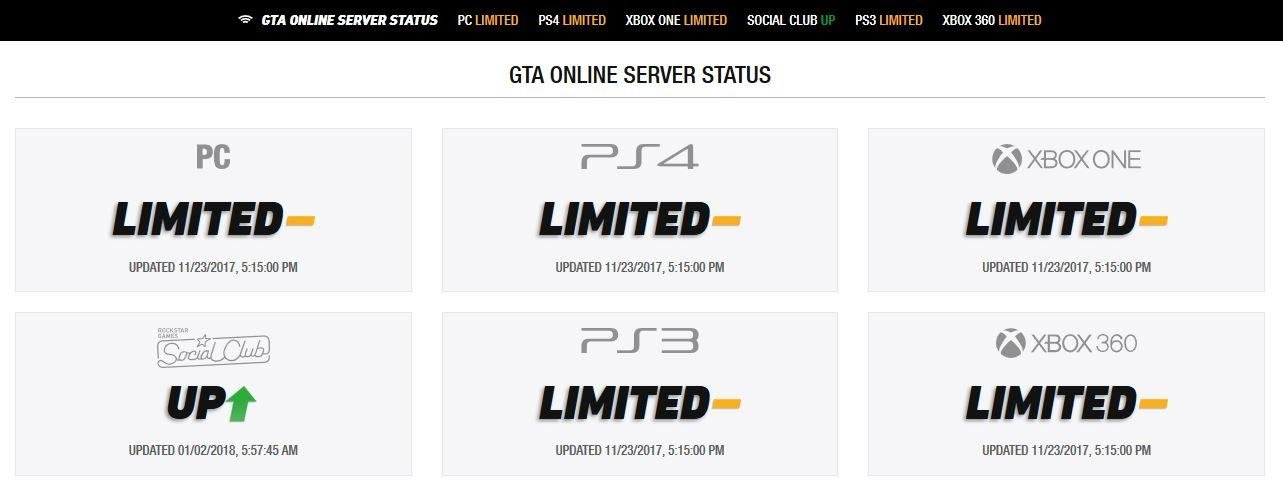
Experiencing widespread GTA 5 online server issues often means high player traffic or problems with Rockstar’s network infrastructure.
Frustration bubbles when you try to jump into Los Santos and encounter endless loading screens. GTA 5 online server issues are a common headache for players worldwide. Connection drops, lag spikes, and being kicked from sessions can ruin a gaming night.
These problems usually stem from several factors. Server overload when new content releases, or network maintenance by Rockstar are usually the reasons for this type of disruption. Hopefully, they are resolved quickly so everyone can get back to playing.

GTA 5 Online Server Issues: Why You Can’t Always Play
Okay, so you’re ready to jump into Los Santos, cause some chaos, and maybe finally buy that super cool car you’ve been saving up for. But then…bam! You get hit with a loading screen that never ends, or a message saying you can’t connect to the Rockstar servers. Frustrating, right? You’re not alone. GTA 5 Online server issues are a pretty common headache for many players. Let’s dive into what causes these problems and what you can do about them.
Understanding the Basics of GTA Online Servers
Before we get into the nitty-gritty of troubleshooting, let’s quickly talk about how GTA Online works. It’s not just you playing in your own little world. You’re connecting to Rockstar’s servers, which are basically giant computers that keep track of everyone playing at the same time. These servers handle everything from your in-game money and cars to the location of all the other players in your session. When these servers have problems, it affects everyone trying to play.
The Role of Dedicated Servers
Rockstar Games uses dedicated servers for GTA Online. This means they have specific computers set up just to run the game. These servers are designed to handle many players simultaneously. However, just like any computer, they can sometimes have issues. They can get overloaded if there are too many players trying to log in at the same time. Think of it like a popular restaurant that suddenly gets way more customers than it can handle. The kitchen starts getting backed up, and the service slows down. This is exactly what can happen to GTA Online servers.
How Connection Works
When you start GTA Online, your device connects to the closest regional server. For example, if you’re in Europe, you’ll connect to a European server, and if you’re in North America, you’ll connect to a server there. The game sends data to the server, and the server sends data back to your device, keeping everything in sync. This data includes things like your position in the game world, what you’re doing, and the actions of all the other players nearby. A stable and fast connection between your device and the server is very important for a smooth and enjoyable gameplay.
Common Causes of GTA 5 Online Server Issues
Now that you have a basic understanding of how GTA Online servers work, let’s look at some of the common reasons why you might experience problems.
Server Overload
One of the most frequent reasons for connection problems is server overload. This happens when a large number of players are all trying to play at the same time. For instance, when a new update or a new exciting DLC gets launched, lots of players jump back to the game. This surge in players can overwhelm the servers, leading to long waiting times, disconnects, and lag. It’s like everyone trying to squeeze through one door at the same time – it just doesn’t work very well.
Maintenance and Updates
Just like any computer system, the GTA Online servers need to be maintained and updated regularly. This might mean shutting the servers down for a little while to install new updates, fix bugs, or make other changes. During these times, the game will usually be offline, and you won’t be able to connect. Rockstar usually announces these maintenance periods ahead of time, but sometimes they can happen unexpectedly. Keep an eye on their official Twitter accounts for information on any scheduled maintenance.
Software Issues
Sometimes the problems aren’t caused by too many people trying to play. Sometimes the servers themselves have problems with their software. This could be anything from a coding error to a bug. These issues can cause unexpected crashes, long loading times, and difficulty connecting to the servers. It’s like the server’s brain is having a little trouble working correctly.
Player-Side Connection Problems
The problem isn’t always with Rockstar’s servers; sometimes, it’s on your end. Here are some problems with your connection that could cause GTA Online issues:
- Slow Internet Speed: If your internet speed is too slow, you won’t be able to send and receive data to the game servers fast enough. This can lead to lag, disconnects, and other connection problems.
- Unstable Connection: If your Wi-Fi signal is weak, you might experience drops in your connection or inconsistent speeds. This can interrupt your game and cause disconnects.
- Hardware Issues: If your router or modem is old or not working properly, it can affect your connection to the game servers. Make sure your hardware is in good working order.
- Firewall and Antivirus: Sometimes your firewall or antivirus programs might block the game’s connection to the servers. They may think the game is unsafe, and they will stop the connection. You need to ensure that your firewall or antivirus program is not blocking the connection.
Regional Issues
Specific regions can sometimes experience problems that aren’t affecting the entire world. For instance, there might be a power outage at one of the server locations that causes problems for players in that area. These issues are usually fixed quickly, but they can still be frustrating if you are affected by them.
Troubleshooting GTA 5 Online Server Issues
Okay, so you’re having trouble connecting to GTA Online. What can you do about it? Let’s go through some steps you can try to fix the problem.
Checking Server Status
The first thing you should do is check the server status for GTA Online. Rockstar has an official website that shows whether the servers are online or if there are any known problems. You can also use third-party websites that track server status. Checking the server status will help you know if the issue is on Rockstar’s side or if it’s something you can fix yourself.
Here are some places you can check server status:
- Rockstar Support Website: They usually post updates about server problems.
- Third-Party Server Trackers: Websites and social media accounts that track game server status.
- Social Media: Check Rockstar’s official accounts on X (Twitter) or other social media platform for the latest news and updates.
Restarting Your Game and Device
Sometimes a simple restart can fix a lot of problems. Close the game completely, then restart your device (computer, console, etc). This can sometimes clear up small glitches or problems that might be interfering with your connection.
Restarting Your Router and Modem
Your router and modem might be the cause of connection issues, so giving them a fresh start might solve the problems. Turn them off, wait for a few seconds, and then turn them back on. This can reset your connection to the internet and might fix problems that were interfering with your game. Make sure that the connection is working properly after restarting the router.
Checking Your Internet Connection
Make sure your internet connection is working well. You can do this by:
- Running a Speed Test: Use websites or apps to check your upload and download speeds. Compare the results with the recommended speeds for GTA Online.
- Checking Your Wi-Fi Signal Strength: Make sure your device has a good Wi-Fi signal. If the signal is weak, try moving closer to your router.
- Trying a Wired Connection: If possible, try connecting your device directly to your router with an Ethernet cable. A wired connection is usually more stable and faster than Wi-Fi.
Updating Your Game
Sometimes, you might have trouble connecting to the game if you’re using an older version. Make sure your game is updated to the latest version. Outdated versions can have bugs and may not be able to connect to the newer servers. Ensure that the game is fully updated to the latest version. You can also try uninstalling and reinstalling the game.
Checking Firewall and Antivirus Settings
Your computer’s firewall or antivirus program might be blocking the game’s connection. Here is how to troubleshoot the firewall and antivirus:
- Adding an Exception: Check your firewall settings and add an exception for GTA 5 to ensure that the game is not being blocked.
- Temporarily Disabling Antivirus: Try temporarily disabling your antivirus to see if that is causing the issue. If it works, you can re-enable it and add an exception for the game.
Changing Your DNS Servers
DNS (Domain Name System) servers translate web addresses into IP addresses, which devices use to connect to the internet. Sometimes changing your DNS servers can improve your connection to game servers. You can use public DNS servers like Google Public DNS or Cloudflare DNS. This can speed up your internet connection and help the game work better.
Contacting Rockstar Support
If you’ve tried all these steps and you are still having problems, it might be a good idea to contact Rockstar Support directly. They can help you with more specific issues and offer advanced troubleshooting steps. You can contact them through their official support website.
Preventing Future GTA 5 Online Server Issues
While you can’t completely avoid server problems, there are a few things you can do to reduce your chances of experiencing them in the future.
Keeping Your Game Updated
Make sure to install all the updates that are provided for GTA 5. Game updates often come with bug fixes and enhancements that can help to avoid connection problems. Keep a check on the Rockstar official website for game updates.
Having a Stable Internet Connection
A stable and fast internet connection is important for online gaming. This will ensure that the connection between your device and the servers is stable and works as intended. Make sure you have the appropriate internet speed that is recommended for online gaming.
Avoiding Peak Hours
If possible, try playing during off-peak hours. This is when fewer people are online, so the servers are less likely to be overloaded. You can have a better game experience by playing the game at the time when the server has fewer players. You can also play in the night or in the early morning, when there are fewer players.
Staying Informed
Keep up to date on announcements from Rockstar. Follow their official social media and forums for updates on maintenance and server status. This helps you prepare for any scheduled downtime and might warn you about potential issues.
Dealing with server issues in GTA Online can be a real pain. However, understanding why they happen and knowing how to troubleshoot them is the first step toward getting back into the game. Remember to check the server status, restart your devices, check your internet connection, and if needed, contact Rockstar Support. With a little bit of patience and the proper steps, you will likely be back to causing chaos in Los Santos in no time!
gta online servers down
Final Thoughts
In short, GTA 5 Online server issues can disrupt gameplay. Players often face connection problems and lag. These persistent technical difficulties frustrate the community, impacting their enjoyment.
These issues sometimes prevent players from accessing online content. Rockstar needs to address these problems to provide a smoother gaming experience. Frequent disconnections also hinder collaborative play.

