
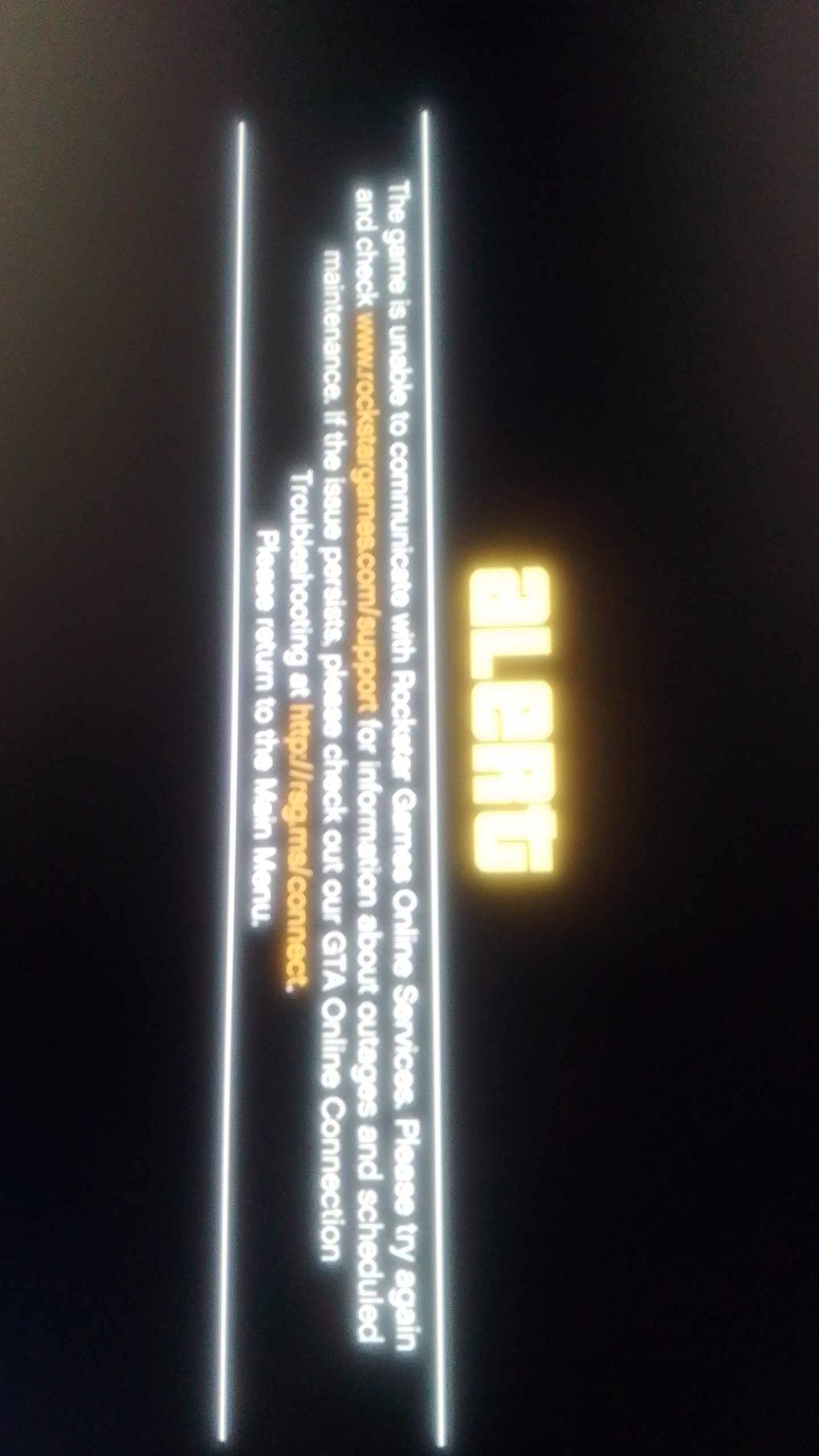
GTA 5 online service interruption typically occurs due to server maintenance, unexpected technical issues, or high player traffic.
Experiencing a sudden disconnect while tearing through Los Santos can be frustrating. That moment when the game freezes, and you see the dreaded “gta 5 online service interruption” message appears is never fun. It often leaves us wondering what’s going on.
It could be planned maintenance from Rockstar Games, or perhaps a sudden surge in players straining their servers. Network problems and other technical glitches can also cause these annoying interruptions. Hopefully the downtime is short and we will all be back online soon!

GTA 5 Online Service Interruption: What’s Going On?
Okay, so you’re trying to cruise around Los Santos, maybe pull off a daring heist with your crew, or just cause some hilarious chaos, and BAM! The game kicks you offline. You’re not alone. GTA 5 Online service interruptions happen, and they can be super frustrating. But why do these interruptions happen, and what can you do about it? Let’s dive in and explore the world of GTA Online outages.
Common Reasons for GTA 5 Online Downtime
There are many reasons why you might experience a GTA 5 Online service interruption. It’s not always the same issue causing the problem, so it’s helpful to understand some of the typical culprits.
Server Issues at Rockstar Games
Just like any online game, GTA Online relies on servers run by Rockstar Games. Sometimes these servers can have problems. Think of it like a giant computer having a hiccup. These issues can range from small glitches that only affect a few players to major outages where everyone gets kicked offline. Server issues can stem from various factors:
- Too Many Players: When lots of players try to get online at the same time, especially after a new update or during the weekend, the servers can get overloaded. It’s like too many cars trying to use a single road. This can make the game slow, and sometimes cause it to disconnect players.
- Maintenance: Rockstar Games regularly does maintenance on its servers to keep them running smoothly. This sometimes requires taking the servers offline for a short time. They usually announce planned maintenance, so you might see notices about this ahead of time.
- Software Bugs or Errors: Sometimes there is an issue with the game software, or even an error with the server software. These glitches need to be found and fixed, which often leads to a short period of service outage.
Your Internet Connection
Sometimes the problem isn’t with the game servers at all but with your own internet connection. A shaky internet can cause you to lose your connection to GTA Online. Here are some key things to consider:
- Wi-Fi Problems: If you are using Wi-Fi to play, its possible that the Wi-Fi signal strength is not strong enough. Things like walls, distance, and other electronic devices can interfere with your Wi-Fi. Sometimes a simple restart of your router can do the trick.
- Slow Internet: If you have slow internet speeds, you might struggle to maintain a stable connection to GTA Online. The game requires decent bandwidth to send and receive data properly.
- Connection Loss: Sometimes your internet provider might have problems, causing your internet to drop out. If your other devices like your phone or computer also have no internet, this could be the case.
Platform-Specific Issues
GTA 5 Online is available on multiple platforms – PC, PlayStation, and Xbox. Each of these can have its own unique problems. For instance:
- PlayStation Network (PSN) Issues: If the PlayStation Network is having trouble, you might not be able to connect to any online games, including GTA Online. It could be an issue with Sony’s servers.
- Xbox Live Issues: Similar to PSN, Xbox Live can experience problems. This means that you might not connect to online services or the online game.
- PC Issues: On PC, the problem could stem from your computer’s configuration, drivers, or conflicts with other programs you have running. Making sure that you have enough computer resources is really important to have smooth GTA Online gameplay experience.
Game Updates and Patches
Rockstar Games regularly updates GTA Online with new content, features, and bug fixes. These updates are essential, but they can sometimes cause temporary disruptions. Sometimes an update itself might introduce a problem that needs to be fixed.
- Downtime for updates: Sometimes servers go offline to apply a new update, so that’s normal.
- Bugs in Updates: Sometimes, new updates come with bugs that cause server instability, resulting in crashes or disconnections.
How to Check if GTA 5 Online is Down
So, how do you know if the game is really down, or if it’s just you? Luckily, there are ways to check:
Rockstar Games Service Status Pages
Rockstar has a dedicated webpage that shows the status of their services. Here’s how to use it:
- Go to the Rockstar Support Website: Search for “Rockstar Support” on Google, and navigate to their official site.
- Check the Server Status: Usually, there is a section on their support site that tells you if the GTA Online servers are experiencing problems. This status page gives you the server status for each platform – PC, PlayStation, and Xbox.
- Look for Alerts: The status page will have alerts, or flags, to let you know about any issues they are dealing with.
Third-Party Websites
There are also third-party websites that track the status of online games. They gather reports from players to see if there are widespread outages. These websites can be helpful, but they are not official, so take the information with a grain of salt.
- DownDetector: One of the popular websites for checking game and other online services status is DownDetector. Search for the game you’re playing. It shows you a graph of player reports to show if there is an outage or server problem.
- Twitter: Social media is a great place to search for what’s happening. Usually other players will report a game problem on social media platforms like Twitter. Search for terms like “GTA Online down”, and see if people have reported problems.
Troubleshooting Steps You Can Take
If you’re sure that the GTA Online servers are not down, then the issue might be on your end. Here are some steps you can try:
Restart Your Game and Device
This might sound obvious, but it often fixes small issues. Close the game completely and then restart it. You should also restart your console or PC as a first troubleshooting step.
Check Your Internet Connection
Test your internet on a different device. If other devices are having problems, then you need to try to fix your internet connection first. Here are some things you can check:
- Restart Your Modem and Router: Unplug them for a minute, then plug them back in. Let them restart completely before testing your connection.
- Try an Ethernet Cable: If you’re on Wi-Fi, try using an Ethernet cable to connect to your router. This can give you a more stable internet connection.
- Run a Speed Test: Search for “internet speed test” on Google and run a test. Make sure you are getting the speeds you pay for. If the speed is slow, or if you are not getting enough speed, call your internet provider.
Update Your Game and System Software
Make sure that your game is fully updated. Also, make sure your PC, PlayStation or Xbox have the latest system software updates installed. Outdated versions can cause problems with online gaming.
Check for Firewall and Antivirus Conflicts
Sometimes your antivirus software or firewall might be blocking the game from connecting to the internet. You can temporarily disable your antivirus or firewall to see if it’s the issue. Just remember to re-enable it afterward.
Check for Driver Issues
If you play on PC, you need to make sure that your graphics card drivers are up to date. Sometimes outdated drivers can cause problems with the game. Look for a section on the graphics card vendor’s site to download and install the newest drivers.
- Update Graphics Card Drivers: Go to the website for your video card vendor to find the newest drivers for your video card.
Contact Rockstar Support
If all else fails, you should contact Rockstar support directly. They may have more specific information about the outage, and they can also help you with technical problems. You can find this support option on their website.
Understanding Error Codes
Sometimes, when you’re having connection problems, GTA Online might show you a specific error code. These codes can provide a little more information about the specific issue. Here are some common errors you might see and their general meaning:
- Error Code 202: This is a pretty general error that often means there are server issues. Try again later, and also check the server status page.
- Error Code 500: This often points to an issue on Rockstar’s end. It might be because of a server overload or some technical problems. Check the server status for this problem.
- Error Code 600087: Usually this error is because the game had a hard time loading something, and this can happen with your internet connection. The game will automatically try to connect again.
- Error Code 100050: This is also a connection related error and you should try again later. Sometimes restarting the game or your console will fix the problem.
These errors are not a cause for alarm, as this can happen sometimes. Try restarting your device, or game, and try again later.
Prevention Tips: Reducing Future Disruptions
While you can’t fully prevent GTA Online service interruptions, you can take steps to reduce the chances of experiencing them:
- Use a Stable Internet Connection: If you have the choice use a wired ethernet connection instead of Wi-Fi. This can improve stability.
- Keep Your Game and System Updated: Make sure that all software is up to date. This includes operating system updates as well as game updates.
- Close Unnecessary Applications: Don’t have many programs running at the same time on PC while you play, especially programs that require network connection.
- Avoid Peak Playtimes: Try playing during off-peak times, especially after major game updates or on weekends.
Staying Patient and Informed
GTA Online service interruptions can be frustrating, but remember that these things happen from time to time with online games. Staying calm and being patient is always a good strategy. Keep an eye on the server status pages and social media, and check back after some time to see if the issues have been resolved. Try to avoid getting angry, as sometimes it can take time to figure out and fix any of these issues. Remember, lots of other players will also be experiencing problems, and Rockstar Games is usually aware of it and trying to fix it as soon as they can.
So, next time you encounter a GTA 5 Online service interruption, remember you are not alone, and try to use the resources we have provided to try to troubleshoot the problem. By understanding the causes and knowing how to troubleshoot, you’ll be back to causing chaos in Los Santos in no time!
GTA 5 Online The Rockstar game services are unavailable right now HOW TO FIX!
Final Thoughts
Ongoing GTA 5 online service interruption significantly impacted players. Rockstar Games worked to resolve server issues swiftly. Players experienced connection problems and gameplay disruptions.
The disruption caused frustration among the gaming community. Developers diligently worked to restore stable access. They released updates addressing the problems. GTA 5 online service interruption served as a reminder.

