
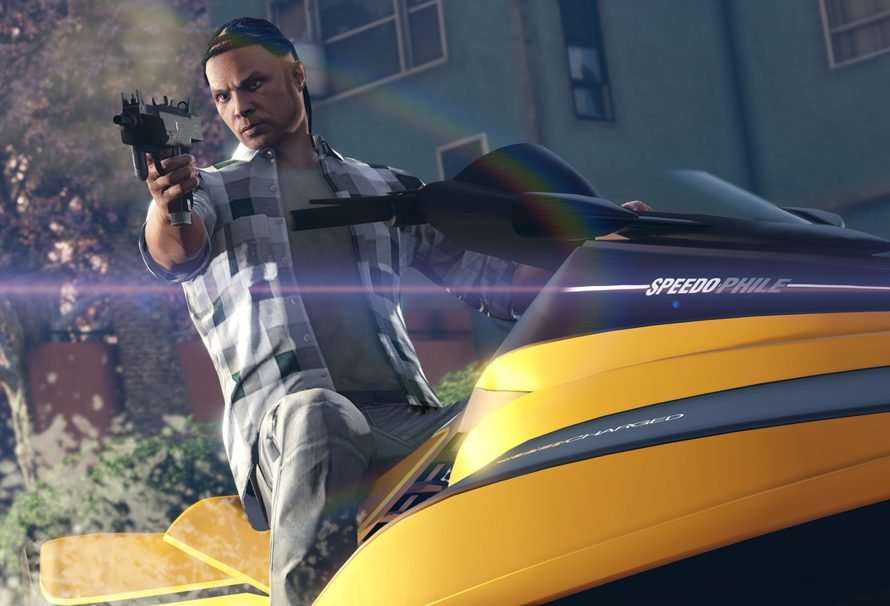
Effective gta 5 online team coordination requires clear communication, defined roles, and practiced strategies for successful heists and missions.
Jumping into a GTA Online session with your buddies can quickly descend into chaos without a plan. Are you tired of failed heists due to miscommunication? This is something many players experience. The key to success in the chaotic world of Los Santos is often not just about individual skill but gta 5 online team coordination.
Good team work makes the difference between a profitable night and repeated mission failures. Having clear roles and communication allows for a much smoother gameplay experience. Planning your approach beforehand is essential for those tricky setups and final heists.

GTA 5 Online Team Coordination: A Guide to Success
Grand Theft Auto Online is a wild and wonderful place, full of fast cars, crazy missions, and even crazier players. But if you want to really conquer Los Santos, you can’t just run around like a headless chicken. You need a good team and, more importantly, you need to coordinate with that team! Teamwork in GTA Online isn’t just about having people, it’s about having a plan and working together to make that plan a reality. Let’s dive into how you can become a coordinated force to be reckoned with.
Why Team Coordination Matters
Imagine trying to rob a bank with your friends, but everyone is doing their own thing. One person is trying to drive the getaway car before the heist even starts, another is shooting at random cars, and someone else is trying to buy snacks when they should be planting explosives. Sounds like a disaster, right? That’s why coordination is super important. It turns a chaotic mess into a smooth, successful operation. Proper teamwork in GTA 5 Online means you can complete tough missions, earn more money, and have a lot more fun.
Here are some key benefits of good team coordination:
- Increased Mission Success: Coordinated teams are much more likely to finish difficult heists and missions. Everyone knows their role and contributes effectively.
- Faster Completion Times: When everyone works together efficiently, you can complete tasks much quicker. This means more money and less time wasted.
- Reduced Casualties: Good communication and planning reduce the chances of your team getting wiped out. Staying alive is pretty important in Los Santos.
- More Fun: Let’s be real, winning together is way more enjoyable than failing miserably. Team coordination leads to a more positive and engaging gameplay experience.
Essential Communication Methods
Talking to your teammates is the most important part of any coordinated effort. You can’t work together if you don’t know what each other are doing. There are a few options you can use, each with their advantages.
In-Game Voice Chat
GTA Online has built-in voice chat, which is great for quick and simple communication. You can talk to anyone in your game session or in your crew. This is perfect for casual play and quick check-ins during missions. However, in crowded lobbies, it can get a bit noisy and hard to hear. Here’s why it is useful:
- Convenient: It’s already there, no need for extra software.
- Immediate: You can talk to each other right away.
- Good for small groups: Ideal for small crews who aren’t doing anything too complex.
Third-Party Voice Chat
For more serious gaming, using third-party voice chat apps, like Discord, TeamSpeak, or even PlayStation/Xbox party chats is often better. These programs have clearer audio, the ability to have dedicated channels, and other useful tools. They also cut down on distractions since you’re not hearing random players in the lobby. Here’s the breakdown:
- Better Audio Quality: Clearer audio means less confusion and better communication.
- Dedicated Channels: You can create specific channels for different tasks or teams.
- More Control: You have more control over who can hear and speak.
- Less Distractions: You won’t hear random players in the game.
Text Chat
Sometimes voice chat isn’t possible or convenient. Text chat is still a usable method for communicating, but remember it’s slower than talking. It’s helpful to quickly type out a message when you can’t speak, or if you need to give a specific location. Here are some tips to use text chat effectively:
- Keep it short: Type short, clear messages to avoid slowing down gameplay.
- Use abbreviations: Use common gaming abbreviations like “rdy” (ready), or “go”.
- Location markers: Use the map to mark a location then text it to others so they can see where you mean.
Roles and Responsibilities
When you’re working as a team, everyone needs to know what their job is. Defining roles helps everyone focus on their specific tasks and avoids overlap or confusion. Here are some common roles in GTA Online missions:
The Leader
The team leader makes the decisions and calls the shots during a mission. They usually are responsible for planning and managing everything. Here’s what they do:
- Planning: Decides on the approach, route, and what everyone needs to do.
- Coordination: Makes sure everyone is working together and on schedule.
- Decision Making: Makes quick decisions when something goes wrong.
The Driver
The driver is responsible for getting the team from one place to another safely and quickly. They need to be skilled behind the wheel and be able to handle high-speed chases. Here’s what they are good for:
- Fast Driving: Drives quickly without crashing or getting the team killed.
- Navigation: Knows the routes and where to go.
- Evasion: Skilled at evading police or other threats.
The Gunner
The gunner is responsible for taking down enemies and providing cover for the team. They must be accurate with their weapons. Here’s what they do:
- Cover Fire: Provides cover fire so other teammates can move.
- Enemy Elimination: Takes down enemies quickly and efficiently.
- Strategic Positioning: Finds good positions to attack from.
The Hacker
The hacker handles any hacking or technology requirements during a mission. This role often requires fast reflexes and quick thinking. Here’s what they are useful for:
- Accessing Terminals: Can bypass security and access computer systems.
- Opening Doors: Can open locked doors and other barriers.
- Disabling Systems: Can disable security systems or other electronic devices.
The Support
The support role provides assistance to the rest of the team. This can include covering teammates’ backs, healing them with health packs, and keeping a lookout for danger. Here is what they are good at:
- Health Support: Gives teammates health or armor when needed.
- Covering Back: Keeps an eye out for enemies sneaking up on the team.
- Adaptable: Fills in where needed most.
When forming a team, it’s good to figure out what everyone is best at. Don’t assign someone to be a hacker if they’re terrible at mini-games. Play to each team member’s strengths to increase the chance of success!
Planning Strategies
Before you jump into a mission, it’s helpful to make a basic plan. This doesn’t have to be overly detailed, but at least a basic outline of what you’ll do. Here are some planning tips to help:
Pre-Mission Briefing
Before starting a mission or heist, talk about what you’re going to do. This briefing is a chance to assign roles, decide on your approach, and answer any questions. Here’s some things to cover in this briefing:
- Mission Objectives: Make sure everyone understands the goals of the mission.
- Roles: Assign each teammate a specific role they will play.
- Approach: Decide on the plan of attack.
- Contingencies: Discuss what to do if things don’t go as planned.
Route Planning
Knowing your route is key for a quick getaway. Take some time to check the map before starting the mission. Make sure that your driver is familiar with the roads, and has a plan to escape.
- Familiar Routes: Choose routes that everyone is comfortable with.
- Quick Getaway: Plan routes that avoid unnecessary obstacles or high traffic areas.
- Backup Routes: Always have backup routes in case your primary route is blocked.
Resource Management
Make sure your team has everything they need to complete the mission. This includes ammo, health, and vehicles. Here are some ways to manage resources effectively:
- Ammo: Replenish ammo before starting a mission.
- Health and Armor: Ensure that everyone has health and body armor.
- Vehicles: Select vehicles that are appropriate for the mission.
Strategic Gameplay Tips
Once you’re in the action, a few strategic tips can help you work together more efficiently. Here are some ways you can improve your gameplay:
Staying in Formation
Staying close together helps to provide support and cover fire for teammates. However, it is not good to be too close that your whole team gets taken down in one shot. Maintaining a good formation means staying close enough to help each other, but not so close that you become an easy target.
- Buddy System: Pair up with teammates to provide mutual support.
- Avoid Bunching: Don’t stay in the same spot for too long.
- Use Cover: Always take cover and move strategically.
Clear Communication
When communicating, be clear and concise. Avoid unnecessary chatter and focus on important information. Use callouts to report enemy positions, dangers, or special requests. Here are some examples of good callouts:
- “Enemy on the left!”: Informs teammates of enemy location.
- “I need health!” : Lets team know that you need health.
- “Moving to the objective!”: Keeps team informed on your action.
Adaptive Tactics
Things rarely go exactly as planned in GTA Online. Be prepared to adapt to changes in the mission. If your initial plan isn’t working, switch to a backup tactic, and do it fast. This also helps in future gameplay, since you now have a broader knowledge of how things work.
- Change Plans: Don’t be afraid to change plan if necessary.
- Be Flexible: Stay flexible and react quickly to challenges.
- Learn From Mistakes: After every mission, figure out what went right and wrong, so you can learn.
Practice and Improvement
Like any skill, team coordination takes practice. Don’t be discouraged if your first few missions aren’t smooth. Keep working at it, and your team will improve over time.
Regular Play
The more you play together, the better you will become at working together. Regular play will improve communication, coordination, and decision-making. This means you need to play together regularly, to keep that teamwork in peak condition.
- Schedule Play Times: Set aside regular times to play together.
- Consistent Team: Play with the same team members as much as possible.
- Try Different Missions: Work your way up to more complex tasks.
Post-Mission Analysis
After each mission, take some time to talk about what went well and what could have been improved. This analysis will help you identify areas that need improvement. Here’s what to think about:
- What Went Well: Figure out what you did right during the mission.
- What Could Be Improved: Identify areas where you can do better.
- Action Items: Based on this analysis, decide what to focus on improving for the next mission.
Experiment with Different Roles
Trying out different roles will give each member a better understanding of what their team is doing. It also helps team members figure out what roles they are good at, and what they may not be as suited for.
- Rotating Roles: Switch up roles to avoid getting stuck in one place.
- Improve Understanding: Learn what each role is good at by trying them yourself.
- Find Your Strengths: Figure out what you’re good at and what you enjoy playing.
Team coordination in GTA Online is the key to success. By using the communication methods, strategic planning, and teamwork tips we covered, you and your team will dominate Los Santos in no time. With a little practice, your team will be robbing banks and completing heists like true professionals. Don’t forget to keep practicing, keep talking, and always look for ways to improve. Happy gaming!
Worst Team Coordination Ever – GTA 5
Final Thoughts
Effective ‘gta 5 online team coordination’ is vital for success. Well-planned strategies and clear communication make heists and missions much easier.
Coordination requires assigning roles and using in-game communication tools. Players who work together always outperform those who do not.
Thus, improving ‘gta 5 online team coordination’ greatly enhances your gameplay. This focus on teamwork definitely provides better rewards and a more fun experience for all involved.

