
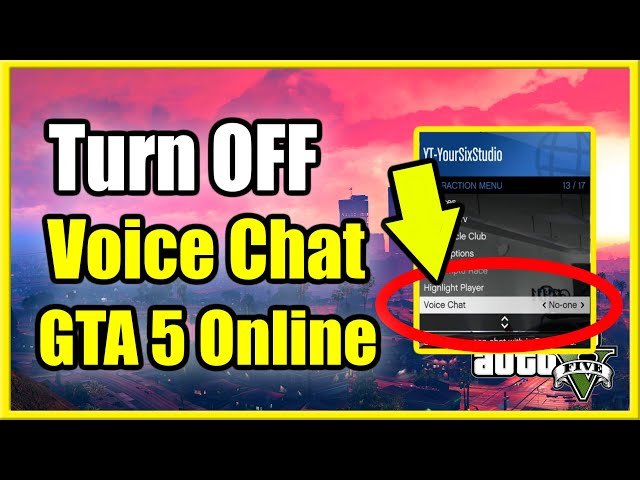
GTA 5 online voice chat allows players to communicate with each other during gameplay using a headset or microphone.
Ever found yourself in a chaotic Los Santos heist needing to quickly coordinate with your crew? That’s where gta 5 online voice chat becomes essential. It’s the direct line of communication that moves beyond simple text messages, enabling real-time strategic planning and banter with friends.
This crucial feature helps make the game’s immersive multiplayer experience even better. It allows for more engaging and cooperative play while navigating the vast open world of GTA 5 Online together.

GTA 5 Online Voice Chat: Your Guide to Talking in Los Santos
Ever cruised down the streets of Los Santos, ready to team up for a heist, or just goof around, and wondered how to chat with other players? Well, that’s where GTA 5 Online’s voice chat comes in! It’s your direct line to other players, letting you strategize, trash talk (sometimes!), or just make new friends in the game. It can be super helpful and also really fun. This section will dive into how the whole system works, settings you can change, and tips for having the best chat experience.
Getting Started with Voice Chat in GTA 5 Online
Before you jump into a lobby yelling “Hello!”, let’s check how to make sure your voice is actually being heard. First things first, you’ll need a headset or a microphone connected to your computer or console. Think of it like having a walkie-talkie; you need the right equipment to transmit your voice.
Basic Requirements
- Headset or Microphone: A working headset with a microphone is the most common way to talk in GTA Online. Even a basic headset that comes with your console will work just fine.
- Working Audio Connection: Make sure your headset is properly plugged in and your device recognizes it. Check your device’s sound settings to be sure your mic is selected as the input.
- GTA Online Access: You need to be in the online mode of GTA 5 to use the chat function. You can’t use it in story mode.
Activating Voice Chat
Once you’ve got your gear sorted, the next step is to make sure that voice chat is enabled. Usually, it’s on by default, but it’s good to double check! Here’s how you do it:
- Pause the Game: Press the pause button or the equivalent on your console or PC to access the game menu.
- Navigate to Settings: Find and select “Settings” in the menu.
- Audio Settings: Look for the “Audio” section within the settings.
- Voice Chat Option: You’ll see an option for “Voice Chat”. Make sure it’s set to “Enabled.” If you see “Disabled” you need to switch it to “Enabled.”
Now your voice is ready to travel to other players in the game. If you’ve had voice chat off for a while, and you switch it on, it’s like turning on the radio for others to hear you.
Understanding Voice Chat Modes
GTA 5 Online gives you different ways to talk to people. You have choices! Knowing these modes helps you control who hears you. The different options are usually based on proximity and who is in your group. Let’s take a look at the different modes.
Proximity Chat
This is the most common way people use voice chat. Think of it as shouting in a playground; only those close enough can hear you. Here’s how it works:
- Range Based: Your voice is only transmitted to players who are close by in the game. If someone is far away, they can’t hear you.
- Public Areas: Proximity chat is usually enabled in public lobbies and areas.
- Realistic Feel: It helps with the feeling of being in a real world, as you need to be near someone to talk to them.
For example, if you’re at the airport, only the people at the airport can hear your conversations, it’s like if you are in real life, you can’t hear a person’s voice if he’s too far away from you.
Crew Chat
If you’re playing with a group of friends you’ve created a crew with, or joined another crew, you can use Crew Chat, it only allows members of your crew to hear you. This is more private than proximity chat. Here’s what you need to know:
- Crew Members Only: Only people in your crew will hear what you say.
- Private Conversations: Great for planning heists or talking strategy without being overheard by other players.
- Team Play: Helpful for communicating in organized game modes or jobs.
Think of crew chat like a private walkie-talkie channel that only you and your crew can hear, for example, you and your friends will be using this mode while playing a heist mission together.
Party Chat
If you’re in a party, like when you invite your friends from the console menu, party chat is the default audio mode. It’s similar to crew chat, but operates outside the game’s crew system. It’s designed for private conversations between a select group of people that are not necessarily in the same game lobby. The specifics depend on your console or PC, so the game uses the chat system provided by the platform itself. Here’s a breakdown:
- Console/PC Groups: Uses the voice chat system provided by your console (like PlayStation or Xbox) or PC platform.
- Cross-Game: Allows you to chat with your friends, even if they’re not in the same game lobby or not playing GTA 5 at all.
- Private and Flexible: A great option for hanging out, chatting, and strategizing.
For example, if you have invited your friend from ps5 to a party chat, you both can talk each other even if you two are playing different games, like if you are playing gta 5, and your friend is playing fortnite. Party chat is more like a separate chat room for you and your friends that you’ve invited to this party chat.
Configuring Your Voice Chat Settings
GTA 5 Online has various voice chat settings to help you fine-tune how you communicate. You can adjust things like voice volume and who you hear. Changing these settings can improve your experience, especially when things get hectic. So, let’s see what you can do!
Voice Chat Volume
Sometimes people can be a little loud! Adjusting the voice chat volume lets you control how loud other players are. Here’s where to find that setting:
- Pause the Game: Open the pause menu.
- Go to Settings: Navigate to “Settings”.
- Audio Settings: Go into the “Audio” section.
- Voice Chat Volume: You’ll find a slider to control the voice chat volume, move the slider left to turn down the volume and right to increase it.
Adjust this setting so voices are clear but not overwhelming, if you find that some people’s voices are too loud or too quiet, then this option will help you fix it!
Voice Chat Output
This setting controls where you hear other players’ voices. You can choose between your headphones or your speakers. This option is usually set automatically, but you can change it.
- Headphones: Choose your headphones if you want a more personal listening experience.
- Speakers: Select your speakers if you want the audio to come out of your speakers, allowing other people nearby to hear it as well.
Microphone Settings
Make sure that your microphone is working and being used by the game. Check these settings if you’re having trouble being heard by other players in GTA 5 online.
- Input Device: Choose your microphone from the list if you have multiple audio devices connected to your device.
- Input Volume: You can use the microphone volume setting to adjust the loudness of your microphone. Make it louder if other players complain that they can’t hear you properly.
Troubleshooting Common Voice Chat Problems
Sometimes, voice chat doesn’t work perfectly, and it can be annoying. Don’t worry, we will cover some common problems and simple ways to fix them. If you face voice issues, these tips will help get you back to chatting.
Problem: No One Can Hear Me
If people can’t hear you, try these solutions:
- Microphone Check: Ensure your microphone is properly plugged in and working on your computer or console. Test it outside the game to be sure it’s picking up your voice.
- Game Input Settings: In the GTA 5 Audio settings, make sure the correct microphone is selected as your input device.
- Muted: Double-check that you aren’t muted in the game or on your headset by mistake.
- Game Restart: Try restarting the game and your device. Sometimes a simple restart can fix things.
Problem: I Can’t Hear Anyone
If you can’t hear other players, here are some ideas to fix it:
- Volume Check: Make sure your game volume and voice chat volume are turned up.
- Output Device: Make sure you’ve selected the right device for the voice output, which is where the sound comes out. Is it your headset or your speakers?
- Voice Chat Settings: Double-check that voice chat is enabled in the game settings.
- Game Restart: Again, restarting can often resolve issues.
Problem: Echo or Static
Echoing and static can be annoying and distracting. Here’s what can cause it and how to handle it:
- Mic Placement: Make sure your microphone isn’t too close to your speakers. This can cause the microphone to pick up its own audio output, creating a feedback loop.
- Reduce Volume: If your microphone volume is too high, it can cause noise and static, try decreasing it slightly and see if this helps.
- Other Devices: Turn off other nearby devices that might be interfering with your microphone.
- Headset Issues: Test with a different headset if possible to see if the issue is with the headset.
Tips for Better Voice Chat in GTA 5 Online
Voice chat is a powerful way to improve your online game experience. Here are some simple things to keep in mind:
Be Respectful
Treat others how you would like to be treated, respect other players, even if they are annoying. A friendly attitude goes a long way in online gaming. Avoid being too loud or disruptive, especially in public lobbies.
Communicate Clearly
Speak clearly and at a reasonable volume. Avoid shouting or speaking too quietly. Keep the background noise to a minimum. If you need a drink, try to mute your mic before you take a sip, or if there is someone talking on the background, try to mute your microphone until they finished.
Use Push-to-Talk (if needed)
Push-to-talk can prevent unwanted sounds from your microphone. It can help in not being annoying for others, as it will only transmit your voice when you push a designated key. This is a great feature to use, especially when you’re not actively talking.
Teamwork Makes the Dream Work
Voice chat is great for team-based missions like heists and races, use it to communicate your plans with your team, coordinate attacks or give helpful advice. This improves the chances of your group succeeding.
Benefits of Using Voice Chat
Using voice chat in GTA 5 Online can make the whole game more enjoyable. It makes the game more interactive and realistic and makes meeting new players and friends easier. Here’s a list of the top benefits
- Better Coordination: Voice chat is helpful for planning heists, races, and other group activities. You can quickly communicate strategies and tactics.
- Social Interaction: It can be fun to chat with other players and make new friends. The online world can feel more alive when you can communicate using voice chat.
- Improved Gameplay: In team-based modes, voice chat greatly improves teamwork and coordination. It gives you a clear advantage when you can talk to your teammates.
- Fast Communication: Talking is faster than typing messages. It’s helpful for important, fast actions like warning a teammate, or letting them know about an incoming police car or a vehicle coming at high speeds.
In GTA Online, voice chat is a tool that can give you a better gaming experience, it allows you to socialize with other players, and make new friends, and makes the game more fun to play.
The ability to communicate in real-time is crucial for completing missions successfully, as this function helps the players to organize and coordinate their moves much better, making the whole mission smoother. For example, you are playing a heist and a new unexpected situation happened, it is easy for you to use voice chat and alert other players, which is much faster than writing a message on the chat box.
Voice chat also lets you to make new friends while playing GTA 5 online. It makes it much easier to communicate and make relationships while playing. Sometimes voice chat is what makes some friendships last for a long time, and this connection is made while just playing online. You can also make some rivals, and that also makes the game more fun as well. Voice chat provides a better gaming experience by allowing you to communicate effectively with other players.
Using voice chat in GTA 5 Online creates a more interactive, social, and fun gaming environment. It changes the whole gameplay and takes the game experience to a new level. So if you haven’t been using it, you might be missing out!
With voice chat, the world of Los Santos is not just a virtual place; it becomes a space where real players connect, strategize, and have fun. Whether you are planning a big heist or just cruising around in your car with friends, the ability to talk freely makes it all better. Take advantage of the voice chat feature, and see how much fun you can have in Los Santos! By knowing how voice chat works and learning the right techniques, you are ready to experience a whole new side of GTA Online.
How to Enable the Lobby Voice Chat in GTA 5 Online (Hear People Speak)
Final Thoughts
Effective in-game communication significantly enhances your GTA 5 Online experience. Utilizing voice chat allows for quick coordination during missions and heists. This fast interaction can make gameplay more engaging.
Properly managing your voice settings is important. It prevents disruptive background noise, so communication remains clear. Remember, ‘gta 5 online voice chat’ offers a direct line for teamwork. Using it well is a key to success.

