
Game cameras without wifi store captured images and videos on an internal SD card. They use motion sensors to trigger recording, relying on battery power and do not require an internet connection to operate.
Ever wondered how those wildlife photos appear without an internet signal? It’s a common question. Many assume every device needs wifi, but this is not the case. This leads to the question, how do game cameras work without wifi?
They operate entirely independently. These cameras depend on their internal components for function. They’re designed to record activity directly onto a memory card.

How Do Game Cameras Work Without Wifi?
Ever wondered how those cool game cameras capture amazing pictures and videos of wildlife in the woods, far away from your home’s wifi signal? It’s a great question! These cameras, also known as trail cameras, are designed to work independently, without needing a constant internet connection. Let’s dive into the details of how they pull this off.
The Core Components of a No-Wifi Game Camera
To understand how these cameras work without wifi, it’s important to know the main parts that make them tick. Think of it like a team working together:
The Camera Lens and Image Sensor
This is where the magic begins! The lens focuses the light onto the image sensor, which is like the camera’s “eye.” The sensor then converts the light into an electrical signal, which forms the picture or video. The quality of the lens and the sensor heavily influence the sharpness and clarity of your captured media.
Motion Sensor
A key player in the game camera’s functionality is its motion sensor. This sensor, often using passive infrared (PIR) technology, detects heat changes in its surroundings. When a warm-blooded animal, like a deer or a fox, moves in front of the camera, it triggers the sensor, telling the camera to start capturing.
PIR (Passive Infrared) Technology Explained
PIR sensors detect infrared radiation, which is heat emitted by living things. When a warm object, like an animal, enters the camera’s detection zone, the sensor registers the change in heat and activates the camera. This is why game cameras don’t get triggered by leaves blowing in the wind—they aren’t emitting much heat.
Storage: SD Cards and Memory
Since game cameras do not have a wifi connection to immediately upload the pictures, all of the images and videos captured are stored on a removable storage device: the SD card (Secure Digital card). The SD card acts like a tiny hard drive for your camera. When your SD card gets full, you will need to swap it with an empty one, or download the media to your computer.
SD Card Capacity Considerations
- Choosing the right SD card is essential. Consider the megapixel rating of your camera. Higher megapixel cameras create larger file sizes.
- Capacity: SD card capacity is measured in Gigabytes (GB). 32GB cards are commonly used for trail cameras, but you can find larger sizes such as 64GB, 128GB or even higher.
- Speed class: SD cards have different speed classes indicating how fast data can be written to the card. A class 10 card is usually fine for game cameras, but a card with a UHS speed class is more recommended for higher-resolution video capture.
Power Source: Batteries
Game cameras need power to operate in the field, and since there’s no place to plug them in, most rely on batteries. They typically use AA or C batteries. Lithium batteries are a great option, as they last longer and perform well in cold temperatures. Battery life is a critical factor, and how long your camera will run depends on how often it’s triggered and the quality of the pictures/videos it takes.
Tips for Extending Battery Life
- Choose good quality batteries: High-quality batteries, especially lithium batteries, can last significantly longer than regular alkaline ones.
- Reduce the number of photos/videos: Set the camera to take fewer photos or shorter videos to reduce power usage.
- Use the delay setting: This setting controls how long the camera waits after capturing an image before it can be triggered again, preventing the capture of multiple images of the same event.
- Choose lower resolution: Choosing a lower resolution for photos and videos can help save on battery power.
The Camera Housing
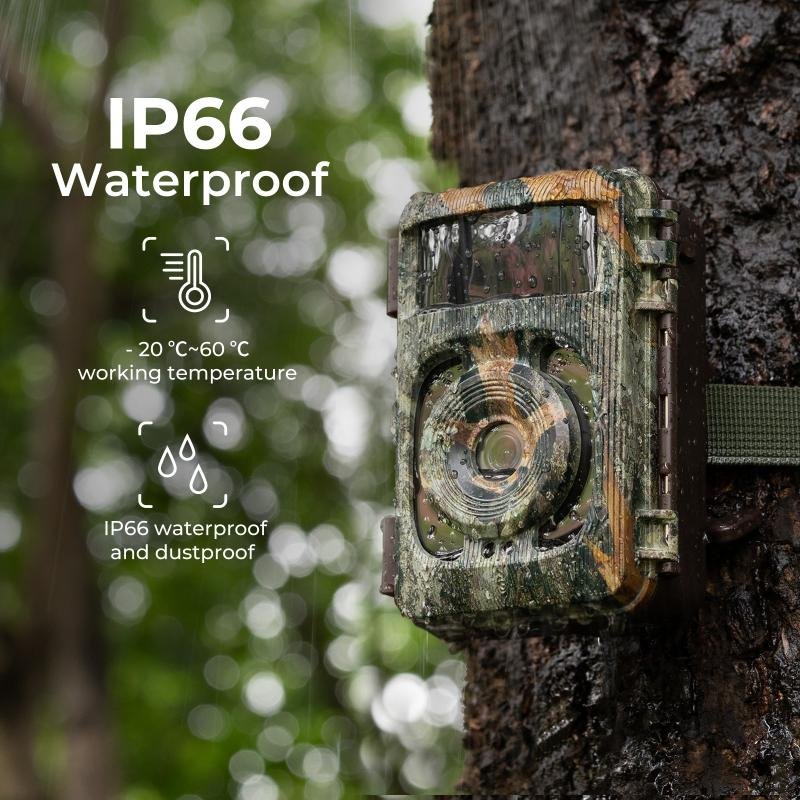
The camera housing is the protective outer shell. It’s typically made from a tough, weather-resistant material that keeps the internal electronics safe from rain, snow, dust, and extreme temperatures. This allows the camera to stay functional outdoors for extended periods.
How the Image Capturing Process Works Without Wifi
Now that we’ve explored the parts of a game camera, let’s put it all together. Here’s how the magic happens when an animal triggers the camera, without any internet required:
- Motion Detection: A warm animal enters the sensor’s detection zone.
- Sensor Activation: The PIR sensor detects a heat change and tells the camera to wake up.
- Image Capture: The camera lens focuses light onto the image sensor, which converts the light into a picture or video.
- Storage: The captured media is saved onto the SD card.
- Ready for the Next Trigger: The camera goes back into standby mode, waiting for the next motion trigger.
No Wi-Fi Needed: It’s All Self-Contained
The key point here is that all these steps happen inside the camera. It doesn’t need to connect to a wifi network to capture, store, and save media. The camera is designed to be self-sufficient, working independently in the field, no matter how remote the location is. The camera records its images and videos directly onto the SD card, which can be retrieved at a later time by you.
Adjustable Settings on Game Cameras
While game cameras work without wifi, many come with a range of customizable settings. These settings allow you to optimize the camera’s performance based on the specific conditions. Here are some of the common options that help to make your game camera useful in a variety of situations:
Adjustable Trigger Sensitivity
Most game cameras allow you to control the sensitivity of the motion sensor. A higher sensitivity will make it easier to trigger the camera, but can also lead to false triggers from small animals or even moving branches. A lower sensitivity can reduce false triggers but might miss some animals.
Capture Mode (Photo, Video, Hybrid)
Game cameras often let you choose how you want to capture the media. You can choose from capturing photos, recording videos, or a combination of both.
Photo Mode
In photo mode, the camera takes still images whenever it is triggered. This is great for seeing details and identifying animals, and also saves battery life. You can often set the number of photos taken in one event.
Video Mode
In video mode, the camera captures moving footage, which can be useful for analyzing animal behavior. However, video recording consumes more battery power and storage space.
Hybrid Mode
Some cameras have a hybrid mode, where they will first take a set of pictures followed by a video. This is a nice way to get the benefits of both.
Image Resolution
You can often change the image resolution, choosing from various megapixel options. Higher resolution means more detail in your photos and videos, but it also increases the file sizes and uses more SD card space. Many cameras will capture photos up to 30 megapixels, and videos at 4K resolution.
Video Length
In video mode, you can specify how long the camera should record when triggered. Shorter videos save space and power, whereas longer videos give you more detail about the animal’s behavior.
Delay Settings
The delay setting sets a time period that must pass before the camera can be triggered again. This helps prevent the camera from taking multiple images of the same animal, saving battery and storage.
Time and Date Stamp
Almost all game cameras will place a date and time stamp on your pictures and videos. This allows you to monitor the time of day and the date that animals are active.
Night Vision Settings
Most modern game cameras have infrared (IR) LEDs for capturing images at night. Some cameras also offer the option to set the intensity of the IR LEDs, which will adjust how bright the night-time photos are. Adjusting the night vision settings can be important, as there are different types of IR available (low-glow, no-glow), and each has advantages and disadvantages.
Low-Glow IR
Low-glow IR LEDs produce a red glow that is only slightly noticeable in the dark. These are excellent for seeing details, but may spook wildlife.
No-Glow IR
No-glow IR LEDs are completely invisible to the human and animal eye, and allow the camera to be more concealed at night. The main disadvantage is that no-glow IR can sometimes result in images that are not as sharp.
Benefits of Using Non-Wifi Game Cameras
While cameras with wifi are available, non-wifi game cameras remain popular. There are multiple reasons for this. Here are some of the advantages of using these stand-alone cameras:
- Simplicity and Ease of Use: Non-wifi cameras are usually simple to set up and operate. You just need to insert batteries and an SD card, and you are ready to go.
- Cost-Effective: Stand-alone cameras are generally more affordable than the ones that have wifi capabilities. This makes them accessible to a wider audience.
- Dependability: They don’t rely on a network for their operation, meaning they are less prone to technical issues related to the internet connection.
- Battery Efficiency: By avoiding constant network searches, non-wifi game cameras consume less power, extending their battery life.
- Versatility: You can put a non-wifi camera anywhere without having to worry about if there is an internet signal available.
- Privacy: Since your data is stored on an SD card, you have total control over it. You won’t have to worry about issues of cloud storage or data breaches.
Retrieving Your Photos and Videos
After you’ve left your camera out in the field for some time, the next step is retrieving the media. Here’s how it works:
- Turn the Camera Off: First, turn off the game camera to safely remove the SD card.
- Remove the SD Card: Carefully remove the SD card from the camera.
- Insert the SD Card into a Reader: You will need to insert the SD card into an SD card reader that is plugged into your computer or device.
- View and Save Your Files: Open the SD card on your computer to view the photos and videos. You can then copy them onto your hard drive.
There you have it! Game cameras use a clever combination of sensors, storage, and power to capture great photos and videos, all without the need for wifi. This design makes them the perfect companion for any outdoor activity or surveillance needs.
Before you Buy a WiFi Trail Camera Warning Know the FACTS WIFI Trail Cam that Can't Connect to WiFi?
Final Thoughts
Game cameras operate independently using internal storage, typically SD cards. They record images or videos when triggered by motion sensors. These files remain stored until you physically retrieve the camera and access the data.
Essentially, they function much like standard digital cameras, but with motion activation and are designed for outdoor use. This explains how do game cameras work without wifi; they store everything locally. The camera’s core functionality depends on its sensors and internal memory, not a continuous internet connection.

