
To link your PlayStation account to Epic Games, visit the Epic Games website, sign in, then go to ‘Accounts’ and ‘Connections’, and choose PlayStation to start the linking process.
Ever wondered how do i link my playstation account to epic games? It’s a common question for gamers wanting to access their progress and purchases across platforms. This connection lets you use your preferred PlayStation account in games like Fortnite that are managed by Epic.
It allows cross-progression, meaning you continue your game where you left off, and enjoy the benefits across different devices.
You can access your same skins, game progress, and vbucks on your console and other platforms after linking.

How Do I Link My PlayStation Account to Epic Games?
Ready to team up with friends on different systems or grab those sweet cross-platform goodies? Linking your PlayStation account to Epic Games is the key! It opens up a whole world of gaming possibilities, letting you carry your progress and purchases across platforms. But, how exactly do you do it? Don’t worry, it’s not as tricky as defeating a level boss. This guide breaks it down step-by-step, making it super simple even if you’re not a tech whiz. We’ll cover why you might want to connect your accounts, what you need before you start, and walk you through the whole process. Let’s get started!
Why Link Your PlayStation and Epic Games Accounts?
Before we jump into the “how,” let’s talk about the “why.” Why bother linking your PlayStation Network (PSN) ID with your Epic Games account? Well, there are several great reasons:
- Cross-Platform Play: Perhaps the biggest reason! Linking accounts lets you play games like Fortnite, Rocket League, or Fall Guys with friends who are on different systems (PC, Xbox, Nintendo Switch, or even mobile). Without linking, you might miss out on gaming with your whole crew.
- Shared Progress: Start playing on your PlayStation, then pick up where you left off on your PC or another console! This is especially great for games with seasons or levels you’ve worked hard to climb.
- Shared Purchases: Buy a skin or a special item on one platform and, most of the time, you can use it on all the linked platforms. No need to buy the same thing multiple times!
- Access to Epic Games Features: When linked, you get full access to the Epic Games ecosystem, which may include special events, free games, and other cool features.
- Avoiding Duplicate Accounts: Linking helps you keep everything neat and tidy. You can use the same email and single Epic Games account instead of having multiple accounts on different platforms, helping you not get confused or lose your game progress.
What You Need Before You Begin
Before you start the linking process, make sure you have a few things ready:
- A PlayStation Account: You’ll need your PlayStation Network (PSN) username and password. Make sure you can log in to your PlayStation account. If you don’t have one, you’ll need to create one on your PlayStation system or through the PlayStation website.
- An Epic Games Account: You’ll need an Epic Games account and be able to log in. If you don’t have an Epic Games account, you’ll need to create one. You can do this on the Epic Games website. Make sure your account is not already linked to any PlayStation Network account because if it is, you might face some difficulties to link the required PlayStation Network Account.
- An Internet Connection: You’ll need a stable internet connection for both your PlayStation and your computer (or mobile device if using the website).
Step-by-Step: Linking Your PlayStation Account to Epic Games
Now for the main event! Here’s a detailed step-by-step guide on how to link your PlayStation account to your Epic Games account:
Method 1: Using the Epic Games Website
This method is handy because you can do it from any computer or even your mobile device.
- Go to the Epic Games Website: Open your web browser and go to the official Epic Games website. You can simply search for it on google or any other search engine.
- Sign In (or Create an Account): Click on the “Sign In” button at the top right of the page. You will see a list of sign-in options, including a traditional username/password sign-in and various options like Google and Facebook. If you don’t already have an Epic Games Account, create one.
- Go to Your Account Settings: Once you are logged in, hover over your username at the top right of the screen. A menu will pop up. Choose “Account”.
- Navigate to Connections: On the Account settings page, you’ll see a menu on the left side. Select “Connections,” and click it. Then, a drop-down menu will appear. Click “Accounts” from the drop-down menu.
- Find the PlayStation Network Option: You’ll see a list of options. Look for the PlayStation logo and the words “PlayStation Network.” Click “Connect.”
- Sign in to your PlayStation Account: A new window will pop up, asking you to log in to your PlayStation Network account. Enter your PSN username or email and your password.
- Authorize the Connection: Once logged in, you might see a screen asking you to give Epic Games permission to access your PSN account details. Click “Allow” or “Accept”.
- Confirmation: After authorizing, you’ll usually get a confirmation message on the Epic Games website saying your PlayStation account is now linked.
Method 2: Through an Epic Games Game on PlayStation
This method is really helpful if you are playing an Epic Games title, such as Fortnite, on your PlayStation.
- Start an Epic Games Game: Launch a game like Fortnite on your PlayStation.
- Look for an Account Linking Option: During game startup, you’ll probably see a prompt or message to link or sign in to an Epic Games Account. This is usually found on the main menu or during first-time setup.
- Click the Linking Option: Click the prompt to connect your Epic Games account, or navigate to the settings menu of the game, find an option like “Account,” or “Connections”, and click it.
- Enter Your Epic Games Email or Username: The game will redirect you to a page where you need to enter your Epic Games account email or username and your password. Enter your account credentials.
- Authorize the Connection: After logging in, you will be prompted to allow access for your PSN account. Click the “Allow” or “Accept” button.
- Confirmation: Once authorized, you’ll get a confirmation within the game. The game may ask you to restart. Once the game restarts, you’ll be ready to go with linked accounts.
Troubleshooting Common Issues
Sometimes things don’t go as smoothly as we hope. Here are some common problems and how to fix them:
Already Linked to Another Account
Problem: If your PlayStation account is already linked to a different Epic Games account, you’ll get an error during the linking process. You may also not remember the Epic Games account. This is a frequent issue, and many gamers face it.
Solution:
- Try to remember if you have another Epic Games account. If you remember, then use that account and log in.
- If you cannot recall what that other account is, you may have to try to go to the Epic Games website, try to log in and try to recover your other Epic Games account. You can try to log in by using your PSN account email or PSN Username. If that is not working, then you can click on the “Forgot Password” option, and there you can enter your PSN email, and check your email for account recovery.
- You can try to contact Epic Games customer support for help.
“Account Already Linked” Error
Problem: You might see an error message saying your accounts are already linked even when you don’t think they are. This sometimes happens if there is a past linking or account confusion.
Solution:
- Double-check that your Epic Games account is correct.
- Log out and log back in on both your PlayStation and Epic Games account.
- Contact Epic Games support if the problem persists.
Login Problems
Problem: You might have issues logging in to either your PlayStation or Epic Games account.
Solution:
- Make sure your internet connection is stable.
- Double-check your username/email and password.
- Try resetting your password if needed.
In-Game Issues
Problem: Sometimes the issue is not that the accounts are not connected, but in-game issues, such as items not showing up or errors when trying to play cross-platform.
Solution:
- Restart the game on your PlayStation or other platforms.
- Make sure you log in using the proper linked Epic Games account.
- Check if your game or console requires an update, and update it accordingly.
Connection Errors
Problem: Issues with the website or with servers could cause interruptions during linking.
Solution:
- Try linking your accounts later on, after waiting a few minutes or hours.
- If the problem persists for more than a day, then contact Epic Games customer support.
Important Things to Keep in Mind
Before linking accounts and enjoying cross-platform play, you need to know these important facts:
One PlayStation Account Per Epic Games Account
You can only link one PlayStation account to a single Epic Games account. Once they are linked, you cannot link your PlayStation account to another Epic Games account. So, be sure to link your main Epic Games account to your main PlayStation account and always be careful while linking the accounts.
Data Sharing
When you link your accounts, Epic Games and Sony PlayStation will share some data for cross-platform gaming. It’s mainly related to player names, progress, and purchases, but always review the privacy policies of both companies for more information.
Be Careful of Phishing Scams
Always link your accounts directly from the official websites or through the game itself. Never click on random links sent in emails that ask you to log in, these might be phishing attempts. Be safe while doing it.
Future Disconnecting
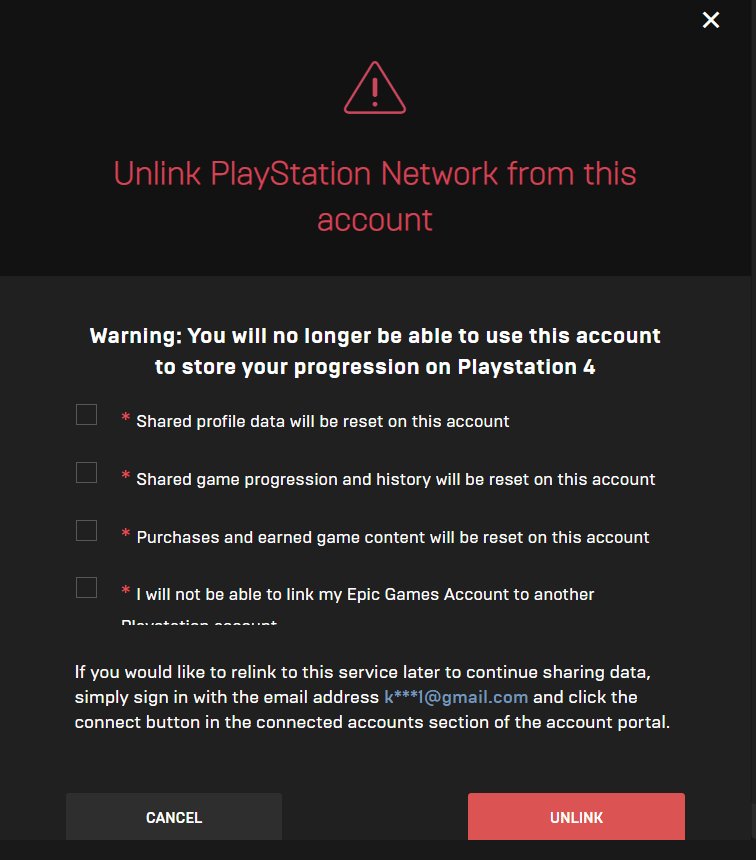
It is possible to disconnect accounts later on, however, it is not an easy process. You can contact Epic Games support for the disconnecting of accounts, however, it takes time, and you might have to explain your issue clearly to Epic Games, so they can consider the disconnection.
Age Restrictions
If you have a child account for PlayStation or Epic Games, you might need parental consent to link them. Make sure you have all the required permissions while linking.
Benefits of Linking Your Accounts for Different Games
The benefits of linking your PlayStation and Epic Games accounts aren’t just general. They can offer specific advantages for different games:
Fortnite
- Cross-Platform Parties: Play with friends on PC, Xbox, Nintendo Switch, and mobile.
- Shared V-Bucks and Skins: Access your purchased cosmetic items across all linked platforms.
- Battle Pass Progress: Continue making progress on your Battle Pass no matter where you’re playing.
Rocket League
- Cross-Platform Play: Team up with friends on other platforms in matches.
- Shared Inventory: Use the same cars, decals, and other customization items on any platform you play.
- Progress Tracking: Your ranking and level are carried across your platforms.
Fall Guys
- Cross-Platform Parties: Play with friends regardless of their gaming system.
- Shared Outfits and Customizations: Use all of your costumes, patterns, and other customization items on all of your connected platforms.
- Crown and Season Progression: Continue making progress in your season pass and keep all your crowns on all platforms.
And these are just the highlights. Every Epic Games title can offer you a better experience through account linking.
Linking your PlayStation and Epic Games accounts does not have to be a confusing process. By following this guide, you should be able to easily connect your accounts and enjoy all the perks of cross-platform play, shared progress, and purchased items. Always be careful about your password and account information and always do the linking through official sites. Now go out there and play with all your friends on other platforms!
How To Link Epic Games Account To PlayStation Account – Easy Guide
Final Thoughts
To link your accounts, visit the Epic Games website. Then, go to the ‘Connections’ page in your profile settings. Select the Playstation icon and sign in using your PlayStation Network credentials. This will successfully connect both accounts.
The process is quite straightforward. Now that you know how to link your Playstation account to Epic Games, you can enjoy cross-progression. Linking will enable shared game content and progress between platforms.

