
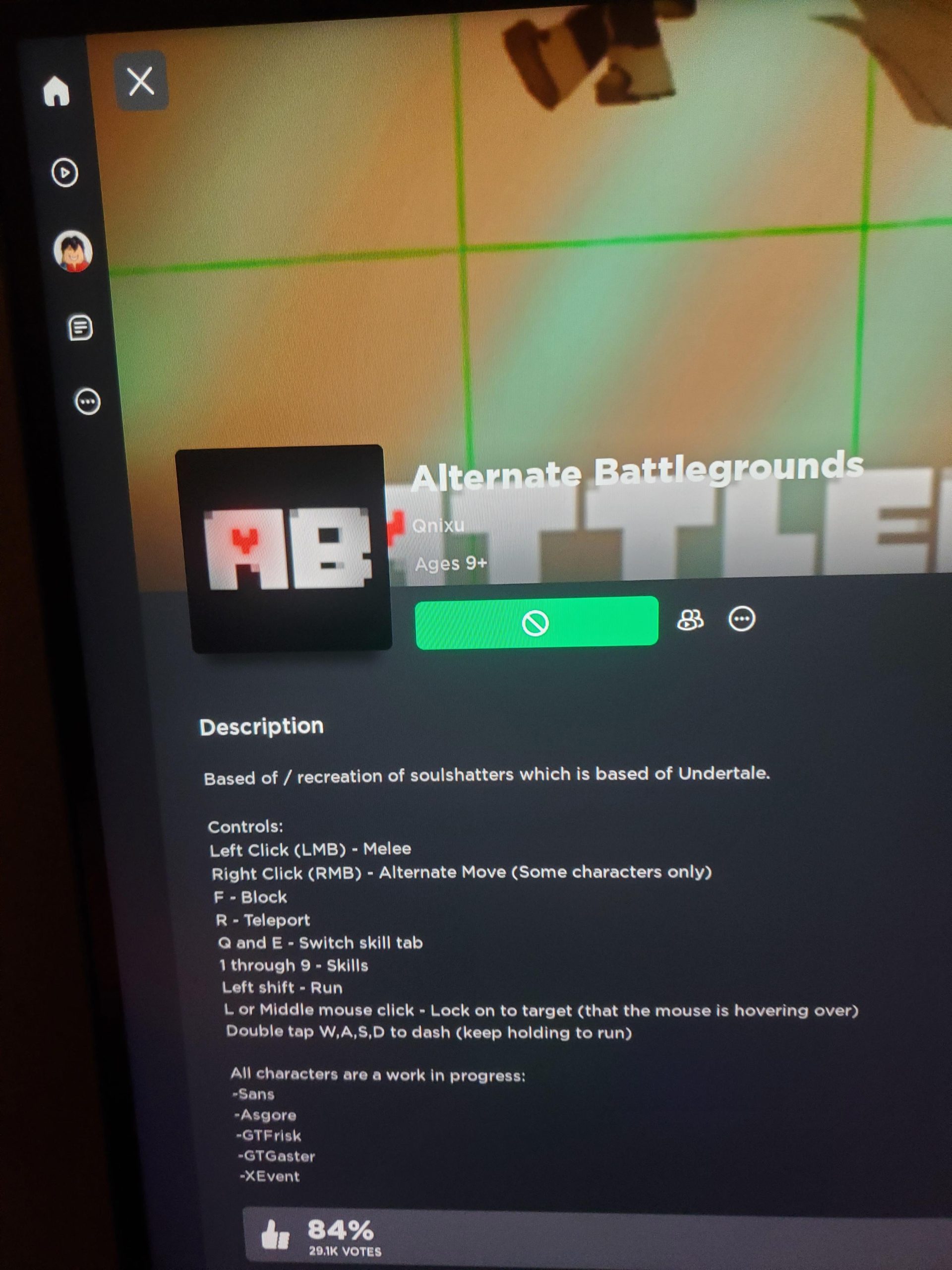
‘Some Roblox games are marked “not playable” because the game creator has set the game to private, it’s undergoing updates, or your device doesn’t meet the game’s requirements.’
Ever clicked on a Roblox game and seen that frustrating “not playable” message? It can be a real buzzkill when you’re eager to jump into a new adventure. The question of ‘why do some games on roblox say not playable’ is a common one, and there are several reasons.
The creator might have made the game private to limit access, or they could be actively working on updates and not want people playing an incomplete version. Sometimes your device may not have the necessary specs to run the game. This is a common scenario that causes the “not playable” error on Roblox.

Why Do Some Games on Roblox Say “Not Playable”?
Have you ever been super excited to jump into a new Roblox game, only to be met with the dreaded “Not Playable” message? It’s frustrating, right? You’re not alone! This happens to many Roblox players, and there are several reasons why you might see this message. Let’s explore these reasons together so you can get back to gaming!
Game Creator’s Choices: Setting the Stage
Sometimes, the reason a game is “Not Playable” has nothing to do with you or your device; it’s all about how the game creator has set things up. Think of it like building with LEGOs. The game creator gets to decide which pieces go where and how the game should work. Here’s what that looks like in Roblox terms:
Game is Set to Private
Imagine a game creator is still working on their game, like building a super cool secret hideout. They might not want anyone to see it until it’s perfect. When a game is set to private, it means only the creator and sometimes their friends can play it. This is like having a “keep out” sign on their virtual clubhouse. If you see “Not Playable” on a private game, it just means the creator isn’t ready to share it with the public yet.
Game is Being Updated
Sometimes, a game creator wants to make their game even better. They might add new levels, cool characters, or fix any little bugs. While they’re doing this, the game might be temporarily set to “Not Playable”. It’s like when your favorite ice cream shop is closed for a day to get all their supplies ready. It’s usually not closed for long, so be patient and check back later.
Game is Inactive or Removed
Occasionally, game creators might stop working on a game. They might have new ideas, or they might not have time to keep updating it. If the creator decides to stop working on a game, or if they choose to remove it from Roblox, the game will show as “Not Playable.” This is a bit sad, like when your favorite toy breaks, but there are always new games to explore!
Your Device and Roblox: Making Sure Everything Works Together
Sometimes, the “Not Playable” message pops up because of how your device is talking with Roblox. It’s like trying to speak different languages; sometimes, things don’t quite connect. Here are some common issues:
Device Compatibility
Roblox games are built with different devices in mind. Some games need more processing power, like a fancy computer, to run smoothly. If you are trying to play a complex game on an older phone, it may not be able to handle all the things that the game requires. In this situation, you will see that the game is “Not Playable”. It’s like trying to fit a big puzzle piece into a small space – it just doesn’t work. Different games have different system requirements. Older devices may struggle with games using cutting-edge effects and complex designs, leading to the dreaded “Not Playable” message. For the best experience, it’s always a good idea to make sure your device is up-to-date. The Roblox website and app will often provide information about the minimum requirements needed for smooth gameplay. Make sure to check those before hopping into a game that looks amazing but might not play well on your specific device.
Operating System Issues
Just like your device, your operating system (like Windows, macOS, iOS, or Android) also needs to be in tip-top shape. Older versions of operating systems may not have all the updates Roblox needs to work correctly. It’s like trying to play a new video game on an old game console. Sometimes, you need to make sure your system is up to date for everything to work nicely together. Keeping your operating system updated provides crucial security fixes, enhanced performance and often includes new features and compatibilities that ensure your gaming experience is seamless. Regularly updating ensures that Roblox and your device work together like a well-oiled machine.
Roblox App Issues
Sometimes, the Roblox app itself can have a few hiccups. It might be an older version, or it might have some files that are not working properly. This is similar to having a slightly out of tune musical instrument. You need to keep the Roblox app updated to make sure it works well with the games. It’s a good idea to make sure you have the latest version of the Roblox app. You should also try restarting the app or even your whole device. This might be just the thing to make everything work smoothly. Sometimes, clearing the app’s cache, which is like clearing a space where the app keeps temporary information, can also help. To check for updates, you usually just have to go to the app store where you downloaded the app, and if there’s an update, you’ll see the option to do so.
Network Troubles: Connecting to the Game
For Roblox games, just like for most online games, a good internet connection is very important. It’s how your device communicates with the Roblox servers, which are like the central hub for all the games. If your internet is not working well, you might see that the game is “Not Playable.” Let’s explore what might cause network issues:
Weak or Unstable Internet Connection
If your internet connection is weak or goes up and down, it can be tough for your device to connect to Roblox’s servers. Think of it like trying to talk on a phone with a bad signal – the conversation gets choppy, and sometimes, you can’t hear anything at all. A good internet connection is very important for gaming. Things like being far away from your Wi-Fi router, having too many people using the same internet, or a slow internet plan from your provider, all these can cause a poor connection. A game may show “Not Playable” when connection issues are present. Always try to connect as close as possible to your router, or if you are using a cell network, go outside and see if you can get a better signal. Also, if many people are using the network at the same time, it will slow down, so try to play when others aren’t using the network.
Firewall or Network Restrictions
Sometimes, a firewall (which is like a security guard for your internet) or other network restrictions might be blocking Roblox from working properly. Firewalls are meant to keep your computer safe, but they sometimes block the things that are harmless, like Roblox. These restrictions might be set up at home or at school, where the network is being managed by someone else. This may be done to protect your computer, but it can prevent Roblox games from loading. If this is an issue, you may need help from someone who knows how to manage the network. This can be someone like your parents or school IT person. They may be able to help you set up your network to allow Roblox to play properly. They may also need to set exceptions for Roblox in the firewall.
Roblox Server Issues
On occasion, the problem is not on your end. Roblox servers, just like any servers, can sometimes experience issues. These problems can happen due to maintenance, high traffic, or unexpected technical issues. When this occurs, many games may become “Not Playable” at once. This is like when a big event happens and a lot of people try to use the same road at the same time. Traffic gets very slow, or it comes to a standstill. While we don’t have control over Roblox servers, the best thing to do is to be patient and try again later. If it’s happening to lots of people, Roblox will usually be working hard to fix the issue as fast as they can. You can sometimes check Roblox’s social media pages or their website for updates on these problems.
Game-Specific Problems
Sometimes, the “Not Playable” message may be because of a problem that is specific to a particular game. It’s kind of like a puzzle having a missing piece – it just can’t be solved correctly. Here are a couple of situations that could occur:
Game Glitches and Errors
Even with the best efforts of game creators, games can sometimes have glitches or errors that can stop them from working properly. These glitches are like little mistakes that make the game not work correctly. It’s like a book that has a few missing pages. When that happens the game may not be playable. Sometimes, game creators will need some time to fix these problems. They will usually work very hard to find the issues and make the game work correctly again. This might require an update or a change to the game from the developers. If a specific game is showing “Not Playable”, it is possible that there is a bug in the game.
Geographic Restrictions
It’s not very common, but sometimes game creators might choose to restrict the areas where their game can be played. This means if you are in a location that the game creator has not included, the game might show as “Not Playable”. This might be due to legal issues, language concerns, or preferences of the creator. It’s like a playground only being open to people from a certain school. If you try to play a game from a place that it is restricted to, you won’t be able to play it. Try looking at the game description to see if there is any information about any geographic restrictions.
So, the next time you see that “Not Playable” message, don’t get too discouraged. Now you know all the things that could be causing the issue! Remember to check your device, your internet connection, and be patient. Most of the time, things will be back up and running soon, and you can get back to exploring all the fun games Roblox has to offer!
In summary, the “Not Playable” message in Roblox can come from a number of different issues. These problems include game settings chosen by the developer, problems with the user’s devices and software, internet connection issues, or problems with the Roblox servers themselves. There might even be errors or settings within a specific game that are causing the problem. Remembering all of these possible reasons is helpful when you try to figure out what to do when you see “Not Playable” message on your screen. It will help you troubleshoot the problem so that you get back to playing soon!
Fix Roblox "This Experience is Unavailable Due to Your Account Settings" Error
Final Thoughts
In conclusion, several reasons cause games on Roblox to show “not playable.” Developers may set games to private for development or maintenance. Sometimes, a game’s creator has banned or restricted the user.
These restrictions often mean the game is under active construction and not ready for public interaction. Poor internet connectivity could also be the reason for why do some games on roblox say not playable. The game itself could have errors, preventing access.

