
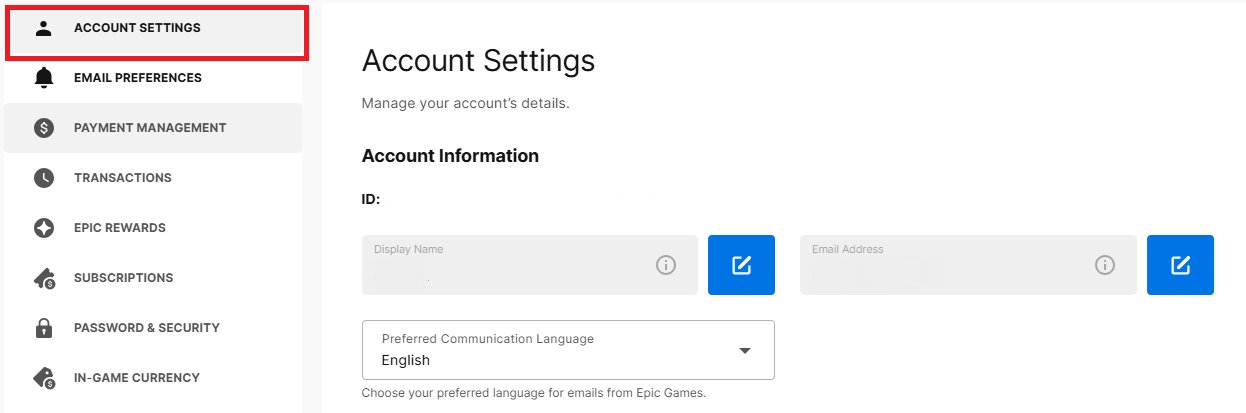
You must contact Epic Games support directly through their website and provide as much account information as possible to verify your identity since you do not have email access to perform the standard recovery steps.
Losing access to your gaming account can feel like a digital nightmare, especially when you can’t remember your email address. You might be asking yourself, ‘how do i recover my epic games account without email?’ It’s a common issue, and it can be frustrating when you just want to jump back into your favorite games.
Don’t worry, you are not totally out of options. Epic Games has a support system designed to help users in these situations. We will show you the steps you can take to try and get back into your account.

How Do I Recover My Epic Games Account Without Email?
Losing access to your Epic Games account can be a real bummer, especially if you’ve put in a lot of time and effort (and maybe even some money) into building your game library and progress. Usually, your email is the key to getting back in, but what happens when you can’t access that email anymore? Don’t worry, you’re not completely locked out. This guide will walk you through different ways to try and recover your Epic Games account, even without that crucial email.
Understanding Why You Need Your Email
Before we jump into recovery methods, let’s quickly talk about why your email is so important. Think of your email address as the main key to your Epic Games account. Epic Games uses it to:
- Confirm your identity when you log in.
- Send you password reset links if you forget your password.
- Give you important updates about your account.
- Help you keep your account secure.
Basically, without access to your email, Epic Games doesn’t have an easy way to verify that you’re really you. That’s why it’s so tricky when you lose access to it. But don’t lose hope; there are still some things we can try.
The Most Important Step: Epic Games Support
The first and most important thing you should always do is contact Epic Games Support. They’re the official team that can help you with account issues. Even without your email, they have ways to verify your identity if you can provide them with enough information. Think of them as the official problem-solvers for Epic Games accounts.
How to Contact Epic Games Support
Here’s how you can get in touch with them:
- Go to the Epic Games website: Use your internet browser and navigate to the official Epic Games site.
- Find the Support page: Look for a “Support” or “Help” link. This is usually at the bottom of the webpage or in the main menu.
- Submit a ticket: You’ll typically find a way to submit a support ticket or use a chat feature. When making a ticket, explain your problem clearly, mentioning that you don’t have access to the email associated with the account.
- Be patient: Support might take some time to respond, especially when they receive a high number of requests. Don’t be discouraged if you don’t get an immediate answer.
Information to Have Ready For Support
When you contact support, they’ll need some proof that you are the real account owner. Try to gather as much of this information as possible. The more you have, the better your chances of getting your account back.
- Your display name: This is the name you use in games.
- Your date of birth: The date of birth you used when you created the account.
- When you created your account (approximate): Even a guess is better than nothing. If you remember the month and year, note it down.
- Names of any games you own: Write down every game that you’ve purchased or downloaded on the account.
- Transaction IDs for any purchases: If you have ever bought a game or add-ons you should have an email confirmation with a transaction ID number.
Locating these can really help support verify you own the account. - Your IP Address if you know it: If you have a static IP address, including this can also help. (You can search what is my IP on the internet).
- Last known password: If you remember any previous passwords.
- Previous email (if you know): Even if you don’t have access, knowing it can help.
Important Note: The more specific the information you can provide the more credible you will seem to support. This is crucial for account recovery.
Alternative Verification Methods
Even if you can’t provide everything listed above, there are some alternative ways Epic Games might be able to verify your ownership.
Here are a few:
Connected Accounts
Did you link your Epic Games account to any other platform, like a PlayStation, Xbox, Switch, Steam, or Facebook account? If so, this could be a very helpful. Support can sometimes verify your account through these linked accounts. Here is how:
- When you are contacting support, mention all linked accounts to the support team.
- Be sure to include usernames and information associated with these accounts.
- They may ask you to log into these accounts to prove your ownership.
This process can help them verify your identity by connecting your linked accounts to your epic games account.
Two-Factor Authentication (2FA)
If you enabled 2FA on your account, it might seem counterintuitive, but in some cases, it can help. While you might not have access to the email address you used to set up 2FA, support might still use it as a verification marker.
- When you contact support, let them know if you used 2FA.
- If you used an authenticator app, you can try to use the backup codes if you have them saved.
- If you used your phone, mention that too and the number associated.
2FA, while it locks an account down, it can give another avenue for support to check if you are the owner.
Specific Games and In-Game Data
If you’ve played certain games for a long time, you might remember some specific details about your in-game progress. Here are a couple of things that can help:
- In-game statistics: Try and recall things like how many wins you had on Fortnite, or a rare skin you own.
- Specific friends you have: Mention friends you regularly played games with, their user names will help.
- Any unique in-game items: Any cosmetic items that you can remember can also help.
Sometimes providing very specific information like this can help solidify your case, showing you have a good understanding of the account.
Why You Shouldn’t Use Third-Party Recovery Services
When you are locked out of your account, some people look for quick fixes and might stumble across third-party recovery services that promise to regain access to your account without email. They will likely ask for login credentials to your account, but these services are very risky and you should avoid using them at all cost.
- Security Risks: These services are often scams that steal your information, including passwords and personal details, making things worse.
- Account Bans: Using third-party services can violate Epic Games’ terms of service, which can lead to your account being permanently banned.
- Unreliable: Often times the services are ineffective in regaining your account, especially if you don’t have an email address for recovery.
It is much better to stick with official support channels to make sure your information and accounts stay safe. While it can take a little longer, it is the safest and most secure way to try and get your account back.
Preventing Account Loss in the Future
Once you’ve gotten back into your account, it is worth thinking about things you can do to avoid future issues. Here are some good ideas to keep your account and information safe.
Keeping Your Email Updated
- Use a secure email address: Be sure to use an email address that you use often and have access to. Don’t use an old email or a work one that could become inaccessible.
- Add a recovery email or phone number: Many email providers allow you to add alternative methods of recovery. Take advantage of these features, just in case.
- Keep your recovery email updated: If you change your email or phone number, be sure to update your recovery information on Epic Games.
These measures help make sure that you always have access to a way to recover your account if the need arises.
Strong Password Practices
- Use complex passwords: Make sure your password is long and includes letters, numbers, and special symbols. The harder the password is to guess, the safer your account is.
- Avoid password reuse: Use a unique password for your Epic Games account. Don’t use the same one you use on other accounts.
- Use a Password Manager: Use a password manager, like Bitwarden or 1Password to securely store passwords and generate strong new ones for all your accounts.
A good strong and unique password, kept in a safe place, can do a lot to help ensure the safety of your account.
Enable Two-Factor Authentication
- Set up 2FA: Enable 2FA using a mobile app like Google Authenticator or Authy, this adds an extra layer of security.
- Keep backup codes safe: When you set up 2FA, you will get backup codes that you should store in a safe place so you can recover the account if you need to.
2FA is one of the most important things you can do to ensure that someone who gets your password will not gain access to your account.
Be Wary of Phishing Scams
- Recognize phishing: Be aware of phishing emails and messages. Epic Games will never ask for your password over email.
- Check links: Always check any link before you click it. It is much better to navigate to a website directly rather than clicking a link from an email or message.
- Never share information: Never share your account details with anyone, not even if they claim to be an official support agent.
Phishing is a technique that a lot of bad actors use to try and trick you into giving up access to your account. Be smart and be aware and you should be safe.
Recovering your Epic Games account without access to your email can be challenging, but it’s not impossible. The most important thing is to contact Epic Games Support and be ready to provide all the information they ask you for. Be patient and thorough and you should have your account back in good time. Be sure to practice the tips provided to avoid future issues and protect your valuable accounts.
HOW TO GET YOUR EPIC GAMES ACCOUNT BACK WITHOUT EMAIL AND PASSWORD (Fortnite OG)
Final Thoughts
To recover your Epic Games account without email, you must utilize their account recovery form. You will need to provide as much information as possible. This might include your username or display name.
Accurate details are key to proving account ownership. Thoroughly answer all fields in the recovery request. Remember, ‘how do I recover my epic games account without email’ requires you to contact support directly via this form.

