
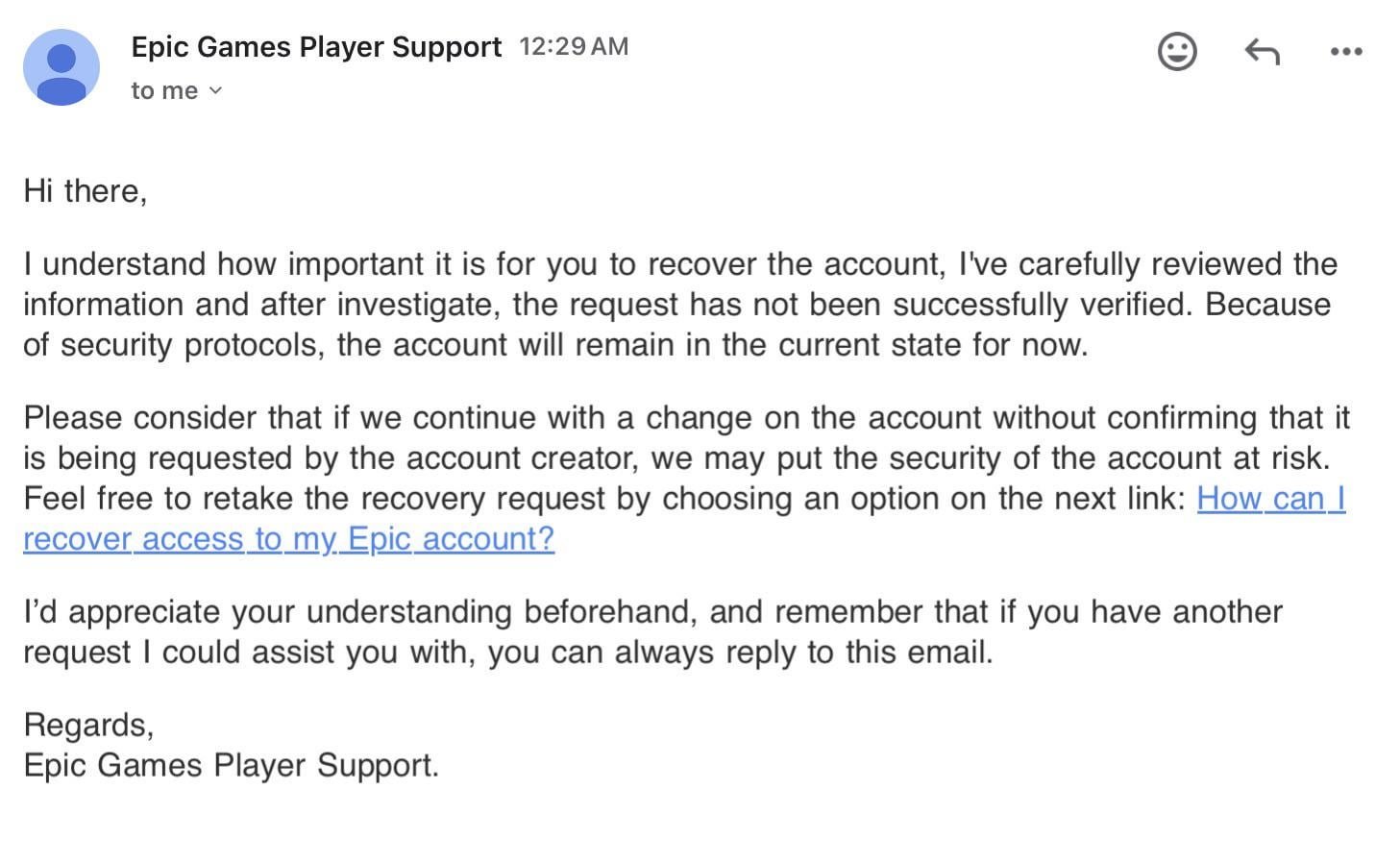
To recover your Epic Games account, you’ll need to go through their account recovery process, typically using the email address associated with the account or by contacting their support team.
Losing access to your Epic Games account can be frustrating, especially if you have valuable games and progress tied to it. If you’re thinking “how do i recover my epic games account?”, you’re not alone. Many players face this issue.
Luckily, Epic Games provides methods for account recovery. This guide will quickly walk you through the steps to regain access to your account and get back to gaming.

How Do I Recover My Epic Games Account?
Losing access to your Epic Games account can feel like a big problem, especially when you have favorite games and progress saved inside. But don’t worry! Getting your account back is usually possible, and we will walk through how to do it step-by-step. This guide will cover all the different ways you can recover your Epic Games account, even if you’ve forgotten your email or password or have had your account taken by someone else. We will look at common problems and what to do in each case. Let’s get started on getting your games back!
Forgotten Password: The Most Common Problem
The most frequent issue people face is forgetting their password. It happens to everyone! Epic Games has made a straightforward process to help you get back in when this happens. Here’s how:
Resetting Your Password Through Email
1. Go to the Epic Games Website: Open your web browser and head to the official Epic Games website.
2. Click “Sign In”: Look for the “Sign In” button at the top right corner of the page and click on it.
3. Find “Forgot Your Password?”: On the sign-in screen, you’ll see a link that says “Forgot Your Password?” Click on it.
4. Enter Your Email Address: Type the email address you used when you created your Epic Games account into the box provided.
5. Check Your Inbox: Epic Games will send you an email with instructions on how to reset your password. This email might take a few minutes to arrive, so be patient. If you don’t see it in your main inbox, check your spam or junk folders.
6. Click the Reset Link: Open the email from Epic Games and click on the link to reset your password. This will take you to a page where you can choose a new password.
7. Create a Strong Password: Choose a password that’s hard for others to guess. It should have a mix of capital and lowercase letters, numbers, and symbols.
8. Sign In: After setting your new password, return to the Epic Games website and sign in with your email and your new password.
If you cannot find the password reset email, double-check that you entered the correct email address. Sometimes, a small mistake like a typo will prevent the email from reaching you. If you are still having trouble, it might be time to explore other recovery methods, which we will cover next.
Trouble with Two-Factor Authentication (2FA)
Two-Factor Authentication, or 2FA, is an extra layer of safety for your account. It uses a code from your phone or email to confirm that it’s really you trying to sign in. While it’s a good thing for keeping your account safe, it can sometimes cause trouble if you lose access to your 2FA method.
2FA Using Email
If you used email for 2FA and can’t access your email anymore, you will need to work with Epic Games Support directly. You cannot simply reset 2FA without access to the email linked to your account. Go to their support website to start the process.
2FA Using an Authenticator App
If you set up 2FA with an app on your phone, like Google Authenticator or Authy, and you can’t access the app or your phone, it gets a little trickier.
1. Backup Codes: When you set up 2FA, you hopefully wrote down or saved your backup codes. These are single-use codes that can get you back into your account if you lose your main 2FA method. Look for those codes.
If you find your backup codes, you can use one to sign in. Then, go into your account settings and set up 2FA again with a working phone or email.
2. No Backup Codes: If you didn’t save your backup codes, you’ll need to contact Epic Games Support. You will have to prove that you own the account by providing as much detail as you can about it, such as your email, username, and past purchases.
Email Access Lost or Changed
Sometimes, the email address linked to your Epic Games account is the main problem. Maybe you lost access to that email, or someone changed it without your permission.
Lost Access to Your Email
1. Contact Email Provider: First, try to recover your email account. Most email providers have a recovery process. This might involve answering security questions or using a phone number you have on file.
2. Epic Games Support: If you cannot regain access to your email account, contact Epic Games Support. You will have to verify that you own the Epic Games account. Be ready to provide information about your account, like usernames, past purchases, and any other details they might need.
Someone Changed Your Email Address
1. Contact Epic Games Support Immediately: If you notice that your email was changed without your knowledge, you need to contact Epic Games Support as fast as possible. Let them know that your account was compromised and the email was changed without your permission.
2. Provide Information: Just like before, you will have to verify you own the account by giving them as much information as possible, like your username, payment details, and other identifying facts.
3. Follow Instructions: Epic Games will guide you through the process of getting your account back. Be prepared to follow any instructions they give you, which could involve additional verification.
Account Hacked or Compromised
If you think someone has taken over your account, you must act quickly. A compromised account means someone else has access to your account, and that can be very dangerous for you and your information.
Signs Your Account Might Be Hacked
Unrecognized Purchases: You might notice purchases you didn’t make.
Username or Password Changes: You can no longer log in with your usual information, or you notice your username was changed.
Strange Activity: You see messages or game progress you did not make.
Email Change Notifications: Epic sends you an email informing you that your email on your account has been changed without your permission.
Steps to Take If Your Account Is Hacked
1. Contact Epic Games Support Right Away: The most critical first step is to reach out to Epic Games Support as quickly as possible. The faster you reach out, the faster they can help you get your account secured again.
2. Provide Proof of Ownership: Be prepared to prove that you own the account. This means providing detailed information that only you would know. Information could include your username, the email connected to the account, past purchases with dates, and when you created the account.
3. Follow Instructions Carefully: Epic Games Support will provide you with specific steps you must follow to recover your account. You need to follow these instructions very carefully so that they can help you.
4. Change Password: Once you get your account back, change your password immediately to something strong and unique.
5. Set Up 2FA: If you do not have it already, make sure to set up 2FA to add an extra layer of safety to your account.
6. Review Account Activity: Check your account activity for anything suspicious, and report anything that looks wrong to Epic Games.
Verifying Your Account
Sometimes, Epic Games may ask you to verify your account to make sure you are the real owner. This could happen during the recovery process or at any other time, usually after suspicious activity is detected.
How to Verify Your Account
1. Follow the Instructions: Epic Games will tell you what they need to verify your account. This could be through a link sent by email or within your account settings.
2. Provide Required Information: You might need to enter personal information, verify your email or phone number, or provide other kinds of identification.
3. Be Accurate: Make sure all the information you provide is accurate and matches what is on file for your account.
4. Contact Support if Needed: If you have any trouble verifying your account, contact Epic Games Support for help.
Preventing Future Account Issues
Once you’ve got your account back, it is important to set up safety measures to prevent losing access in the future. Here are some tips:
Strong Passwords
Use a mix of capital and lowercase letters, numbers, and symbols.
Don’t use easy to guess information, like names or birthdays.
Change your password often, and don’t reuse passwords for other accounts.
Two-Factor Authentication (2FA)
Enable 2FA for an extra layer of security. Use an authenticator app or a secure email address that you can always access.
Make sure to save backup codes when setting up 2FA.
If using a phone app, make sure to set up account recovery in case you lose access to your phone.
Keep Email Updated
Make sure you have access to the email linked to your Epic Games account.
If you change your email address, update it in your Epic Games account right away.
Be Careful of Phishing
Phishing is when someone pretends to be someone else to get your login info. Epic Games will never ask for your password in an email.
Never click links in emails from unknown senders. Go to the Epic Games website directly from your browser to sign in.
Be suspicious of emails promising free items or other things that sound too good to be true.
Regular Checks
Check your account activity often to look for any suspicious activity.
Keep your email address current, as Epic sends important info to your email.
Make sure you can use your chosen 2FA method, and have backup recovery options.
By following these tips, you can greatly lower the chance that you will lose access to your Epic Games account again. It is best to be proactive and keep your account safe.
Recovering your Epic Games account can sometimes be a little difficult, but with the right steps and information, you can get back to your favorite games. Remember to use strong passwords, enable 2FA, and keep your email and recovery info up to date. Always be on alert for scams and phishing, and if you do have trouble, Epic Games Support is there to help you. Keep your account secure, and keep on gaming!
HOW TO GET YOUR EPIC GAMES ACCOUNT BACK WITHOUT EMAIL AND PASSWORD (Fortnite OG)
Final Thoughts
To summarize, if you forgot your password, use the ‘Forgot Password’ option on the Epic Games login page. They will send a password reset email to the associated address. Check your spam folder if the email is missing.
For a compromised account, contact Epic Games support immediately. They will guide you through the account recovery steps. Ensure you have all account details and proof of ownership ready. This helps expedite the process.
So, remember that you must take the proper security measures for your account. That is the key to avoid future troubles with your account, and when it is needed to recover your epic games account.

