
To fix a scratched Xbox 360 game disc, you can try cleaning it with a soft cloth, using a disc repair kit, or as a last resort, seeking professional resurfacing.
Have you ever felt that pang of frustration when your favorite Xbox 360 game refuses to load? The culprit is often a scratched disc, and the question immediately arises: how do you fix a scratched xbox 360 game disc? It’s a common problem for many gamers. We all understand the feeling when you are so close to completing a level.
Don’t give up hope yet! There are a few methods that can bring your scratched game disc back to life. We will explore some practical solutions you can try at home and help you get back to gaming soon.

How Do You Fix a Scratched Xbox 360 Game Disc?
Okay, so you’ve got that awesome Xbox 360 game you’ve been dying to play, but the disc looks like it went on a rough roller coaster ride? Scratches on game discs are a real bummer, but don’t panic! It doesn’t always mean your game is doomed. Before you rush to buy a new copy, let’s explore some ways you can try to fix that scratched Xbox 360 game disc and get back to playing.
Understanding the Enemy: What Causes Scratches?
First things first, it’s good to know why these annoying scratches appear in the first place. Knowing the cause can help you prevent them in the future! Usually, scratches happen when the disc surface rubs against something harder. Here are some of the common culprits:
- Rough Handling: Dropping the disc or carelessly sliding it across a table is a big no-no.
- Dust and Dirt: Tiny particles can act like sandpaper on the disc surface, creating scratches over time.
- Disc Drive Issues: Sometimes, problems inside the Xbox 360’s disc drive can cause scratches as the disc spins.
- Kids (and Pets!): Let’s be honest, sometimes little hands aren’t always the gentlest, and pets might mistake your disc for a chew toy.
- Poor Storage: Stacking discs or leaving them exposed to the elements can also lead to surface damage.
The most common type of scratch we are dealing with is usually superficial. These are the scratches on the bottom layer of the disc that have not reached the data layer yet. Most of the fixing methods we are going to discuss are going to help you with the superficial scratches. Keep in mind, that when scratches are deep and the disc is severely damaged, no home fixing method will work.
The Anatomy of a Disc: Why Scratches Matter
Before we dive into fixes, let’s briefly peek at what a game disc is like. A standard Xbox 360 game disc has several layers:
- The Label Layer: This is the top, printed side that has the game’s name and artwork.
- The Protective Coating: A thin, clear layer that protects the data underneath.
- The Reflective Layer: This layer is metallic and allows the laser in your Xbox to “read” the data.
- The Data Layer: Where all the game’s information is actually stored.
- The Substrate Layer: The thickest layer, providing the disc’s structure and rigidity.
Scratches on the bottom (reading) side mainly impact the protective coating and sometimes the reflective layer. When a scratch is deep, it starts messing with the laser, which leads to reading errors. That’s why your game might freeze, skip, or not even load.
Assessing the Damage: How Bad Are the Scratches?
Not all scratches are created equal. Some are minor and easy to deal with, while others might be a lost cause. Before you try a fix, inspect your disc carefully. Here’s what to look for:
- Light Scratches: These are barely visible, often looking like small hairline marks. These are the easiest to fix.
- Moderate Scratches: You can clearly see these, and they might be a bit deeper. These are still usually fixable.
- Deep Scratches: These are very noticeable and feel deep when you run your fingernail over them. These are hard to repair, and might be beyond home repair.
- Circular Scratches: If you see scratches going in a circle around the disc, it might be from the disc drive. These can be more challenging.
If your disc has deep scratches or looks severely damaged, it might be best to consider replacing it. But for those light to moderate scratches, let’s get to work!
Simple Cleaning Techniques: The First Line of Defense
Sometimes, what looks like a scratch is just dust or a smudge. Before trying any of the more advanced methods, start with basic cleaning. You’d be surprised how often this works!
What You’ll Need
- A soft, lint-free microfiber cloth.
- Distilled water or a mild cleaning solution (like a very diluted dish soap mix).
The Cleaning Process
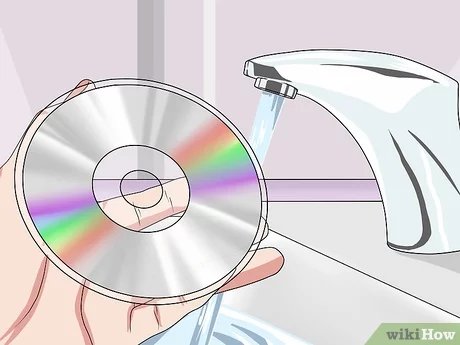
- Dampen the Cloth: Lightly dampen your microfiber cloth with distilled water or your diluted cleaning solution. Make sure it’s not too wet, just slightly damp.
- Wipe Gently: Starting from the center of the disc and working your way to the outer edge, wipe the disc in straight radial lines. Avoid circular motions, because those can make scratches worse.
- Inspect: After cleaning, hold the disc up to the light and see if the scratches are still noticeable. If they’re much less visible, congratulations, you might have solved the problem! If not, move to the next step.
Important Tip: Never use paper towels or tissues to clean a disc. These can easily scratch the surface. Always opt for a soft microfiber cloth.
The Toothpaste Trick: An Abrasive Solution
Yes, you read that right—toothpaste! This common household item can act as a mild abrasive to help buff out light scratches. It’s important to use the right type of toothpaste though.
What You’ll Need
- A soft, lint-free microfiber cloth.
- A small amount of non-gel toothpaste (the white, paste kind).
- Distilled water.
The Toothpaste Method
- Apply Toothpaste: Put a small pea-sized amount of toothpaste onto the microfiber cloth.
- Gently Rub: Using the cloth with the toothpaste, gently rub the scratched area of the disc in a straight, radial motion, moving from the center to the edge. Don’t rub in circles! Make sure to apply very gentle pressure.
- Clean It Off: After about a minute of gentle rubbing, rinse the disc with distilled water to remove all of the toothpaste.
- Dry Completely: Dry the disc with a clean, dry portion of the microfiber cloth. Make sure the disc is completely dry before attempting to play it.
- Test It: Try playing the disc in your Xbox 360. If the scratches are still causing issues, repeat the process one more time or move onto the next method.
Important Notes: Make sure you do not use gel toothpaste. The abrasive material in non-gel toothpaste is the key to make this method work. Avoid any gritty or abrasive toothpaste, as this could actually make your scratches worse. Also, be very gentle when you’re rubbing with the toothpaste, because putting too much pressure will damage your disc further.
Using Household Polishes: Another Buffing Approach
Similar to toothpaste, other household polishes can also help to reduce the appearance of scratches. These products are designed to smooth surfaces, which can be helpful for minor disc damage.
What You’ll Need
- A soft, lint-free microfiber cloth
- A small amount of car wax, furniture polish, or even brass polish. Make sure it is a non-abrasive polish
- Distilled water
The Polishing Process
- Apply the Polish: Put a very small dab of your polish onto the microfiber cloth. Make sure you are using very little polish. Too much of it will be counterproductive.
- Gently Buff: In a straight, radial motion, gently rub the scratch with the cloth. Do this for about 30-60 seconds, applying gentle pressure.
- Clean it off: After buffing, rinse the disc thoroughly with distilled water to remove any polish residue.
- Dry Completely: Use a clean, dry microfiber cloth to dry the disc thoroughly.
- Test the Disc: Place the disc in your Xbox 360 and see if it will read properly. If not, repeat the process one more time, or try another method.
Caution: Be very careful when using household polishes. Use a very small amount and test in an inconspicuous area first if possible, to make sure it does not damage the disc further. Always use a non-abrasive polish, so you don’t scratch the disc further.
Professional Disc Repair Services: When Home Remedies Fail
If none of the above methods work, it might be time to call in the professionals. There are places that specialize in repairing scratched discs. They have special equipment that can resurface the disc, removing a very thin layer of the plastic to eliminate those scratches.
What to Expect
- Disc Resurfacing: This involves using a machine that gently polishes the disc.
- Cost: Typically, professional disc repair services cost about $5-10 per disc.
- Time: The repair might take anywhere from a few minutes to a few hours, depending on the severity of the damage.
- Success Rate: While not a guarantee, these services can often bring back badly scratched discs.
Where to Find Disc Repair Services
- Local Video Game Stores: Many video game stores, especially smaller, local ones, might offer disc repair services.
- Online Services: There are also several online companies that specialize in disc repair.
Important Note: If your disc has deep or circular scratches, the repair might not be perfect, and the disc could still have some issues. But, if the disc is precious to you, it is still worth a try!
Prevention is Key: Protecting Your Discs Going Forward
After putting in all that work to fix your disc, you definitely want to avoid having to do it again. Here are some tips on how to take better care of your Xbox 360 games:
- Store Discs Properly: Always keep your game discs in their cases when not in use.
- Handle with Care: Don’t slide them across surfaces or stack them without protection.
- Keep them Clean: Regularly clean your discs with a microfiber cloth to get rid of dust.
- Keep Away from Extreme Temperatures and Sunlight: These conditions can warp the disc, leading to readability issues.
- Make sure the Xbox 360 is Working Correctly: Keep your console clean and in a safe space, as it can lead to further disc issues.
By taking the time to care for your Xbox 360 game discs, you can avoid many common issues and enjoy your games for years to come! Remember, the goal is to play your games, not spend time trying to fix them.
Repairing a scratched Xbox 360 game disc might seem like a daunting task, but with a little patience and the right methods, you can often get your games working again. Starting with the simple cleaning methods and moving on to mild abrasive options, such as toothpaste or polishes, can often do the trick for superficial damage. And when those don’t work, remember that there are professionals that can help, and even more importantly, learn how to protect those discs from future scratches. It’s all about getting you back to gaming!
How to Fix a Scratched or Damaged Disc and Unreadable Disc Error for Xbox, Playstation, and PC
Final Thoughts
You can try gentle cleaning with a soft cloth or using a specific disc repair kit for minor scratches. These methods often improve playability. If the damage is deep, professional resurfacing might be your best bet.
For severe scratches, you might find replacement the only option. Therefore, knowing how do you fix a scratched xbox 360 game disc is a useful skill. Remember prevention, store your discs properly.

